June 13, 2026
Under Desk Cable Management Ideas: Build a Workspace That Works

The workspace shapes the work. Equip it deliberately. If you spend serious hours at a desk, the area beneath it matters more than you think. Cables tangling around your feet aren't just a trip hazard; they are a visual distraction that breaks your focus during deep work. With over half of remote-capable employees now working in hybrid roles as of 2026, the need for a functional setup has never been higher. Exploring specific under desk cable management ideas is the first step toward reclaiming your space from the chaos of tangled cords and dust-gathering wire nests.
It's frustrating when you can't find the right plug or when a simple cleaning task becomes a rescue mission for your charger. We agree that your environment should support your daily tasks rather than act as a source of friction. This guide offers practical strategies to clear the floor and route your cables for a more intentional, clutter-free desk setup. We will walk through the best ways to use trays, boxes, and ties to build a workspace that feels like yours and stays out of your way.
Key Takeaways
- Recognize how clearing under-desk clutter removes the physical friction that interrupts your focus and legroom.
- Explore tailored under desk cable management ideas for different layouts, whether your workspace is anchored to a wall or floats in the center of the room.
- Equip your desk with modular tools that earn their place by allowing for future hardware changes without a total rebuild.
- Follow a deliberate implementation process that starts with a full reset to understand the actual length and path of every cord.
- Learn how to mount your power strip as the central anchor to keep every connection organized and off the floor.
The Foundation of an Intentional Workspace: Why Under-Desk Order Matters
The workspace shapes the work. Equip it deliberately. When you spend serious hours at a desk, every small friction point adds up. Cable management is often overlooked because it's out of sight, but it's never truly out of mind. A tangle of wires isn't just a visual mess; it's a physical obstacle. It limits where you can put your feet and makes every movement a potential disaster for your hardware. If you've ever accidentally kicked a power strip and lost ten minutes of unsaved work, you know that intentional routing is a requirement, not an extra.
To better understand the range of solutions available, watch this helpful breakdown of various tools:
A considered setup also protects your investment. Dust loves wire nests. It builds up in the gaps, clogs fans, and eventually affects the longevity of your tech. By implementing under desk cable management ideas that lift cords off the floor, you make cleaning a five-second task rather than a deep-dive project. You aren't just tidying; you're building a space that's made for the work.
The Mental Benefit of a Clear Floor
Visual noise under the desk can subconsciously distract you during deep work sessions. Even if you aren't looking directly at the floor, your brain registers the chaos. There's a specific feeling of ownership that comes from a room that is fully used and organized. When every cable has a place, the room feels intentional. It becomes a space you choose to come back to because it feels like yours.
Ergonomics and Safety Below the Surface
Legroom is the most basic ergonomic requirement. Managing your cables ensures you have the space to use ergonomic foot rests without tangling your toes in a web of USB leads. Keep your power strips away from high-traffic foot areas to avoid accidental shutdowns. A clear floor allows for natural movement, which is essential for staying focused and comfortable through a long day of creative or professional effort.
Practical Under-Desk Cable Management Ideas for Your Setup
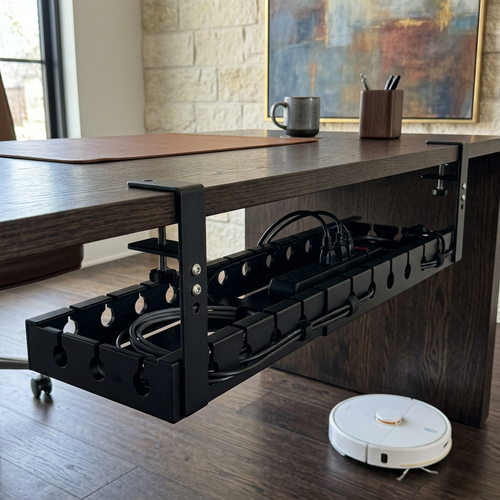
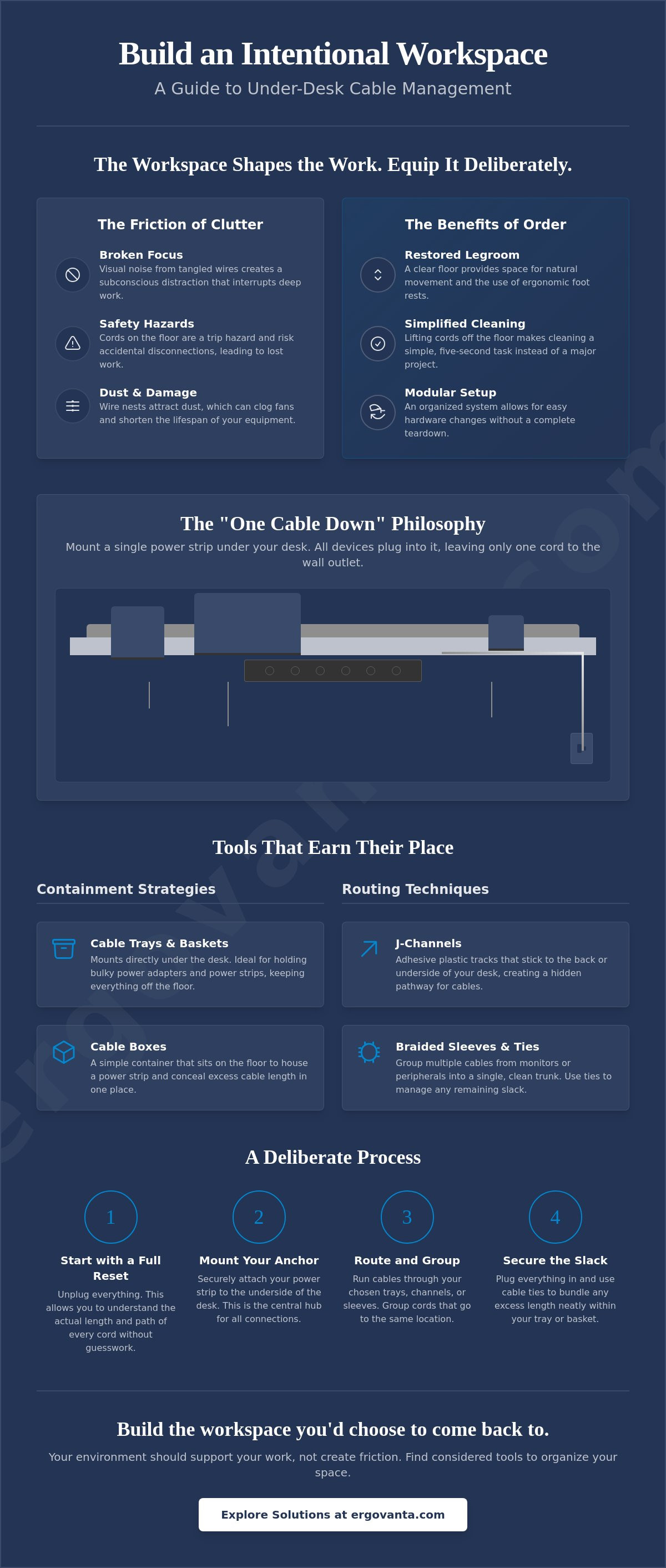
Your desk layout dictates your strategy. A desk pushed against a wall allows you to hide cords behind the legs or along the baseboard; a floating desk in the center of a room requires a much tighter, more intentional approach. Regardless of your layout, the goal is to treat the underside of your desk as a functional mounting plane. By moving the mess from the floor to the bottom of the desk surface, you reclaim your legroom and make the entire setup modular. Good under desk cable management ideas focus on tools that earn their place, allowing you to swap out hardware or add new devices without tearing the whole system apart.
The "One Cable Down" philosophy is the gold standard for a considered workspace. The idea is simple: every peripheral, monitor, and lamp plugs into a single power strip mounted directly to the underside of the desk. This means only one power cord needs to travel from the desk to the wall outlet. It's an efficient way to build a workspace that feels organized and remains easy to move if you decide to rearrange the room. If you are planning a complex setup and want to discuss specific equipment, get in touch with us for a second opinion on your layout.
Containment Strategies: Trays and Boxes
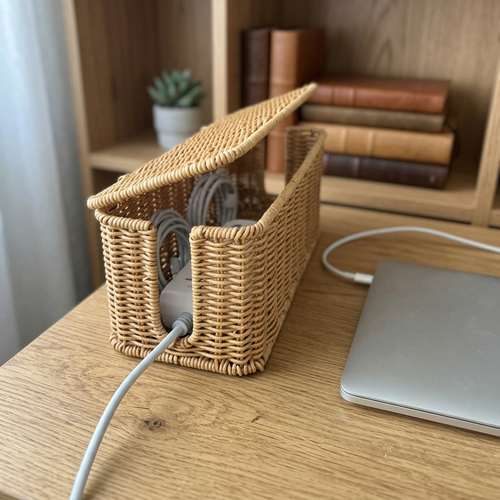
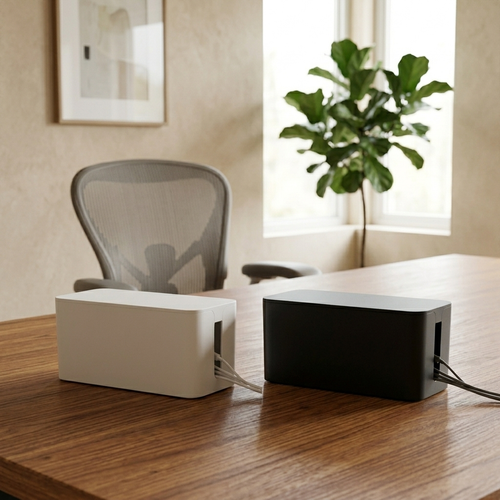
A sturdy cable management tray is the most effective way to house bulky power adapters and power strips. For those using sit-stand desks, mesh hammocks are often better because they flex and move as the desk changes height. A cable box is a simple, ventilated container used to house floor-level power strips and excess cord length in one spot.
Routing Techniques: Channels and Sleeves
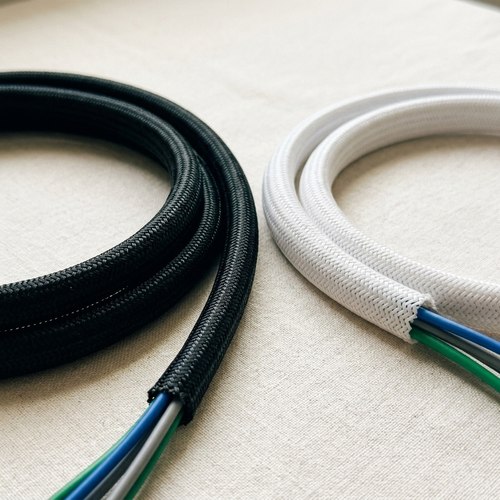
J-channels are rigid plastic tracks that stick to the back edge of your desk, providing a hidden path for wires to run horizontally. If you have several cables coming from your monitors, use braided sleeves to group them into a single, clean trunk that looks like one intentional line. For smaller tech device accessories like phone chargers or webcam leads, adhesive clips can guide the wires exactly where they need to go. These small objects ensure that even the thinnest cords don't end up dangling in your footwell.
Building a Sustainable Setup: The Implementation Process
The workspace shapes the work. Equip it deliberately. When you're ready to act on these under desk cable management ideas, start with a total reset. Unplug everything. It's the only way to understand the actual length of your cords and identify which ones are redundant. Most setups suffer from "cable creep" where old chargers for forgotten devices remain buried in the tangle. Clear the slate so you can build back with intention.
Mount the power strip first. It is the anchor for every other connection in your space. By securing it to the underside of the desk, you create a central hub that moves with the furniture. Once the anchor is set, group your cables by their destination: monitors, computer, and peripherals. This prevents a single "rat's nest" from forming and makes troubleshooting much easier later on. If you use monitor arms or a height-adjustable desk, leave enough slack. A setup that's too tight will eventually lead to strained ports or accidental unplugging when you adjust your view.
The Labeling Habit
Labeling both ends of a cable is a small habit that earns its place. Use simple, non-clinical methods like masking tape or colored ties. When you need to swap a peripheral or move a lamp, you won't have to play a guessing game under the desk. It's about reducing future friction so you can stay focused on the work that matters. It takes an extra minute now but saves an hour of frustration later.
Maintenance and Adjustments
A workspace is never truly finished because it evolves as you do the work. Your needs today might change in six months when you add a new tool or change your layout. Make it a point to check your cable tension and dust levels every few months. This keeps the setup sustainable and ensures your equipment stays protected. Build the workspace you would choose to come back to by equipping it with the right tools from the start.
Build a Space That Respects the Work
A functional workspace is built, not bought. By implementing these under desk cable management ideas, you move beyond simply hiding a mess. You are creating a system that supports your daily rhythm. Remember to start with a full reset, anchor your power strip to the desk itself, and leave enough slack for your equipment to move with you. These steps transform a cluttered floor into an intentional environment where every object earns its place.
Your environment is a reflection of how you choose to work. Clearing the floor isn't just about aesthetics; it's about reclaiming your focus and ensuring your tech lasts as long as your projects do. We build tools for the people who spend serious hours at a desk and value considered, intentional objects. If you're ready to take ownership of your setup, equip your workspace deliberately with Ergovanta essentials. Build the room you'd choose to come back to. For the people who do the work, every detail matters.
Frequently Asked Questions
What is the best way to hide cables on a desk in the middle of a room?
The most effective way to manage a floating desk is to group all wires into a single, vertical cable spine or braided sleeve that follows the desk leg. By mounting your power strip to the underside of the desk surface, you ensure only one main power cord needs to reach the floor. This considered approach keeps the visual profile clean from every angle. It ensures your workspace remains a room that gets used without the distraction of a cord spiderweb.
Do I need to drill holes in my desk for cable management?
You don't need to drill holes to implement effective under desk cable management ideas in your space. Many trays and J-channels use heavy-duty adhesive or non-marring clamps to secure themselves to the desk edge. These tools allow you to equip your workspace deliberately without making permanent changes to your furniture. It’s a practical choice for anyone who might want to rearrange their layout or swap their desk in the future.
How do I manage cables on a standing desk without them pulling?
Managing cables on a height-adjustable desk requires leaving a slack loop that accounts for the full range of motion. Use a flexible mesh hammock or a weighted cable spine to guide the wires as the desk moves up and down. This prevents tension on your ports and ensures nothing gets disconnected when you shift positions. It’s about building a setup that adapts to how you actually feel and work throughout the day.
Are plastic zip ties or velcro straps better for cable management?
Velcro straps are generally superior to plastic zip ties because they are reusable and much easier on your cables. Zip ties are permanent and can pinch wires if they are overtightened; velcro allows you to add or remove a cord whenever your setup evolves. In a workspace made for the work, your needs will change. Choosing modular, considered objects like velcro wraps makes those inevitable hardware adjustments much less of a chore.
From the catalog