July 1, 2026
How to Improve Posture at a Desk: Build a Workspace That Works for You

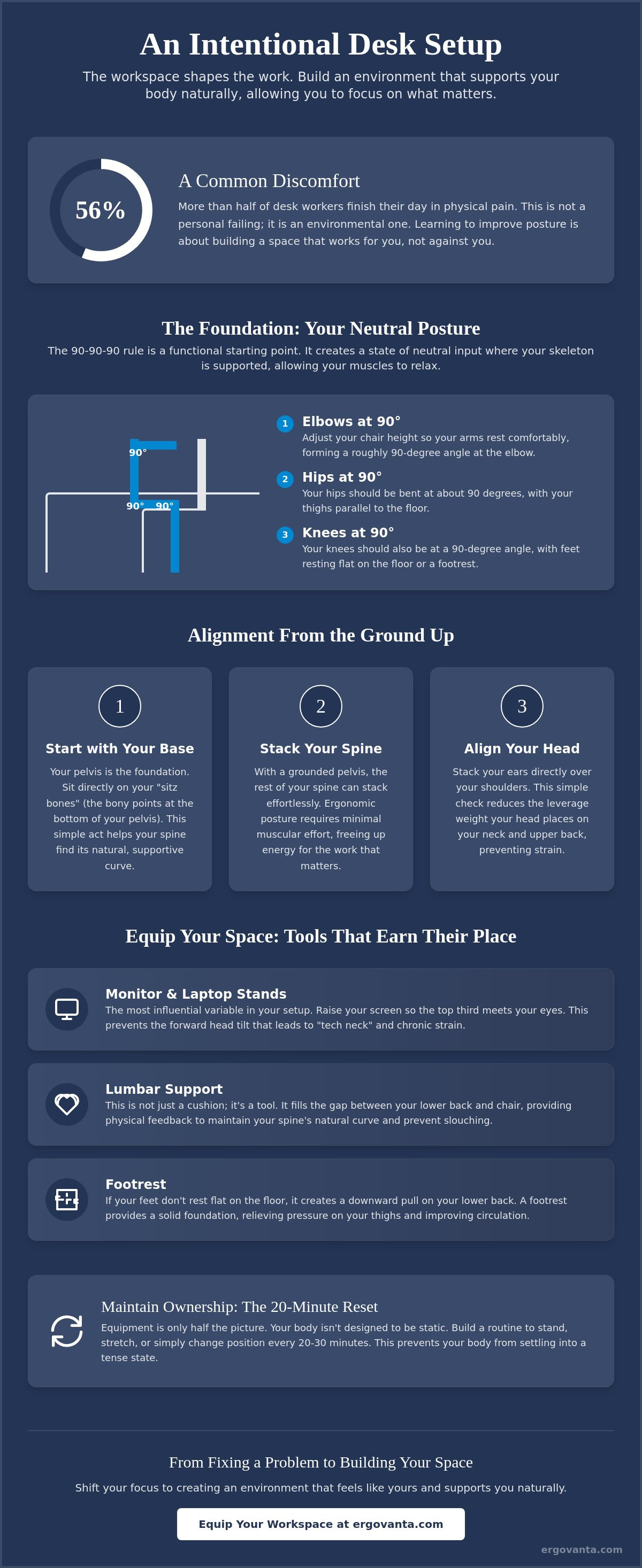
Fifty-six percent of desk workers finish their workday in physical pain. If you spend serious hours at a desk, the room around it matters more than you think. You likely already know the frustration of chronic neck tension and the difficulty of staying focused when your body feels like it is fighting your chair. Learning how to improve posture at a desk is not about following a set of rigid medical rules; it is about intentionality and taking personal ownership of your environment. Your workspace should be a place you choose to come back to, not a source of micro-discomforts.
The workspace shapes the work. Equip it deliberately. We will help you build a desk setup that supports your body naturally, allowing you to focus on the work that matters. We will explore how to use considered tools like monitor arms and lumbar pillows to create a "neutral input" environment. From the lighting to the small objects that earn their place on your desk, this guide provides a practical path to a workspace made for the work.
Key Takeaways
- Start with the base. Your pelvis dictates how your spine stacks, making it the most important part of your sitting alignment.
- Discover how to improve posture at a desk by choosing tools that earn their place, such as monitor arms that bring your screen to eye level.
- Equipment is only half the battle. Build a routine around the 20-minute reset to ensure your body never stays in one position for too long.
- Equip your space with intentionality. Every object should support your ability to focus on the work that matters without physical distraction.
- Shift your mindset from fixing a medical problem to building an environment that feels like yours and supports you naturally.
The Foundation of Your Workspace: Aligning Your Body with Your Desk
The workspace shapes the work. Equip it deliberately. If you spend serious hours at a desk, the room around it matters more than you think. Learning how to improve posture at a desk begins with understanding that your body is not a static object; it is an active participant in your environment. Your pelvis is the foundation of your entire spinal stack. If the base is tilted or unstable, everything above it will compensate with tension. Achieving good posture isn't about rigid military discipline. It's about building an environment that supports your skeleton so your muscles don't have to do all the heavy lifting.
To better understand this concept, watch this helpful video:
A simple framework to follow is the 90-90-90 rule. Your hips, knees, and elbows should all rest at approximately 90-degree angles. This isn't just a clinical suggestion; it's a functional setup that keeps your body in a neutral input state. By developing proprioception, or the awareness of how your space feels under your body, you can catch yourself before the discomfort sets in. The goal is to equip your space so that alignment feels like the path of least resistance.
The Neutral Pelvis: Why Sitting Starts at the Base
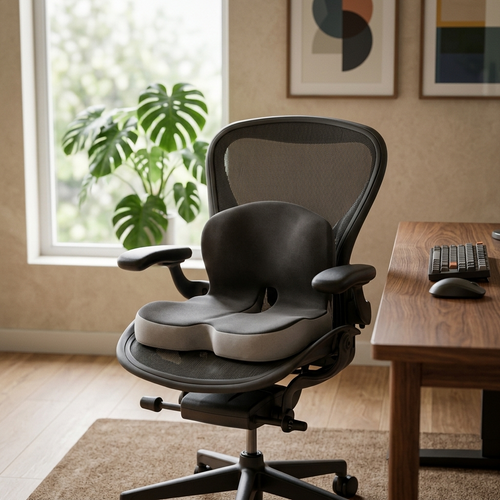
Find your sitz bones. These are the two bony points at the bottom of your pelvis. When you sit directly on them, your spine naturally finds its curve. Avoid the "afternoon slump" by using a considered seat cushion or lumbar pillow. These aren't just accessories; they are tools that prevent the slow slide into a rounded back that kills focus. A grounded foundation ensures the rest of your spine can stack effortlessly.
Alignment as a Tool for Focus
Stack your ears over your shoulders to reduce the leverage weight your head places on your neck. Ergonomic posture is a state of skeletal balance that requires minimal muscular effort. When you aren't burning energy just to stay upright, you have more left for the work that actually matters. By focusing on these small, intentional adjustments, you build a workspace that supports your body naturally.
Equip Your Space: Tools That Support Intentional Alignment
If you spend serious hours at a desk, the tools you choose should do more than just sit there. They should earn their place by supporting your body's natural alignment. Understanding how to improve posture at a desk involves more than just "sitting up straight." It requires a setup that facilitates neutral body positioning, a state where your joints are naturally aligned and stress on the muscles is minimized. When your environment is built for the work, your body stops being a distraction. Equip your space with objects that serve a function and respect your physical limits.
Monitor Height and Neck Strain: The Eye-Level Standard
Your monitor height is likely the most influential variable in your setup. If your screen is too low, you'll inevitably tilt your head forward, leading to the dreaded "tech neck." The top third of your screen should meet your eyes. This allows you to maintain a level gaze without straining your cervical spine. For those who work on portable devices, monitor stands and laptop stands are essential for creating a permanent, considered height. These tools ensure your display meets you where you are, rather than forcing you to hunch toward it.
Support for the Lower Back and Feet
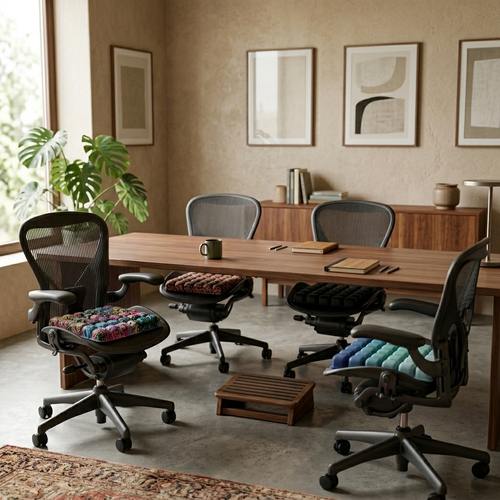
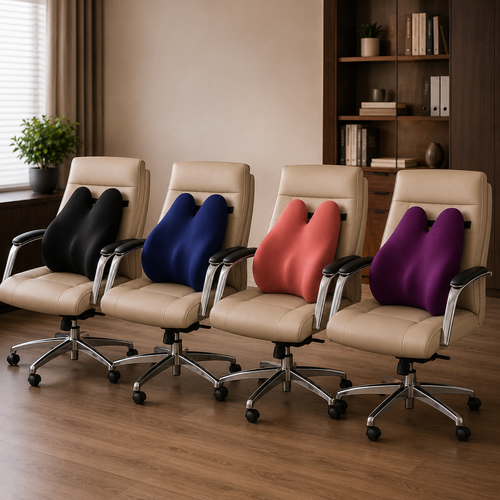
Alignment doesn't stop at the neck. Lumbar support is about filling the physical gap between your lower back and the chair to maintain the spine's natural curve. Using ergonomic accessories like lumbar pillows can provide the necessary feedback to keep your pelvis from tucking. Similarly, your feet need a solid foundation. If your feet don't rest flat on the floor, it creates pull on the lower back. A footrest can bridge this gap, relieving pressure on the thighs and improving circulation. If you have questions about which tools fit your specific desk, ask us about building your setup.
Maintaining Ownership: Habits for the Long-Hour Desk User
The workspace shapes the work. Equip it deliberately. You can fill your room with the most considered tools, but personal ownership means building a routine that respects the body doing the labor. Learning how to improve posture at a desk is a continuous process of adjustment rather than a one-time fix. The 20-minute reset is a foundational habit: the best posture is always your next posture. Static sitting, no matter how "correct" the alignment, eventually leads to the physical silence that precedes discomfort. It's your space; take charge of how you move within it.
The Importance of Intentional Movement
Break the cycle of static sitting with micro-movements every half hour. Recent shifts in behavior-driven ergonomics emphasize that furniture alone cannot prevent musculoskeletal disorders. The 30/30 rule is a practical framework: move for 30 seconds every 30 minutes to reset your skeletal stack. Standing desks are excellent tools for this, but they aren't a cure for a sedentary day. The goal is alternating positions to keep the body from becoming static. For a deeper look at how these habits affect your health, refer to the MedlinePlus guide to good posture.
Lighting and Eye Strain: A Subtle Posture Fix
Lighting is often the missing piece in a workspace that works for you. Poor visibility or screen glare leads to the "monitor lean," a subconscious habit of hunching forward to see clearly. This results in rounded shoulders and neck tension that no chair can fix. Equip your space with desk lamps or monitor light bars to provide focused, intentional illumination. When you reduce eye strain, you remove the physical trigger to slouch. Considered lighting doesn't just earn its place on the desk; it creates a room that supports your focus and your frame. Build your space for the work you intend to do, and your body will follow that lead.
Build a Workspace You'd Choose to Come Back To
The workspace shapes the work. Equip it deliberately. By now, you understand that your physical alignment is a byproduct of your environment, not just a test of willpower. From establishing a neutral pelvis to placing your monitor at the correct eye level, every adjustment is an act of ownership. Knowing how to improve posture at a desk is the first step toward a room that supports your focus instead of draining your energy. It's about moving often, lighting your space with intentionality, and choosing tools that are truly made for the work.
We provide boutique ergonomic furniture designed for intentionality and peer-to-peer support for the people who do the work. Our considered designs earn their place on your desk because they solve real problems without the clinical jargon. Your workspace should be a place where you feel capable and grounded throughout the day. Equip your workspace for the work you do and see how much better your day feels when the room is on your side. Keep building, keep moving, and keep making the space yours.
Frequently Asked Questions
How can I fix my posture while sitting at a desk all day?
You fix your posture by building an environment that supports your skeleton naturally. Start with your pelvis: find your sitz bones and keep them grounded. Learning how to improve posture at a desk isn't about rigid discipline; it's about using considered tools like seat cushions to maintain your spine's natural curve. Equip your space so that alignment feels like the easiest choice.
Is it better to sit or stand for posture?
When considering how to improve posture at a desk, remember that neither position is inherently better because the best posture is your next posture. Standing for eight hours is just as taxing as sitting for eight. Use a standing desk as a tool to break up static blocks of work. Aim to alternate every 30 minutes to keep your body from becoming static. It's about intentional movement, not just a different way to stay still.
How high should my monitor be for good posture?
Your monitor should be positioned so the top third of the screen is at eye level. This prevents tech neck by keeping your gaze level and your ears stacked over your shoulders. Use a monitor arm or laptop stand to achieve this permanent height. If you're looking down, you're inviting tension into your neck and shoulders. Equip your desk to meet your eyes.
What is the best sitting position for lower back pain?
The best position for lower back pain is a neutral spine supported by a grounded base. Follow the 90-90-90 rule: keep your hips, knees, and elbows at right angles. Ensure your feet rest flat on the floor or a footrest to stabilize the lower back. Use a lumbar pillow to fill the gap between your back and the chair. This setup reduces the muscular effort required to stay upright and focus on the work.
From the catalog