July 2, 2026
Desk Stands and Mounts: A Guide to Building a Workspace That Works for You

The workspace shapes the work. Equip it deliberately. If you spend serious hours at a desk, the room around it matters more than you think, yet many of us settle for screens that sit too low and surfaces buried under hardware. Choosing the right desk stands and mounts is about more than just organization; it's about reclaiming the physical space you need to think and move freely.
It's frustrating when a cramped desk and a stiff neck become part of your daily routine. You know that a disorganized setup makes it harder to focus, and a screen at the wrong height makes the afternoon feel longer than it should. This guide will show you how to choose the right equipment to build a workspace that supports your best work. We'll look at how to clear your surface, improve your posture, and organize your tools with intentionality.
Key Takeaways
- Understand whether a simple stand or a mechanical mount best fits your existing furniture and daily work habits.
- Discover how to evaluate weight capacity and adjustability to ensure your desk stands and mounts support your hardware reliably.
- Learn how intentional screen placement can reduce physical strain and help you stay focused during long hours at your desk.
- Identify the specific features that help clear your surface, leaving room for only the objects that earn their place.
Choosing the Right Foundation: Desk Stands vs. Monitor Mounts
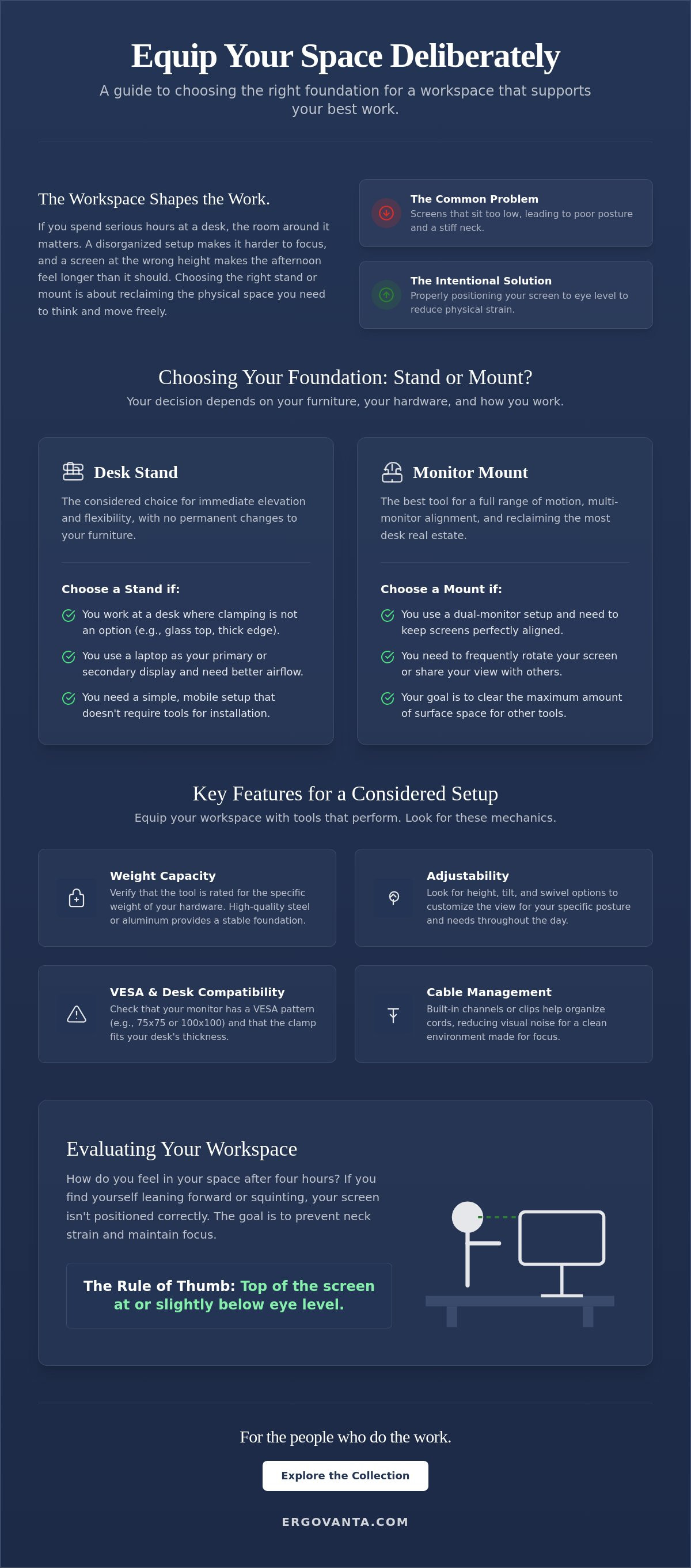
The workspace shapes the work. Equip it deliberately. Choosing between different desk stands and mounts isn't just about hardware; it's about how you occupy your space. A monitor mount or a stand serves one primary purpose: bringing your screen to eye level. This simple adjustment reduces the physical toll of long hours spent at the desk, preventing the slouch that leads to a sore back and a stiff neck.
Your decision depends on your furniture and how often you move. Desk stands provide immediate elevation without the need for tools or permanent changes to your furniture. They are the considered choice for those who want a clean setup that remains mobile. Conversely, monitor mounts offer a greater range of motion and clear the most desk real estate for other tools, letting you reclaim the surface for notebooks, coffee, or your keyboard.
To better understand how these tools fit into a workspace, watch this helpful video:
When to Choose a Desk Stand
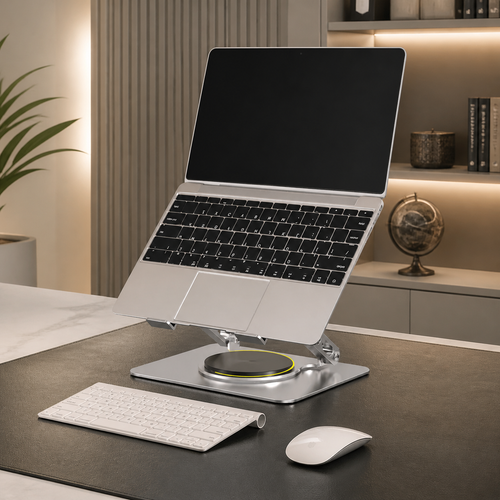
A desk stand is the right tool for specific constraints. If you are a renter or work at a glass desk, clamping a heavy mount to the edge isn't an option. These stands are also ideal if you use your laptop as your primary display or as a secondary reference. A good laptop stand ensures better airflow to keep your hardware cool and provides a more natural typing angle. It's a simple, intentional way to equip a flexible setup with objects that earn their place.
When a Monitor Mount is the Better Tool
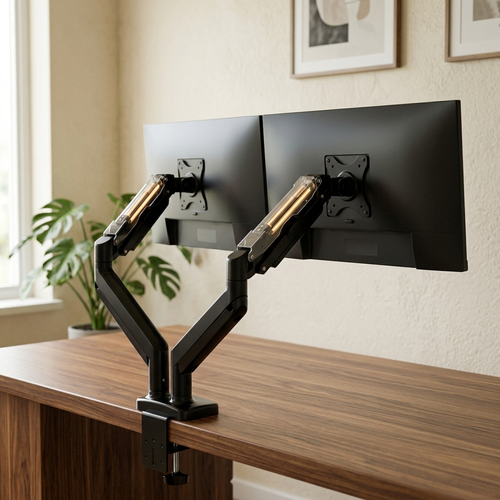
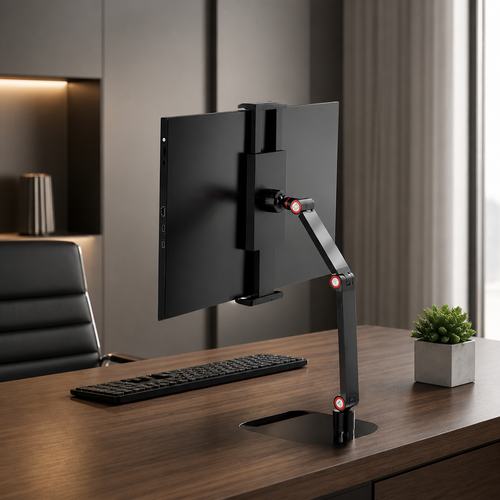
Choose a mount if you need to frequently rotate your screen or share your view with others. It's essential for dual-monitor setups to keep screens aligned and clear the space beneath them. Before you buy, check for VESA compatibility, which is usually a 75x75 or 100x100 hole pattern on the back of your screen. You can find options for your setup in our collection of monitor and laptop stands. This foundation allows you to build a workspace that feels intentional and made for the work.
Key Features for a Considered Setup
Equip your workspace with tools that perform. Once you decide between a stand or a mount, you need to look at the specific mechanics that ensure the hardware earns its place. A considered setup depends on durability and function. For desk stands and mounts, this starts with weight capacity. Don't guess; verify that the tool is rated for the specific weight of your monitor or laptop. High-quality materials like steel or aluminum provide a stable foundation that doesn't wobble or sag under load.
Adjustability is where the work becomes personal. Look for height, tilt, and swivel options that allow you to customize the view for your specific posture. This flexibility matters because your needs change throughout the day. A good mount also addresses the visual noise of your space. Built-in cable management helps you organize the cords that usually clutter your surface, leaving you with a clean environment made for the work.
Evaluating Workspace Ergonomics
Identify how you actually feel in your space after four hours of work. If you find yourself leaning forward or squinting, your screen isn't positioned correctly. Proper Positioning the Monitor means the top of your screen should be at or slightly below eye level. This simple mechanic prevents neck strain without needing clinical jargon or complex explanations. If you have questions about how these tools fit your specific needs, feel free to reach out to us for guidance.
Understanding VESA and Desk Compatibility
Before you commit, measure your desk thickness. You need to ensure a C-clamp or grommet mount will fit securely without damaging the surface. Most monitors use a standard four-hole mounting pattern on the back known as VESA. Verifying this compatibility takes two minutes but saves hours of frustration. You can explore our ergonomics and comfort collection to find more tools that help you build a workspace you'd choose to come back to.
The Ergovanta Collection: Tools for the People Who Do the Work
Your space is a reflection of your commitment to the work. At Ergovanta, we believe every object on your desk should earn its place. Our collection of desk stands and mounts is built for the people who spend serious hours at their desks and need tools that perform without distraction. We don't just sell hardware; we provide the components for a considered environment where you can actually focus.
Building a workspace that works for you involves more than just lifting a screen. It's about finding the specific configuration that feels right for your daily rhythm. By following established ergonomic monitor positioning guidelines, you can ensure your setup supports your body as much as your output. Our monitor arms and stands are designed to be intentional, helping you clear the clutter and reclaim your surface for the tasks that matter.
Standout Products for Your Workspace
Explore our range of monitor arms to find the flexibility you need for single or dual-screen configurations. If you prefer a more portable setup, our laptop stands offer a minimalist solution for immediate elevation. Don't stop at the screen. To complete your build, look at our tech and device accessories for the small objects that keep your tools organized and ready for use. These are the details that separate a temporary desk from a permanent workspace.
Equip Your Space Deliberately
The workspace shapes the work. Beyond the physical support of a stand, consider the atmosphere of the room. Combine your mounting solution with intentional lighting to reduce eye strain and define your area. This isn't about status; it's about building a room you actually want to come back to every morning. When you're ready to start, you can equip your desk with our stands and mounts collection and build the space you deserve.
Build a Space Made for the Work
The workspace shapes the work. Equip it deliberately. By now, you understand how the right foundation can reclaim your desk surface and support your posture. Whether you choose the mobility of a stand or the range of a mechanical arm, the goal remains the same: a workspace that feels intentional. Selecting durable desk stands and mounts is about more than organization; it's about making sure the tools you use every day actually earn their place.
Our collection is built for the people who do the work. We use simple, durable materials to ensure your setup stays stable through long sessions. With fast national shipping across the US, you can start building your considered environment without delay. If you're ready to transform your setup, we have the tools to help you get there. Every piece we offer is chosen to help you build a room that feels like yours.
Browse our collection of monitor and laptop stands and take ownership of your space today. Build a room you'd choose to come back to.
Frequently Asked Questions
Do I need a special desk to use a monitor mount?
Most solid desks work perfectly, but the surface material is the most important factor to consider. You don't need a specialized desk, but you should avoid thin glass or hollow-core surfaces that might fail under the concentrated weight of a clamp. If your desk is solid wood or high-density laminate, a C-clamp or grommet mount will function reliably. Always measure your desk thickness before selecting desk stands and mounts to ensure the hardware fits securely.
Will a laptop stand actually help with my neck pain?
Raising your screen to eye level is the most effective way to stop the slouch that causes neck strain. When you work directly on a laptop, you're forced to look down, which places significant stress on your neck and shoulders. A stand brings the display up to a natural viewing angle, allowing you to sit upright. It's a small, intentional adjustment that makes your workspace feel much more supportive during long work sessions.
How do I know if my monitor will fit a standard mount?
Check the back of your monitor for four screw holes arranged in a square. This is the VESA mounting standard, which typically comes in 75x75mm or 100x100mm sizes. Most modern monitors are built with these holes, but some curved or ultra-thin models might need a separate adapter. If you see this pattern, your screen will fit a standard mount. Verifying this ensures you equip your space with tools that work from the moment they arrive.
Is it better to have a single or dual monitor arm setup?
Your daily workflow should dictate this choice. A dual arm setup is ideal for keeping two screens aligned while reclaiming the surface area beneath them. If you prefer a single screen, a single arm keeps the setup clean and focused. For hybrid users, a single arm for a monitor paired with a dedicated laptop stand offers a flexible way to build a workspace that adapts to different tasks throughout your day.
From the catalog