June 10, 2026
Minimalist Desk Setup Ideas: Build a Workspace That Earns Its Place

If you spend serious hours at a desk, the room around it matters more than you think. It is easy to let "stuff" accumulate until your workspace feels like a storage unit rather than a place for focus. You likely already know the mental fatigue that sets in when you are surrounded by visual clutter and a chaotic web of cables. It makes the work harder than it needs to be; it shouldn't feel like a chore just to sit down and start your day.
We believe every object on your desk should earn its place. This guide will help you explore intentional minimalist desk setup ideas to build a workspace that supports your work and your well-being. You will learn how to equip your space with considered tools: from monitor arms that respect your posture to small everyday objects that serve a real purpose. We are moving past the "empty desk" aesthetic to help you build a functional environment that you actually want to come back to. It is time to treat your space as a tool for the work you do.
Key Takeaways
- Define minimalism as a commitment to purpose where every object must earn its place before it touches your desk.
- Explore minimalist desk setup ideas that focus on removing the visual noise and cable chaos that cause mental fatigue.
- Equip your workspace with considered tools like monitor arms and monitor light bars to reclaim your desk real estate.
- Build an intentional environment you actually want to come back to by adding life to the room with faux plants and curated accent pieces.
The Intentional Workspace: Why Minimalism Starts With Purpose
The workspace shapes the work. Equip it deliberately. For many, the phrase minimalist desk setup ideas conjures images of empty white rooms and cold surfaces. But true minimalism isn't about absence; it's about intentionality. It is the practice of choosing objects that serve your work rather than distracting from it. If a tool doesn't actively help you think or create, it's just noise. Your desk should be a reflection of the tasks you perform daily, not a graveyard for things you might need "someday."
This approach draws from the broader philosophy of minimalism, which prioritizes the essential over the excess. A cluttered desk often leads to a cluttered mind, making it harder to find the flow state you need to finish the day's tasks. When you curate your space, you aren't just cleaning; you're building a foundation for better focus. To better understand how this looks in practice, watch this helpful video:
The "Earn Its Place" Framework
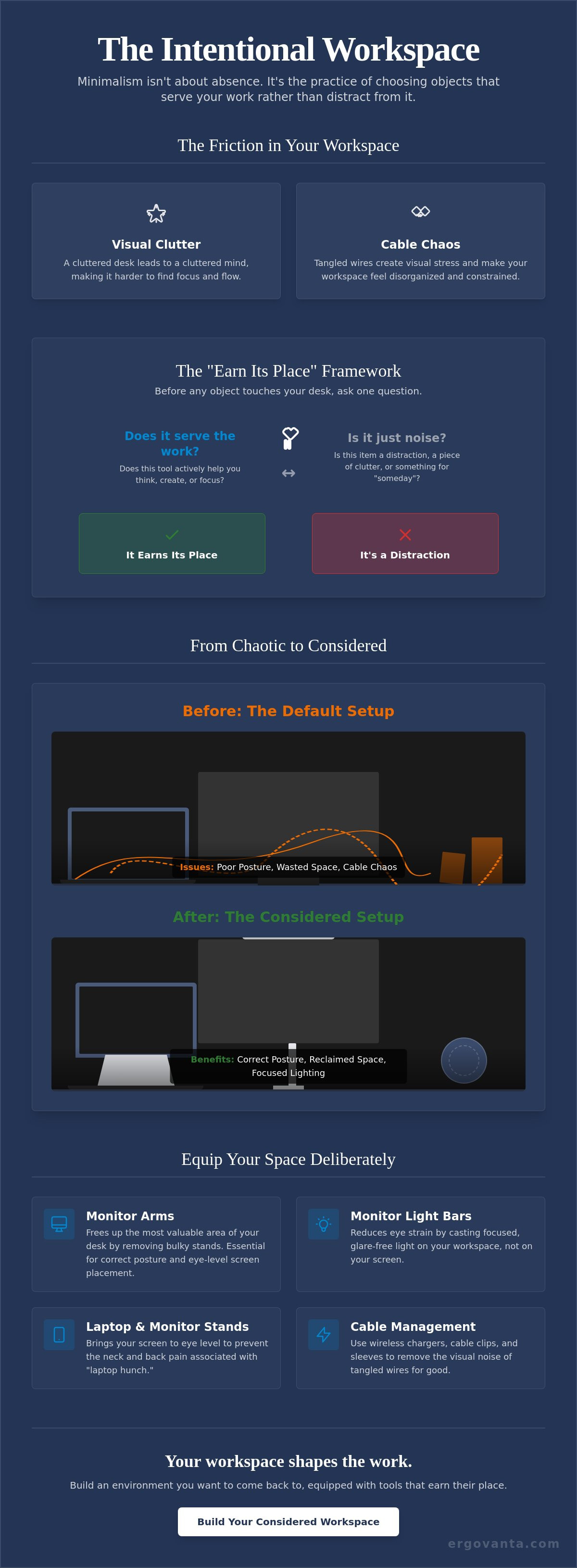
Every item on your desk should earn its place. Start by questioning the utility of every object you currently own. Does that stack of old mail help you write better code? Does a tangled web of chargers make you more creative? Likely not. Differentiate between your essential tools and the distracting clutter. Focus on the quality of the materials and how they feel during use. A single, solid laptop stand that corrects your posture is worth more than five decorative trinkets that just collect dust. Minimalism doesn't have to be cold, but it must be considered.
Building Your Foundation
The desk is the starting point, but it's only one piece of a considered environment. Building a minimalist workspace requires clear physical boundaries. This is especially true in shared living spaces or home offices where work and life tend to bleed together. Your desk should be a dedicated zone where the rules of the rest of the house don't apply. Once you step into this space, the environment should tell your brain it's time to do the work. By setting these boundaries, you protect your focus and your downtime.
Considered Elements for a Functional Minimalist Setup
Minimalism is often mistaken for a purely visual choice. In reality, a functional workspace is built on the intersection of utility and physical health. When exploring minimalist desk setup ideas, the focus should remain on how your tools support your body during long hours of work. If you are squinting at a dim screen or hunching over a laptop, the aesthetic of your desk doesn't matter. You need tools that respect your biology.
Lighting is the first pillar of a considered workspace. Standard overhead lights often create glare or leave your desk in shadow, leading to significant eye strain by mid-afternoon. Integrating specialized lighting solutions like monitor light bars or adjustable desk lamps allows you to direct light exactly where it is needed. This reduces the cognitive load of working in a poorly lit environment and keeps your focus sharp.
Equip Your Space with Lighting and Ergo
Ergonomics is not a requirement of the past; it is a necessity for anyone who spends serious time at a desk. A proper ergonomic setup ensures that your joints and muscles aren't fighting your furniture. Using ergonomic tools such as foot rests and monitor arms can fundamentally change how you feel at the end of the day. A monitor arm earns its place by freeing up the "golden zone" of your desk, removing the bulky plastic base and giving you back valuable surface area for the work that matters.
Tech and Workspace Essentials
The tech you choose should solve problems, not create them. Wireless chargers and headphone stands are essential for reducing cable drag and keeping your surface clear of tangled wires. These workspace essentials combine utility with clean lines, ensuring your desk remains a place of clarity. The use of monitor and laptop stands is vital for keeping your eyes at the correct level, preventing the neck pain associated with "laptop hunch."
The tactile experience of your desk also plays a role in your focus. The feel of a solid wood riser or a high-quality desk mat provides a haptic boundary for your work. It grounds the space. If you have questions about which tools best fit your specific workflow, feel free to reach out to us directly for more tailored advice on building your space.
Organization and the Ritual of the Workspace
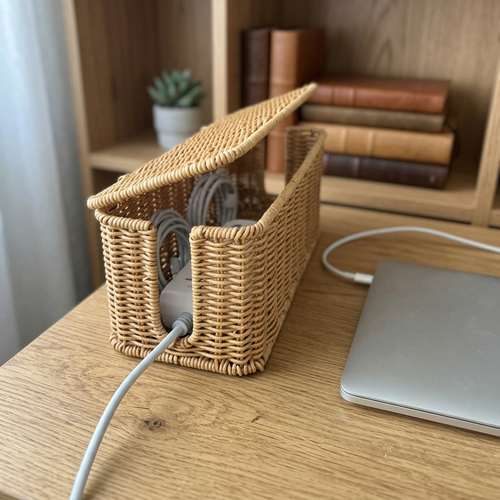
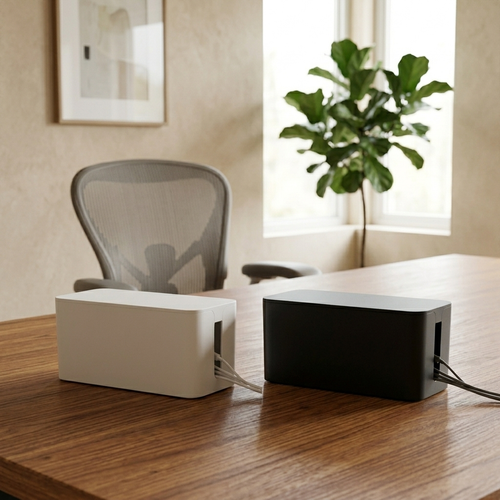
Organization is more than just hiding wires; it is about the ritual of your day. If you spend serious hours at a desk, the room around it matters more than you think. Cable management is often framed as the only goal of minimalist desk setup ideas, but hiding the noise shouldn't make it impossible to move your gear. Use routing tools that allow for flexibility. A setup that is too rigid becomes a frustration when you need to swap a peripheral or adjust your monitor. The goal is a workspace that feels intentional, not one that is locked in place.
A functional environment should also feel human. While many guides focus on stark, empty surfaces, a workspace without personality can feel sterile and uninspiring. The key is to select objects that earn their place through both utility and aesthetic value. This is where "organic" minimalism comes in: using natural textures and shapes to soften the hard edges of your tech.
Considered Decor and Greenery
Minimalism doesn't mean your space should feel like a cold lab. It should feel like yours. Integrating faux plants provides a necessary visual break from glowing screens without the maintenance of real greenery. When you choose decor, look for objects that reflect your personal taste while maintaining a streamlined look. A single vase or a small figurine can breathe life into the room without creating the mental fatigue of clutter. It is about the rooms that get used, not just the ones that look good in a photo.
The Transition to Rest
The work must eventually end. A common issue with home offices is the lack of a clear boundary between production and rest. Utilizing bar and refreshment accessories can help signal the end of the work day through a physical ritual. Whether it is a considered decanter or specific glassware, these objects help you transition away from the desk. Moving away from the workspace is as important as the work itself.
Before you leave for the night, perform a "reset" ritual. Clear your surface, align your keyboard, and put away stray notes. This two minute habit ensures you don't start the next morning fighting yesterday's chaos. You are building the workspace you'd choose to come back to. Equip it for the work, then clear it for the rest.
Build the Workspace You'd Choose to Come Back To
The workspace shapes the work. Equip it deliberately. We have explored how minimalist desk setup ideas aren't about creating a sterile, empty room; they're about curating an intentional environment where every object earns its place. By focusing on purposeful lighting, ergonomic support, and the small rituals that transition your day from production to rest, you build a space that respects your time and your well-being.
A considered desk is a tool for the work. It's a place where visual noise is replaced by clarity and where your gear supports your body instead of straining it. We provide a curated selection of ergonomic tools and modern lighting for focused work, all designed for the people who do the work. Equip your space with intentional tools at Ergovanta and build the room you'll want to return to every morning. Your work deserves an environment this intentional.
Frequently Asked Questions
How do I start a minimalist desk setup if I have too much stuff?
Clear your desk surface completely before you begin. Starting from a blank slate allows you to reintroduce only the objects that you have used in the last 48 hours. If a tool hasn't been touched during that window, it likely hasn't earned its place on your desk. This "reset" is the most effective way to test minimalist desk setup ideas without feeling overwhelmed by the clutter you've accumulated over months of work.
Does a minimalist desk setup have to be all white or black?
No; minimalism is defined by the utility of your objects rather than a specific color palette. While white and black are common for their clean look, you can explore minimalist desk setup ideas using wood grains or muted tones as long as they don't create visual distraction. The goal is to build a workspace that feels like yours. Choose a cohesive set of colors that helps you stay grounded and focused on the work.
What are the most important ergonomic tools for a minimalist setup?
A monitor arm and a laptop stand are the two most impactful tools for any setup. These objects earn their place by moving your screens to eye level; this prevents the neck and back strain caused by looking down at a desk. Beyond the screen, a solid foot rest or a lumbar pillow can fundamentally change how your body feels after a long day. Focus on tools that solve physical pain points first.
How do I hide cables on a minimalist desk without a lot of drilling?
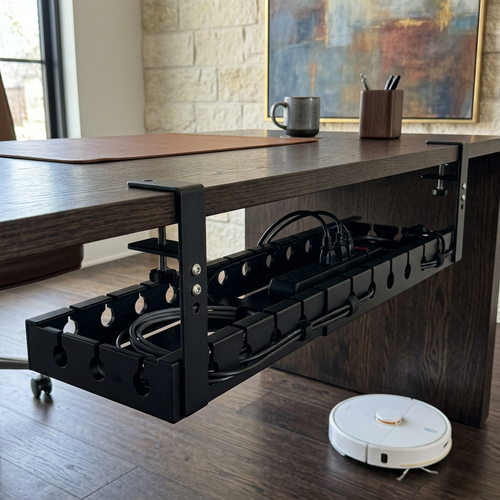
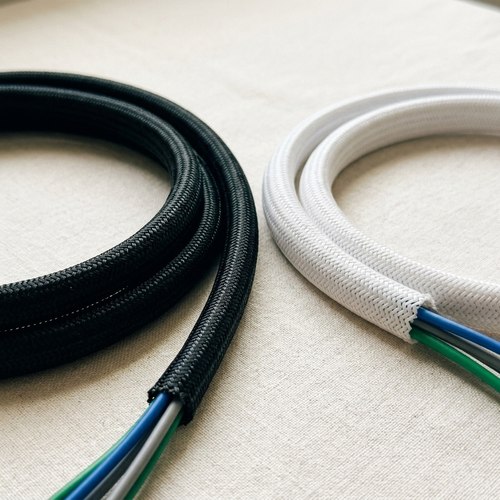
Use adhesive cable clips and under-desk trays that clamp onto the edge of your furniture. These solutions allow you to route wires along the back of the desk or down the legs without the need for permanent modifications or drilling. Cable sleeves are another great option for grouping several cords into one clean line. This keeps your space organized and makes it much easier to move your gear when your workflow changes.
From the catalog