May 22, 2026
How to Reduce Neck Pain From Computer Use: The Best Monitor Position

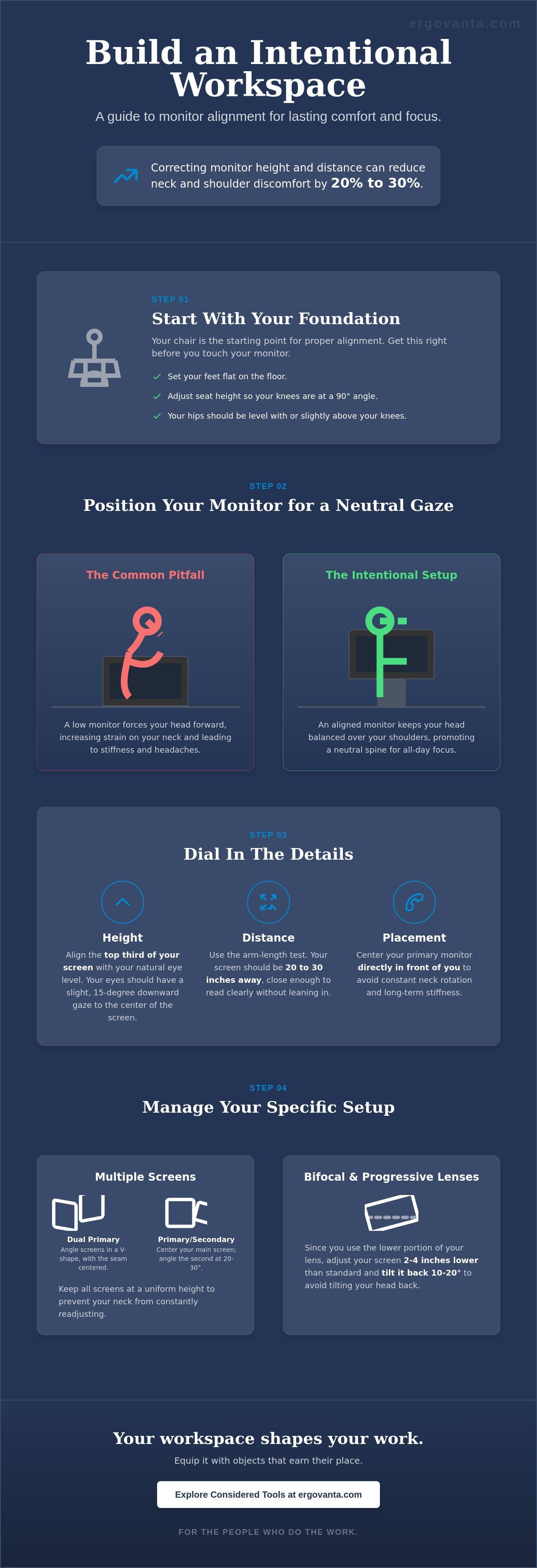
Correcting your monitor height and distance alone can reduce reported neck and shoulder discomfort by 20% to 30% within a few weeks. If you spend serious hours at a desk, the room around it matters more than you think. You likely accept chronic neck stiffness and frequent tension headaches as the standard price of productivity. It's a frustrating tax on your energy that turns a focused afternoon into a search for relief. Finding the best monitor position for neck pain is the first step in reclaiming your focus and building a space that is truly made for the work.
The workspace shapes the work, so you should equip it deliberately. You deserve a setup that feels intentional rather than accidental. This guide will show you how to rebuild your configuration to eliminate strain and support your daily routine. We will cover the specific measurements for a neutral gaze window based on the BS EN ISO 9241-5:2024 standards and how to organize your desk for a pain-free workday. It is time to stop fighting your equipment and start building a workspace you would choose to come back to.
Key Takeaways
- Understand the 15-degree rule and why aligning the top third of your screen with your eyes supports a natural, balanced posture.
- Start your reconfiguration with your chair: setting your feet flat first is the foundation for finding the best monitor position for neck pain.
- Learn to identify your neutral eye level to ensure your screen sits exactly where your gaze naturally lands.
- Evaluate tools like monitor arms and desk shelves to equip your space with objects that solve for both height and organization.
The Mechanics of Eye Level: Why Alignment Matters
The workspace shapes the work. Your monitor is likely the center of your room, and if you spend serious hours at a desk, the alignment of that screen determines how your body feels at the end of the day. The best monitor position for neck pain starts with a simple rule: the top third of your screen should be at eye level. This setup keeps your head balanced over your shoulders rather than pulling your weight forward into a slump.
Our eyes naturally rest slightly downward, roughly 15 degrees below the horizontal line. When you align your screen to this "neutral gaze window," you reduce the constant, micro-strain on your cervical spine. Distance is the second variable in this equation. Use the arm-length test to ensure your screen sits about 20 to 30 inches from your face. Ignoring these basics often leads to common computer-related health problems that turn a productive afternoon into a search for relief. To better understand how these adjustments change your posture, watch this helpful video:
The Cost of Misalignment
A monitor that sits too low is the primary cause of "tech neck." For every inch your head tilts forward, the effective weight your neck muscles must support increases significantly. This added burden quickly turns into chronic stiffness and tension. Conversely, a screen that sits too high forces your neck into extension, creating repetitive strain at the base of the skull. Pay attention to how you move during the day. Frequent shrugging, leaning toward the glass, or squinting are early warning signs that your monitor isn't yet made for the work. Equip your space with an intentional setup to reclaim your focus and support your body through long sessions.
Steps to Rebuild Your Monitor Configuration
If you spend serious hours at a desk, the room around it matters more than you think. You don't need a corporate office manager to fix your setup; you just need an intentional process. Finding the best monitor position for neck pain begins with your foundation: the chair. Adjust your seat height until your feet are flat on the floor and your hips are level with your knees. This stable base prevents the slouching that ruins your alignment before you even look at the screen.
Once you are seated correctly, sit tall and look straight ahead. This is your neutral eye level. The top third of your monitor should sit exactly at this height to prevent your head from tilting. For distance, reach out your arm. Your middle finger should just graze the glass. This ensures the screen is close enough to read without leaning forward, yet far enough to avoid eye strain. If you use a single screen, center it directly in front of your nose. Any off-center placement leads to subtle, repetitive neck rotation that causes stiffness over time.
Managing Multiple Screens
If you use two monitors of equal importance, place them in a "book" layout. Angle them slightly in a V-shape so the seam is directly in front of you. For a primary-secondary setup, keep the main screen centered and the second display off to the side at a 20 to 30 degree angle. Consistency is key. Using monitor stands helps you maintain a uniform height across different displays, preventing your neck from constantly adjusting to varying levels. This setup follows UCLA Health's posture recommendations for maintaining a neutral spine.
Addressing the Bifocal Challenge
Wearing bifocals or progressive lenses changes the geometry of your workspace. Because you likely use the lower portion of your lens for reading, you should lower your monitor by an additional 2 to 4 inches compared to standard setups. Tilt the screen back 10 to 20 degrees. This allows you to see the full display without tilting your head back, which is a major source of strain. If you need help choosing the right tools for your specific desk, contact our team for a second opinion.
Choosing Tools That Earn Their Place
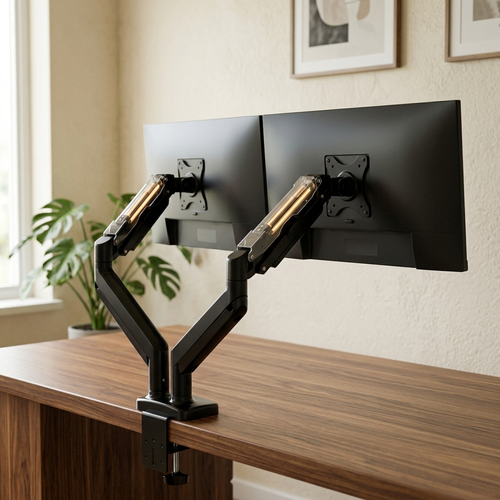
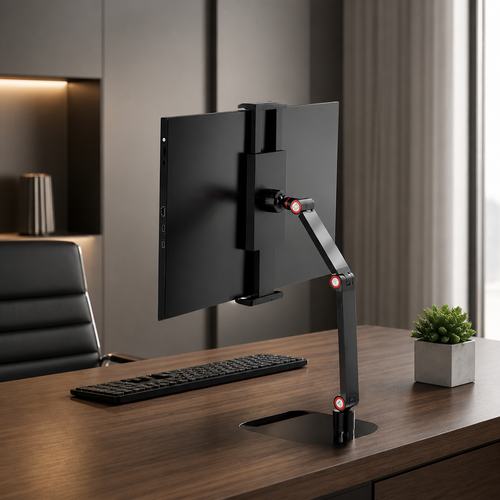
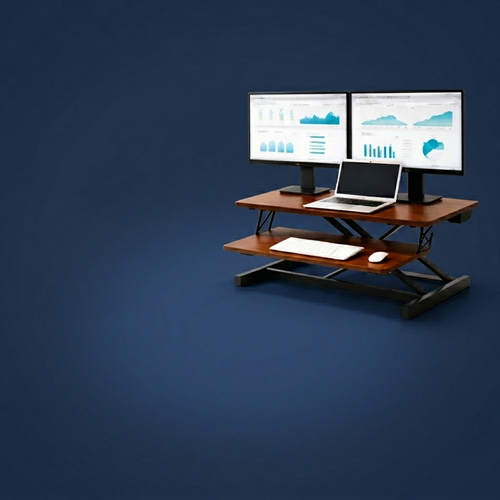
Finding the best monitor position for neck pain is easier when you choose tools that earn their place. You generally have two options for screen height: monitor arms or fixed stands. Monitor arms are ideal for smaller desks because they allow for precise depth adjustment, letting you push the screen back to create more room for your keyboard and notebooks. If you prefer a static setup, a desk shelf provides the necessary height while reclaiming the surface area underneath for organization. Both options help you follow the Mayo Clinic's guide to office ergonomics by keeping your display at the correct level.
Supporting the neck requires looking at the whole body. Using ergonomic accessories like lumbar pillows or footrests keeps your spine in a neutral position, preventing the slump that makes even a perfectly placed monitor feel wrong. Don't overlook your lighting. A good desk lamp or monitor light bar prevents squinting. When you can't see clearly, you instinctively lean forward. This movement ruins your posture and strains your neck regardless of your monitor height.
Intentionality in Workspace Design
Build the workspace you would choose to come back to. This process is about more than just fixing a physical ache; it is about creating a room where the work feels possible. Every object on your desk should be considered. If a tool does not serve your focus or your body, it does not belong. Equip your room deliberately for the specific work you do, ensuring every piece has earned its spot on the surface.
Maintaining Your Setup
Even a considered setup needs a routine check. Perform a weekly posture check to see if your monitor arm has sagged or if your chair height has shifted. Equipment moves over time, and small changes can lead to returning stiffness. Remember that the best equipment still requires you to move. Use the 20-20-20 rule: every 20 minutes, look at something 20 feet away for 20 seconds. This simple ritual gives your eyes and neck the breaks they need to sustain your effort throughout the day.
Build a Space Made for the Work
The workspace shapes the work. If you spend serious hours at a desk, the room around it matters more than you think. You've learned that the best monitor position for neck pain starts with the foundation of your chair and ends with the alignment of your screen's top third at eye level. By using considered tools like monitor arms or desk shelves, you reclaim both your surface and your focus. Purposeful function in action means every object earns its place, from the lumbar pillow supporting your spine to the lighting that prevents a weary slump.
At Ergovanta, we provide considered tools for intentional spaces. We are here for the people who do the work. Transforming your environment doesn't require a total overhaul; it requires a commitment to doing things deliberately. When you equip your space with intentionality, you create a room you actually want to return to every morning. If you are ready to stop the strain and start building, contact us to build a better workspace. It is time to make your space work as hard as you do.
Frequently Asked Questions
How high should my monitor be for neck pain?
Your monitor should be positioned so the top third of the screen sits exactly at your eye level. This creates a neutral gaze window where your eyes naturally rest about 15 to 20 degrees downward. Finding the best monitor position for neck pain ensures you aren't tilting your head back or hunching forward to see your work. It keeps your head balanced over your shoulders while you focus on the task at hand.
Can a monitor arm really help with neck strain?
A monitor arm helps by providing precise control over height and depth that fixed stands often lack. You can pull the screen closer or push it back based on your task, ensuring you never lean forward to read small text. This intentional adjustment keeps your spine neutral. It is a considered tool that allows you to build a space that adapts to your body rather than forcing your body to adapt to the desk.
Where should my second monitor be positioned?
If you use a secondary screen for reference, place your primary monitor directly in front of you and the second one to the side at a 30 degree angle. If you use both equally, align them in a V-shape with the seam centered. This setup prevents the repetitive neck rotation that leads to chronic stiffness. Equip your space deliberately to avoid the constant twisting that turns a long session into a source of physical tax.
What is the 20-20-20 rule for computer users?
The 20-20-20 rule suggests that every 20 minutes, you should look at something 20 feet away for at least 20 seconds. This simple ritual gives your eye muscles a break and forces a subtle shift in your neck posture. Even with the best monitor position for neck pain, your body needs frequent movement. It is a no-nonsense habit that helps you maintain focus and sustain your effort throughout a long workday.
From the catalog