July 29, 2026
Choosing the Right Monitor Stands for Your Workspace

The workspace shapes the work. Equip it deliberately. If you spend serious hours at a desk, the objects you place on it should serve a purpose beyond just holding things up. Many of us settle for flimsy plastic risers or stacks of old notebooks that feel out of place and fail to solve the real problem: that persistent neck strain from looking down at a screen all day. A cluttered desk isn't just a visual distraction; it's a physical barrier to getting things done.
You shouldn't have to compromise on a setup that feels temporary or fragile. Deciding on a monitor stand vs monitor arm comes down to how you use your space and what you need within arm's reach. This article will help you select a solution that aligns your screen with your natural line of sight and clears your desk for the tools that matter. We will break down the functional differences between stands and arms so you can build a workspace that feels like yours and supports the way you actually work.
Key Takeaways
- Learn why proper screen alignment starts with the top third of your display sitting at or slightly below eye level.
- Evaluate the functional differences of a monitor stand vs monitor arm to see which tool fits your specific desk habits.
- Discover how an intentional screen height provides the necessary foundation for other tools, such as monitor light bars.
- Build a workspace that earns its place by selecting equipment made for the work you do every day.
Why monitor height dictates the quality of your work day
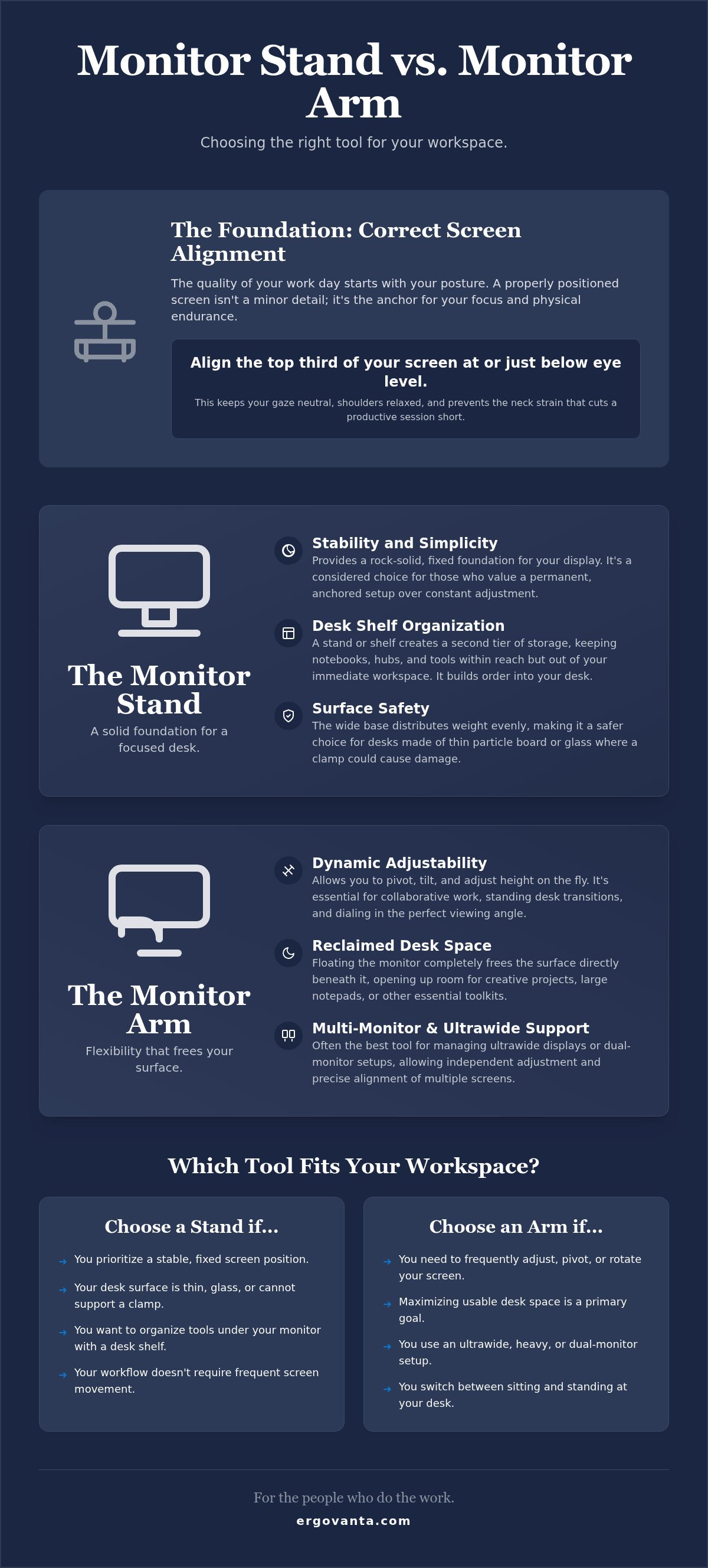
The workspace shapes the work. Equip it deliberately. If you spend significant hours at a desk, the height of your screen is the starting point for your focus. It isn't just about aesthetics; it's about physical endurance. When you're deciding between a monitor stand vs monitor arm, the goal is intentional alignment. The standard rule for a considered setup is that the top third of your screen should sit at or slightly below eye height. This keeps your gaze neutral and your posture steady throughout the day.
Many people try to solve this with a stack of old books or a cheap plastic riser. These temporary fixes lack the stability a dedicated stand provides. A flimsy setup creates visual clutter and a sense of "making do" that doesn't belong in a space built for serious work. Proper equipment ensures your screen stays exactly where you need it, preventing the mid-afternoon slouch that forces you to end a productive session early. Utilizing a dedicated solution offers clear ergonomic benefits by anchoring your hardware to your workflow rather than your furniture's limitations.
Finding your functional alignment
Start by sitting upright in your usual work position. Measure the distance from your desk surface to your eyes. This isn't about following a clinical manual; it's about how you actually feel in your space. You need a height that keeps your shoulders relaxed and your chin level. Whether you choose a monitor stand vs monitor arm, the result should be a screen that meets you where you are, rather than forcing you to lean into it.
The cost of ignoring desk ergonomics
Recurring neck tension isn't a badge of honor for hard work. It's often just a symptom of an unequipped workspace. If you find yourself constantly adjusting your seat or rubbing your shoulders, your environment is working against you. Shift your focus from looking for "comfortable" fixes to building a functional foundation. Prioritizing long-term ergonomics and comfort means choosing tools that earn their place on your desk by supporting your body while you do the work.
Comparing monitor stands and arms: which tool fits your desk?
The workspace is personal. Choosing between a monitor stand vs monitor arm depends on how you interact with your screen. If you rarely move your display, a fixed stand provides a rock-solid foundation. It's a considered choice for those who value stability over constant adjustment. A stand feels anchored, offering a permanent place for your screen to live while you focus on the task at hand.
Comparing monitor stands and arms requires looking at your desk surface first. Heavy monitor arms use a clamp system that puts intense pressure on a single point. If your desk is made of thin particle board or glass, a wide-base stand is much safer. It distributes weight across the surface rather than risking a structural failure. Intentionality means knowing the limits of your furniture before you equip it with heavy tech.
The desk shelf: a place for the objects that earn their place
A desk shelf is more than just a riser. It's an organizational tool that creates a second tier of storage. This keeps your essentials, like notebooks or tech device accessories, within reach but out of the way. It's the right choice for a setup that needs to feel orderly. By raising the screen, you gain a dedicated area for the small objects that earn their place on your desk every day.
Monitor arms: freeing the surface for the work
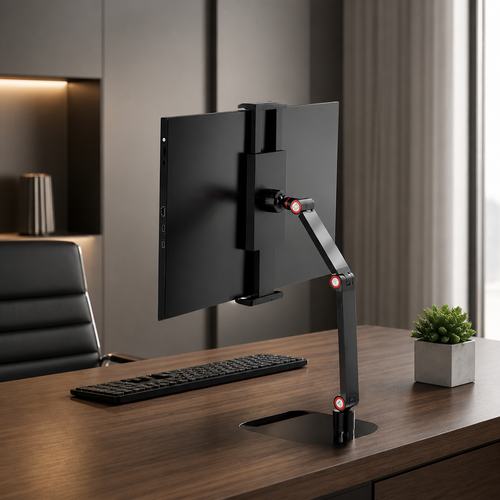
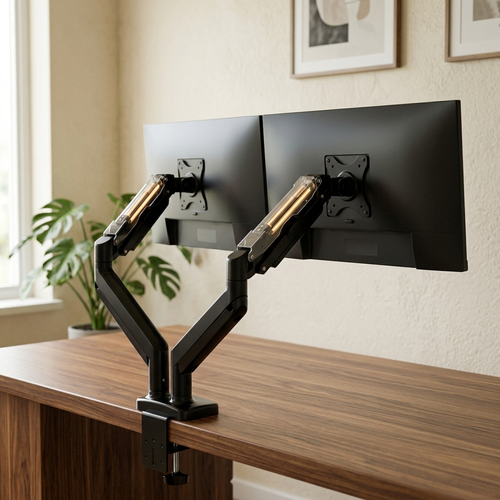
If you use an ultrawide display or a dual-monitor setup, a monitor arm is often the better tool. Floating the screen reclaims the space directly underneath it, giving you room for larger creative projects or physical toolkits. It allows you to pivot the screen for collaborative sessions or adjust it for a standing desk transition. This flexibility is vital if your work requires you to change your perspective frequently.
Building a workspace is a process of trial and error. If you're unsure which mounting solution fits your specific desk material, reach out to us for a second opinion on your setup.
Equipping your workspace with a stand that earns its place
The workspace shapes the work. Equip it deliberately. A stand is not a solitary object; it is one piece of an environment you choose to come back to every morning. Whether you have settled the monitor stand vs monitor arm debate for your specific desk, the goal remains the same: creating a space that feels intentional. Choose materials like solid wood or matte synthetics that match your existing furniture. This ensures your equipment doesn't look like an afterthought, but like a considered part of the room.
Think about how your screen height affects your other tools. A monitor light bar performs best when the screen is at the correct eye level. This placement ensures the light is directed onto your workspace rather than into your eyes. Use the reclaimed space under a fixed stand for charging hubs or minimalist storage. This turns a simple riser into a functional hub that manages the daily clutter of cables and small tools that otherwise take up valuable surface area.
Integrating tech and intentional decor
Lighting matters for more than just visibility. Pair your monitor setup with desk lamps to reduce eye strain during late-night sessions. These layers of light help define the boundaries of your workspace. To make the room feel like yours, add small, low-maintenance objects like faux plants. These aren't just decorations; they are the textures that make a room feel used and lived in without adding to your daily to-do list.
Building for the long haul
Avoid the cycle of constant upgrades. In the monitor stand vs monitor arm comparison, the best choice is the one that stays on your desk for years. Focus on durability and simple, clean lines that won't feel dated as your work evolves. We build for the people who do the work, prioritizing the rooms that get used over setups that just look good for a moment. When an object earns its place, it stops being a purchase and starts being a partner in your daily routine.
Build a workspace that earns its place
The workspace shapes the work. Aligning your screen to your natural eye level is the first step in creating a room that gets used. Whether you settle the monitor stand vs monitor arm debate by choosing a stable desk shelf or a flexible arm, you're making a choice to work more intentionally. This is "Ergo," or purposeful function in action, combined with "Vanta," the advantage you gain when your environment supports your body instead of straining it.
Focus on the small objects that earn their place. A considered setup isn't about status; it's about building a personal environment that supports the long haul. When your equipment is made for the work, your desk becomes a place of focus rather than a source of tension. We build for the people who do the work, ensuring every tool serves a functional role in your daily routine.
Equip your workspace with our considered monitor and laptop stands. You spend serious hours at your desk. It's time to build a space you actually want to come back to.
Frequently Asked Questions
Is a monitor stand better than a monitor arm for a small desk?
The answer depends on your desk material and what you need to store. A monitor arm is often the better choice for small desks because it floats the screen and reclaims the surface area directly underneath. However, if your desk is made of thin or fragile material, a wide stand is safer as it distributes weight more evenly across the surface. When deciding between a monitor stand vs monitor arm for a compact space, prioritize structural safety over just clearing the clutter.
What is the correct height for a monitor stand?
The top third of your screen should sit at or slightly below your eye level when you are sitting upright. This height ensures your neck remains in a neutral position and your gaze falls naturally on the work. Measure from the desk to your eyes to find the specific height required for your body rather than guessing. Proper alignment keeps you focused and prevents the slouch that ends a productive day early.
Do monitor stands work for dual monitor setups?
Yes, wide desk shelves are specifically designed to support dual monitor setups with stability. They provide a continuous surface for two screens and offer extra room for tech accessories underneath. If you prefer more flexibility in positioning each screen independently, using two separate arms might be the better path in the monitor stand vs monitor arm comparison. Choose the tool that matches how you actually use your displays and how much desk space you need to reclaim.
Can I use a monitor stand for a laptop?
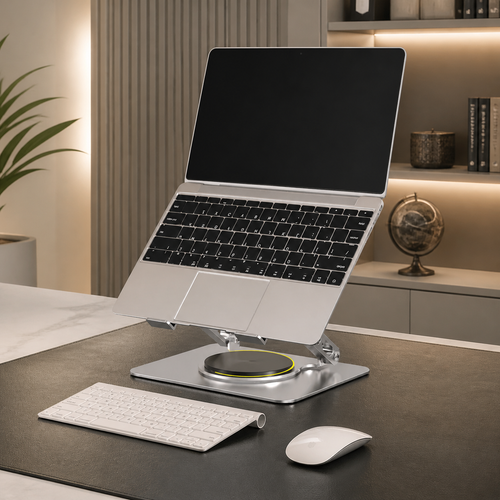
You can use a dedicated laptop stand to align your laptop screen with your external monitor. This prevents the constant head tilting that causes neck strain during long sessions at your desk. Equip your laptop with a stand that earns its place by keeping your posture steady and your screen within your natural line of sight. It's a simple addition that makes your setup feel more intentional and helps you build a workspace you'd choose to come back to.
From the catalog