May 1, 2026
The Triple Monitor Stand: Equipping a Three-Screen Setup

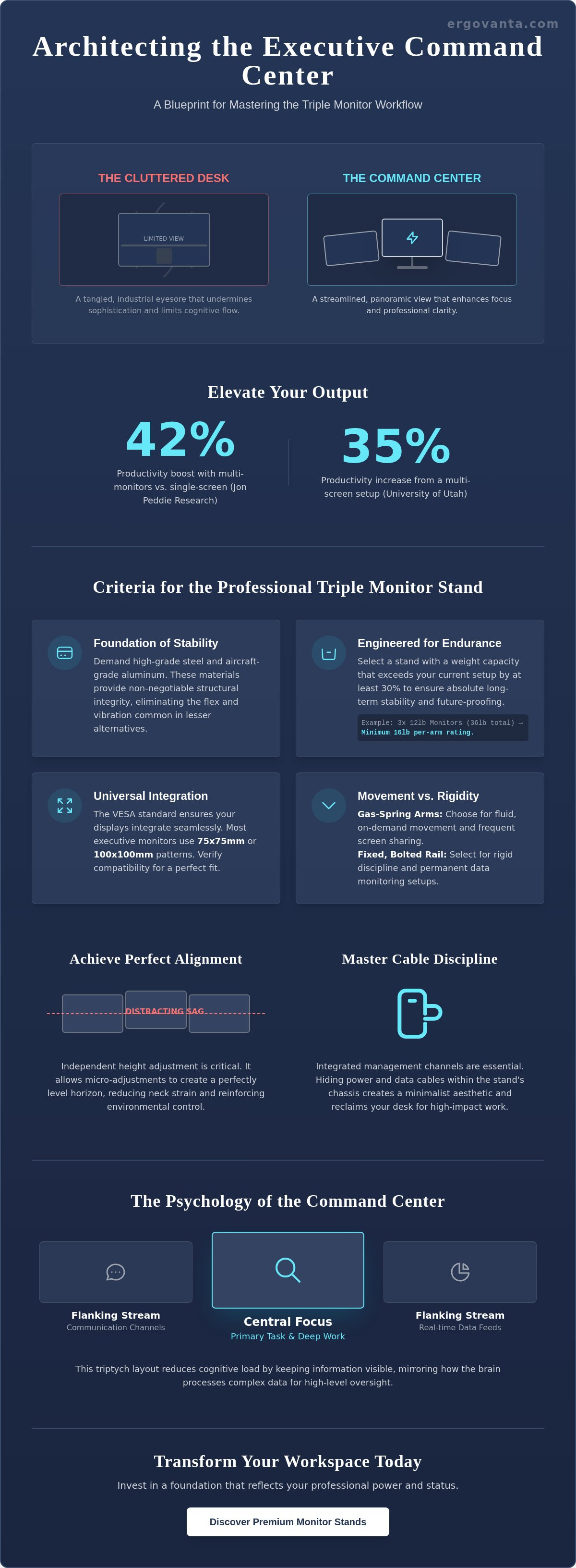
Your workspace is a direct reflection of your professional identity. A cluttered desk suggests a disordered mind, yet high-level management requires more screen real estate than a single display can provide. Research from the University of Utah indicates that a multi-screen setup can boost productivity by as much as 35 percent. However, achieving this efficiency often comes at the cost of your executive aesthetic. A standard triple monitor stand frequently creates a tangled industrial eyesore that undermines the sophistication of a quality office.
You understand that a refined environment is essential for sustained focus and peak performance. You shouldn't have to compromise your physical comfort or your office's visual harmony to stay ahead of the curve. It's time to reclaim your desk from the chaos of mismatched mounts and cascading cables. This article provides the blueprint to master a multi-screen workflow with professional clarity and executive power. We will examine the ergonomic engineering required for long-term health and the design strategies that transform your monitors into a streamlined command center.
Key Takeaways
- Architect a seamless digital expanse to replace desk clutter and enhance professional clarity.
- Secure your quality displays by selecting a triple monitor stand built for executive-grade stability and VESA compatibility.
- Balance high-performance hardware with the warmth of quality decor to create an atmosphere of quiet refined.
- Utilize strategic lighting to eliminate eye strain while accentuating the sleek lines of your command center.
- Transform your workspace into a sanctuary of productivity that reflects your professional power and status.
The Architecture of Clarity: Why a Triple Monitor Stand Defines the Executive Desk
A professional workspace is more than a place to sit. It is a tool for execution. The triple monitor stand serves as the backbone of this environment. It transforms a scattered physical desk into a vast digital expanse. This transition eliminates the friction of physical clutter. It replaces chaos with a structured, panoramic view of your operations. Elevate your perspective by moving beyond the limitations of a single screen.
Choosing a high-end mounting solution from our monitor stand collection is a statement of professional intent. It signals a commitment to precision and high-level output. By lifting displays off the desk surface, you reclaim valuable real estate for your executive essentials. This setup is a hallmark of the modern leader. It demonstrates a mastery over your environment and a drive for maximum efficiency.
The Psychology of the Command Center
Strategic oversight requires a specific mental state. A triple monitor stand facilitates this by providing a unified field of vision. This reduces the cognitive load of constant window toggling. Data from Jon Peddie Research indicates that multi-monitor setups can boost productivity by as much as 42 percent compared to single-screen configurations. You gain mental bandwidth when your data stays visible.
- The Central Focus: Your primary task remains front and center for deep work.
- Flanking Streams: Side monitors hold secondary references like communication channels or real-time data feeds.
- Seamless Flow: Information moves with your eyes instead of constant mouse clicks.
The "Power of Three" creates a triptych of productivity. It allows for a central focus flanked by critical reference streams. This layout mirrors the way the brain processes complex information. You maintain a high-level view while diving into specific details. Command your day with a configuration designed for those who demand clarity in high-stakes environments. Your office is power; architect it with intention.
Selecting Your Foundation: Criteria for the Professional Triple Monitor Stand
Your command center demands a foundation that refuses to compromise. A high-quality triple monitor stand is the backbone of professional clarity. High-grade steel and aircraft-grade aluminum are non-negotiable. These materials provide the structural integrity required to support three displays without the flex or vibration common in plastic alternatives. When selecting your stand, prioritize these technical specifications:
- Weight Capacity: Look for a rating that exceeds your current setup by at least 30 percent. If your 27-inch displays weigh 12 pounds each, your stand should comfortably manage 16 pounds per arm to ensure long-term stability.
- VESA Compatibility: This universal mounting standard, established in 1997, ensures your hardware integrates seamlessly. Most executive displays utilize the 75x75mm or 100x100mm pattern.
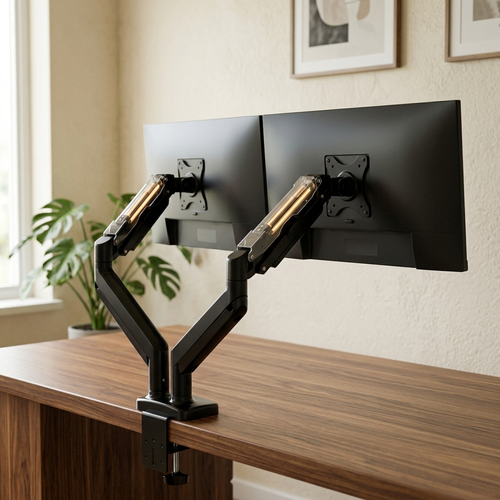
- Articulation vs. Fixed: Choose gas-spring arms for fluid movement if your workflow requires frequent screen sharing. Select a fixed, bolted rail for rigid discipline and permanent data monitoring.
Investing in a quality triple monitor stand is an investment in your daily output. Quality materiality ensures your screens don't wobble when you type or adjust your desk. It's about creating a workspace that feels as solid as your professional reputation.
Achieving Perfect Alignment
Precision defines the executive workspace. Monitor sag is more than an eyesore; it's a distraction that breaks your focus. Demand a stand with independent height adjustment. This feature allows you to micro-adjust each screen to create a perfectly level horizon line. A crisp, 180-degree panoramic view reduces neck strain. It reinforces a sense of environmental control and professional mastery.
Cable Management as a Discipline
Clutter is the enemy of ambition. Integrated cable management channels are essential for maintaining a minimalist aesthetic. These systems hide the technology to let the design shine. By routing power and data through the stand's chassis, you reclaim your desk surface for high-impact work. Complement your streamlined setup with curated tools from our Executive Essentials collection to maintain total organizational discipline. If you need assistance designing your layout, reach out to our consultants for personalized guidance.
The Atmosphere of Power: Integrating Technology with Sophisticated Decor
An executive command center requires more than just raw pixels. It demands a sophisticated balance between high-performance hardware and warm, quality decor. Your monitor stand for desk serves as the structural anchor for this transformation. It aligns three distinct displays into a singular, unified visual field. This organization eliminates the cluttered visual noise that disrupts deep work. Research shows that a streamlined workspace can improve cognitive focus by 20 percent. It turns a chaotic desk into a precise engine of productivity. Your office is power; ensure every element reflects that reality.
Lighting the Executive Expanse
Shadows are the enemy of endurance. Place floor lighting strategically behind your triple monitor stand to create depth and eliminate harsh glare. This bias lighting technique relieves the strain on your optic nerves during long sessions. Use bulbs with a 90+ Color Rendering Index (CRI) to ensure visual clarity. Proper ambient light prevents the 3:00 PM energy crash. It keeps your executive presence sharp until the final task is complete. Control your environment to control your output.
Curating Your Surroundings
Technology often feels cold and industrial. Soften the technical edge of your triple-screen array with sculptural elements or high-end textures. This creates an environment that reflects your professional identity rather than just your tools. Prioritize Ergonomics & Comfort to support your physical well-being. A zero-friction workspace empowers you to move from one high-stakes task to the next without hesitation. Your environment is a direct reflection of your inner drive. Make it look like success.
Claim Your Executive Authority
Your workspace is a direct reflection of your professional identity. By architecting a desk with a triple monitor stand, you establish a foundation of clarity and power. A 2021 study from the University of Exeter found that employees in "enriched" workspaces, which prioritize both function and aesthetic, are 17% more productive than those in basic settings. This transformation turns your office into a sanctuary of high-level output. Ergovanta provides the executive essentials needed to bridge the gap between technology and sophisticated decor. Our solutions are curated for modern professionals who value quality materials and a minimalist design. The 2023 Forbes report on office trends highlights that quiet refined is now the standard for high-end corporate environments. You've worked hard to reach this level of influence; your surroundings should validate that journey. Every detail counts when you're building a legacy from your desk. Take the final step in refining your professional atmosphere today.
Elevate your workspace with Ergovanta Monitor Solutions
Success favors the organized mind. Build the command center you deserve.
Frequently Asked Questions
Will a triple monitor stand fit on a standard executive desk?
Yes, a triple monitor stand fits on standard executive desks measuring 60 inches or wider. Most professional workspaces provide 30 inches of depth, which is ideal for maintaining a healthy focal distance. You should ensure your desk surface is at least 1 inch thick to secure the mounting clamp safely. This setup transforms a standard surface into a high-performance command center tailored for executive efficiency.
How do I prevent my monitors from sagging on a triple arm?
Prevent sagging by adjusting the internal gas spring tension to match the exact weight of your displays. Quality arms support monitors up to 20 pounds each; use the provided hex key to turn the tension screw toward the plus symbol. Most quality stands require 5 to 10 full rotations to reach peak stability. This calibration keeps your horizon level and your focus sharp throughout the day.
Do I need a special desk to support the weight of three monitors?
You require a desk constructed from solid wood or 14-gauge steel to handle the concentrated weight. A triple monitor stand with three 27-inch screens can exert over 60 pounds of pressure on a single point. Avoid honeycomb or paper-filled desktops, as these materials often fail under localized stress. A robust foundation ensures your equipment remains secure while you command your professional landscape.
What is the best way to align three different monitor brands?
Align differing brands by selecting a stand with independent VESA plate height adjustments. Since VESA holes vary by up to 2 inches between manufacturers, individual arm control is essential for a flush finish. Focus on aligning the center of each panel to create a consistent horizontal sightline. This meticulous approach eliminates visual clutter and reinforces the sophisticated atmosphere of your executive suite.
From the catalog