May 12, 2026
The Vertical Monitor Stand: Building Vertical Screen Setups in 2026

The horizontal sprawl of a traditional workstation is a relic of an unoptimized past. Why continue sacrificing your quality desk real estate and neck health to a layout that forces constant side to side swivelling? In 2026, the elite professional understands that influence is built upward. Implementing a vertical monitor stand is the definitive power move to convert dead air space into a focused command centre. It's time to stop letting your hardware dictate your limits.
You already know that a cluttered desk leads to a cluttered mind. You likely feel the fatigue of managing multiple streams of data across a wide, disjointed field of vision. With the average professional now managing 2.1 monitors, the demand for a streamlined, high end environment has never been greater. This article provides the blueprint to master display stacking and reclaim your workspace. We'll preview the latest trends in asymmetrical stacking and show you how to curate a setup that achieves peak ergonomic performance while maintaining a minimalist aesthetic.
Key Takeaways
- Transform your workflow by adopting a "Command Centre" layout that centres your vision and eliminates peripheral distractions.
- Secure your investment by auditing VESA compatibility and weight capacity to ensure a seamless, sag-free display configuration.
- Achieve peak ergonomic performance by mastering the "Golden Rule" of screen height to protect your posture and focus.
- Elevate your office aesthetic by using a vertical monitor stand as the sophisticated anchor for a clutter-free, executive desk.
The Vertical Advantage: Why Professionals Are Stacking Displays
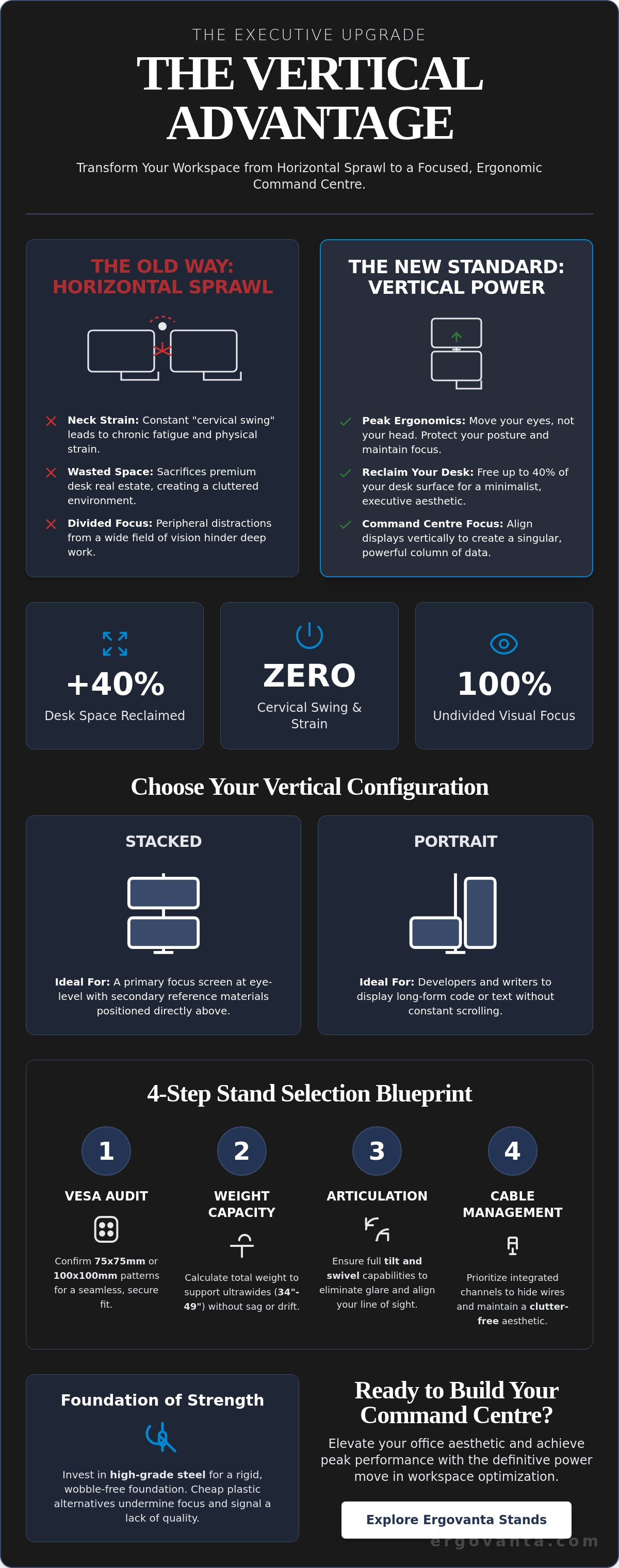
A vertical monitor stand is a precision instrument for the high performing professional. It is not merely a bracket. It is a tool designed for "stacked" or "portrait" configurations that align your digital environment with your natural cognitive focus. This shift creates a definitive "Command Centre" effect. By aligning your displays vertically, you reduce peripheral distractions and centre your attention on a singular, powerful column of data. It forces a disciplined workflow that horizontal setups simply cannot match.
While a traditional multi-monitor setup has long been the standard for productivity, the horizontal sprawl introduces a physiological cost. Constant side to side rotation leads to "cervical swing," a repetitive neck movement that causes chronic strain and fatigue. A vertical monitor stand eliminates this issue. It allows you to move your eyes, not your head. This preserves your physical stamina and mental clarity throughout a demanding workday.
To better understand how this hardware integrates into a professional workflow, watch this assembly and review:
Efficiency extends beyond your screen. Utilizing the vertical dimension allows you to reclaim up to 40% of your desk surface. This "Space ROI" transforms a crowded workstation into a minimalist sanctuary. It creates immediate room for executive decor or essential tactile tools. You are no longer limited by the width of your furniture. You are empowered by the height of your ambition.
Stacked vs. Portrait: Which Vertical Setup Fits Your Workflow?
Choosing your orientation depends on your specific professional output. A stacked arrangement is ideal for those who require a primary focus screen at eye level with reference materials positioned directly above. Conversely, writers and developers often prefer a portrait orientation for one of their displays. This vertical alignment displays long form text or code without the need for constant scrolling. Explore the Ergovanta monitor and laptop stands collection to find the mounting solution that matches your refined aesthetic.
Selecting Your Stand: Precision Engineering for Heavy Displays
Selecting a vertical monitor stand is an exercise in architectural integrity. Your technology represents a significant investment. The hardware supporting it must reflect that value. Follow these four steps to ensure your command centre is built on a foundation of precision and strength.
- Step 1: Audit VESA requirements. Most professional displays utilize 75x75mm or 100x100mm patterns. Confirming this ensures a seamless, secure fit before you begin the installation.
- Step 2: Calculate total weight capacity. Quality stands must support ultrawide displays without sagging. If your stand lacks the tension to hold a 34 inch or 49 inch monitor, your workflow will suffer from constant drift.
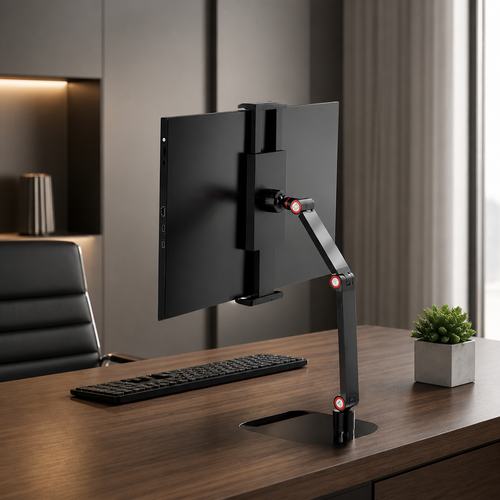
- Step 3: Evaluate articulation needs. Tilt and swivel are non-negotiable features for the modern executive. They allow you to eliminate screen glare and align the display perfectly with your specific line of sight.
- Step 4: Prioritize integrated cable management. A cluttered desk undermines professional authority. Choose a solution that hides wires within the frame to maintain the minimalist aesthetic of your workspace.
Precision requires adjustability. A high end setup is only as effective as its weakest component. When you stack displays, you are creating a vertical pillar of information. This requires a stand that remains rigid under pressure. Invest in hardware that allows for micro-adjustments so your screens align with mathematical precision.
Stability and Material Choice: Why High-Grade Steel Matters
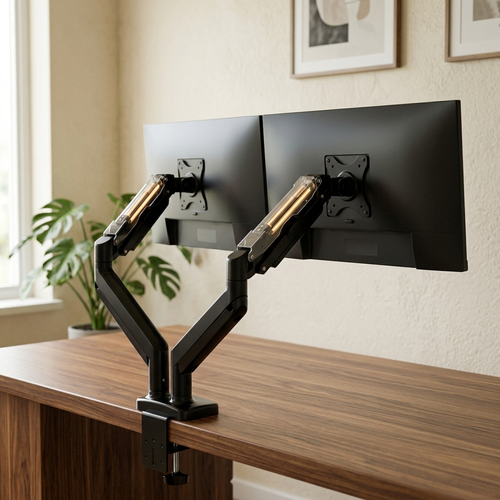
Vertical stacking changes the physics of your desk. It creates a higher centre of gravity, placing immense leverage on the mounting point. This is why a weighted base or C-clamp must be over-engineered to handle the load. Industrial-grade steel is the only acceptable material for a high-level career. Cheap plastic alternatives often wobble during intense typing sessions. This breaks focus and signals a lack of quality in your environment.
Invest in materials that mirror your professional discipline. Beyond the stand itself, consider how your other tech and device accessories contribute to a streamlined environment. If you require assistance in curating a bespoke ergonomic layout for your office, you may consult with our specialists for tailored recommendations.
Orchestrating the Workspace: Ergonomics Meets Executive Decor
Your vertical monitor stand is the architectural anchor of your professional sanctuary. It is more than a utility. It defines the vertical plane of your office. A well chosen stand signals a commitment to order and refined productivity. It transforms a standard desk into a command centre that commands immediate respect. View your hardware as a sculptural element that bridges the gap between technology and executive style.
Master the Golden Rule of Height to protect your physical longevity. Align the top third of your primary screen exactly with your eye level. This placement ensures a natural, neutral posture. It prevents the subtle downward tilt that leads to long term spinal fatigue. Precision in placement is the hallmark of a disciplined professional. It ensures your body remains as resilient as your ambition.
Verticality introduces new environmental variables. Stacked monitors are particularly prone to catching ceiling reflections and harsh glares. Integrate Ergovanta lighting solutions to neutralize these distractions. Task lamps or sophisticated wall lights provide the necessary contrast to keep your vision sharp. Controlled lighting ensures your focus remains on the data, not the reflections.
Balance the visual weight of a tall setup with intentional grounding. A vertical stack can feel imposing if the desk surface is neglected. Use quality desk mats and minimalist executive decor to anchor the workstation. This creates a harmonious flow between your digital tools and your physical environment. It ensures your workspace feels curated rather than merely assembled.
The Ergonomics of Influence: Designing for Success
A vertically optimized desk is a physical manifestation of professional authority. It demonstrates a total mastery over your environment. Incorporate ergonomics and comfort products to sustain your high performance lifestyle. Visual Ergonomics is the strategic intersection of sightlines, lighting, and posture designed to maximize cognitive output. Build a workspace that reflects your dedication to excellence.
Commanding Your Professional Future
Your workspace is a direct reflection of your inner drive. Implementing a vertical monitor stand is more than a technical upgrade. It is a definitive commitment to a superior professional standard. You now possess the blueprint to reclaim your desk space and eliminate the physical fatigue of horizontal sprawl. Precision engineering, strategic lighting, and ergonomic alignment are the pillars of a true command centre. These elements work together to sustain your focus and protect your long term health.
Ergovanta was founded in 2021 as a boutique ergonomic brand. We serve the modern professional who values sophisticated, minimalist aesthetics. Our curated selection of tools bridges the gap between high level performance and refined decor. Elevate your professional environment: Contact Ergovanta for expert workspace curation.
Don't settle for an unoptimized environment. Take command of your surroundings today. Let your workstation reflect the excellence you bring to your career. Your next level of success begins with the foundation you build.
Frequently Asked Questions
Is a vertical monitor stand stable for two 34-inch ultrawide screens?
High-grade vertical monitor stands are engineered specifically to handle this substantial load. You must verify that the stand's weight capacity exceeds the combined weight of your ultrawide displays. Quality steel models with reinforced C-clamps provide the necessary rigidity to prevent sagging or tilting. Stability is a non-negotiable requirement for a high-performance environment. Invest in industrial materials to ensure your hardware remains secure and vibration-free.
How do I prevent neck pain when using a stacked monitor configuration?
Align the top third of your primary display at eye level and tilt the upper monitor slightly downward. This orientation minimizes cervical extension and allows you to scan both screens by moving your eyes rather than your head. Maintaining a neutral spine preserves your physical stamina during long sessions of deep work. Proper ergonomic alignment is a sign of professional discipline. It protects your health while you focus on high-level output.
Can any monitor be turned vertically on a stand?
Physical rotation is possible for almost any monitor featuring standard VESA mounting points. Ensure your display includes the 75x75mm or 100x100mm hole patterns required for a vertical monitor stand. Once mounted, you simply adjust your operating system's display settings to portrait orientation. This setup is particularly effective for developers and writers who manage long columns of text or code. It turns a standard screen into a specialized productivity tool.
Do I need a special VESA mount for portrait orientation?
Standard VESA plates are designed to be universal and support both landscape and portrait orientations. The transition to a vertical view occurs through the stand's articulation joint rather than the mount itself. Most quality stands feature a 360-degree rotating bracket that allows you to switch orientations in seconds. This flexibility ensures your workspace can evolve alongside your shifting professional requirements. It allows for a truly bespoke command centre experience.
From the catalog