June 1, 2026
Under Desk Cable Management Ideas: Build a Workspace That Works for You

The workspace shapes the work. If you spend serious hours at a desk, the floor beneath it matters more than you think. A chaotic tangle of wires hitting your feet isn't just a trip hazard; it's a constant drain on your focus and makes cleaning nearly impossible. You deserve a setup that feels considered and stable, which is why finding the right under desk cable management ideas is essential for any room where real work happens. It's time to stop treating your floor like a storage bin for neglected cords and start treating it like a part of your office.
We agree that the visual stress of a cable bird's nest shouldn't be the price of a functional home office. You can build a better environment by choosing tools that earn their place and keep your equipment secure. This guide provides practical strategies to help you reclaim your floor space and gain mental clarity. We will explore intentional solutions, from simple reusable ties to sturdy no-drill trays, so you can equip your space for the work that matters. By the end, your floor will be clear, your power strips will be accessible, and your room will finally feel like it belongs to you.
Key Takeaways
- Clear the visual clutter beneath your desk to reduce mental load and reclaim focus for the work that matters.
- Explore intentional under desk cable management ideas like trays and sleeves that keep your power strips accessible and off the floor.
- Learn how a considered cable setup improves legroom and allows for more natural movement during long desk sessions.
- Build a workspace you choose to come back to by prioritizing the small objects that earn their place once the wires are gone.
Why Under Desk Cable Management Matters for Your Daily Work
The workspace shapes the work. Equip it deliberately. If you spend eight hours a day at a desk, the tangle of wires hitting your feet is more than an eyesore; it's a barrier to focus. Effective cable management is the intentional routing and securing of power and data lines. It ensures that every cord has a designated path, turning a chaotic floor into a clear, usable surface.
Beyond aesthetics, unmanaged cords are a liability. According to OSHA guidelines, cluttered under-desk areas are official workplace hazards that can lead to trips or accidental hardware disconnections. For the 35.1 million Americans working from home as of 2026, a disconnected monitor or a pulled power cord during a high-stakes call is a frustration you don't need. Managing these wires prevents dust buildup and protects your equipment from being kicked or snagged by accident.
To see how these concepts look in a real setup, watch this helpful guide:
Mental load is a quiet energy drain. When your eyes catch a mess of wires under your desk, your brain registers it as an unfinished task. This visual noise pulls your attention away during long sessions. By exploring practical under desk cable management ideas, you remove these physical and mental obstacles. You reclaim your legroom and build a space that feels ready for the work that matters.
The Psychology of an Ordered Space
Workspace intentionality is the act of choosing exactly what earns its place in your environment. Removing physical obstacles for your feet improves your overall comfort and allows for the posture shifts recommended by the BIFMA G1-2013 Ergonomics Guideline. Your office shifts from being a place where cables live to a room that actually gets used. It's about taking ownership of your surroundings so they support you instead of getting in your way.
Practical Ideas for Managing Under Desk Cables
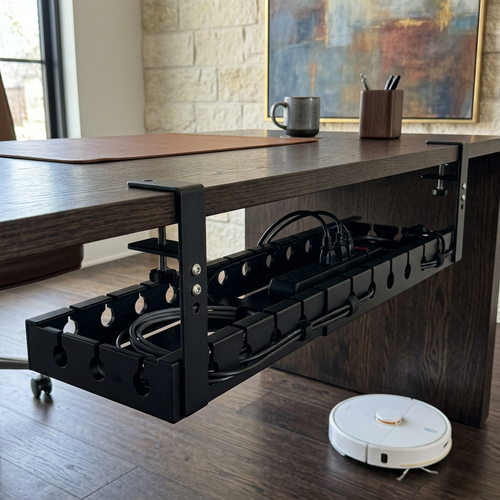
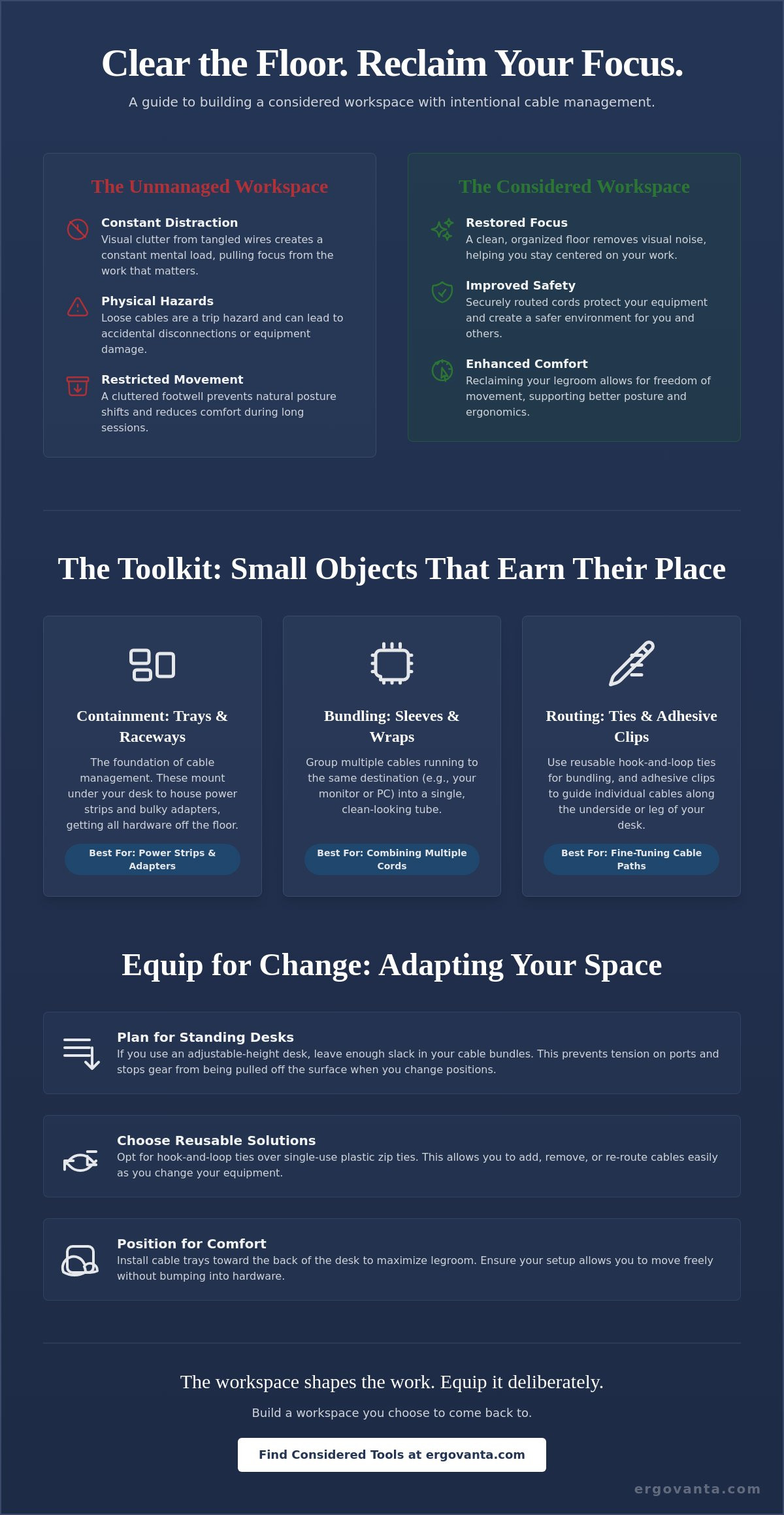
Building a workspace that works for you starts with getting the hardware off the floor. Under-desk trays are the most effective way to house power strips and bulky adapters. These trays, often available in steel or clamp-on metal varieties, keep your power source within reach but out of your footwell. If you're renting or don't want to drill into your furniture, no-drill metal organizers provide a stable alternative without damaging the desk surface. This approach ensures your equipment stays secure and your floor remains clear for movement.
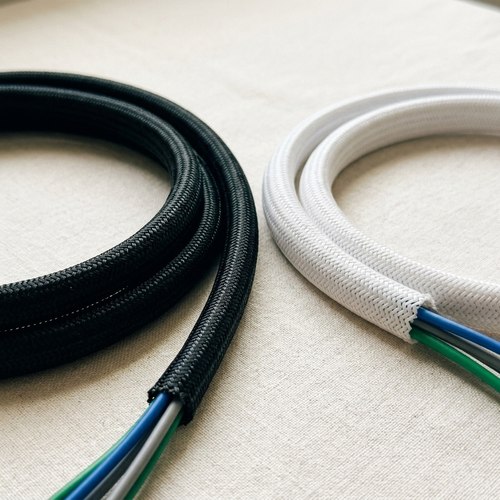
Grouping your wires is the next step in a considered setup. Use reusable sleeves or wraps to turn ten tangled wires into one clean, manageable line. For individual cords that need to travel along the underside of the desk, adhesive clips are an intentional, low-profile solution. You can use clear clips to route cables exactly where you need them along the desk frame. Mounting power strips directly to the desk also keeps your power access hidden but accessible, preventing the messy "cable waterfall" effect often seen in unorganized rooms.
Modular Solutions for Changing Setups
A workspace is never truly finished; it evolves as you add new tools. Choose hook and loop ties instead of plastic zip ties. These allow you to swap out gear without cutting through permanent fasteners every time you update your equipment. For those using standing desks, ensure you leave enough slack in your cable bundles. This prevents tension on ports and ensures your gear isn't pulled off the surface when you move the desk up or down. Weighted holders on the desktop can also keep frequently used chargers from slipping behind the desk. These small under desk cable management ideas ensure your setup remains flexible as your needs change.
Maximizing Legroom and Ergonomics
Cable management isn't just about aesthetics; it's about physical freedom. Position your cable tray toward the back of the desk to avoid hitting your knees or shins when you adjust your chair. When you equip your space, consider how your physical comfort impacts your work. You can explore our ergonomics and comfort collections to find tools that support a better posture once the clutter is cleared. Ensure every cable is long enough to prevent tension during desk movement. If you have questions about which tools fit your specific layout, you can reach out to our team to help you build a setup made for the work.
Beyond the Wires: Building an Intentional Workspace
The workspace shapes the work. Once you have cleared the floor and secured your wires, you can finally see the room for what it is. Cable management is the foundation for a room you actually want to come back to. It's no longer a storage area for neglected cords; it's a place where you can focus. By applying intentional under desk cable management ideas, you make room for the small objects that truly earn their place on your desk.
Integrating new tech doesn't have to mean re-creating the mess. When you add a new device, route the cable through your existing trays or sleeves immediately. This ownership of your space prevents the slow creep of clutter that often happens over months of work. A considered environment isn't just about what you hide, but about how you equip the surface to support your daily rhythm.
Equipping Your Space Deliberately
Reclaiming your desktop real estate is the natural next step. Pairing clean cable lines with monitor and laptop stands allows you to use the space beneath your screens for essential tools. Use tech and device accessories to keep your hardware organized and ready for use. Even your lighting plays a role in this transition. A well-placed lamp doesn't just illuminate your work; it highlights a room that has been built with purpose.
Maintenance as an Ownership Habit
Organization is a practice, not a one-time event. Set a schedule to check for dust and loose connections every few months. Perform a quick audit to remove cables for hardware you no longer use. While you strive for order, remember that "good enough" is often better than "perfect" when it comes to routing. You don't need a sterile environment; you need a setup that functions without friction. Build the workspace you would choose to come back to.
Take Ownership of Your Environment
The workspace shapes the work. Equip it deliberately. By implementing these under desk cable management ideas, you have reclaimed your floor space and removed the visual noise that drains focus during long sessions. You now understand that a considered environment isn't a one-time project but a continuous habit of ownership. Using modular tools like trays and reusable ties ensures your setup can evolve alongside your gear without creating a new mess.
With the cables secured and the floor clear, you can focus on the small objects that truly earn their place in your room. We provide considered designs for people who do the work, offering functional tools that help you build a space you choose to come back to. Whether you need a stable monitor arm or a considered lighting setup, we offer national shipping across the United States to help you finish the job.
Ready to finalize your setup and build the room you deserve? Equip your workspace with intentional accessories and start doing your best work in a space that is truly yours. You have done the hard part of clearing the clutter; now it's time to enjoy the room you've built.
Frequently Asked Questions
What is the best way to hide cables under a desk without drilling?
Use clamp-on metal organizers or high-strength adhesive clips to secure wires without damaging your furniture. These no-drill under desk cable management ideas are ideal for renters or those with glass and metal desk frames. You can route cables along the legs or the underside of the surface using clear clips that stay out of sight. It keeps your setup stable without permanent modifications. This approach ensures your equipment remains secure while maintaining the integrity of your workspace.
Do I need a cable management tray for a standing desk?
A cable management tray is essential for a standing desk to ensure your power strips and adapters move with the surface. Without a tray, your cords risk being pulled out of their ports or snagged as the desk rises. Mount a tray to the back of the frame to hold the bulk of your gear. This setup provides the necessary slack for movement while keeping the floor clear at every height. It is a functional requirement for a room that gets used.
How do I keep my power strip off the floor?
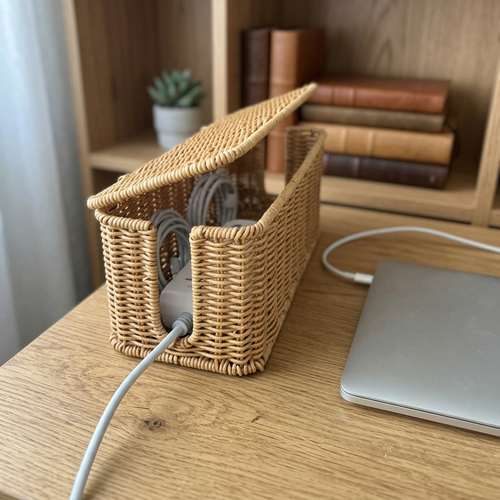
Mount your power strip directly to the underside of the desk using heavy-duty adhesive strips or screws. Alternatively, place the strip inside an under-desk basket or tray to keep it accessible but off the floor. This prevents dust buildup and keeps your feet from accidentally hitting the power switch. It is a simple way to build a more intentional workspace that feels ready for the work. Keeping the floor clear also makes cleaning your space significantly easier.
Are cable sleeves better than cable ties?
Cable sleeves are better for hiding large bundles of wires into a single clean line, while reusable ties are better for modular adjustments. Use a sleeve for the main cord bundle running from your desk to the wall outlet. Use hook and loop ties for smaller groups of cables that you might need to swap out frequently. Both tools help you equip your space deliberately without the permanence of plastic zip ties. Choose the tool that best fits your daily rhythm.
From the catalog