May 24, 2026
How to Improve Posture While Sitting at a Desk: The Role of Lumbar Support

The workspace shapes the work. Equip it deliberately. If you spend serious hours at a desk, the room around it matters more than you think. You've likely felt that 3 PM slump where your focus vanishes because a persistent lower back ache has become too loud to ignore. It's difficult to stay sharp when physical discomfort is draining your mental energy. Realizing the benefits of lumbar support for office chairs isn't about following a trend; it's about owning your environment and making it work for you.
We'll show you how intentional lumbar support protects your spine and removes the physical distractions that hinder your best work. This guide covers how to build a setup made for the work, providing practical steps to stay comfortable during long sessions without a total office overhaul. By the end, you'll know how to choose the small objects that earn their place and keep you focused on what matters most. You'll learn to build a space that feels like yours through intentionality and ownership.
Key Takeaways
- Understand why the five vertebrae of your lower back bear the most weight and how to protect the natural C-shape of your spine while you work.
- Discover the benefits of lumbar support for office chairs by learning how physical stability removes the distractions that hinder your best output.
- Learn how proper spinal alignment opens your chest and diaphragm, increasing oxygen flow to help you maintain stamina during deep work.
- Equip your setup with a practical guide to checking seat height and identifying the specific gaps where your chair needs intentional support.
Why Your Lower Back Struggles During Long Desk Sessions
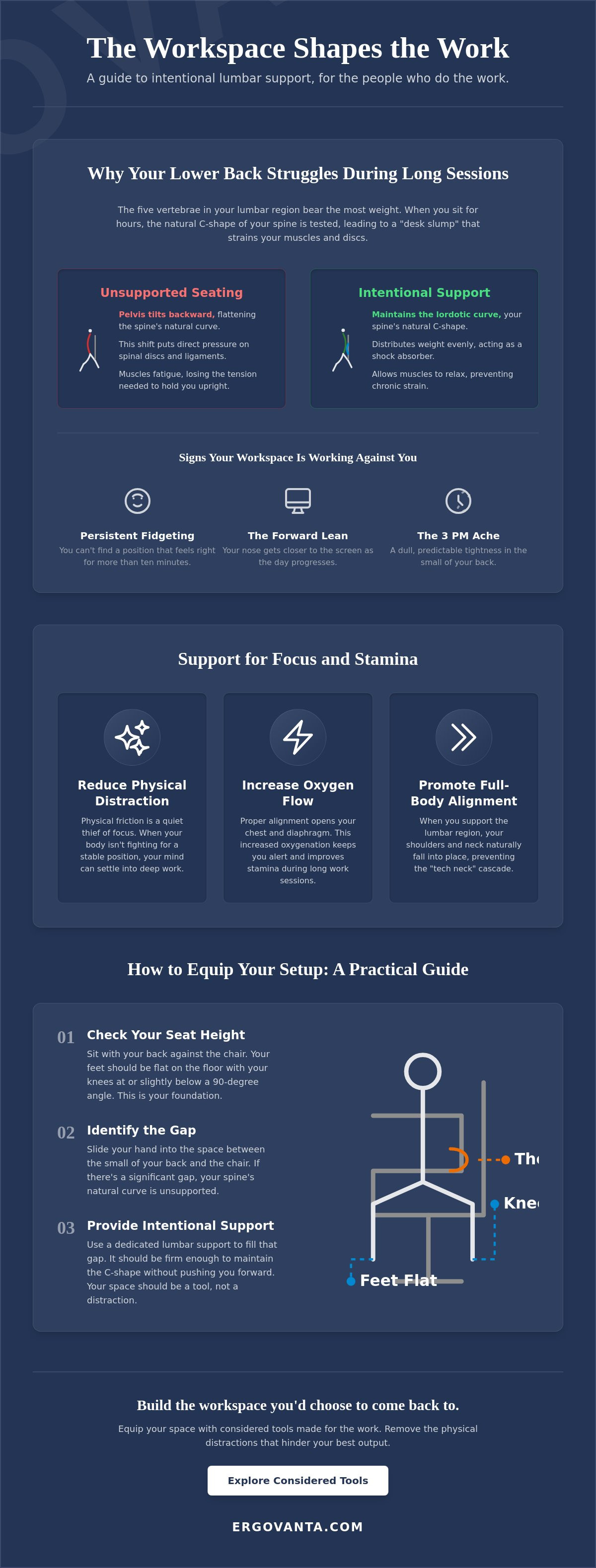
The lumbar region consists of the five vertebrae at the base of your spine. These bones bear the most weight and are designed to maintain a natural inward C-shape known as the lordotic curve. This curve acts as a shock absorber, balancing your weight and keeping your spine in a neutral position. However, when you sit for hours, this balance is tested. Understanding the health risks of prolonged sitting starts with recognizing how our bodies react to a static environment. One of the key benefits of lumbar support for office chairs is that it preserves this curve when your muscles inevitably tire.
Most people fall into the "desk slump" within thirty minutes of starting work. Your pelvis tilts backward, and that natural curve flattens out against the back of the chair. This shift places immense pressure on your spinal discs and ligaments. When your muscles eventually fatigue, they stop providing the necessary tension to hold you upright. This leads to chronic strain that lingers long after you've closed your laptop for the day.
To better understand this concept, watch this helpful video:
The Mechanics of Seated Stress
Gravity and poor chair design work together to collapse your posture, forcing your lower back to compensate for a lack of structural support. You can't simply rely on willpower to stay upright. Telling yourself to "just sit up straight" is an unsustainable strategy for people who do the work; your brain is focused on the task, not your vertebrae. This is why the benefits of lumbar support for office chairs are so vital. It does the physical labor for you, allowing your mind to remain on the work.
Signs Your Workspace Needs Better Intention
The workspace shapes the work. Equip it deliberately. If you find yourself constantly shifting in your seat, leaning toward the monitor, or dealing with mid-day stiffness, your environment is failing you. These aren't just minor annoyances. They are signals that your body is fighting its surroundings. Consider the following indicators that your setup needs more intentionality:
- Persistent fidgeting: You can't find a position that feels "right" for more than ten minutes.
- The forward lean: You find your nose getting closer to the screen as the day progresses.
- The 3 PM ache: A dull, predictable tightness in the small of your back.
Recognizing these signs is the first step toward building a space that supports your output rather than draining your stamina. Your space should be a tool, not a distraction.
Benefits of Lumbar Support for Focus and Stamina
Physical friction is a quiet thief of focus. One of the primary benefits of lumbar support for office chairs is the removal of the mental tax caused by constant micro-adjustments. When your body isn't fighting for a stable position, your mind can finally settle into deep work. This isn't just about avoiding a dull ache; it's about creating a workspace that allows for sustained stamina. If you spend serious hours at a desk, the room around it matters more than you think, and that starts with the chair that holds you.
Proper support also changes how you breathe. When you slump, your diaphragm is compressed, limiting oxygen flow. By maintaining good posture through intentional support, you open your chest and ribcage. This increased oxygenation keeps you alert during those long afternoon sessions that usually feel like a slog. It's a psychological shift: a well-equipped chair feels like a place where serious work happens, reinforcing your commitment to the task at hand.
Reducing Physical Distraction to Do the Work
Micro-discomforts drain mental energy over an eight-hour day. Every time you shift to relieve pressure, you break your flow state. Equipping your space with ergonomics and comfort tools turns your setup into a considered work ritual. These are the small objects that earn their place by keeping you anchored in your work rather than your discomfort.
The Chain Reaction of Proper Alignment
Your spine is a connected system. When you support the lumbar region, your shoulders and neck naturally fall into place, preventing the "tech neck" cascade that often starts at the base of your spine. Using monitor stands in tandem with back support ensures your eyes remain at the correct level, further reducing the strain on your upper body. If you need help deciding how to build your setup, reach out to us for a second opinion on the tools that fit your space.
How to Improve Posture While Sitting at a Desk: A Practical Setup Guide
You don't need to replace your entire office to fix your posture. Most people assume the solution is a thousand-dollar chair, but the real work happens in how you arrange the tools you already own. Start with your seat height. Your feet must be flat on the ground with your hips positioned slightly above your knees. This simple shift stabilizes your pelvis and prevents you from sliding into the slump we discussed earlier. It sets the foundation for everything else you build in your space.
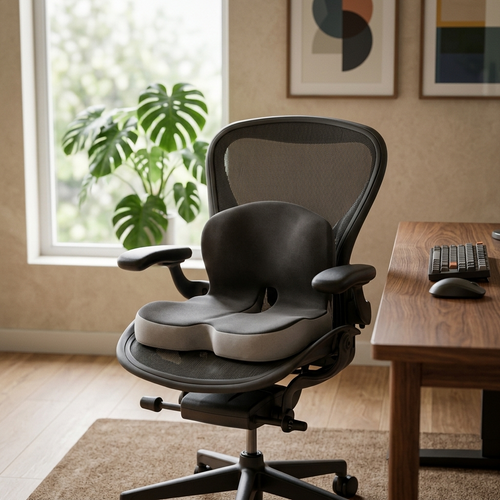
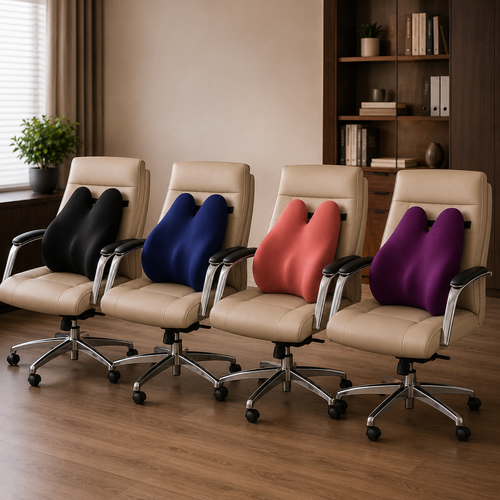
Once your base is set, identify the gap between your lower back and the chair's backrest. This void is where the physical friction starts. Filling this space is one of the most immediate benefits of lumbar support for office chairs. By placing a support cushion or a dedicated roll exactly in that natural curve, you provide a physical boundary that keeps your spine from flattening. Finally, align your workspace by bringing your keyboard and mouse close to your body. Reaching for your tools forces your shoulders forward, which eventually pulls your lower back away from its support.
Positioning Your Lumbar Pillow Correctly
Your support should feel like a gentle nudge, not a forced arch. If you feel like you're being pushed out of your chair, the support is too thick or placed too high. It should sit in the small of your back, reinforcing the lordotic curve without causing tension. When you choose workspace essentials that earn their place through daily utility, you stop fighting your furniture and start doing the work. The goal is a setup that feels intentional and made for the work you do every day.
The Role of Movement in an Intentional Space
Even a perfectly considered setup has limits. Your body was made for action, not just static perfection. Even when you've secured the benefits of lumbar support for office chairs, you still need to stand or stretch every hour to reset your system. We believe in building a room that gets used, which means keeping small objects on your desk that encourage a mindful, organized environment. A workspace that feels like yours is one that accommodates both deep focus and the necessary moments of movement.
Equip Your Space for Sustained Focus
The workspace shapes the work. Equip it deliberately. You've seen how a simple shift in seat height and the intentional placement of support can transform a room that drains you into a room that gets used. Protecting your spinal balance isn't just about physical health; it's about reclaiming the mental energy lost to micro-discomforts and the afternoon slump. When you understand the benefits of lumbar support for office chairs, you stop fighting your furniture and start doing the work.
We build considered tools that earn their place in your space because we know what it's like to spend serious hours at a desk. These are the small objects designed for purposeful function and intentionality. Don't wait for a total office overhaul to start feeling better in your environment. Take ownership of your setup today and build the workspace you'd choose to come back to.
Ready to make your space work for you? Build a workspace that supports the work with our ergonomic collection. Your best output depends on a setup that stays out of your way.
Frequently Asked Questions
Where should lumbar support be placed on an office chair?
Lumbar support should be positioned in the small of your back, specifically at the natural inward curve of your lower spine. This placement fills the gap between your vertebrae and the chair backrest. When placed correctly, it maintains the lordotic curve without forcing you to lean forward. It should sit just above your belt line to provide the most effective structural reinforcement for long sessions at your desk.
Can too much lumbar support be bad for your back?
Excessive support can be counterproductive if it forces your spine into an exaggerated arch. One of the main benefits of lumbar support for office chairs is maintaining neutrality, not creating a new curve. If the support is too thick or firm, it can lead to muscle tension and pressure points. The goal is a gentle nudge that makes sitting upright feel effortless rather than a rigid correction that causes new discomfort.
Do I need a new chair to get proper lumbar support?
You don't need a new chair to improve your setup; you can equip your current seat with considered accessories like lumbar pillows or rolls. Many chairs lack the specific adjustability your body needs. Adding a separate support allows you to customize the fit to your unique proportions. It's about building a workspace that works for you by choosing the small objects that earn their place through daily utility.
How do I know if my lumbar support is in the right spot?
You'll know the support is in the right spot when your lower back feels fully supported without any gaps or pressure points. Your shoulders should naturally align over your hips without conscious effort. If you find yourself leaning forward or feeling a "push" against your spine, the support is likely too high or too low. A correct fit helps you realize the full benefits of lumbar support for office chairs by removing the physical distractions that break your focus.
From the catalog