June 2, 2026
How to Make Your Desk More Ergonomic: A Guide to Building a Better Workspace

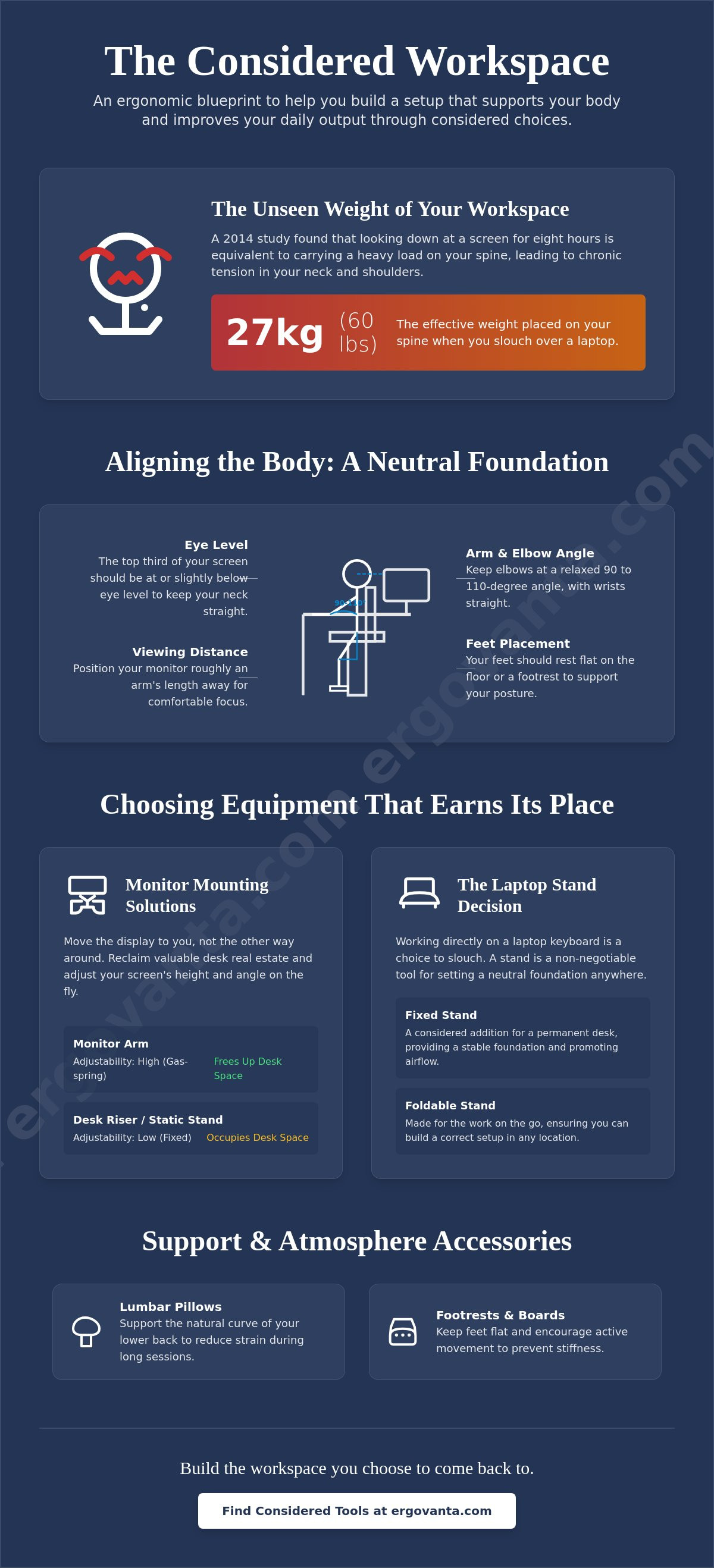
A 2014 study in Surgical Technology International found that looking down at a laptop screen for eight hours is equivalent to carrying a 27 kg load on your spine. If you spend serious hours at a desk, you've likely felt this weight as chronic tension in your neck and shoulders. It's a frustrating reality that turns a place of productivity into a source of physical strain. You want a workspace that feels intentional, but the sheer volume of gadgets makes it hard to know what actually works. Learning how to make your desk more ergonomic isn't about buying into a trend; it's about taking ownership of your physical environment.
The workspace shapes the work. Equip it deliberately. You'll learn how to build a setup that supports your body and improves your daily output through considered choices. This guide previews the small objects that earn their place, from monitor arms to lumbar pillows, and provides a clear path to reduced strain. You can build a desk you choose to come back to by focusing on the adjustments that matter most for your focus and long-term comfort.
Key Takeaways
- Identify the neutral foundation required to align your joints and protect your body during long sessions at a desk.
- Discover how to make your desk more ergonomic by selecting tools that earn their place through intentional design and function.
- Compare the benefits of monitor arms and laptop stands to find the best way to reclaim your desk real estate.
- Learn why small objects like lumbar pillows and foot massage boards are essential for keeping your body active while sitting.
- Build a workspace you choose to come back to by focusing on the tools that are truly made for the work.
Aligning the body: How to set a neutral foundation
The workspace shapes the work. Equip it deliberately. If you spend serious hours at a desk, the setup around it dictates your energy levels more than you realize. Understanding the science of ergonomics starts with the neutral position: a state where your joints are naturally aligned to reduce stress on muscles and tendons. When you aren't fighting your furniture, your focus stays sharp and your body stays quiet.
Most people skip the measurements and go straight to buying gear. Don't do that. Equip your space deliberately by measuring your own body before adding new tools. There are three key points where most setups fail: monitor height, keyboard reach, and feet placement. Addressing these specific areas is the first step in learning how to make your desk more ergonomic. When your feet aren't flat and your wrists are angled sharply, you're just borrowing energy from your future self.
To better understand this concept, watch this helpful video:
The science of eye level
Looking down for hours is a recipe for "tech neck," which is really just a way of saying your neck is tired of holding up your head at an awkward angle. To prevent this, the top third of your screen should be at eye level. Using monitor arms allows you to find the perfect height for your specific torso length without stacking books under your display. Your ideal viewing distance is roughly an arm length from your face. This keeps your gaze straight and your spine stacked properly.
Keyboard and arm placement
If your desk is too high, your shoulders naturally shrug to reach the keys. This constant tension leads to the mid-back pain that ruins a good work session after just a few hours. The right ergonomic desk accessories create a seamless flow between your hands and the screen, keeping your elbows at a relaxed angle of roughly 90 to 110 degrees. It's about building a space where the tools support the work, not the other way around.
Choosing the equipment: Tools that earn their place
Building a better workspace doesn't require a total overhaul or a four-figure chair. Most guides suggest expensive furniture as the only fix, but the real advantage comes from the small objects that earn their place. Focus on the room around the desk. Learning how to make your desk more ergonomic usually starts with how you mount your screens. Monitor arms and laptop stands are the most effective upgrades because they move the display to you, rather than forcing you to move to the display.
The choice between monitor arms and desk risers depends on your need for desk real estate. A riser is a static platform that occupies space. A monitor arm, such as the Ergovanta Monitor Arm, clamps to the edge and clears the surface for the work that matters. This flexibility is essential for meeting OSHA's ergonomic guidelines, which recommend adjusting equipment to fit the person. You can find more considered tools to build your space through our curated collections.
Selecting a monitor mounting solution
Your workflow dictates your hardware. Single mounts support deep focus on one task. Dual mounts are built for those who need to see the whole picture at once. Prioritize mounts with gas-spring tension. This feature allows for effortless, on-the-fly adjustments as your energy and posture shift during a long stint. Explore the specific hardware options in our monitor and laptop stand collection to find what works for your space.
The laptop stand decision
Laptop stands are non-negotiable for anyone using a portable device. Working directly on a laptop keyboard for hours is a choice to slouch. A fixed stand is a considered addition to a permanent desk, providing a stable foundation. A foldable version is made for the work on the go, ensuring you can set a neutral foundation anywhere. The Ergovanta Laptop Stand is built for this purpose, utilizing an open design that promotes airflow while keeping your screen at the eye level you need.
Support and atmosphere: The role of comfort accessories
The workspace shapes the work. Equip it deliberately. If you spend serious hours at a desk, the room around it matters more than you think. You don't need a four-figure chair to find relief; you need the small objects that earn their place. Building a better workspace is often about filling the gaps left by standard furniture. Learning how to make your desk more ergonomic involves looking at the specific contact points between your body and your environment. When you equip your space with intentional tools, you turn a generic setup into one made for the work.
This focus on purposeful function in action is the essence of "Ergo," while "Vanta" provides the advantage you need to stay productive. By choosing objects that solve physical problems, you take ownership of your daily output. It's about creating an environment that supports you rather than one you have to endure. For the people who do the work, these considered choices are what make the difference between a long day and a focused one.
Lumbar and seat support
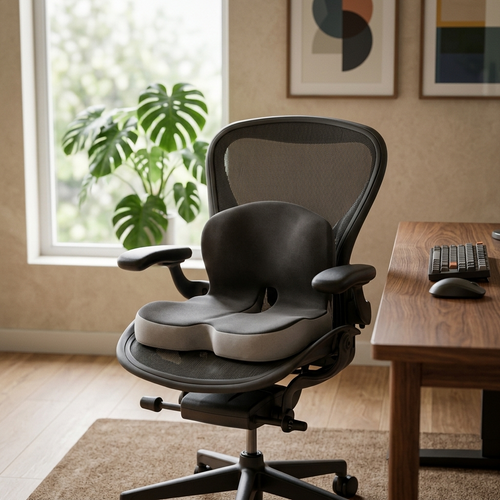
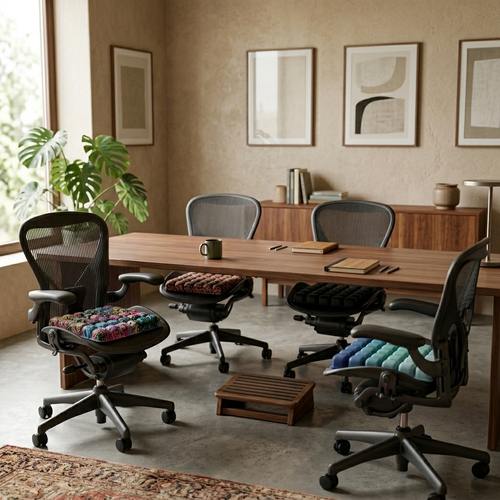
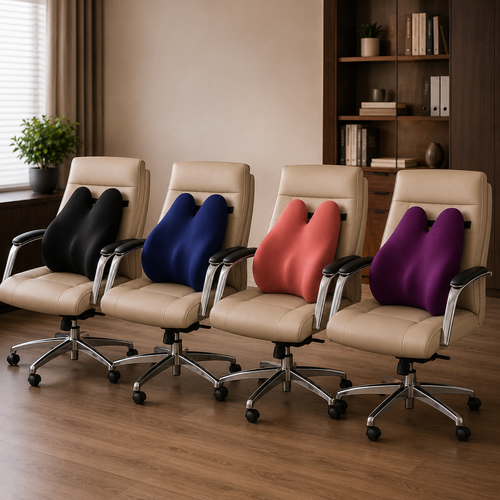
Standard chairs rarely account for the natural curve of your spine. A lumbar pillow fills this gap, providing the support required to maintain a neutral posture without constant effort. For those who spend eight plus hours a day at their station, the Ergovanta Seat Cushion offers a considered foundation. Pair this with a foot massage board for active recovery. It's an intentional choice that keeps blood flow active during long stints of sitting. This approach aligns with the principles of proper office ergonomics by adapting the station to the person rather than the other way around.
Lighting the work
Lighting is a functional tool, not just a background element. Harsh overhead lights often cause the glare that leads to eye strain and headaches. A desk lamp provides a considered glow that focuses light where it's needed most. Monitor light bars are an even more intentional solution, saving desk space while eliminating reflections on the screen. Explore our ergonomics and comfort collection to find tools that solve these sensory problems. Finally, finish your space with decor that inspires focus. A workspace you choose to come back to is one that feels entirely yours.
Build the workspace you'd choose to come back to
The workspace shapes the work. Equip it deliberately. You now have a clear path for how to make your desk more ergonomic by focusing on the small objects that earn their place. Building a better environment isn't about expensive furniture overhauls; it's about setting a neutral foundation and choosing tools that support your body through long sessions. From monitor arms that fix your eye level to lumbar pillows that protect your spine, every considered choice helps you take ownership of your physical space.
Our curated collection features 9+ high-impact ergonomic tools designed for the people who do the work. These are intentional additions, not status symbols, and they ship nationally to help you build a room that gets used. By addressing your lighting, support, and alignment today, you ensure that your desk remains a place of focus rather than a source of strain. Take the first step toward a more intentional setup and find the advantage that comes from a workspace made for your specific needs.
Equip your workspace with the Ergonomics & Comfort collection
Take ownership of your environment. Your body will thank you during your next deep-focus stint.
Frequently Asked Questions
How high should my monitor be for the best ergonomics?
Your monitor height is correct when the top third of the display sits at or slightly below eye level. This placement ensures your neck stays in a neutral position rather than tilting forward or back. Position the screen roughly an arm's length, which is usually 50 to 70 cm, from your face. Using a monitor arm allows for the precise adjustments needed to match your specific torso length and seating height.
Can I make my current desk ergonomic without buying a standing desk?
You don't need a standing desk to build a better workspace. Focus instead on how to make your desk more ergonomic by adjusting your seating and display height. Use a footrest to keep your knees at a 90-degree angle and a monitor arm to clear desk real estate. These considered additions transform your existing furniture into a setup that supports your body during long work sessions without a total overhaul.
Is a laptop stand really necessary if I only work for a few hours?
A laptop stand is essential even for short sessions because looking down at a screen puts significant pressure on your spine. Even two hours of "tech neck" creates cumulative tension that ruins your focus later in the day. A stand brings the display to eye level, allowing you to maintain a neutral foundation anywhere. It's a small object that earns its place by protecting your posture from the very start.
What is the most important ergonomic accessory for back pain?
A lumbar pillow is often the most impactful tool for managing back pain in a standard chair. Most seating fails to support the natural curve of your lower spine, leading to slouching and muscle fatigue. Adding an intentional cushion fills that gap and encourages a better posture. Understanding how to make your desk more ergonomic involves these small, considered adjustments that solve big physical problems and make your space one you choose to come back to.
From the catalog