July 31, 2026
Build Your Workspace: A Practical Guide to Choosing a Computer Stand
The workspace shapes the work. Equip it deliberately. If you spend serious hours at a desk, the environment matters more than you think. You've likely felt the nagging neck strain from staring down at a screen or the frustration of a cluttered surface where nothing has a home. A cheap plastic computer stand that wobbles under pressure doesn't solve these problems; it just adds to the noise.
We believe in the small objects that earn their place. Choosing the right stand is an act of intentionality that aligns your physical space with the work you do. This guide will help you build a setup that feels like yours, focusing on tools that prioritize both your posture and your focus. We will cover how to evaluate height, stability, and materials to ensure your desk remains organized and your body stays supported throughout the day.
Key Takeaways
- Distinguish between fixed monitor risers for desktop stability and portable laptop stands for flexible workflows.
- Understand why materials like solid wood earn their place through durability and a grounded feel that plastic cannot replicate.
- Learn to integrate a computer stand into a holistic environment by considering cable management and how it aligns with your lighting.
- Equip your desk deliberately to solve physical strain and reclaim surface space for the tools you actually use.
- Discover how to build a workspace that feels like yours through intentionality and objects made for the work.
Defining Your Setup: Monitor Risers vs. Laptop Stands
The workspace shapes the work. Equip it deliberately. If you spend serious hours at a desk, your computer stand dictates how you feel at the end of the day. You aren't just buying an accessory; you're building an environment where you can focus. Choosing between a monitor riser and a laptop stand depends on your primary device and how much you move. Each tool serves a specific function in a considered workspace. Don't settle for a setup that forces your body to adapt to the machine.
The Fixed Monitor Riser: For Permanent Desktop Displays
A fixed riser provides a stable base for permanent displays. It is the right choice for heavy or ultrawide monitors that require a non-adjustable foundation. Think of this tool as a desk shelf. This second tier creates room for small objects that earn their place, such as your notebook, a wireless charger, or a pair of glasses, while keeping the screen at eye level. Unlike a mechanical Monitor mount, a riser offers a solid, grounded aesthetic that complements the natural materials of your desk. It turns a flat surface into a multi-dimensional workspace where everything has a home and nothing feels cluttered.
The Laptop Stand: For Portability and Posture
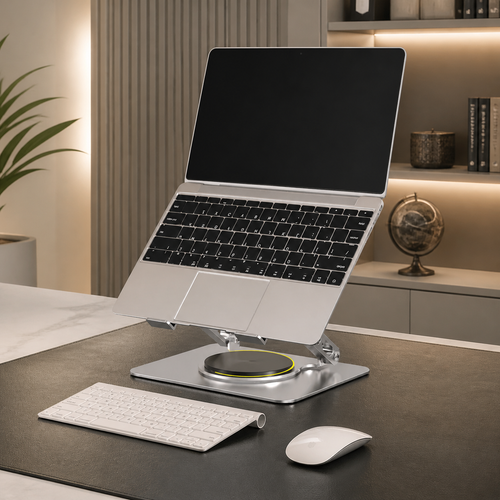
If you use a laptop as your primary screen, you need a way to lift it. Looking down at a screen causes strain that builds up over time; it's a physical cost you don't need to pay. A laptop stand is designed to bring the display to you. This setup works best when you use an external keyboard and mouse. Following the 90-degree rule (keeping your elbows and knees at right angles) helps you stay comfortable during long sessions. It keeps your hands level and your eyes forward. If you frequently switch rooms or work from different spots, look for a foldable or detachable model. You can browse our collection of monitor and laptop stands to find a version made for the work you do. Choose based on your reality: a fixed riser for large screens or a foldable stand for mobile setups.
Evaluating Materials and Functionality for Your Space
Materials matter more than you think. They dictate the longevity and tactile experience of your desk. When you build a workspace, every object should earn its place through durability and intentionality. A solid wood computer stand, like one crafted from walnut, offers a grounded, natural feel that plastic cannot replicate. It has weight. It stays where you put it. The workspace isn't just a place to store tech; it's an environment you choose to come back to. Equip it with pieces that feel as good as they look.
Wood vs. Metal: Choosing Materials That Last
Solid wood stands are for those who value the room they work in. These pieces age well and develop character over time, matching the grain of a high-quality desk. If you prefer a minimalist, industrial look, aluminum and metal are excellent alternatives. Aluminum is lightweight and provides superior heat dissipation, which is helpful if your laptop tends to run hot during intense work sessions. Avoid cheaply made plastic stands. They lack the mass to remain stable, often wobble under the weight of larger displays, and rarely earn their keep over time.
Determining the Correct Height for Your Computer Stand
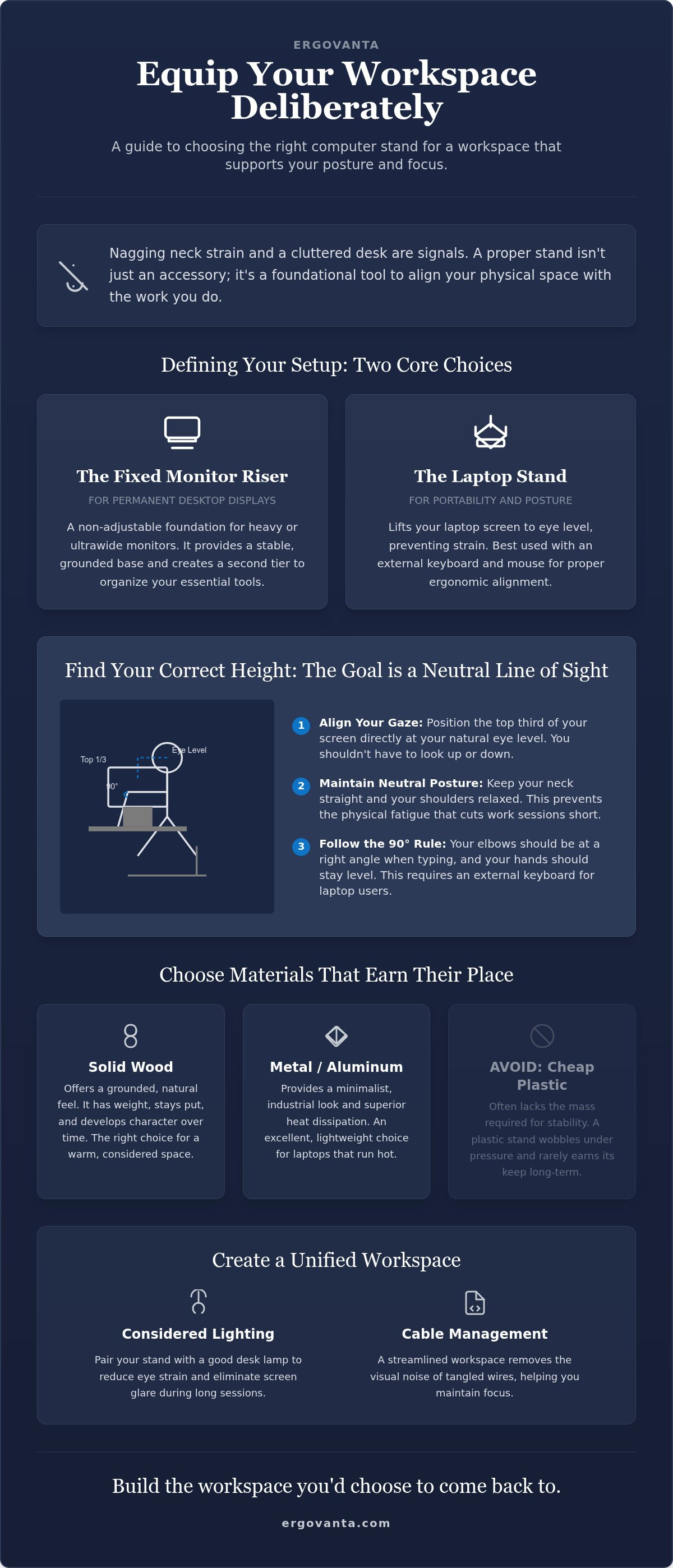
The goal is to align your screen with your natural line of sight. You shouldn't have to shrug your shoulders or crane your neck to see your work. According to official ergonomic guidelines, you should position the top third of your screen at eye level while keeping your neck in a neutral position. Measure your sitting height before choosing a fixed model to ensure the elevation fits your specific frame. This small step prevents the physical fatigue that often cuts a work session short.
Functionality also plays a role in your final selection of a computer stand. Determine if you need a rotating base for collaboration or a fixed height for strict ergonomic alignment. Explore our ergonomics and comfort collection to find tools built for the way you move. If you have questions about which setup fits your specific desk depth, feel free to reach out to our team for advice on equipping your space.
Equipping Your Desk: Integration and Final Selection
A computer stand is more than a bracket for your technology. It is a foundational component of a holistic environment. It must work in tandem with your lighting, your layout, and your daily habits. Consider how your chosen stand manages cables. A streamlined workspace remains intentional only when you remove the visual noise of tangled wires. Build the workspace you would choose to come back to by selecting pieces that feel like yours. The final choice should always be based on the actual hours you spend at the desk. Invest in the tools that support the work you do every day.
Creating a Unified Workspace
Your setup should function as a single, cohesive unit. Pair your stand with considered lighting to reduce eye strain during late night sessions. When your screen is at the right height, your desk lamp should illuminate your physical documents without creating glare on the display. If you use a monitor riser, use the space beneath it for workspace essentials such as notebooks, pens, or minimalist wallets. This keeps your surface clear while ensuring your most used tools are always within reach. Aligning your hardware with OSHA's ergonomic guidelines ensures that your physical health is as prioritized as your productivity.
The Ergovanta Selection: Tools for the Work
We build tools for the people who do the work. Our stands are designed for those who spend serious hours at a desk, including creators, students, and freelancers. We don't believe in flimsy plastic or temporary fixes. From handcrafted solid walnut risers to articulating monitor arms, every piece in our collection is made for purposeful function. These are the small objects that earn their place through durability and utility. A quality computer stand should be an investment in your daily comfort. Equip your desk with our considered collection of stands to create a workspace that feels like yours.
Equip Your Desk for the Long Haul
The workspace shapes the work. Equip it deliberately. By now, you understand that a computer stand isn't just a platform; it's a tool for purposeful function. Whether you choose a solid wood riser for your desktop or a portable stand for your laptop, you're prioritizing your own comfort and focus. You've considered how materials like walnut or aluminum age with your space and how integrated cable management keeps your surface clear and intentional.
Every object in your room should earn its place. We build tools for people who spend serious hours at a desk and value the advantage that comes from a considered environment. If you're ready to make a final selection or need advice on which tools fit your specific desk setup, equip your workspace with Ergovanta stands by reaching out to our team. Build the space you'd choose to come back to and do the work that matters.
Frequently Asked Questions
How high should my computer stand be?
Aim for a height that places the top third of your screen at eye level. This alignment ensures you aren't looking down at your work, which prevents the nagging neck strain often felt after long sessions. When your screen is positioned correctly, your shoulders stay relaxed and your chin remains level. It is about building a space where your body doesn't have to compensate for the placement of your technology.
Can I use a laptop stand with an external keyboard?
Using an external keyboard and mouse with a laptop stand is the most effective way to equip your desk for serious work. Lifting the screen brings the display to you, but typing on an angled, elevated laptop keyboard is rarely comfortable for your wrists. By separating the screen from the input devices, you can keep your hands at desk level and your display at eye level. It is a simple change that makes your workspace feel more permanent and intentional.
What is the difference between a monitor arm and a monitor stand?
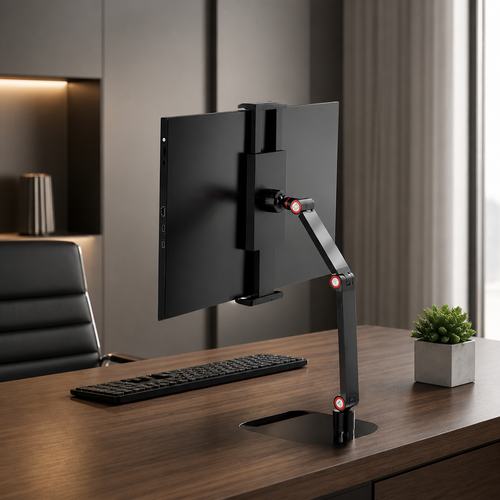
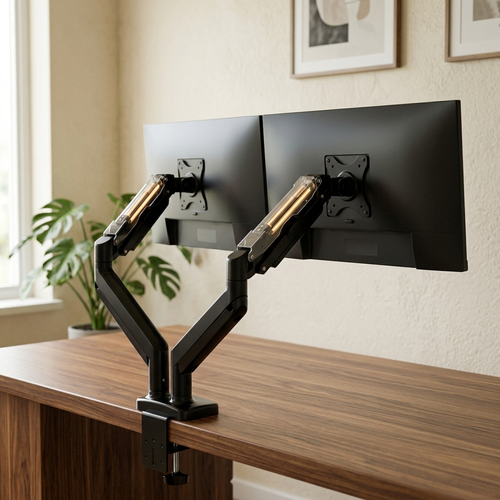
A computer stand typically rests on your desk surface and often features a shelf or riser design that provides extra storage for notebooks and small objects. A monitor arm clamps to the edge of your desk, allowing you to reclaim surface area and adjust the screen position with more flexibility. Both tools serve to improve your posture; your choice should depend on whether you value under-monitor storage or a completely clear desktop.
Do I need a computer stand if I have a standing desk?
You still need a computer stand or arm at a standing desk to maintain proper alignment. Simply raising the desk doesn't change the fact that your monitor needs to be at eye level while your hands remain at elbow height. Without a stand, you will likely find yourself slouching or leaning forward to see the screen clearly. Equip your standing setup with the same intentionality as a seated one to ensure you stay comfortable through the day.
From the catalog