August 31, 2026
Equip Your Standing Desk: Accessories That Earn Their Place

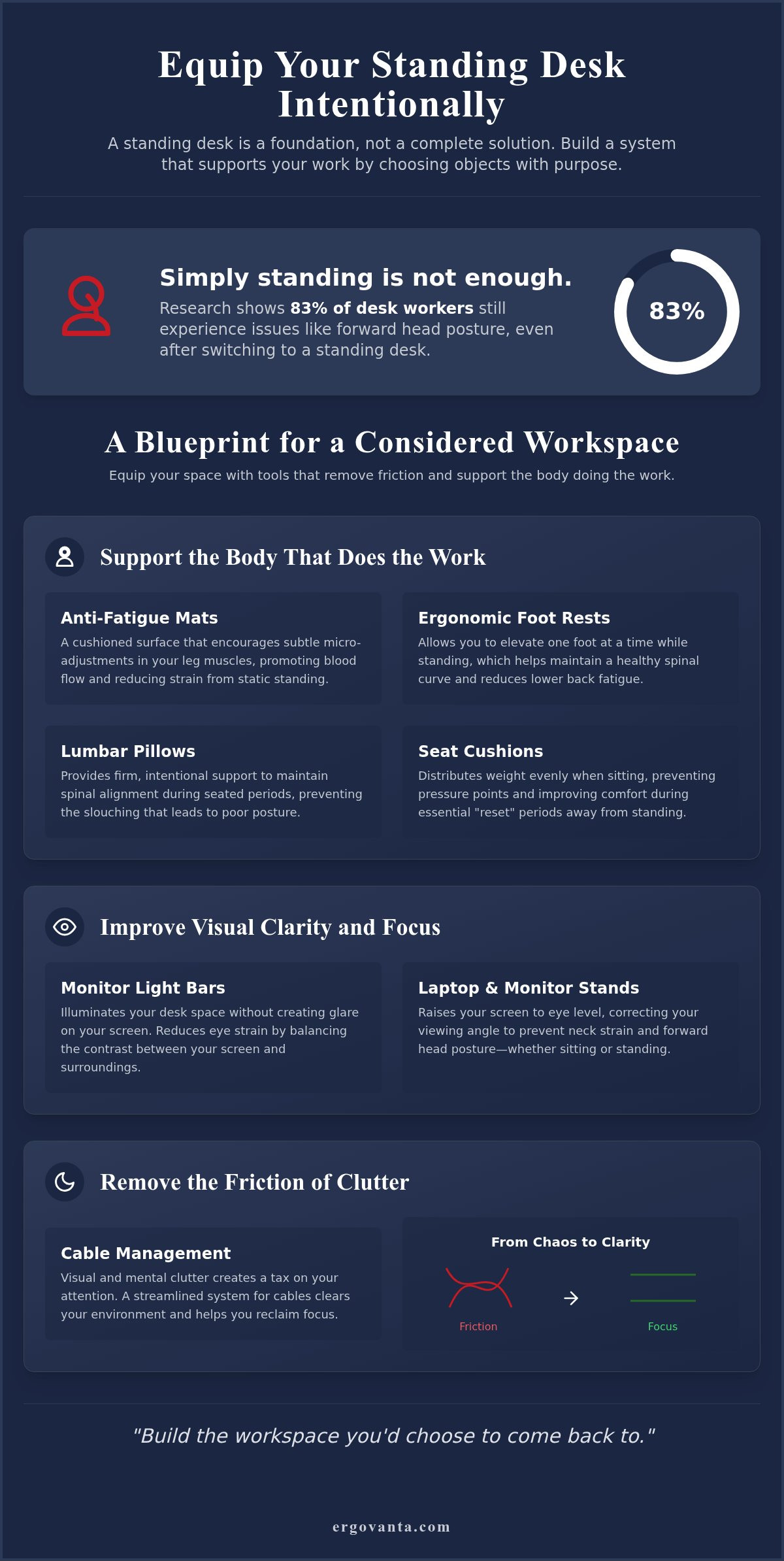
A standing desk is just a surface; it is not a solution on its own. Research indicates that 83% of desk workers still suffer from forward head posture, proving that simply standing up doesn't fix the friction of a poorly equipped workspace. You likely made the switch to feel better and work more effectively, yet physical fatigue and eye strain often persist. You deserve a setup that actually supports the body doing the work. Choosing the right standing desk accessories is about more than filling a tabletop. It is about making intentional choices that remove mental and physical barriers.
This article will show you how to build a workspace that feels like yours through considered additions that earn their place. We will explore how to equip your environment with ergonomic supports and streamlined tools to reduce strain and protect your focus. By the end, you will have a clear plan to create a room that gets used and a desk that supports every hour you put in. Equip your space deliberately to ensure your environment works as hard as you do.
Key Takeaways
- A standing desk is a foundation, not a finished solution. Learn why choosing objects that earn their place is the first step in building a room that actually gets used.
- Standing is a physical task that demands support. Discover how to use ergonomic tools like lumbar pillows and foot rests to stay comfortable throughout the workday.
- Lighting is a core ergonomic requirement. See how specific standing desk accessories like monitor light bars and laptop stands put the work exactly where you need it.
- Clutter creates mental friction. Master the basics of cable management and organization to reclaim your focus and clear your environment.
- Your workspace should feel like yours, not a generic office. Find out how to use considered decor and accent pieces to build a room you choose to come back to.
The workspace shapes the work: why intentional accessories matter
The workspace shapes the work. Equip it deliberately. While a standing desk provides the necessary height, it is merely a foundation. It is a blank slate that requires direction. It does not solve the problem of a cluttered mind or a strained back on its own. Real utility comes from the standing desk accessories you choose to include in your daily workflow. Every object on your desk should earn its place through consistent use and clear purpose. If an item doesn't remove friction, it likely creates it. You aren't just buying gear; you are building a system that allows you to do your best work without fighting your environment.
Defining the purposeful workspace
The term "ERGO" comes from the Ancient Greek word ergon, meaning purposeful function. When you build your workspace, apply this definition to every item you place. It is easy to fall into the trap of buying "fun" gadgets or "cute" decor that ultimately serves as visual noise. This clutter acts as a tax on your attention. Focus on intentionality instead. If a tool does not directly support the work you are doing, it does not belong in your space. A considered environment is one where every lamp, stand, and cable clip has a specific job to do. This is how you build a workspace you would actually choose to come back to every morning. It isn't about status; it is about personal ownership of your surroundings.
The transition from sitting to standing
Moving from a seated position to a standing one is more than a change in posture; it is a shift in how you interact with your tools. Standing changes your focal points, your reach zones, and the way your body carries weight. You cannot simply raise your desk and expect your old setup to work perfectly. Your standing desk accessories should bridge the gap between your physical needs and the desk surface. For example, a laptop at chest height requires a different viewing angle than one on a low table. A standing desk accessory is a tool for intentional productivity. By equipping your desk with items designed for this shift, you ensure the transition supports your focus rather than distracting from it. The goal is to create a streamlined environment that feels like yours because it was built for the way you work. It is about the rooms that get used and the objects that earn their keep.
Support the body that does the work: ergonomic comfort
Standing for several hours is a physical task. It requires more than just willpower; it requires the right equipment to manage the strain on your joints and muscles. Recent studies show that over 80% of remote workers experience some form of musculoskeletal discomfort, often because they focus on the desk height but ignore the body doing the work. The true test of your workspace is not how you feel when you start, but how you feel after four hours at the desk. If you are shifting from foot to foot in pain, your environment isn't working for you. You can find considered tools to address this in our ergonomics and comfort collection.
Foot rests and anti-fatigue tools
Movement is the goal. Static standing can be just as taxing as static sitting, which is why your lower body needs tools that encourage subtle shifts. Anti-fatigue mats are the foundation of any standing setup. They provide a cushioned surface that forces your leg muscles to make micro-adjustments, keeping blood flowing. A foot rest is another essential among standing desk accessories. It is not just for when you are seated; while standing, a foot rest allows you to elevate one foot at a time. This simple change helps maintain a healthy curve in your lower back and reduces fatigue. For those who want to stay present and grounded, foot massage boards provide tactile feedback that keeps you from locking your knees and drifting into poor posture.
Lumbar pillows and seat cushions
The most effective way to use a standing desk is to alternate positions throughout the day. You will sit for parts of your shift, and those "reset" periods are vital for recovery. When you do sit, your chair should support your natural posture without feeling like a clinical medical device. Lumbar pillows provide the firm, intentional support needed to keep your spine aligned during deep focus work. Similarly, seat cushions help distribute weight evenly, preventing the slouching that leads to the forward head posture affecting nearly 83% of desk workers. By equipping your space with objects that earn their place, you build a workspace that supports your body's needs. If you're unsure which supports are right for your specific routine, feel free to message us for a recommendation.
Visual clarity and focus through lighting and display tools
Visual clarity is the silent partner of deep focus. If you cannot see the work clearly, your brain works harder to process it, leading to mental fatigue before the day is half over. Many people view lamps as purely decorative, but in a functional environment, lighting is a core ergonomic requirement. Poor lighting causes eye strain and contributes to the forward head posture mentioned earlier, as you instinctively lean in to see your screen. When you equip your workspace with intentional lighting solutions, you are removing a major source of friction. Clarity of vision leads directly to clarity of thought. Build a space where the work is illuminated without distraction.
The role of monitor light bars
Desk space is finite. Traditional lamps often take up valuable real estate or create annoying reflections on your screen. Monitor light bars solve both problems by clipping directly to the top of your display. They provide direct task lighting that illuminates your documents and keyboard without causing screen glare or washing out your colors. These standing desk accessories are particularly effective for those who work into the evening; by balancing the light between your screen and your physical desk, light bars significantly reduce eye fatigue during late-night sessions. It is a simple, considered addition that earns its place by making the workspace more usable at any hour.
Monitor arms and laptop stands
A standing desk provides the height, but it does not automatically put your screen where it needs to be. Most monitors sit too low, forcing a hunch that ruins the benefits of standing. Monitor arms allow for precision placement, letting you adjust the height, tilt, and depth of your display to match your exact eye level. If you work from a laptop, a stand is non-negotiable. Using a laptop on a flat desk surface is a recipe for neck strain and rounded shoulders. You can browse our collection of monitor and laptop stands to find gear that earns its place by protecting your posture. These tools ensure that the work is always right in front of you, not something you have to slouch to reach. Build a space that supports your focus by putting your tools exactly where they belong.
Remove the friction of clutter: organization essentials
Clutter is a tax on your attention. Every stray wire or misplaced device acts as a micro-distraction that pulls you away from deep focus. When your environment is chaotic, your mind spends energy processing that chaos instead of the task at hand. Reclaiming your workspace starts with intentionality. By choosing standing desk accessories that serve a clear purpose, you eliminate the mental friction caused by a disorganized surface. You should equip your desk with workspace essentials that keep the tools you need close and the distractions far away. A streamlined environment isn't just about aesthetics; it's about protecting the cognitive resources you need to do the work.
Cable management strategies
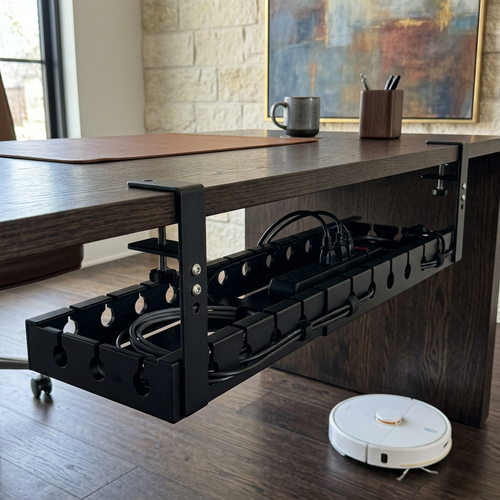
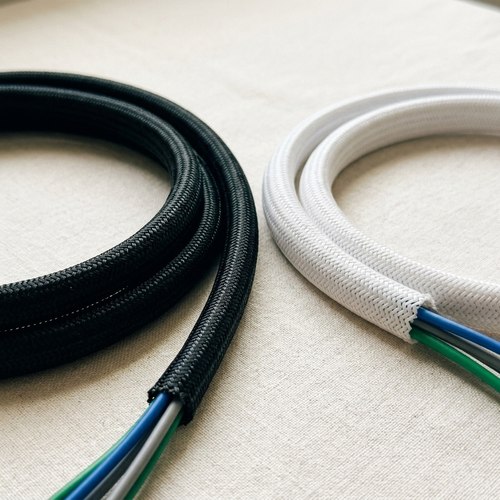
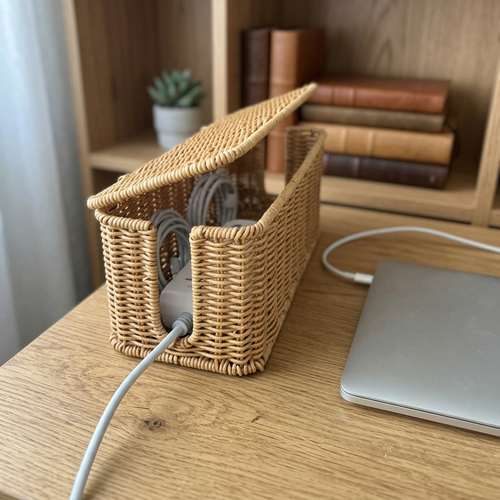
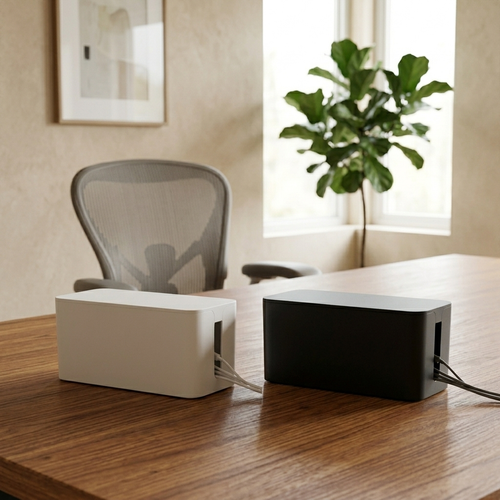
Cable management is the first step in turning a cluttered surface into a functional room. The "rats nest" of wires under a standing desk is more than an eyesore; it's a physical barrier that can snag or pull when you adjust your desk height. Use cable management trays to hide these cords and keep them safely out of the way. Organize your cables by frequency of use. Charging cables you need daily should be accessible but tidy, while permanent power leads should be tucked away entirely. A clear desk surface allows for faster transitions between tasks. When you don't have to push aside a tangled mess to find a notepad, you maintain the momentum of your workday.
Stands for tech and devices
Small objects earn their place when they prevent damage and improve access. Headphone stands, for instance, keep your audio gear ready for the next call while preventing the wear and tear of being tossed onto a hard surface. Wireless chargers are another essential among standing desk accessories. They remove the need for extra wires on the desk surface, providing a dedicated spot for your phone to power up. Similarly, phone stands keep your notifications visible at a glance. This allows you to check for urgent messages without the distraction of picking up the device and losing your flow. These tools ensure your tech supports your day rather than interrupting it.
Build a space you want to come back to
The best workspace is the one that feels like yours. It is not a generic template found in a corporate handbook or a sterile showroom. It is a room that gets used because it was built for the specific work you do every day. When you choose standing desk accessories, you are not just checking boxes on a list of office supplies. You are making intentional choices about the environment that surrounds you. Your setup should reflect your specific workflow; whether you are a creator who needs tactile objects or a hybrid worker who needs a streamlined digital hub. Equip your space with purpose to ensure it remains a place where you actually want to spend your time.
Intentional decor and atmosphere
Decor should never be filler. Every object on your desk or in your room should be a considered addition that earns its place. Faux plants are an excellent way to add a sense of life and texture to your environment without the maintenance requirements of real greenery. They provide a visual break from screens and plastic. Similarly, vases and figurines can serve as grounding elements that make the space feel personal and intentional. Lighting plays a major role here too. While task lighting is an ergonomic requirement, ambient lighting from floor lamps or wall lights creates a room you enjoy being in. It shifts the atmosphere from a cold workstation to a personal studio.
The Vanta advantage: your workspace, your choice
The name Ergovanta is rooted in the idea of purposeful function. ERGO comes from the Ancient Greek word for "purposeful function," while VANTA is our coined term for "advantage." This is the edge you get from a space that works for you. When your tools are where they belong and your body feels supported, you have the advantage. Choose standing desk accessories that reflect your dedication to the craft. The workspace is a tool; keep it sharp and personalized. We invite you to visit our about us page to see how we support the people who do the work. Build a workspace you choose to come back to every morning because it was made for you.
Build the Workspace That Works for You
The workspace shapes the work. Equip it deliberately. A standing desk is a foundation; your environment only becomes a place that supports deep focus when you choose tools that remove friction. By prioritizing ergonomic support and visual clarity, you protect the body and mind that do the work. Every object in your room should earn its place. Whether it's a monitor light bar that reduces eye strain or a lumbar pillow that sustains your posture, intentionality is the key.
Finding the right standing desk accessories means building a setup you would choose to come back to every morning. We provide aspirational yet functional ergonomic tools designed for the people who do the work, offering national shipping across the United States. Your space is where the work happens; keep it sharp and personalized. You have the ability to create a room that supports your best efforts rather than distracting from them.
Frequently Asked Questions
What are the most essential standing desk accessories for beginners?
Focus on the foundation. A monitor arm or laptop stand ensures the screen stays at eye level. An anti-fatigue mat or foot rest manages lower body strain. Cable management keeps the space clear. These are the core standing desk accessories that earn their place by solving the most common physical and mental points of friction. Start with tools that address how you feel after four hours of work rather than just how the desk looks.
Do I really need an anti-fatigue mat for my standing desk?
Yes, an anti-fatigue mat is a fundamental tool for any standing setup. It provides a cushioned surface that encourages micro-movements in your legs; this keeps blood flowing and reduces joint pressure. Without one, standing on a hard floor for long periods often leads to leg and back fatigue. It is a simple, considered addition that makes the transition to standing much more sustainable for your daily routine and physical comfort.
How do monitor light bars help with eye strain?
Monitor light bars illuminate your physical workspace while preventing screen glare. By balancing the light between your bright display and your desk surface, they reduce the contrast that causes eye strain. They clip to the top of your monitor, saving space and providing direct task lighting exactly where you need it. This is especially helpful during late-night sessions when ambient room lighting might be too dim or poorly positioned for your specific work.
Can I use a laptop stand with a standing desk?
You should always use a laptop stand if you are working directly from a laptop at a standing desk. Without one, the screen is too low; this forces you into a hunch that causes significant neck and shoulder strain. A stand brings the screen to eye level, allowing you to maintain an upright posture. Pair it with an external keyboard and mouse to keep your wrists at a neutral, comfortable angle throughout the day.
Are cable management trays difficult to install on standing desks?
Most cable management trays are designed for straightforward installation using basic screws or clamps. On a standing desk, they are essential because they prevent wires from snagging or pulling when the desk moves between heights. Once installed, they hide the clutter of cords, clearing your mental space and protecting your equipment. It is a one-time setup that removes a major source of daily visual and physical friction, allowing you to focus on the work.
What is the benefit of a foot rest if I am already standing?
A foot rest allows you to shift your weight and elevate one foot at a time while standing. This subtle change helps maintain the natural curve of your lower back and prevents the fatigue that comes from standing in a static position. It encourages the movement needed to stay present and comfortable. Even when you are not sitting, a foot rest provides a necessary variation in posture that helps you sustain your focus for longer periods.
How do I choose between a monitor arm and a desk riser?
Choose a monitor arm if you want precision placement and a clear desk surface. Monitor arms offer more adjustability in height, tilt, and depth; this is ideal for ergonomic alignment. A desk riser is a simpler solution that provides a stable platform but takes up more tabletop space. If your goal is to reclaim your workspace and customize your viewing angle, a monitor arm is usually the more intentional choice for your specific standing desk accessories.
Are faux plants a good idea for a minimalist workspace?
Faux plants are a considered addition for any minimalist workspace because they add texture and life without the maintenance or clutter of real greenery. They provide a visual break from tech and plastic, making the room feel more personal and used. In a minimalist environment, every object must earn its place. A single, well-placed plant can soften the atmosphere of a functional room without distracting from the work you are doing or the space you built.
Disclaimer
Ergovanta publishes these guides to help people set up better workspaces. Product recommendations reflect what we sell. Specifications, prices and availability are accurate at the time of writing and may change. Nothing here is medical, ergonomic or professional advice; if you have a specific health concern about your workstation, speak to a qualified professional.
From the catalog