August 30, 2026
Ergonomic Office Equipment: Building a Workspace Made for the Work
The workspace shapes the work. Equip it deliberately. Most of us spend our best hours at a desk that feels like an afterthought, leading to neck tension and the clutter of uninspired tools. You don't need a collection of complex gadgets to fix a broken setup. You need ergonomic office equipment that serves a clear, functional purpose. It's about the small objects that earn their place through utility and design. Your desk shouldn't be a source of physical strain; it should be an intentional environment where you can focus.
You're here because you want to build a space that supports your body for the long term. We'll show you how to equip a considered workspace with tools that provide real health benefits and clear the mental fog of a disorganized desk. We'll explore how monitor stands, foot rests, and lumbar pillows create a functional rhythm for your day. Learn which objects are truly made for the work and how to create a setup you actually enjoy coming back to. It is time to stop settling for a workspace that works against you and start building one that works with you.
Key Takeaways
- Understand why ergonomics is about the sum of your intentional choices rather than just meeting a corporate checklist.
- Learn how monitor stands and laptop risers earn their place on your desk by aligning screens with your natural eye level.
- Equip your space with task lighting and monitor light bars to reduce eye strain and maintain focus during long sessions.
- Identify how ergonomic office equipment like lumbar pillows and foot rests can ground your body and support long-term back health.
- Build a workspace made for the work by starting with your most persistent pain points and choosing tools with clear utility.
Rethinking Ergonomic Office Equipment: Intentionality Over Compliance
The workspace shapes the work. Equip it deliberately. For too long, the conversation around ergonomic office equipment has been dominated by corporate compliance and medical metrics. While OSHA's General Duty Clause requires employers to provide a safe environment, your personal workspace should aim for more than just the absence of a hazard. It should be a considered collection of tools that support your body and your focus. When you move away from the cold, clinical aesthetic of traditional office gear, you begin to build a space that you actually want to use.
Ergonomics is more than just an ergonomic office chair; it's the sum of every object that touches your workflow. The best gear isn't the most expensive or the one with the most buttons. It's the gear that earns its place every day by making the work feel better. This shift from "buying what you're told" to "equipping what you need" is the foundation of an intentional setup. It's about personal ownership of your environment.
Defining Your Purposeful Workspace
Identify the specific work you do before you start buying. A writer's desk has different requirements than a developer's setup or a designer's studio. Corporate setups often fail because they try to solve for everyone at once, resulting in a space that fits no one perfectly. At Ergovanta, we look to the Ancient Greek roots of our name: ERGO, from "ergon" (purposeful function), and VANTA, for the coined "advantage" that a well-built space provides. Your ergonomic office equipment should be an intentional reflection of your needs, not a carbon copy of a corporate catalog. Ask yourself if an object earns its place based on these factors:
- Does it solve a specific physical tension you feel by mid-afternoon?
- Does it clear physical clutter to make room for mental focus?
- Do you find yourself using it instinctively without having to adjust it constantly?
The Advantage of a Considered Setup
A well-equipped space reduces the friction of starting work. If you find yourself constantly shifting in your seat or rubbing your neck, your environment is creating resistance. Instead of obsessing over clinical metrics, listen to how your body feels. Is your screen at eye level? Are your feet grounded? Building a workspace you choose to come back to is about removing these physical distractions. When you equip your space intentionally, you aren't just buying furniture. You're building a functional rhythm that supports long-term health and makes the work itself more sustainable. A desk you enjoy returning to is a desk that respects the person doing the work.
Placing the Screen: Why Monitor Stands and Laptop Risers Earn Their Place
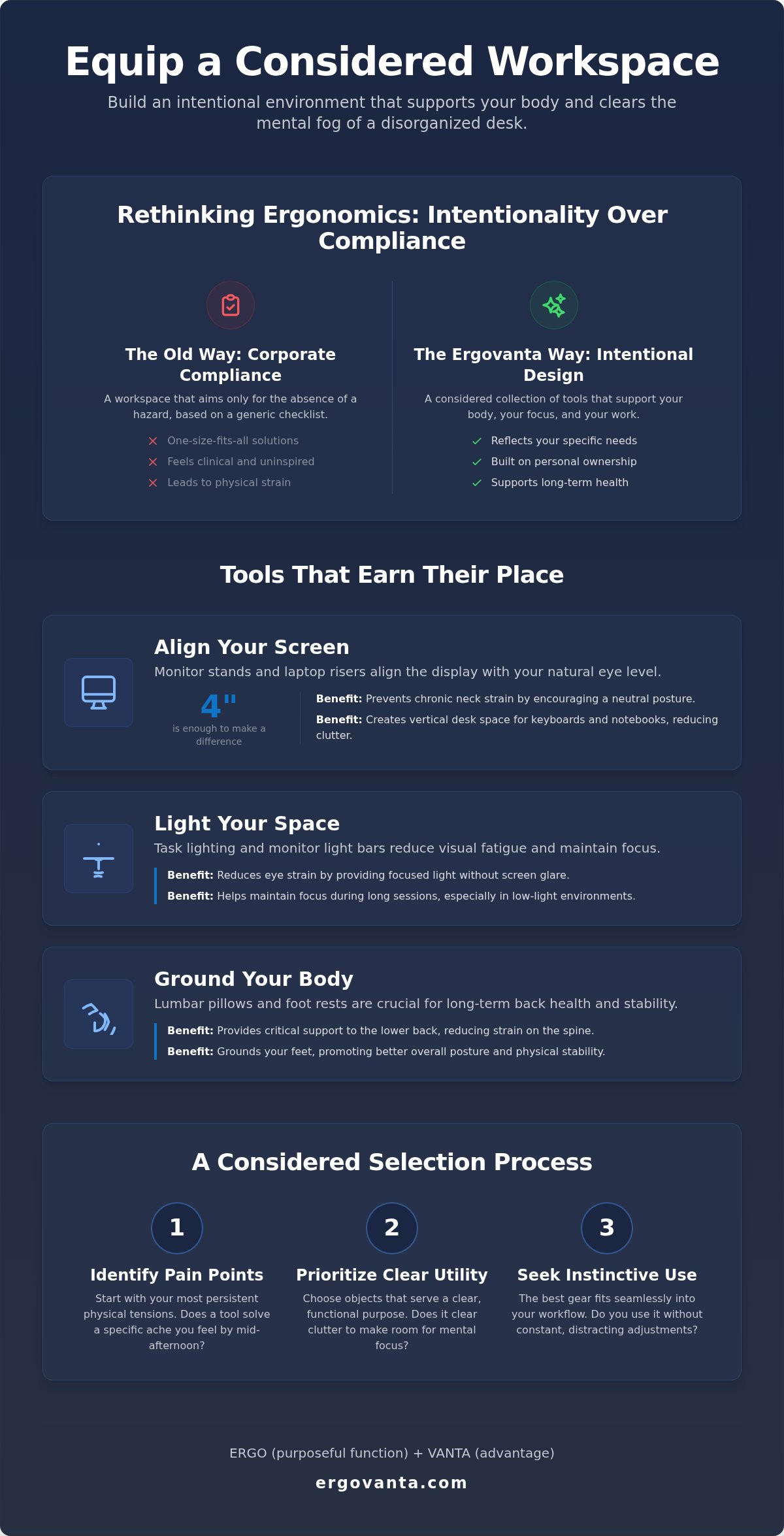
The workspace shapes the work. Equip it deliberately. Your screen is the focal point of your desk; it's where your focus lives for hours at a time. If you spend your day hunched over a display that sits too low, you are fighting your own anatomy. Monitor stands and laptop risers are simple, effective tools used to align your screen with your natural eye level. This isn't just about comfort. It's about building an intentional environment that respects your body's mechanics. According to guidelines on workplace ergonomics, maintaining a neutral neck position is critical for preventing long-term strain. Raising your display by just four inches can be the difference between a productive afternoon and chronic neck pain.
Good ergonomic office equipment should earn its place on your desk by solving more than one problem. A solid monitor stand does exactly that. It raises your view while creating a dedicated home for your keyboard or notepad underneath. This intentional use of vertical space clears the mental clutter that comes with a disorganized desk. When your tools have a place to live, your mind has more room to work. If you're looking to refine your setup, you can reach out to our team for guidance on choosing the right objects for your space.
Choosing Between a Stand and an Arm
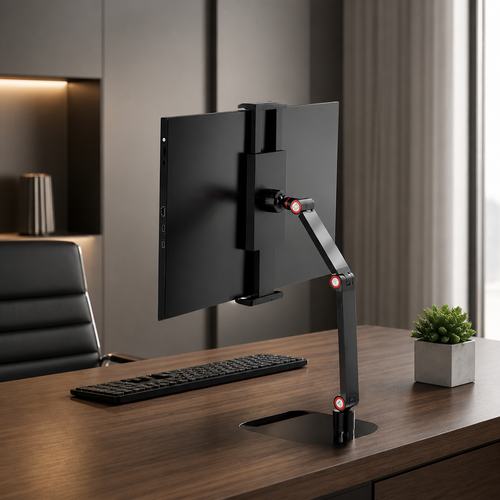
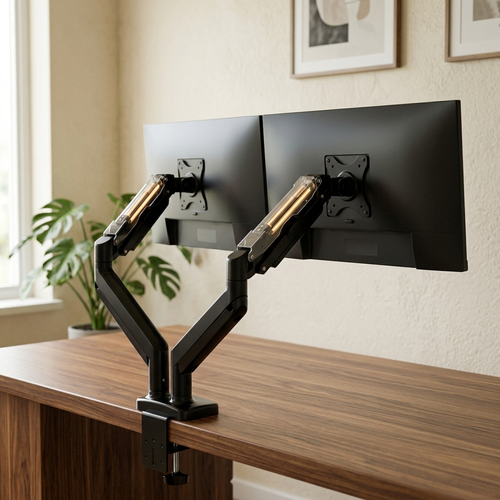
Your choice depends on how you use your space. A solid wood monitor stand offers a grounded, permanent feel. It provides structure and a tactile quality that metal arms often lack. For those with a single display, a stand is often the more considered choice for organization. However, if you run a tech-heavy setup with multiple screens, a monitor arm allows for the precise adjustments needed to keep everything in line. You can Explore our monitor and laptop stands to find the piece that fits your specific workflow.
Laptop Risers for the Hybrid Professional
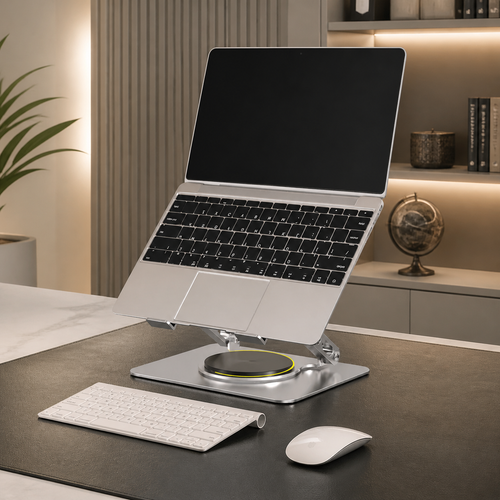
Laptops are made for mobility, not for eight-hour shifts. When you work from a cafe or a flexible space, you're likely looking down at your screen. This position is a recipe for shoulder tension and fatigue. A laptop riser is essential for the hybrid professional who needs to equip different spaces throughout the week. To get the full benefit, always pair a riser with an external keyboard and mouse. This setup allows your hands to stay low and your head to stay up, mimicking the benefits of a dedicated office. Finding the right balance between portability and stability is key for those who do the work in varying environments.
Lighting Your Space: Desk Lamps and Monitor Light Bars for Focus
The workspace shapes the work. Equip it deliberately. While most people focus on chairs and desks, lighting is the fundamental ergonomic requirement that is most often overlooked. If you're squinting at your screen or leaning forward to read a document, your posture suffers immediately. Lighting isn't just about visibility; it's about reducing the friction that leads to mental fatigue and physical strain. High-quality ergonomic office equipment must include tools that manage how light hits your workspace. When you control your environment, you control your focus.
Ambient room light is rarely enough for deep, focused work. Overhead fixtures often create harsh shadows or reflect off your screen, forcing your eyes to work harder than they should to process information. Intentional task lighting solves this by putting the light exactly where you need it. It creates a dedicated zone for your work, signaling to your brain that it is time to concentrate. This isn't about status; it's about the small objects that earn their place through daily utility and the health of your eyes.
The Role of Desk Lamps in Focus
A desk lamp is a functional tool for directing light exactly where the work happens. It allows you to adjust the atmosphere of your space based on the time of day and the nature of your tasks. During the morning, cooler light can help with alertness and clarity. As the day ends, shifting to warmer tones makes the transition away from work feel more natural. You can Equip your desk with considered lighting that balances these needs without cluttering your surface. Look for lamps with adjustable arms that stay where you put them, ensuring your light source never becomes a distraction or a source of glare.
Monitor Light Bars: A Modern Essential
For those with limited desk real estate or a minimalist preference, monitor light bars have become a modern essential. These tools clip to the top of your display and project light downward across your desk surface, rather than back at your eyes or onto the screen itself. This specific design prevents screen glare, which is a leading cause of eye fatigue and headaches. It's a streamlined solution that integrates lighting directly into your tech setup without taking up a single square inch of usable desk space. By illuminating your keyboard and physical documents without washing out your digital display, light bars help maintain the visual clarity required for long hours of work. It is a simple, intentional addition to a workspace made for the work.
Beyond the Chair: Lumbar Support and Foot Rests that Support the Body
The workspace shapes the work. Equip it deliberately. While many assume a high-priced chair is the only way to solve back pain, the reality is often found in the small objects that earn their place. Ergonomic office equipment should be about targeted utility. Lumbar pillows, seat cushions, and foot rests are the considered tools that make a standard setup feel personal. They address the specific ways your body interacts with your desk, providing support where generic furniture falls short. By adding these intentional layers, you make long hours at the desk more sustainable without needing a complete overhaul of your room. According to the Bureau of Labor Statistics, musculoskeletal disorders account for roughly 30% of all non-fatal workplace injuries that lead to days away from work; small adjustments can help mitigate these risks.
Targeted Support with Lumbar Pillows
A lumbar pillow is a simple, effective way to add intentional support to any seated setup. Most chairs provide a general shape, but your spine has a specific curve that requires individual attention. A small adjustment in lower back support can immediately change your seated posture, shifting you from a slouch to a neutral, supported position. When choosing these tools, look for materials that breathe and maintain their shape through extended use. This isn't about status; it's about the physical reality of how you feel after six hours of focus. You can Browse ergonomics and comfort essentials to find the right fit for your chair, ensuring the objects on your desk and chair actually earn their place.
The Importance of Foot Placement
Grounding your feet is a fundamental requirement for lower back health that many overlook. If your feet are dangling or tucked under your chair, your legs become heavy and your circulation suffers. This leads to leg fatigue and unnecessary pressure on your thighs. Integrating ergonomic office equipment like a foot rest allows you to maintain the correct hip angle, keeping your body in a stable, neutral alignment. For those who prefer to stay active while they work, foot massage boards offer a way to introduce subtle movement into a stationary workday. These boards provide a tactile experience that keeps you grounded while you stay focused on the tasks at hand. It is a small, considered addition that makes a significant difference in how your space gets used and ensures it is made for the work.
Equipping Your Workspace: A Considered Selection Process
The workspace shapes the work. Equip it deliberately. When selecting ergonomic office equipment, the most effective strategy is to start with your specific pain points. If you finish your day with a stiff neck, your first priority is a monitor stand or laptop riser. If your lower back feels the strain, a lumbar pillow earns its place immediately. Avoid the trap of buying gear just to fit a certain image. Your workspace is not a stage; it is a functional environment where you do your best work. Buying what you need rather than what looks like it belongs in a corporate showroom ensures that every object on your desk has a purpose. This is about personal ownership, not status.
Integrating tech accessories like wireless chargers and phone stands is about maintaining an uninterrupted flow. These aren't just gadgets. They are tools that keep your essential devices accessible without cluttering your primary work surface. When your phone has a dedicated stand, it stays at a usable angle, preventing you from constantly leaning over to check notifications. This level of intentionality turns a generic room into a space of ownership. It is the difference between a desk that just holds your computer and a workspace that supports your day.
Small Objects that Earn Their Place
Mental clarity often starts with what you can't see. Cable management trays are essential for removing the visual noise of tangled wires, allowing you to focus on the task at hand. Similarly, headphone stands and phone stands provide a dedicated home for your tools, keeping them off the active desk surface when not in use. Whether you prefer a minimalist, sculptural, or modernist style, choose accessories that feel personal to you. These are the rooms that get used because they were built for the person doing the work. Every item should earn its place through daily utility and its contribution to an organized environment.
Building Your Setup Over Time
You don't need to equip your entire office in a single day. In fact, it's better to build your setup over time as you identify what truly supports your workflow. Start with the essentials that address your immediate physical comfort. Once those are in place, you can move on to lighting or organization. Testing your setup is part of the process. You know a piece of ergonomic office equipment is working when you stop noticing it. If a tool requires constant adjustment or still leaves you feeling fatigued, it hasn't earned its place on your desk. To find the right starting point for your space, you can See our best sellers for the workspace. Build a space you choose to come back to, one considered object at a time.
Equip a Workspace Made for the Work
The workspace shapes the work. Equip it deliberately. Building a functional setup isn't about checking off a list of corporate requirements; it's about selecting the small objects that earn their place through daily use. Whether it's raising your screen to eye level or grounding your posture with a foot rest, these intentional choices transform a generic desk into a personal sanctuary. You don't need to change everything at once. Start with the tools that address your most persistent pain points and build your environment over time.
Investing in ergonomic office equipment is an investment in your long-term health and focus. When you prioritize how you feel over how a setup looks in a catalog, you create a space that supports the person doing the work. Ergovanta provides considered designs that earn their place on your desk. Take ownership of your environment today and build a space that feels like yours.
Your desk should be a place of clarity, not physical tension. By choosing tools with purposeful function, you ensure your workspace remains a catalyst for your best efforts. Build the workspace you'd choose to come back to.
Frequently Asked Questions
What is the most important piece of ergonomic office equipment for a home office?
The most important piece of ergonomic office equipment is the one that addresses your most persistent physical tension. For many, this is a monitor stand or laptop riser that aligns the screen with their natural eye level. If you struggle with lower back fatigue, an intentional lumbar pillow earns its place first. Don't buy for status; buy to solve the specific friction points in your daily workflow. Start with the area that hurts the most and build your space from there.
How do I know if my monitor is at the correct ergonomic height?
Your monitor is at the correct height when your eyes naturally align with the top third of the screen. You shouldn't have to tilt your chin up or down to see your primary window. Maintaining a neutral neck position prevents the chronic tension that often leads to headaches and shoulder pain. If you find yourself slouching to see the display, use a monitor riser or arm to bring the work up to meet you instead of straining your body to meet the desk.
Are standing desk converters worth it for small workspaces?
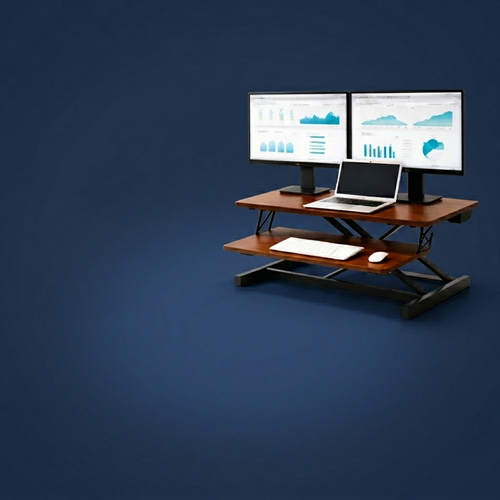
Desk converters are an excellent option for smaller rooms where a full standing desk isn't practical. They provide the flexibility to switch between sitting and standing without replacing your current furniture. This allows you to introduce movement into your day, which is essential for maintaining focus and circulation. Choose a converter that feels stable and doesn't clutter your usable surface. It's a considered way to equip a flexible workspace made for the work you actually do.
Can a lumbar pillow really fix my back pain while working?
A lumbar pillow won't replace a physician's advice, but it provides the targeted support necessary to maintain your spine's natural curve. Most chairs offer generic shapes that don't fit every body. By adding an intentional pillow, you fill the gap between the chair and your lower back, reducing the pressure that leads to mid-afternoon fatigue. It is a small object that earns its place by making long hours at the desk feel significantly more sustainable and personal.
What is the benefit of using a monitor light bar over a traditional desk lamp?
Monitor light bars save valuable desk real estate by clipping directly to your display. Unlike traditional lamps that can create harsh shadows or reflect light off the screen, a light bar projects illumination downward across your keyboard and documents. This design reduces eye strain and prevents screen glare, which are common causes of mental fatigue. It is a streamlined, modernist solution for those who value a clean, functional workspace without the footprint of a standard lamp.
Do I need a foot rest if my feet already touch the floor?
Even if your feet touch the floor, a foot rest can help maintain a more intentional hip angle and improve circulation. It grounds your posture and prevents you from tucking your legs under your chair, which often leads to restricted blood flow and lower back pressure. For those who want to stay active, a foot massage board adds subtle movement to a stationary day. These small adjustments help you build a workspace that feels like yours and supports your body.
How can I make my current desk setup more ergonomic without buying a new chair?
You can build a better setup by layering in specific ergonomic office equipment like seat cushions, lumbar pillows, and monitor stands. These tools address the specific ways your current furniture fails to support you. Raising your screen by four inches or adding targeted back support can be more effective than buying a generic new chair. Focus on the small, considered objects that solve your immediate physical tension. This approach allows you to equip your space intentionally over time.
What are the essential desk accessories for a minimalist workspace?
A minimalist workspace should only include tools that earn their place through utility. Essential accessories include a solid monitor stand for eye level health, a monitor light bar for reduced eye strain, and cable management trays to clear visual noise. Add a phone stand or headphone stand to give your essential tech a dedicated home. Choose objects made from solid materials like wood or metal that match your personal style. Every item should serve a clear, functional purpose in your daily work.
Disclaimer
Ergovanta publishes these guides to help people set up better workspaces. Product recommendations reflect what we sell. Specifications, prices and availability are accurate at the time of writing and may change. Nothing here is medical, ergonomic or professional advice; if you have a specific health concern about your workstation, speak to a qualified professional.
From the catalog