April 30, 2026
Monitor Stands: Enhance Your Professional Workspace

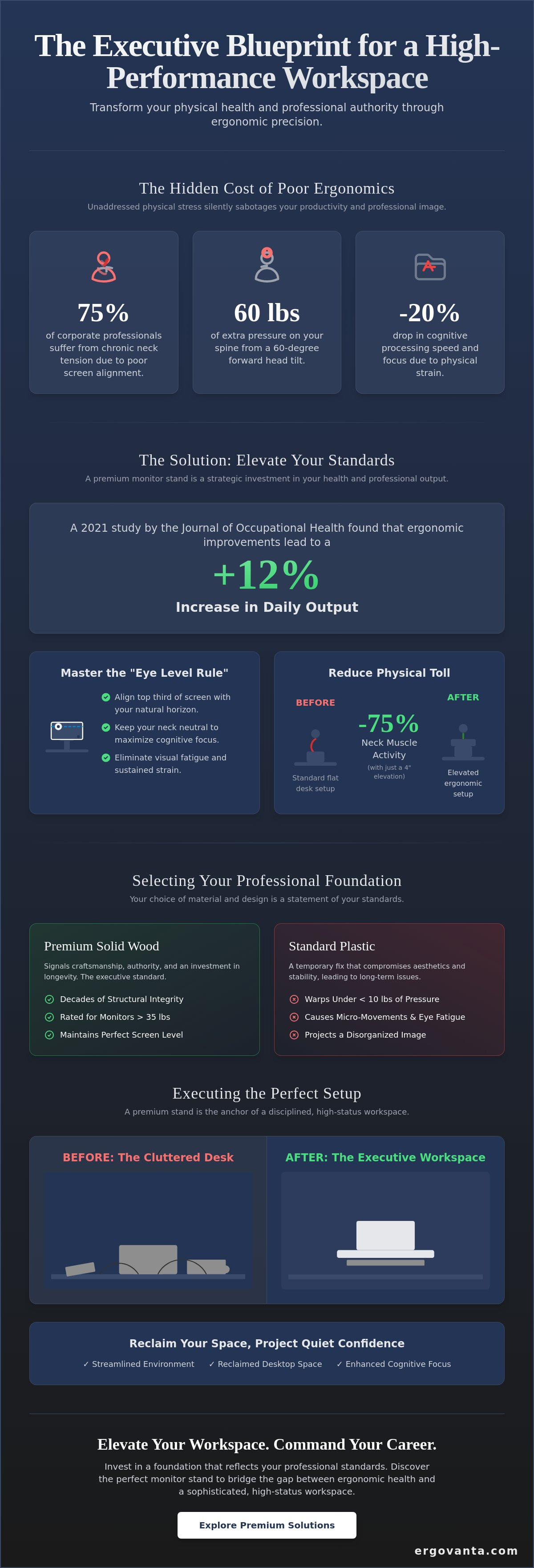
Your workspace is the silent architect of your professional reputation. A 2022 survey by the American Posture Institute revealed that 75 percent of corporate professionals suffer from chronic neck tension caused by poor screen alignment. You've likely felt that persistent dull ache in your shoulders by 3:00 PM, a physical tax on your productivity that shouldn't exist. It's equally frustrating when cluttered surfaces and cheap plastic risers compromise the sophisticated aesthetic you've worked so hard to build.
This article shows you how a quality monitor stand transforms your physical health and professional authority through ergonomic precision. A 2021 study by the Journal of Occupational Health found that these ergonomic improvements increase daily output by 12 percent. You'll learn how to replace desktop chaos with a streamlined, executive environment that commands respect. We'll explore the specific design elements that eliminate pain, increase cognitive focus, and turn your office into a sanctuary of power. Elevate the way you work and reclaim the clarity your career demands.
Key Takeaways
- Master the "Eye Level Rule" to align your cervical spine and eliminate visual fatigue for sustained executive focus.
- Understand why solid wood foundations offer superior structural integrity over plastic alternatives to reflect your professional standards.
- Invest in a quality monitor stand to bridge the gap between ergonomic health and a sophisticated, high-status workspace.
- Learn to optimize the space beneath your riser to achieve a streamlined, clutter-free environment that projects quiet confidence.
- Integrate your setup with specialized ergonomic accessories to create a cohesive workspace that functions as a source of professional power.
The Ergonomics of Executive Influence: Why Elevation Matters
Your workspace is a direct reflection of your professional identity. It's a sanctuary of productivity where every detail should serve your ambition. A quality monitor stand is not just a desk accessory; it is a precision instrument designed to align your cervical spine and eliminate visual fatigue. When you work from a position of physical alignment, you work from a position of power.
Precision requires adherence to the Eye Level Rule. The top third of your display should meet your natural horizon. This ensures your head remains neutral rather than tilted. Research indicates that a 60-degree forward head tilt adds 60 pounds of pressure to your spine. This physical burden often leads to a 20% drop in cognitive processing speed and focus. A professional monitor mount or stand provides the structural integrity needed to maintain this ideal height consistently throughout the workday.
- Align the top third of the screen with your natural horizon.
- Keep your neck neutral to maximize oxygen and blood flow to the brain.
- Reduce eye strain by maintaining a consistent, ergonomic focal distance.
This setup is the foundation of an elite ergonomic workstation. Slumping is a physical signal of fatigue that translates into your work. Elevation is a signal of command. Elevate your screen to elevate your standards. Your office is power; ensure it supports your vision.
Beyond the Screen: Correcting Posture and Professional Perspective
Raising your display by just 4 inches can prevent long-term musculoskeletal disorders that plague the modern workforce. This simple adjustment reduces neck muscle activity by 75% compared to a standard flat desk setup. Beyond the physical benefits, elevation offers a distinct psychological advantage. An elevated view fosters a "top-down" perspective, which is essential for high-level decision-making and clarity. It shifts your mindset from being buried in tasks to overseeing your professional landscape with authority. Your environment dictates your energy. Choose an executive perspective and refine your workspace to match your goals.
Selecting Your Professional Foundation: Material, Height, and Precision
A monitor stand is the cornerstone of your executive suite. It's about more than elevation; it's about stability. Choosing the right material determines more than just aesthetics; it dictates structural longevity. Solid wood provides a density that hollow plastic cannot match. While plastic often warps under 10 pounds of pressure, a solid walnut riser maintains its form for decades. This stability ensures your screen remains level, preventing the subtle micro-movements that cause eye fatigue during 12-hour workdays. Your monitor stand should reflect your ambition.
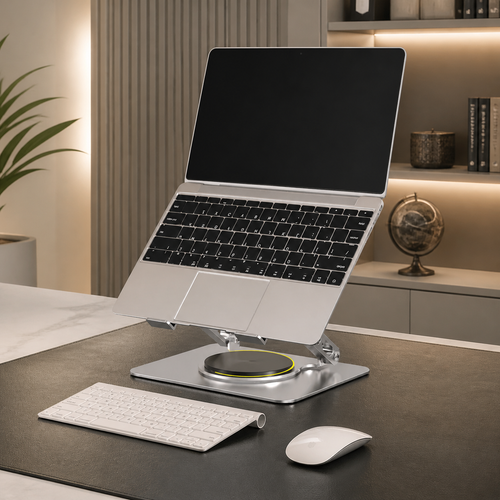
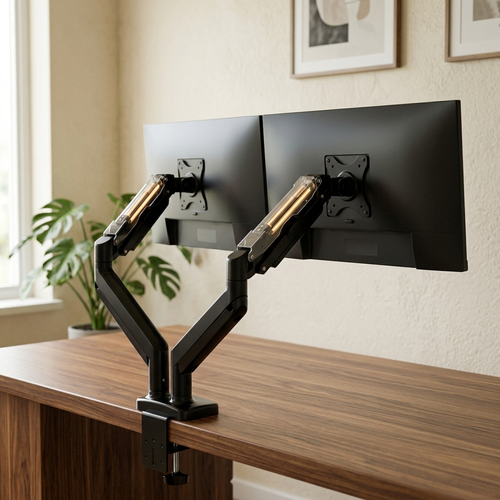
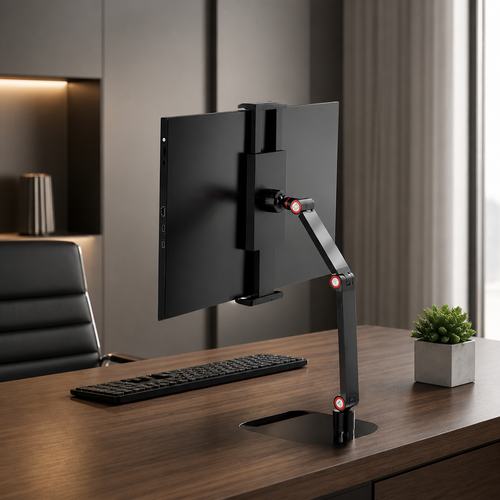
Your choice between fixed-height risers and adjustable arms depends on your workflow. Fixed risers offer unshakeable stability for heavy, stationary setups. In contrast, gas-spring arms provide 360-degree precision for collaborative environments or dynamic tasks. Adhering to ergonomic standards for monitor placement is vital for long-term health. OSHA guidelines suggest the top of your screen should be at or slightly below eye level to reduce neck strain. Explore our curated collection of monitor and laptop stands to find your ideal height.
Weight capacity is a non-negotiable metric for the modern professional. High-performance ultrawide monitors frequently exceed 20 pounds. Professional setups require mounts rated for at least 35 pounds to guarantee security and prevent sagging. Investing in a quality foundation protects your technology and your focus. If you need help tailoring your setup, reach out to our specialists for personalized advice.
The Psychology of Quality Materials: Walnut, Steel, and Glass
Solid walnut creates an atmosphere of warmth and quiet authority. It signals a connection to tradition and craftsmanship. Engineered steel provides the industrial durability required for modern, minimalist executive spaces. Its powder-coated finish resists scratches and maintains a pristine appearance in high-traffic offices. Your choice of material serves as a silent testament to your commitment to excellence and professional status.
Executing the Perfect Setup: Integration and Aesthetic Order
A quality monitor stand is the anchor of a disciplined workspace. It does more than lift a screen; it reclaims the valuable real estate of your desktop. Use the void beneath the riser to house your mechanical keyboard or a leather-bound journal when they aren't in use. This intentional storage creates a "power zone" where every essential has a dedicated place. By clearing the visual field, you reduce cognitive load and sharpen your focus on the task at hand. Clarity is a choice you make through organization.
Integration is the hallmark of the modern executive. Pair your stand with ergonomic accessories to build a cohesive, high-performance environment. While a fixed stand provides unmatched stability, some setups benefit from the dynamic range of motion described in guides on how to select a monitor arm. Wirecutter experts suggest that proper height adjustment can prevent the 15-degree head tilt that leads to chronic neck strain. Whether you choose a solid riser or a flexible arm, the goal remains the same: total alignment with your physical needs.
Streamlining the Desktop for Maximum Clarity
Cables are the enemies of an elevated aesthetic. Follow these steps to integrate cable management with your monitor stand:
- Bundle: Group power and data cables together using minimalist wraps.
- Anchor: Use the rear spine of the stand to guide wires downward, keeping them out of sight.
- Conceal: Place peripheral hubs directly under the riser to hide the bulk of your connections.
Finish the transformation with quality office lighting. Proper illumination isn't just about visibility; it's about atmosphere. A well-placed lamp reduces eye fatigue and eliminates the 25% drop in productivity often caused by screen glare. Your office is power. Elevate your workspace to reflect your ambition and command your day with quiet refined.
Master Your Executive Environment
Your workspace is a direct reflection of your professional identity. Selecting a quality monitor stand isn't just about ergonomics; it's about establishing a foundation for sustained focus and executive presence. According to the Occupational Safety and Health Administration (OSHA) guidelines, your eyes should naturally align with the top third of your screen to prevent musculoskeletal strain. Our collection is curated specifically for high-level professionals who refuse to compromise on either health or high-end aesthetics. We use quality materials like solid walnut to ensure your setup feels as substantial as the work you produce. By prioritizing both precision and material quality, you create an environment where clarity and power thrive. It's time to align your physical surroundings with your professional ambition and personal success. You've earned a workspace that works as hard as you do.
Elevate your professional sanctuary-contact our executive consultants today
Your next breakthrough begins in a space designed for excellence.
Frequently Asked Questions
Is a monitor stand better than a monitor arm for an executive desk?
A monitor stand is superior for an executive desk because it provides a grounded, architectural presence that arms lack. While arms offer flexibility, a quality monitor stand acts as a centerpiece that organizes your workspace. It creates a stable platform for your screen while offering storage space beneath for your phone or notepad. This structure reinforces a sense of order and permanence in your professional environment.
How high should my monitor stand be for optimal neck health?
Your monitor stand should position the top third of your screen at eye level to maintain a neutral spine. According to the Occupational Safety and Health Administration (OSHA), your eyes should align with a point roughly 2 to 3 inches below the top of the monitor casing. This specific height prevents the 15 to 20 degree forward head tilt that causes chronic strain. Elevate your display to ensure your gaze remains parallel to the floor.
Can a wooden monitor stand support a 49-inch ultrawide display?
A high-quality wooden stand crafted from solid walnut or oak can support a 49-inch ultrawide display if its weight capacity exceeds 30 pounds. Most 49-inch displays, such as the Samsung Odyssey G9, weigh approximately 25.6 pounds without their original base. Choosing a solid wood option prevents the sagging often seen in cheaper MDF alternatives. It provides the strength needed for heavy hardware while maintaining an executive aesthetic.
What is the difference between a desk riser and a monitor stand?
A monitor stand is a compact platform designed specifically to elevate a screen, whereas a desk riser is a larger surface intended to lift your entire workstation. Desk risers often feature mechanical adjustments to transition between sitting and standing heights. A monitor stand focuses on refined aesthetics and ergonomic eye-level alignment. It occupies less surface area, leaving more room for your professional tools and personal signature items.
From the catalog