August 12, 2026
Office Task Lighting: Design with Intent (2026 Guide)


Article by
George
George is the founder of Ergovanta. He spent years on Wall Street, first as an investment banker and then as a private equity investor. The work took him into the home and corporate offices of other bankers, private equity investors, venture capitalists, hedge fund managers, and Fortune 500 executives across a wide range of industries. The longer he spent in those workspaces, the clearer the pattern got: the rooms people actually wanted to return to were never the biggest or the best funded. They were the ones built on purpose. Ergovanta turns that into pieces anyone can put in their own room, whatever the work is. He works out of New York City, mostly on lighting and the small objects that decide whether a desk gets used.
The workspace shapes the work. Equip it deliberately. Most professionals accept eye fatigue as a standard cost of a long day, but your environment should never demand your comfort in exchange for productivity. If you find yourself squinting under harsh overhead fixtures or struggling with shadows across your desk, your task lighting for office use is likely an afterthought rather than a functional tool. We agree that a desk should be a place of clarity, not a source of physical strain. Objects on your desk must earn their place by supporting your focus.
This guide teaches you how to build a functional workspace by choosing lighting that reduces fatigue and supports your specific work rhythm. You will learn to select considered pieces that meet the latest 2026 standards, including updated requirements for LED efficiency and the shift toward human-centric lighting. We will preview how to layer light with monitor arms and desk risers to eliminate glare and improve visibility. Follow this intentional approach to equip a space that is made for the work and comfortable for the eyes. By the end, you will have the knowledge to create a desk environment that you actually choose to come back to every morning.
Key Takeaways
- Define the role of task lighting for office setups in reducing the contrast between your monitor and your room to prevent eye fatigue.
- Learn to prioritize lumens over wattage and choose color temperatures that help you transition from deep focus to winding down.
- Compare the functional benefits of desk lamps and monitor light bars to see which tool best fits your specific work rhythm.
- Use strategic placement rules, like positioning light opposite your dominant hand, to keep your workspace free of shadows and screen glare.
- Apply the Ergovanta philosophy of building a space made for the work by selecting considered tools that earn their place on your desk.
What is Task Lighting and Why Does Your Workspace Need It?
The workspace shapes the work. Equip it deliberately. To understand how to build a better desk environment, you first need to define the tools you are using. What is Task Lighting? At its core, it is localized illumination designed for specific activities like reading, writing, or typing. Unlike ambient lighting, which fills a room generally, or accent lighting, which highlights decor, task lighting serves a purposeful function. It directs light exactly where the work happens, ensuring every object on your desk is visible and accessible.
Integrating task lighting for office setups is not about decoration; it is about performance. When your desk is properly lit, the room feels used and intentional. It creates a defined zone of focus that separates your workspace from the rest of the house or office. By reducing the harsh contrast between a bright monitor and a dim room, you allow your eyes to settle into a rhythm rather than constantly fighting to adjust. This intentionality transforms a generic desk into a functional sanctuary made for the work.
The Problem with Overhead Lighting Alone
Ceiling lights are designed to light floors, not desks. When you rely solely on overhead fixtures, you often find yourself working in your own shadow. Every time you lean over a notebook or reach for a keyboard, your body blocks the light source. This creates a patchy, uneven environment that forces your brain to work harder to process visual information. Beyond the physical shadows, overhead lighting often feels clinical and cold. It washes out the space, making it feel like a sterile cubicle. Proper task lighting allows you to turn off the big lights and reclaim your space, giving you control over your immediate surroundings.
Building for Eye Comfort
We have all felt it: that gritty, "sand in the eyes" sensation after four hours of screen time. This discomfort is not a requirement of a desk job; it is a symptom of a poorly equipped space. Without dedicated task lighting for office desks, your pupils are forced to rapidly dilate and contract as they move between a glowing screen and the dark surface of your desk. This constant adjustment leads to muscle fatigue. By providing a consistent, localized light source, you minimize this strain. You are equipping your desk for long-term health, ensuring that your focus lasts as long as your to-do list. Explore our lighting collection to find the objects that earn their place on your desk.
The Mechanics of Light: Lumens, Color Temperature, and CRI
The workspace shapes the work. To build a desk that functions, you must understand the mechanics of the tools you choose. Wattage is a legacy metric; it measures power consumed rather than light produced. In the modern office, lumens are the only number that dictates visibility. If you are still selecting bulbs based on how much electricity they draw, you aren't equipping your space for clarity.
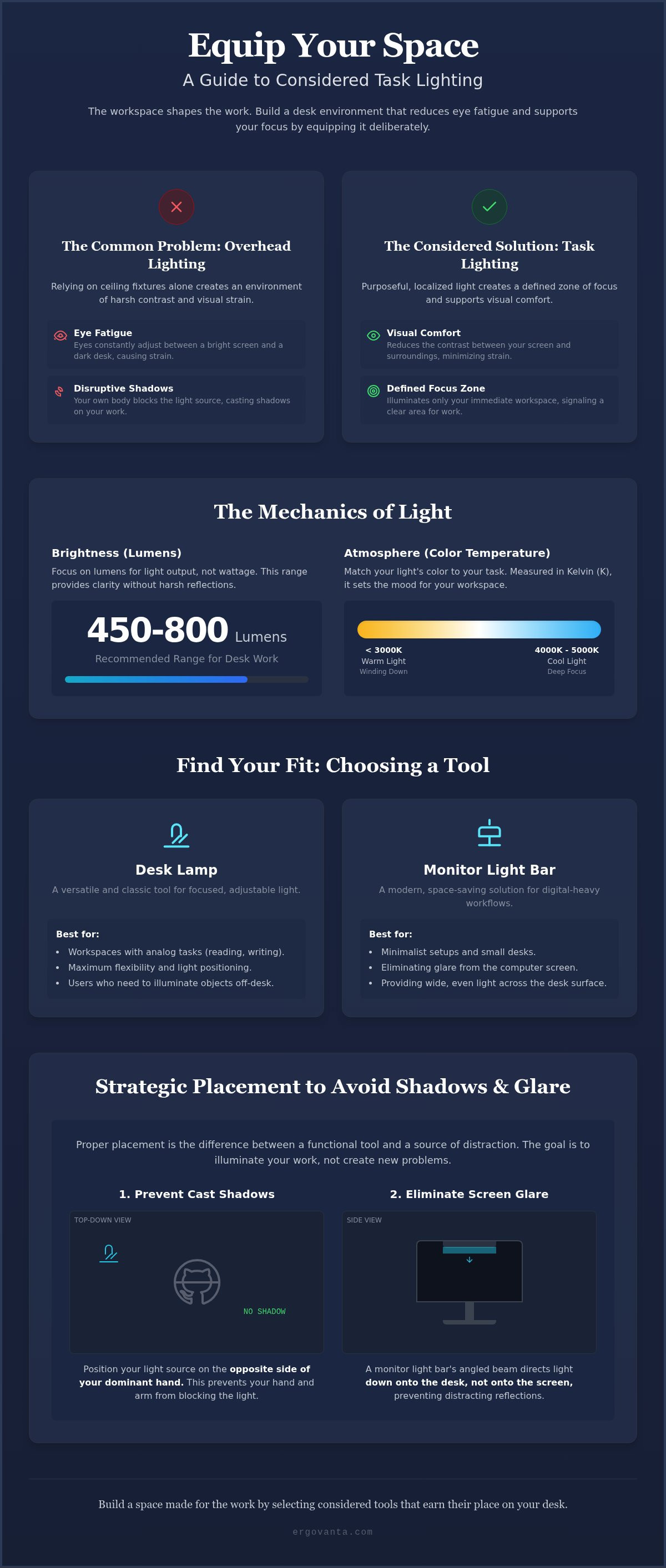
Choosing the right brightness for your task lighting for office tasks depends on the intensity of your work. Most desk environments benefit from 450 to 800 lumens. This range provides sufficient clarity for reading and writing without creating the harsh reflections that lead to fatigue. By following OSHA lighting guidelines, you can ensure your workstation maintains the foot-candle levels necessary for comfort. It's about equipping the space to handle the specific demands of your day. Every object on the desk should serve a purposeful function, and light is no exception.
Beam angle often goes ignored, but it's the difference between a focused work zone and a room full of glare. A considered light source will have a controlled spill. You want the light on your papers, not bouncing off your monitor. Layering your light involves directing these beams so they complement each other rather than competing for space. When you control the angle, you control where your attention goes.
Choosing Your Color Temperature
Color temperature is measured on the Kelvin (K) scale. It dictates the atmosphere of your space. For active work sessions, choose a range between 4000K and 5000K. This cool, blue-toned light mimics daylight and encourages focus. When the work is done, shift to warmer tones under 3000K. This supports the ritual of winding down, signaling to your brain that the productive day has ended. Lighting is a tool for transitions, helping you move from the intensity of the morning to a quieter evening.
Understanding CRI for Real Work
The Color Rendering Index (CRI) measures how accurately a light source reveals the true colors of objects. For creators, designers, or anyone doing visual work, a CRI of 90 or higher is essential. Low CRI lighting makes a space feel flat and uninspiring; it turns vibrant colors into muddy grays. High-fidelity light ensures that the physical objects on your desk look exactly as they should. If you have questions about which specs fit your specific workflow, reach out to our team for guidance on building your setup.
Forms of Task Lighting: Desk Lamps vs. Monitor Light Bars
The workspace shapes the work. Equip it deliberately. Choosing the right form of task lighting for office use depends entirely on the physical objects you interact with most. A digital-only workflow requires a different approach than a desk covered in sketches, blueprints, or physical documents. Your choice of hardware should reflect the specific rhythm of your day and the constraints of your surface area.
Beyond the primary choice of a lamp or a bar, consider the specialized needs of your setup. Standing desks, for instance, benefit from clamp-on lights that remain stable and secure as the desk moves between heights. For those with larger offices or dedicated reading nooks, floor lamps can serve as secondary task lighting, providing a wider pool of light for tasks that happen away from the primary monitor. Every object on the desk must earn its place through purposeful function.
When to Choose a Traditional Desk Lamp
Traditional desk lamps act as a functional anchor for your workstation. They are the best choice for paper-heavy work or craft-based tasks where you need to move the light source frequently. An adjustable arm allows you to change focus throughout the day, directing light toward a notebook for deep thinking or away to reduce contrast during a video call. Choosing from a range of Ergovanta lamps ensures you have a tool that is made for the work, offering the flexibility to illuminate exactly what you are holding in your hands. It is a classic solution for a reason: it adapts to you.
The Case for Monitor Light Bars
Monitor light bars are built for modernist efficiency and digital-first professionals. These tools clip to the top of your screen, using an asymmetrical optical design to illuminate the desk surface without reflecting off the glass. This eliminates the screen glare that often causes eye strain in poorly lit rooms. By moving the light source off the desk and onto the monitor, you keep your surface clear for other essentials. This is an intentional choice for small spaces or minimalist setups where every square inch matters. You can find these and other considered tools in our collection of tech device accessories. They provide a streamlined way to equip your space without adding clutter.
Whether you choose the traditional flexibility of a lamp or the space-saving precision of a light bar, the goal remains the same. You are building a workspace you would choose to come back to. Focus on the tools that support your visibility and protect your focus, ensuring your environment works as hard as you do.
Strategic Placement: How to Avoid Glare and Shadows
The workspace shapes the work. Equip it deliberately. Even the most considered task lighting for office use fails if the placement is haphazard. Positioning isn't about aesthetics; it's about the physics of how light interacts with your tools and your eyes. To build a workspace that supports your rhythm, you must eliminate the shadows that create friction and the glare that causes fatigue.
Start with the opposite hand rule. If you're right-handed, place your light source on the left side of your desk. If you're left-handed, place it on the right. This simple adjustment ensures your hand never casts a shadow over the documents you're reading or the notes you're writing. It's a foundational step in creating an environment made for the work. Every object on the desk should earn its place by serving your focus.
Managing screen glare requires a similar level of intentionality. Ensure your light source doesn't bounce directly off your monitor and into your eyes. Tilt the lamp head or adjust the monitor light bar so the beam hits your keyboard and desk surface instead of the glass. For a complete setup, consider layering your light. Use floor lamps to provide a soft fill for the entire room, then use your desk lamp to provide the high-intensity focus needed for specific tasks. This reduces the overall contrast in the room and keeps your eyes from working too hard.
The Geometry of a Well-Lit Desk
Height is a critical factor in performance. Ideally, your light source should sit roughly 15 to 20 inches above the desk surface. Keeping the source below eye level prevents direct glare from the bulb while providing a wide enough pool of light to cover your primary work zone. Use adjustable arms to follow your work as you move throughout the day, whether you're sketching or typing. A veiling reflection is the bright spot of light that reflects off a surface to mask the details of what you're viewing, and you can stop it by slightly angling your light away from the direct line of sight.
Lighting for Standing Desks
Moving workspaces present unique challenges. A traditional lamp with a heavy base might shift or feel unstable when your desk transitions from sitting to standing. For these setups, clamp-on lamps or monitor bars are superior because they're physically anchored to the surface. They move with the desk, maintaining a consistent relationship between the light and your work. Pay close attention to cord management; ensure your cables have enough slack to accommodate the full lift mechanism without snagging or pulling on the fixtures.
Equip Your Space: Choosing the Light That Earns Its Place
The workspace shapes the work. Equip it deliberately. At Ergovanta, we operate on a simple thesis: you should build the workspace you would choose to come back to every morning. This doesn't mean buying everything at once or following a corporate template. It means selecting tools that serve a purposeful function. When you choose task lighting for office use, you aren't just buying a lamp; you are defining the boundaries of your focus. Lighting is an intentional choice that signals to your brain when it is time to engage and when it is time to rest.
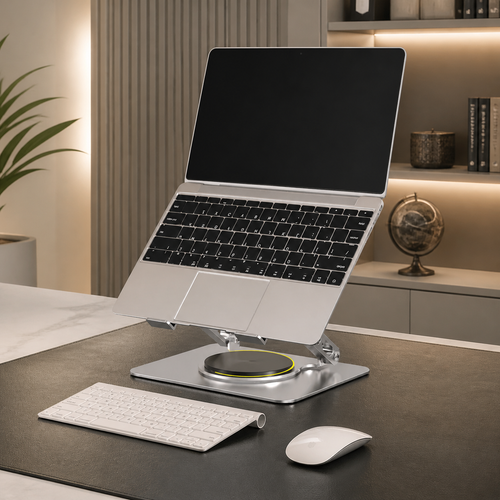
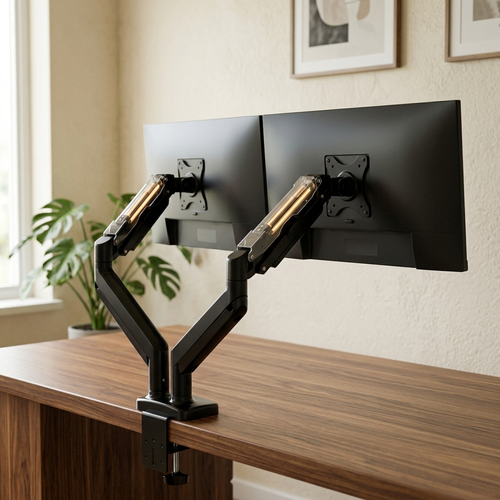
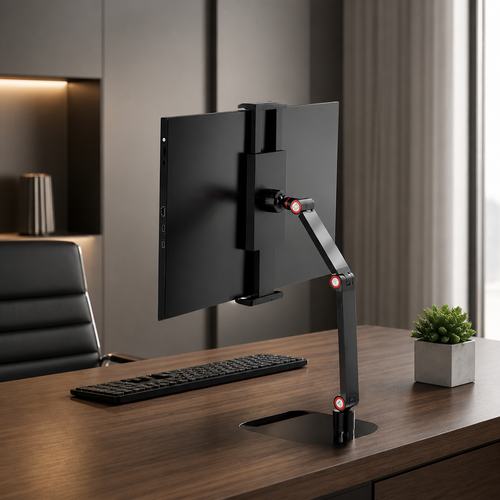
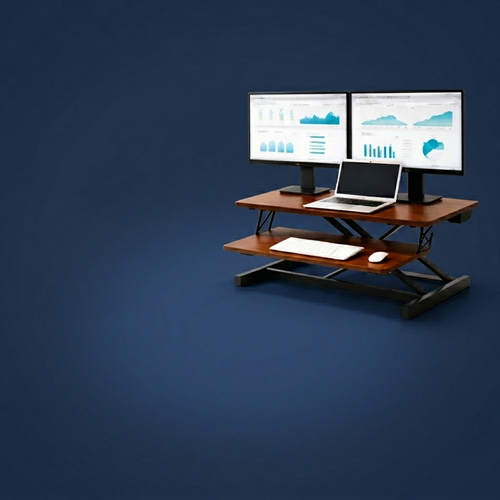
A considered workspace is a collection of objects that work together. Your task light shouldn't exist in a vacuum. It should complement your other workspace essentials, such as monitor arms that clear your desk surface or laptop stands that align your screen with your eyes. When these pieces are coordinated, the friction of your workday disappears. There is a specific ritual in turning on a dedicated task light. It acts as a psychological trigger for deep work, marking the transition from a general room to a productive sanctuary. It is the first step in a focused session.
A Workspace for the Person Who Does the Work
Your workspace is personal. It should not feel like a stock photo or a replica of everyone else's setup. We focus on the small objects that earn their place through daily utility and physical comfort. Choosing the right task light is an act of ownership over your environment. It is about the "ergon" (the purposeful function) of the tool and the "vanta" (the advantage) it gives you during a long day. Build your space piece by piece, focusing on what actually improves your comfort rather than what looks good in a catalog. When a room gets used, it is because it was equipped with the person in mind.
Get Started with a Considered Plan
The first step is a simple audit of your current situation. Notice where the shadows fall when you write. Pay attention to how your eyes feel at 3:00 PM. If you find yourself squinting or leaning too close to your screen, your environment is failing you. You don't need a revolutionary change; you need an intentional one. Start by replacing one clinical overhead light with a focused task source and see how the atmosphere of your desk shifts. If you are unsure which form factor or color temperature fits your specific work rhythm, we are here to help. Our goal is to help you equip a space that feels like yours.
Equip Your Desk for the Long Term
The workspace shapes the work. Equip it deliberately. You now have a framework for selecting task lighting for office setups that prioritizes visibility over clinical brightness. By understanding the mechanics of lumens and the geometry of placement, you can eliminate the shadows that disrupt your rhythm. These are the small objects that earn their place on your desk by protecting your focus and supporting your daily comfort.
Ergovanta provides considered ergonomic accessories and functional tools made specifically for the people who do the work. We offer national shipping to help you build a workstation that feels personal rather than corporate. Every piece of equipment should serve a purposeful function; it helps you transition from general room light to a dedicated zone of focus. This intentionality ensures your desk remains a place of clarity throughout your longest work sessions.
Take ownership of your environment one object at a time. Build the workspace you would choose to come back to tomorrow morning.
Frequently Asked Questions
Is LED or incandescent better for office task lighting?
LED is the superior choice for modern workstations. It offers better color rendering and consumes significantly less power than incandescent bulbs. Unlike older technology, LEDs don't emit heat; this keeps your desk surface comfortable during long sessions. They also allow for adjustable color temperatures, making them a more intentional tool for your specific work rhythm. Equip your space with technology that lasts and earns its place on your desk.
How many lumens do I need for a desk lamp?
Aim for 450 to 800 lumens for effective task lighting for office use. This range provides enough brightness to read physical documents clearly without creating uncomfortable reflections. If your work involves fine details or drafting, you might prefer the higher end of that scale. Choose a lamp with dimming capabilities to adjust the output as the natural light in your room changes throughout the day.
Can task lighting really reduce eye strain if I am still looking at a screen?
Yes, task lighting for office setups reduces eye strain by minimizing the contrast between your bright monitor and the surrounding room. When you work in a dark room with only a screen, your eyes struggle to adjust to the extreme difference in brightness. Adding a localized light source stabilizes the environment. This prevents the muscle fatigue caused by constant pupil dilation, allowing you to focus longer.
What is the best color temperature for a home office?
A range of 4000K to 5000K is best for active work sessions. This cool, neutral light mimics daylight and helps maintain alertness. For a home office that serves multiple purposes, consider a lamp that transitions to warmer tones (2700K to 3000K) in the evening. This shift supports your natural sleep cycle while still providing enough visibility to finish your final tasks of the day with comfort.
How do I stop my desk lamp from reflecting off my computer monitor?
Stop monitor reflections by adjusting the height and angle of your light source. Keep the lamp head below eye level and tilted slightly away from the screen. If you use a traditional lamp, position it to the side of your monitor rather than directly in front of it. Monitor light bars are also an intentional solution; they use asymmetrical optics to direct light onto the desk surface.
Should I use a warm or cool light for late-night work sessions?
Use warm light for late-night work to protect your circadian rhythm. Cool blue light (above 5000K) can suppress melatonin; this makes it difficult to sleep after you finish your work. A warmer tone under 3000K provides a more relaxed atmosphere that is easier on the eyes in a dark room. It is a considered way to signal to your brain that the day is winding down.
What is the difference between a desk lamp and a work light?
A desk lamp is a precision tool designed for office environments, while a work light is built for industrial or construction settings. Desk lamps focus on light quality, including high CRI and controlled beam angles to prevent glare. Work lights prioritize raw power and durability; they often lack the refined optics needed for comfortable reading or typing. Equip your desk with tools made for the work you actually do.
Disclaimer
Ergovanta publishes these guides to help people set up better workspaces. Product recommendations reflect what we sell. Specifications, prices and availability are accurate at the time of writing and may change. Nothing here is medical, ergonomic or professional advice; if you have a specific health concern about your workstation, speak to a qualified professional.
From the catalog