September 12, 2026
Ergonomic Teacher Classroom Desk Setup Guide
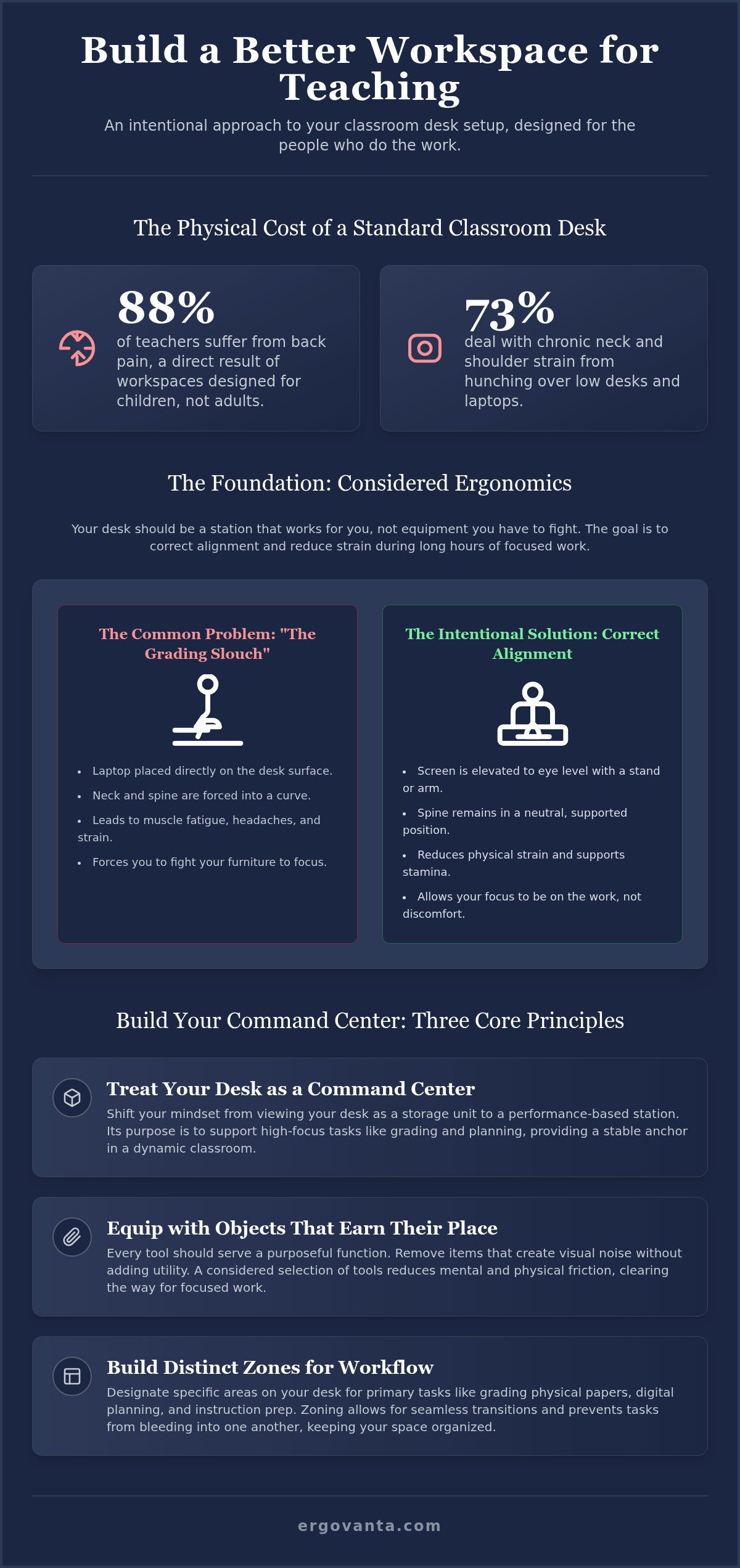
Research shows that 88% of teachers suffer from back pain, while 73% deal with neck and shoulder strain. These numbers aren't just statistics; they're the physical cost of working in a space designed for children rather than the adults who lead them. Your teacher classroom desk setup should be a sanctuary of function, not a source of chronic discomfort. The workspace shapes the work. Equip it deliberately.
We agree that the classroom environment is inherently demanding. You transition constantly between standing, sitting, and bending, often while navigating visual clutter and poor lighting. This guide will show you how to build an intentional desk setup that supports your posture and manages classroom friction throughout the school day. You'll learn how to select objects that earn their place to reduce physical strain and clear the mental fog of a disorganized desk. We will cover ergonomic foundations, lighting solutions, and the systems needed to keep your daily essentials within reach.
Key Takeaways
- Treat your desk as a functional command center rather than a storage unit to better manage daily classroom friction.
- Optimize your teacher classroom desk setup to support your posture during long hours of grading and digital planning.
- Equip your space with small objects that earn their place by simplifying repetitive tasks and clearing cable clutter.
- Build distinct zones for grading and instruction to allow for seamless transitions throughout the school day.
- Understand how purposeful function provides a tactical advantage for the people who do the work.
The Intentional Desk: Why Your Setup Shapes the Work
The workspace shapes the work. Equip it deliberately. In many schools, the teacher desk is treated as a generic storage unit or a staging ground for student handouts. It's often viewed through the lens of student-teacher proximity rather than as a professional workstation. This perspective ignores the reality that you spend hours at this desk performing high-focus tasks. Your teacher classroom desk setup is your command center. It's the primary site for grading, planning, and the essential administrative work that keeps a classroom running.
Building an intentional desk isn't about following a corporate template. It's about personal ownership. When you equip your space with tools that support your specific workflow, you reduce the daily friction that leads to burnout. A desk that feels like yours, rather than just another piece of school property, becomes a sanctuary of productivity. It allows you to transition from the chaos of instruction to the focus of planning without the mental load of navigating a cluttered, uncomfortable environment.
Defining the Classroom Cockpit
View your desk as a performance-based station. Pilots and engineers don't work in spaces that are "good enough"; they work in cockpits designed for maximum efficiency. Your desk should be no different. Identify the primary tasks you perform at your desk every day. Do you spend most of your time grading physical papers, or are you primarily on a laptop? Your setup should reflect these priorities. Teaching is a dynamic role, but your desk should be the stable anchor that supports every transition.
Prioritize function over institutional status. The goal is to build a station that supports the science of ergonomics by fitting the workspace to your body and your work. This is particularly vital in an environment often filled with furniture designed for children. We provide specialized education solutions designed for the unique demands of the classroom. When every tool has a purposeful function, you gain a tactical advantage over the daily grind.
Moving Beyond Simple Decor
Decor should serve a purposeful function or be removed. Many classroom guides focus on whimsical themes or purely aesthetic items that actually create visual noise. We believe in objects that earn their place. If a lamp doesn't provide the right light for grading at 4:00 PM, it's just taking up space. If a stand doesn't help your posture, it's a distraction. Visual clutter leads to mental clutter, which is the last thing you need during a busy school day.
Focus on a considered selection of tools. Avoid items that complicate your physical space without adding utility. A clean, functional surface allows your mind to focus on the work at hand. By removing unnecessary items, you clear the way for the tools that actually matter. Every object on your desk should be there because it makes your job easier, not because it fills a void. Build a space that is made for the work, not just for the look.
Considered Ergonomics: Supporting the 8-Hour School Day
Teaching is a dynamic role, but the moments spent seated are often the most physically taxing. Most classroom furniture is designed for students, leaving teachers to hunch over low surfaces that weren't built for adult proportions. An intentional teacher classroom desk setup prioritizes how you feel at the end of the day. It's about moving away from the "grading slouch" and toward a posture that supports your stamina. Ergonomics isn't just a set of clinical metrics; it's the difference between leaving school with a persistent headache or leaving with the energy to enjoy your evening. Your desk should be a station that works for you, not a piece of equipment you have to fight.
Eye Level and Screen Placement
Your screen placement determines your neck's fate. If you're working off a laptop placed directly on a desk, you're forcing your spine into a curve for hours at a time. Using a laptop stand allows you to keep the display at eye level, which immediately corrects your seated alignment. For those who frequently transition between private planning and student conferences, a monitor arm provides the necessary flexibility to pivot the screen without straining your back or shoulders. You can find detailed checklists for these adjustments in the OSHA ergonomic workstation eTool. The goal is to keep your primary display directly in front of you. This prevents the repetitive neck rotation that leads to localized muscle fatigue. When your tech is positioned correctly, you stop fighting your furniture and start focusing on the work at hand.
Lighting for Focus
Standard classroom lighting is often a binary choice between fluorescent glare and dim shadows. Neither supports high-level focus. A considered teacher classroom desk setup includes lighting that adapts to your tasks rather than just filling a room. To build a sanctuary of productivity, you must control your immediate environment. A dedicated desk lamp creates a warm, focused zone that signals to your brain it's time for deep work. It defines your workspace as a separate area from the rest of the room. Consider adding a monitor light bar to illuminate your physical documents without creating glare on your screen. This considered approach to lighting reduces eye strain during late afternoon planning sessions when natural light begins to fade. It's about creating a space you actually want to sit in. If you're looking to equip an entire department or need specific advice for a unique classroom layout, feel free to reach out to our team for guidance.
Small Objects That Earn Their Place: Managing Classroom Friction
Friction is the cumulative cost of small inconveniences. In a busy school day, five seconds spent hunting for a charging cable or clearing space for a planner adds up. An effective teacher classroom desk setup is defined by the small objects that earn their place through consistent utility. We believe that every item on your desk should justify its footprint. If an object doesn't contribute to your instruction or your focused planning time, it's a distraction that needs to go. This isn't about minimalist aesthetics for their own sake; it's about building a station that allows you to do the work without unnecessary physical or mental hurdles.
Consider the tactile experience of your tools. High-quality materials feel better to use, making the repetitive tasks of the school day slightly more pleasant. When you equip your space with considered objects, you're making an investment in your own daily stamina. The goal is to remove any object that does not contribute to your teaching or planning, ensuring that your command center remains a functional asset rather than a storage unit for unused school property.
Essential Tech Accessories
Equip your space with tools that simplify your most frequent tasks. Many teachers now use their phones for attendance, timers, and classroom management apps throughout the day. Keeping your device visible and powered is a functional requirement. Using wireless chargers ensures your phone stays ready for the work without the clutter of extra cords. Similarly, a dedicated headphone stand keeps your workspace clear when you aren't in virtual meetings or grading with focus-music. Choose tech tools that are made for the work you actually do. By selecting accessories that serve a specific purpose, you reduce the time spent searching for supplies and increase the time spent on meaningful work.
Taming the Cable Chaos
Cable management is a functional requirement, not just an aesthetic choice. In a classroom, exposed power cords are a safety hazard for students and a source of visual stress for you. Taming the "spaghetti" of school-issued hardware is essential for a focused teacher classroom desk setup. Use cable management trays to hide power bricks and group cords together to keep your floor space safe. A clear desk leads to a clear mind during a busy period. You can find more practical teacher desk organization hacks to help manage the influx of paperwork and supplies. When you remove the visual noise of tangled wires, you create a workspace that feels like a sanctuary of productivity rather than a storage closet. Build a space that supports your focus, and you'll find it much easier to come back to every morning.
Zoning Your Workspace: Designing for Grading and Instruction
Most classroom design guides treat zoning as a student-only concept. They suggest specific areas for reading or group work but leave the teacher desk as a cluttered catch-all for every task. Your teacher classroom desk setup requires its own internal logic to handle the rapid-fire shifts of the school day. By defining physical boundaries for different tasks, you reduce the mental friction of switching between administrative work and active teaching. These zones act as a visual signal to both you and your students; when you are in your grading zone, it signals a mode of deep focus.
Creating a Grading Hub
A dedicated grading hub is about paper management and sustained focus. Clear a 24-inch square of flat space to act as your "landing strip" for student work. This prevents the "paper creep" that eventually consumes the entire desk surface. Place your grading tools, such as specific pens or your tablet, within easy reach of your dominant hand to minimize repetitive reaching. While the zone is functional, it shouldn't feel sterile or institutional. Add faux plants to soften the zone and make it inviting. This small touch of greenery provides a visual rest for your eyes between stacks of papers and helps define the area as a considered workspace.
Transitioning to Instruction
The instruction zone is built for speed and classroom visibility. The goal is a setup that allows you to move from a seated planning position to the front of the room in seconds. Ensure your computer is easy to turn toward the students for quick demonstrations; using a monitor arm, as discussed previously, is ideal here. Keep a clear path from your chair to the whiteboard or instructional area. A minimalist setup in this zone reduces transition time between tasks. Every second spent moving a coffee mug or a stack of folders is a second of lost instructional momentum. Equip this area with only the essentials: your primary device and clear sightlines to every corner of the room.
The Personal Zone and Task Signaling
Finally, maintain a personal zone for items that provide comfort during long days. This area holds the small objects that earn their place, such as a phone stand or a wireless charger, which keep your personal tools separate from classroom supplies. Physical boundaries on your desk don't just help your organization; they signal your current task to your students. When your desk is zoned effectively, it becomes a tool for classroom management. It tells the room when you are available for questions and when you are finishing essential planning work. Build a space that supports these transitions rather than hindering them.
Equipping Your Station: Tools for Those Who Do the Work
The workspace shapes the work. Equip it deliberately. After addressing the physical requirements of ergonomics and the logistical needs of zoning, the final step is a shift in mindset. Your teacher classroom desk setup should be more than a collection of school-issued assets. It should be a station you would actually choose to come back to every morning. This isn't about following a temporary design trend or buying a decorative bundle to mask functional flaws. It's about personal ownership and the intentional selection of tools that support your daily stamina.
At Ergovanta, we focus on the people who do the work. The name itself reflects this philosophy. Ergo comes from the Ancient Greek "ergon," which translates to purposeful function. Vanta is a coined term representing the advantage gained from a considered setup. When you combine these, you get a workstation designed to give you a tactical advantage over the friction of the school day. Professional tools are not a luxury; they are a requirement for anyone spending serious hours at a desk. They are an investment in your physical health and your mental clarity.
The Ergovanta Advantage for Educators
Classrooms are high-traffic, high-utility environments. Standard office gear often fails under the pressure of a dynamic school day. We encourage you to explore the alloy education solutions, which are built for robust classroom use. These tools are designed to handle the transitions between grading, planning, and instruction without losing their functional integrity. When selecting equipment, choose materials like wood and metal. These are the small objects that earn their place over time because they are made for the work. Unlike plastic alternatives that feel like temporary school property, these materials offer a sense of permanence and reliability. Focus on the room that gets used and the desk that gets worked at. A setup that looks good but fails to support your posture is just expensive clutter.
Building Your Personal Sanctuary
A well-equipped desk is a source of quiet confidence. It validates your professional efforts by providing a space that respects the intensity of your work. Your environment should be a sanctuary of productivity rather than a source of stress. This doesn't require a total overhaul of your classroom in a single weekend. Building an intentional teacher classroom desk setup is a process of gradual improvement. Start with one considered object that solves a specific pain point. Perhaps it is a monitor arm that finally puts your screen at eye level or a desk lamp that provides the right light for late-afternoon grading. Once that object has earned its place, build from there. By prioritizing function and personal ownership, you create a workspace that feels uniquely yours, supporting both the intensity of the work and the refined ritual of winding down at the end of the day.
Equip Your Space for the Work Ahead
The workspace shapes the work. An intentional teacher classroom desk setup is an investment in your daily stamina and focus. By establishing clear functional zones and prioritizing ergonomic foundations, you move beyond the constraints of institutional furniture. You create a station that handles the friction of the school day, allowing you to transition between instruction and planning with quiet confidence. Every object on your desk should earn its place through purposeful function.
We provide specialized education and corporate solutions designed for those who do the work. Whether you are clearing the cable chaos or positioning a screen for better posture, every considered change validates your professional efforts. You deserve a workspace that feels like your own sanctuary rather than just another piece of school property. Start with one intentional tool and build a station that supports you for the long term.
Build the workspace you would choose to come back to. Your day is demanding; your desk should be the one place that makes it easier.
Frequently Asked Questions
How do I set up a teacher desk in a small classroom?
Maximize your vertical space to build a functional station in tight quarters. Use a monitor arm to lift your screen off the desk surface, which immediately reclaims valuable square inches for grading. Prioritize a minimalist teacher classroom desk setup by removing any object that doesn't serve a daily purpose. If your room is small, your desk must be efficient. Equip the space with multi-functional tools like a wireless charger that doubles as a phone stand.
Can I make a standard school desk ergonomic without buying new furniture?
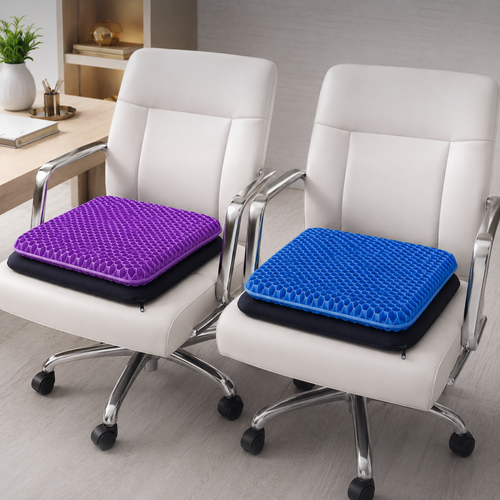
You can improve your alignment using existing resources. Place your laptop on a stack of sturdy books to bring the screen to eye level. This simple adjustment prevents the neck strain caused by looking down for hours. Use a seat cushion or a rolled towel for lumbar support to maintain the natural curve of your spine. Proper positioning is more about intentionality than expensive equipment; start by adjusting your chair height to keep your feet flat on the floor.
What are the best desk lamps for teachers working in windowless rooms?
Select a desk lamp with adjustable color temperatures to compensate for the lack of natural light. A monitor light bar is particularly effective because it illuminates your workspace without taking up any desk footprint. These tools reduce eye fatigue during late-afternoon planning sessions. Avoid harsh fluorescent overheads by using focused task lighting. This creates a considered zone that feels like a sanctuary of productivity rather than a windowless cell. Equip your space with light that works for you.
How do I keep my teacher desk clear of student paperwork?
Establish a strict "landing zone" for incoming student work that is physically separate from your grading area. Use a designated tray or a specific corner of your desk to act as a boundary. Once papers are graded, move them immediately to a filing system or a "to-return" bin. By keeping your active workspace clear of unprocessed paperwork, you reduce the mental load of visual clutter. A clear desk allows you to focus on the task at hand.
Is a monitor arm worth it for a classroom setup?
A monitor arm is a functional requirement for any dynamic classroom environment. It allows you to pivot your screen instantly during student conferences or grade-level meetings. More importantly, it clears the "spaghetti" of cables and the bulky base of a standard monitor. This reclamation of desk space is vital for teachers who need a flat surface for physical grading. It provides a tactical advantage by making your teacher classroom desk setup more adaptable to your changing needs.
How can I incorporate personal style into my desk without it being a distraction?
Choose small objects that earn their place through both utility and aesthetic value. A high-quality headphone stand or a set of faux plants can soften your workspace without creating a distraction. Focus on materials like wood or metal that feel permanent and intentional. Personal style should validate your professional efforts, not complicate them. Avoid "desk candy" that serves no purpose. Select items that make the space feel like yours while supporting your daily workflow.
What are the most essential ergonomic accessories for educators?
Prioritize tools that address the most common physical strains. A laptop stand is the first requirement for proper eye-level alignment. Follow this with a lumbar pillow or seat cushion to support your back during long grading sessions. Finally, equip your station with a dedicated desk lamp to control your immediate environment. These three objects form the foundation of a considered setup. They focus on purposeful function, ensuring you leave the school day with your stamina intact.
How often should I reorganize my teacher desk setup?
Perform a deep audit of your desk at the start of every new grading period. This quarterly rhythm allows you to remove objects that have lost their utility and reset your organizational systems. Use these transitions to check your cable management and clear out any accumulated paperwork. Maintenance is a requirement for a functional workspace. By reassessing your setup regularly, you ensure that every object continues to earn its place in your daily routine. Build a space you'd choose to come back to.
Disclaimer
Ergovanta publishes these guides to help people set up better workspaces. Product recommendations reflect what we sell. Specifications, prices and availability are accurate at the time of writing and may change. Nothing here is medical, ergonomic or professional advice; if you have a specific health concern about your workstation, speak to a qualified professional.
From the catalog