July 4, 2026
Preventing Neck Pain at Your Computer: Build a Workspace That Works for You

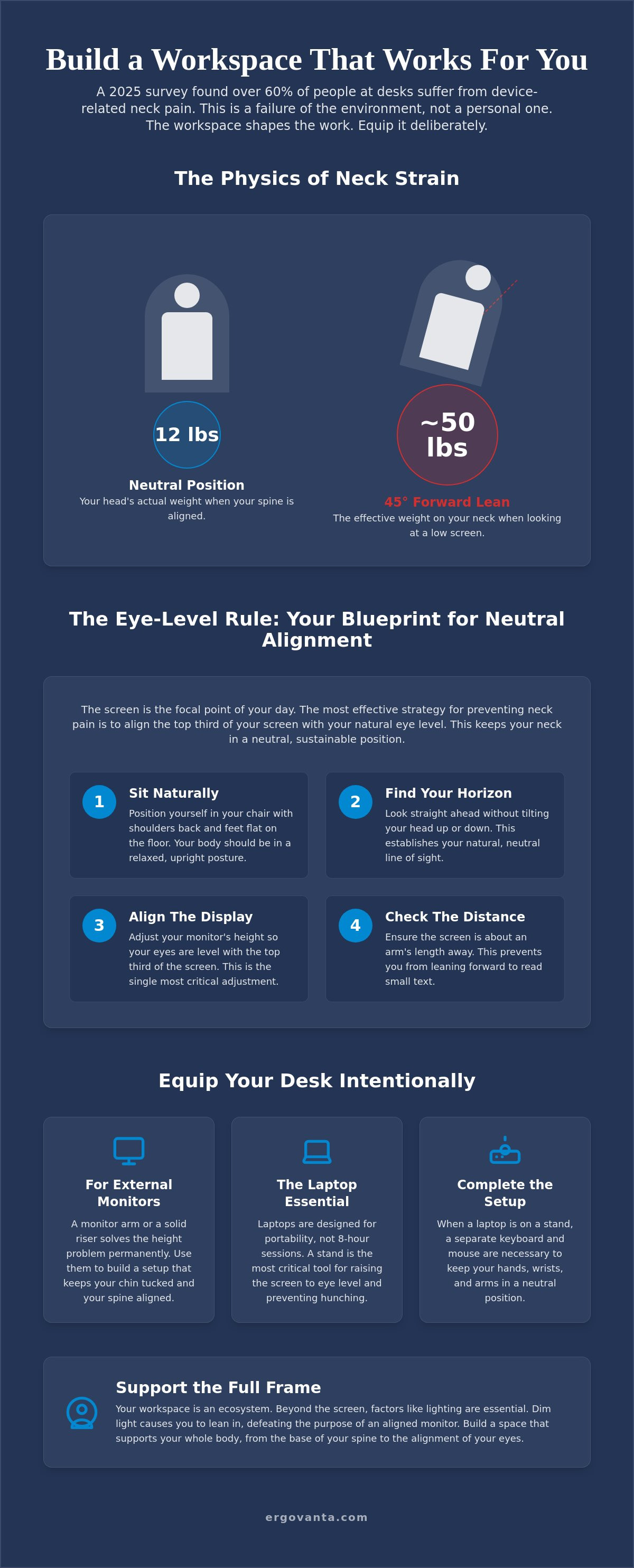
The workspace shapes the work, so you must equip it deliberately. A 2025 survey found that over 60 percent of people working at desks suffer from device-related neck pain, proving that most environments simply aren't made for the long hours we put in. If you are focused on preventing neck pain at computer stations, you have likely realized that your current setup is working against you. Neck pain is not a personal failure; it is a failure of your physical environment.
You know the sensation of a dull ache creeping up the base of your skull by mid-afternoon, or the constant shoulder tension that makes you want to stretch every ten minutes. It is difficult to do your best work when your body is signaling for a break just to escape the discomfort. This guide will show you how to intentionally build a workspace that eliminates strain and supports your productivity. We will explore the physics of monitor height, the necessity of considered desk tools, and how to create a room that you actually choose to come back to. By the end, you will have the knowledge to equip a space that results in fewer headaches and significantly less physical fatigue.
Key Takeaways
- Understand the physics of neck strain and how leaning forward can quadruple the weight your neck must support.
- Master the eye level rule by aligning your monitor to keep your spine in a neutral, sustainable position.
- Learn why laptops aren't built for eight-hour sessions and how to equip them with the right tools for the work.
- Discover how intentional lighting and visibility are essential for preventing neck pain at computer stations by stopping the forward lean.
- Build a workspace that supports your full frame from the base of your spine to the alignment of your eyes.
The Mechanics of Neck Strain: Why Your Head Feels Heavier Than It Is
The workspace shapes the work; if your screen is low, your body will inevitably follow it. Your head weighs about 12 pounds when it is balanced directly over your shoulders. However, the moment you lean forward to see a low screen or read small text, physics takes over. At a 45 degree angle, that 12 pound weight effectively increases to nearly 50 pounds. This added pressure is the primary obstacle to preventing neck pain at computer stations. We often use the term "tech neck," but it is simply the physical result of an unconsidered workspace.
To better understand how these mechanics impact your daily comfort, watch this helpful video:
The Forward Lean Trap
Your body naturally seeks the path of least resistance. If your screen is positioned too low or your lighting is dim, your neck will crane forward to compensate. This crane position isn't a habit you can just think your way out of; it is a direct response to your environment. When visual clarity is lacking, you move closer to the source. The first step in preventing neck pain at computer desks is recognizing that the room around the desk is the primary influencer of your posture. If you don't equip the space to keep you upright, your muscles will eventually pay the price.
The Cost of Unintentional Setups
Many of us are still working from temporary setups that were never meant to be permanent. What started as a few days at the kitchen table has turned into years of chronic tension. These unintentional environments are breeding grounds for Repetitive Strain Injury (RSI) and long term discomfort. When you spend serious hours in a room, every small object earns its place by either supporting your body or straining it. If you spend serious hours at a desk, the room around it matters more than you think. Building a space that works for you is the only way to ensure your setup is made for the work you actually do.
The Eye Level Rule: Adjusting Your Monitor and Laptop for Neutral Alignment
The screen is the focal point of your day. If it's positioned incorrectly, your body will bend to meet it. The eye level rule is the most effective strategy for preventing neck pain at computer stations. Your natural gaze should hit the top third of your screen when you're sitting upright. This alignment ensures your neck remains in a neutral position, reducing the mechanical load on your spine. If you're looking down even slightly, you're inviting the 50 pound strain we discussed earlier into your workday.
Follow this four step checklist to set a sustainable monitor height:
- Sit naturally: Position yourself in your chair with your shoulders back and feet flat on the floor.
- Find your horizon: Look straight ahead at the wall behind your desk without tilting your head.
- Align the display: Adjust the monitor so your eyes are level with the top third of the glass.
- Check the distance: Ensure the screen is about an arm's length away to prevent leaning forward to read.
Using Monitor Arms and Risers
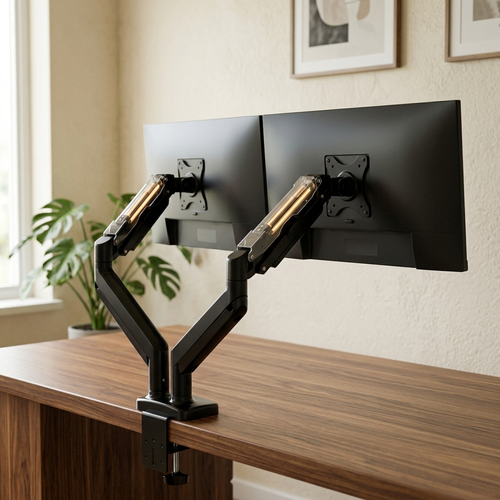
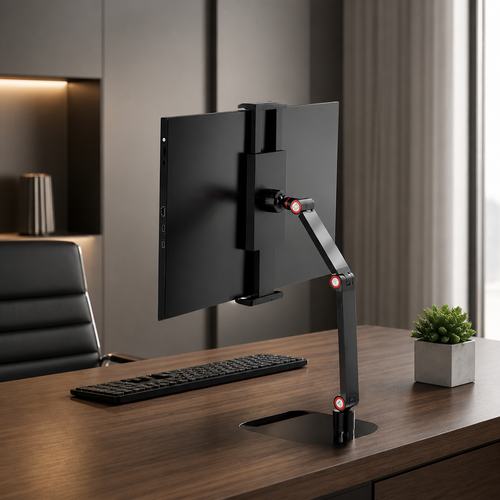
Equip your desk with tools that earn their place by solving the height problem permanently. Utilizing monitor laptop stands allows you to create a neutral gaze that protects your spine. A solid wood riser provides a stable, intentional foundation for your screen while adding a sense of order to the desk. This setup keeps your chin tucked and your shoulders back, which aligns with research on computer use and neck pain that highlights posture as a major risk factor. Build a setup that supports your body rather than forcing it to adapt.
The Laptop Stand Essential
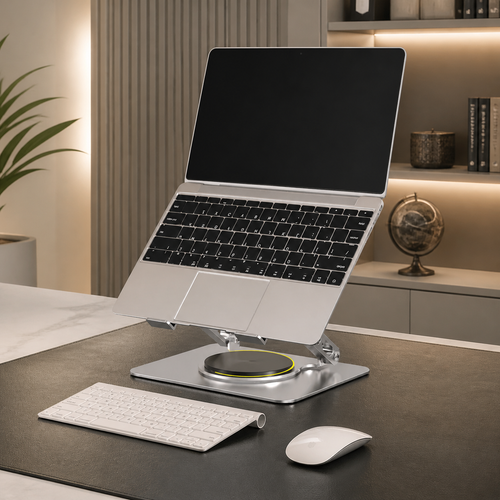
Laptops are designed for portability, not for eight hour work sessions. Their design forces a compromise between your wrists and your neck. If the screen is at the right height, the keyboard is too high; if the keyboard is right, you're hunched over. A laptop stand is the most critical object for anyone working on a portable machine. It allows you to build a setup where the screen is at eye level. Once the machine is on a stand, a separate keyboard and mouse are necessary to keep your wrists neutral. If you're unsure which tools will best fit your specific space, you can reach out to us for advice on building a setup made for the work.
Supporting the Full Frame: Beyond the Screen and Into Your Space
Neck pain often starts far from the neck itself. It can begin with the squint of your eyes or a collapse at the base of your spine. When you address the full frame, you are truly preventing neck pain at computer setups. Real ergonomics and comfort are about feeling right in your space so you can focus on the work. If you spend serious hours at a desk, the room around it matters more than you think.
Lighting for Posture
Lighting is a functional tool, not just a decoration. Poor visibility is a primary cause of the forward lean. If your desk is dim, your body will naturally pull closer to the screen to compensate for the lack of clarity. Intentionally placed desk lamps reduce eye strain and eliminate that subconscious urge to crane your neck. Layered lighting creates an environment for doing the work, making the room somewhere you choose to come back to. When you can see clearly, your body stays back where it belongs.
Tactile Support and Intentionality
A neutral neck position is only sustainable if your foundation is stable. Lumbar pillows and seat cushions help keep the spine stacked properly, preventing the slouch that eventually pulls your head forward. You should equip your space deliberately with objects that earn their place through daily use. As noted in this ergonomic workstation setup guide, every element from your seat position to your lighting contributes to your physical longevity. Build your space with these considered additions to help you maintain a neutral position effortlessly.
The Ergovanta philosophy is simple: build a room that supports the person doing the work. It is about the small objects that get used and the rooms that feel intentional. When your environment is made for the work, you spend less time cracking your neck and more time on the task at hand. Equip your space deliberately, and your body will thank you for it.
Build a Workspace Made for the Work
Your environment dictates how you feel at the end of the day. Preventing neck pain at computer workstations isn't about doing more stretches; it's about building a room that doesn't force you to crane your neck in the first place. By aligning your monitor to your natural gaze and equipping your desk with intentional lighting, you remove the physical obstacles that lead to chronic tension. These are the small, considered objects that earn their place by supporting your body throughout the hours you spend at the desk.
Ergovanta was founded in 2021 for the people who do the work. We provide a curated selection of ergonomic and lighting essentials designed for function and longevity. Our focus is on the rooms that get used and the tools that provide a real advantage. If you are ready to move away from unintentional setups and toward a workspace you'd choose to come back to, we are here to help. You can equip your space with intentional ergonomic tools by reaching out to us for a personalized selection that fits your specific needs. Take ownership of your environment and build a space that finally works as hard as you do.
Frequently Asked Questions
How high should my monitor be to avoid neck pain?
Your monitor should be positioned so your natural gaze hits the top third of the screen. This height ensures you aren't tilting your chin down or craning your neck forward to see the center of the display. If you find yourself slouching, your screen is likely too low. Use a monitor arm or a considered wood riser to reach the correct height and maintain a neutral spine throughout the day.
Can a laptop stand really prevent tech neck?
A laptop stand is one of the most effective tools for preventing neck pain at computer setups because it addresses the core design flaw of portable machines. Laptops force you to look down, which puts immense strain on your cervical spine. By equipping your desk with a stand, you bring the screen to eye level. Just remember that once the screen is raised, you'll need a separate keyboard and mouse to keep your wrists neutral.
Is it better to sit or stand to reduce neck strain?
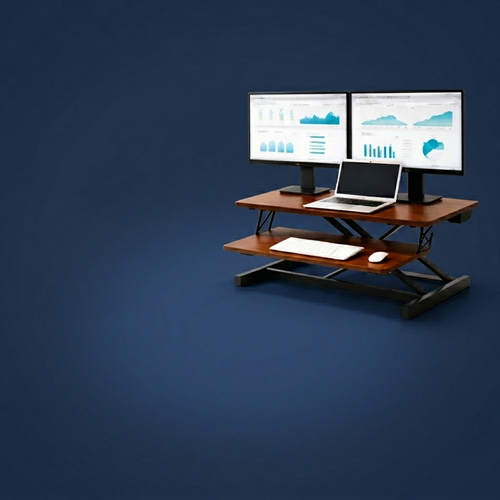
Neither position is inherently better; the real goal is to avoid staying static for too long. If you stand, ensure your monitor is still at eye level so you don't end up hunching over your desk. Many people find that alternating between sitting and standing every 30 minutes helps reduce muscle fatigue. The best setup is one that allows for movement while keeping your head balanced directly over your shoulders.
Why does my neck hurt even if I have an ergonomic chair?
An ergonomic chair only supports your lower half; it can't fix a screen that is sitting too low. If your monitor isn't at the right height, you will still lean forward, regardless of how much you spent on your seat. Neck pain often persists because of unconsidered lighting or a lack of tactile support like lumbar pillows. You must build the entire workspace intentionally rather than relying on a single piece of furniture to do all the work.
From the catalog