September 22, 2026
Professional Desk Setup for Lawyers: Productivity & Comfort
The typical minimalist workspace collapses the moment document review begins. A practical desk setup for lawyers cannot simply mimic tech-industry minimalism, because legal work is fundamentally document-driven. You already know the physical toll of a ten-hour day at your desk: the persistent neck strain from constantly looking down at dual displays, severe eye fatigue from reading fine typography under flat overhead lighting, and active case binders encroaching on your keyboard.
The space you work in should support the work, not add to the friction. In this guide, you will discover how to equip a deliberate desk setup for legal work that reduces physical tension and supports deep focus during marathon drafting sessions. We will walk through a clear system for positioning dual screens, dialing in task lighting for dense contracts, and building an intentional workspace where every tool earns its place on your desk.
Key Takeaways
- A functional desk setup for lawyers must solve the tension between dense paper briefs and digital screens rather than defaulting to generic tech minimalism.
- Configuring a vertical secondary monitor displays full-page documents without constant scrolling, keeping your primary screen centered to protect your neck.
- Layering focused task lighting with monitor light bars eliminates glare on glass surfaces while making fine legal print easy to read on physical paper.
- Dividing your desk into active, reference, and storage zones ensures active case files stay organized without crowding your keyboard.
- Equipping intentional physical supports, like adjustable lumbar cushions and foot rests, helps you maintain comfortable posture through marathon drafting sessions.
The Demands of Legal Work: Why Standard Office Desks Fail Lawyers
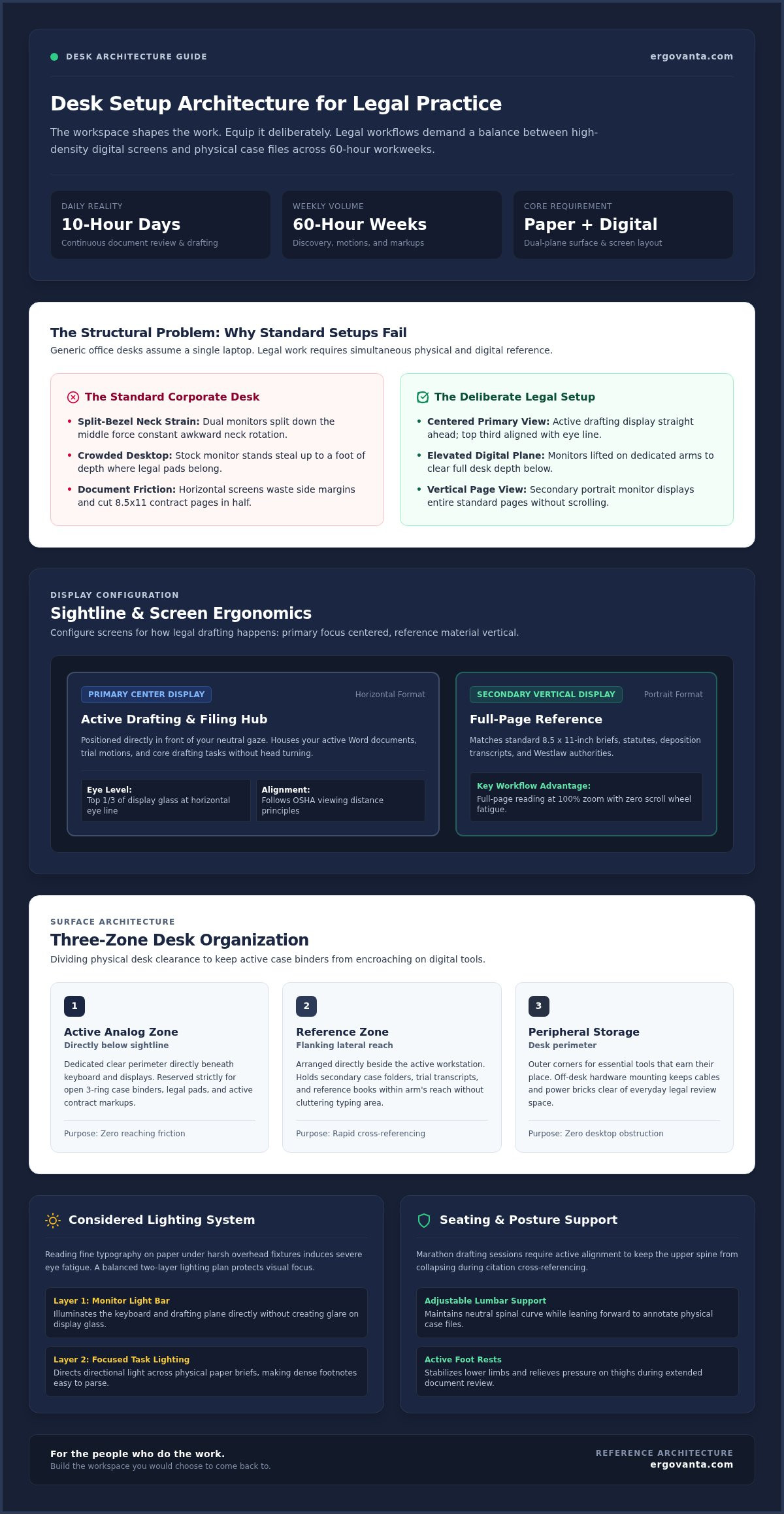
The workspace shapes the work. Equip it deliberately. Standard commercial office desks are built around a single assumption: one laptop, a mouse, and an empty surface. For general corporate administration, that works. For legal practice, it fails almost immediately. Attorneys divide marathon days between high-density digital displays and thick stacks of physical case documents, creating a hybrid workflow that generic office furniture simply was not designed to accommodate.
When you spend sixty hours a week reviewing discovery files, drafting motions, and marking up physical contracts, standard equipment creates daily friction. Awkward neck rotation between poorly placed monitors and flat desktop pads leads directly to muscular fatigue. Building a dedicated desk setup for lawyers is not about visual styling; it is about preserving physical stamina across demanding billable hours and long trials.
To see how intentional layout choices create a calmer, more functional workstation, watch this visual walkthrough:
The Physical Reality of Document-Heavy Screen Work
Legal drafting requires intense visual tracking across multiple windows. When you bounce between trial transcripts, Westlaw tabs, and a Word document, static neck posture takes an immediate toll. Straining forward to cross-reference citations triggers upper shoulder knots and eye fatigue. Over time, that physical drag clouds analytical focus. Your setup should support your posture naturally so your energy stays focused on the arguments on the page.
Dividing Real Estate Between Screens and Physical Briefs
A true desk setup for lawyers must treat physical paper as a first-class citizen. Most stock monitor stands sit directly on the desk, claiming a foot of front-to-back depth right where your legal pad belongs. Consider how your space divides everyday real estate:
- The active analog zone: Clear desk clearance directly below your line of sight for open three-ring binders and redline markups.
- The elevated digital plane: Screens raised on dedicated hardware, completely off the desk surface, freeing the perimeter for case files.
- Postural alignment: Seating that integrates proven principles of ergonomic chair design to keep your spine supported while reaching between keyboard and paper.
When tools earn their place on your desk, paper and pixels work side by side without crowding your thinking.
Display Ergonomics: Configuring Single, Dual, and Vertical Screens for Legal Practice
Most multi-screen setups fail because they are arranged for visual symmetry rather than actual sightlines. Splitting two identical displays down the middle places thick bezels directly in front of your nose, forcing you to keep your neck cranked all afternoon. In a functional desk setup for lawyers, screen placement must reflect how you actually read and draft: one centered workstation for active writing, flanked by dedicated reference glass.
The Case for a Vertical Secondary Screen
A portrait-oriented monitor is uniquely suited to legal text. Because appellate briefs, statutes, and contracts use standard 8.5 by 11-inch pages, typical horizontal monitors waste side margins while cutting paragraphs in half. Rotating a secondary screen vertically displays entire pages at full zoom. You can scan deposition transcripts or discovery records from top to bottom without touching a scroll wheel, keeping your authorities in view while drafting on the primary screen.
Proper Monitor Height and Eye Alignment
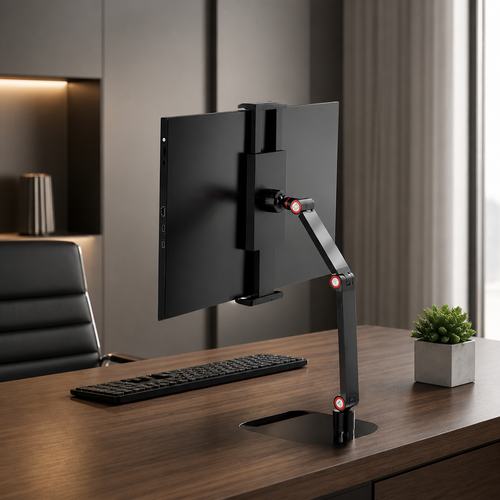
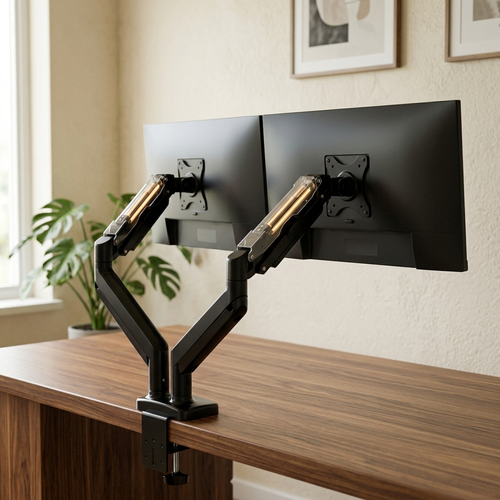
Looking down at low displays rounds your shoulders and leads to chronic upper spine tension. The fix is straightforward: align the top third of your display glass directly with your relaxed, horizontal eye line. Following established OSHA ergonomic guidelines for viewing distances and vertical angles keeps your neck in a neutral posture throughout long research blocks. Lifting your screens with monitor arms or solid monitor laptop stands also reclaims valuable square inches underneath for open exhibits.
Laptop Ergonomics in Hybrid Court and Office Workflows
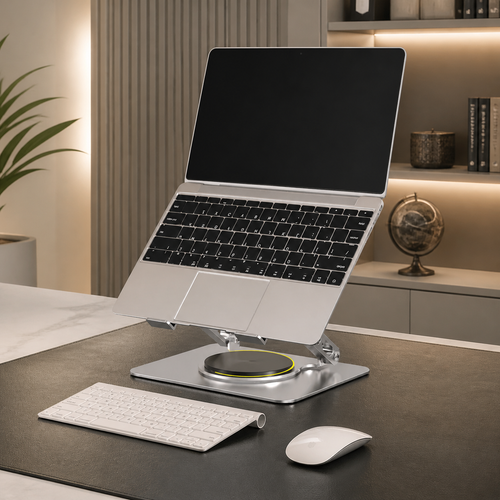
Attorneys shuttling between the courtroom and the office often rely on a single laptop. Working directly off a flat portable computer on a bare desk invites wrist compression and hunching. Equipping an adjustable stand lets you position the laptop screen as a secondary reference panel at proper eye height. Pair it with an external mechanical keyboard and mouse to give your forearms a natural resting angle. If you need help tailoring hardware dimensions to your desk footprint, you can always reach out for setup guidance to get it right.
Considered Lighting: Eliminating Eye Strain Across Paper and Glass
Most commercial offices rely on fluorescent ceiling troffers that flood the room with flat, aggressive light. In an intentional desk setup for lawyers, that overhead wash creates an immediate operational problem. Glass monitors bounce harsh reflections directly into your eyes, while your own hands cast sharp shadows across paper exhibits and legal pads. Reading ten-point contract clauses on physical paper while referencing digital precedent forces your eyes into continuous, fatiguing adjustments between disparate brightness levels.
Solving this conflict requires separating ambient room glow from focused desk illumination. By layering dedicated lighting solutions, you balance brightness across both paper and glass. An asymmetric monitor light bar mounts directly atop your screen, projecting light down across your keyboard and notepad without casting any glare back off the monitor panel.
Balancing Screen Luminance and Ambient Light
A luminous display sitting in a dark room strains your iris muscles, leading quickly to headaches and visual fatigue. Soft, indirect light positioned behind your monitors reduces the stark contrast border between bright screens and dark perimeter walls. Aim for an even wash of ambient illumination. When scanning discovery files, clean daylight-balanced light keeps your focus sharp, while shifting to a warmer white during evening drafting eases visual tension.
Directed Task Lighting for Case Folders and Annotations
A functional desk setup for lawyers also demands directed task lighting tailored to physical records. Scanned court filings, stamped exhibits, and faint handwritten notes often have low print contrast that overhead fixtures cannot resolve. An articulated desk lamp allows you to angle focused illumination directly onto open binders without spilling onto your monitors. Choosing lighting with high color rendering makes subtle redline edits, blue pen signatures, and yellow highlighter markings immediately legible.
Desk Surface Architecture: Organizing Case Folders, Notes, and Everyday Tools
A paperless legal practice sounds tidy until trial preparation begins. Between deposition transcripts, evidence binders, and statutory volumes, paper inevitably returns to the desk. The problem is not physical paper itself; it is the absence of intentional surface architecture. Without deliberate boundaries, active files creep forward until they pin your keyboard against the desk edge, forcing you into cramped, hunch-backed typing.
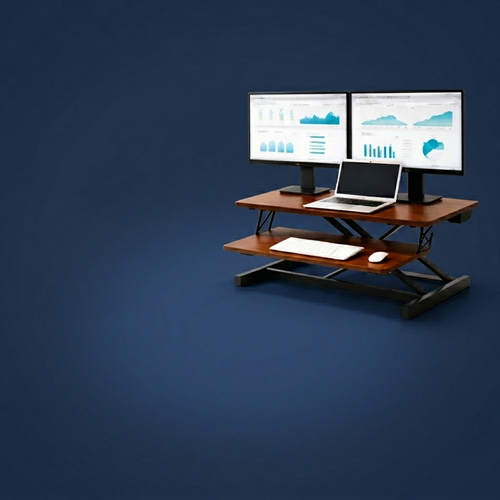
A considered desk setup for lawyers solves this through clear zoning. Durable desk shelves establish a two-tier workspace, lifting monitors while providing clearance beneath to slide away keyboard trays, citation indices, or backup hard drives. Every object on your surface should earn its place through daily utility. Selecting deliberate workspace essentials creates an intuitive workflow that keeps your tools accessible without burying your workspace.
Zoning the Worksurface for Active Matters
Divide your primary desktop into three distinct operational zones:
- The Active Center: Keep this direct field of view clear of permanent clutter. It is reserved exclusively for the document you are drafting or marking up right now.
- The Reference Flank: Place open pleadings binders and active case folders to your non-dominant side within arm reach, letting you verify text without breaking your drafting flow.
- Vertical Case Storage: Store secondary case files in upright desktop dividers rather than flat stacks. Vertical alignment prevents files from becoming cluttered piles that trap urgent motions underneath.
Cable Management and Device Charging Discipline
Tangled cords turn an otherwise ordered desk setup for lawyers into an irritating distraction. Dictation foot switches, webcams, phone chargers, and dual-monitor cables quickly create a web around your knees. Clamping under-desk cable trays beneath the rear frame lifts power strips completely off the floor. Keep dedicated wireless charging stands for firm phones and tablets at the far desk perimeter, ensuring devices stay charged without intruding into your active handwriting space.
Seating Support and Active Posture: Enduring Marathon Drafting Sessions
Sitting motionless through an emergency filing deadline inevitably leads to slouching and lower back stiffness. You can adjust your monitors and lights perfectly, but without deliberate physical support, long drafting blocks will leave you drained. Equipping intentional ergonomics comfort tools helps your body maintain a neutral posture naturally, keeping you alert through the final draft.
Selecting the Right Chair Adjustments for Legal Research
A supportive task chair needs more than a generic foam pad; it requires mechanical adjustability. Look for independent lumbar controls that reinforce the natural curve of your lower back, alongside adjustable armrests. Set your armrests level with the desk surface so your shoulders rest relaxed without shrugging upward while typing. Tilting the seat slightly forward keeps your hips higher than your knees, preventing your pelvis from rolling backward into a slump when reading complex statutes.
Foot Rests and Posture Variations
Fixed desk heights often force you to choose between reaching awkwardly for your keyboard or leaving your feet dangling. An angled foot rest bridges that gap, relieving pressure behind your thighs and stabilizing your lower back. Textured foot boards add another layer of daily utility by encouraging subtle ankle movement while seated. Shifting between sitting and standing throughout the day stimulates blood flow, breaking up the physical stagnation that sets in during intense discovery reviews.
Build a Space Made for the Work
A practical desk setup for lawyers is not built on vanity; it is built for endurance. Legal analysis demands hours of intense, focused reading, and your workstation should shoulder the physical burden so your mind does not have to. When every object earns its place through daily durability and function, grueling deadlines feel manageable. Explore considered desk equipment at Ergovanta to build the workspace you will actually choose to return to, day after day.
Equip Your Space for the Caseload Ahead
A deliberate desk setup for lawyers is not about aesthetic styling; it is practical infrastructure for demanding casework. Aligning vertical displays for full-page brief reviews, layering glare-free task lighting over physical exhibits, and securing dependable posture support changes how you feel after a ten-hour day. When every tool earns its place through functional utility and lasting performance, physical fatigue stops competing with your analytical focus.
Your workspace should remove daily friction rather than create it. With nationwide delivery on lighting, monitor mounts, and ergonomic desk accessories, equipping a station tailored to legal practice is straightforward.
Build a workspace you'd choose to come back to. When your desk actively supports the work, marathon filing deadlines become steady, focused, and entirely manageable.
Frequently Asked Questions
Is a dual monitor or ultrawide setup better for legal practice?
A dual monitor setup featuring one vertical screen is generally better for attorneys than a single ultrawide monitor. Ultrawide displays excel at sprawling side-by-side spreadsheets, but legal practice centers on standard portrait documents. Pairing a landscape display for drafting with a vertical monitor allows you to view an entire brief without scrolling, offering superior flexibility when comparing discovery records against motion drafts.
Can a vertical monitor really improve contract review speed?
Yes, orienting a secondary monitor vertically noticeably accelerates contract and transcript review. Standard letter-size briefs and docket filings fit naturally onto a portrait display at full zoom, showing up to fifty lines of text at once. This orientation eliminates constant mouse scrolling, reduces visual disruption, and lets you verify key definitions or clauses instantly while typing your analysis on your primary horizontal display.
How do I fit multiple case files on a compact desk?
Fit multiple active files onto a smaller desk by elevating displays on monitor arms or desk risers to clear underlying surface space. Use vertical desktop sorters rather than flat document trays, which swallow valuable front-to-back depth. A compact desk setup for lawyers functions best when the central writing zone stays open for immediate drafting, while secondary case folders rest upright on the desk perimeter.
What desk accessories are most important for attorneys working from home?
The most critical home accessories for legal practice are an asymmetric monitor light bar, an articulated monitor arm, and dedicated lumbar support. Long remote drafting sessions cause rapid visual and physical fatigue without proper equipment. Adding an under-desk cable management tray and a stable laptop stand keeps your remote workspace organized and free of distractions, creating a calm environment for demanding research.
How can lawyers prevent eye strain during long document discovery sessions?
Prevent eye strain by balancing your screen brightness with focused, glare-free ambient lighting. Overhead office tubes often create harsh reflections across monitor glass that exhaust your eyes. Using a dedicated monitor light bar directs light downward onto physical exhibits without bouncing back off the screen. Additionally, positioning subtle, warm illumination behind your monitors softens the harsh contrast border between glowing glass and dark walls.
Is a standing desk practical for writing briefs and taking depositions?
A standing desk is highly practical for legal practice, provided you use it intentionally rather than trying to stand all day. Brief writing and dense contract analysis often require seated focus, but alternating to a standing position during remote depositions, client calls, or broad research keeps circulation active. Shifting positions throughout long billable blocks reduces lower back stiffness and restores physical stamina.
Disclaimer
Ergovanta publishes these guides to help people set up better workspaces. Product recommendations reflect what we sell. Specifications, prices and availability are accurate at the time of writing and may change. Nothing here is medical, ergonomic or professional advice; if you have a specific health concern about your workstation, speak to a qualified professional.
From the catalog