July 20, 2026
Reclaiming Your Space: An Intentional Guide to Choosing a Monitor Arm

Your desk is not a storage unit for hardware; it is the surface where your best ideas take shape. If you spend serious hours at a desk, the objects you place on it matter more than you think. Most people settle for the fixed-height stands that come in the box, only to find their desk surface disappearing under a heavy plastic base. A quality monitor arm changes the physics of your workspace. It clears the clutter and puts your screen exactly where it needs to be, allowing the room to follow your work rather than forcing you to follow the technology.
It is frustrating to deal with a cramped desktop or a screen that sits too low, causing constant neck strain. You shouldn't have to tolerate cheap mounts that wobble every time you type or sag after a month of use. This guide is an intentional roadmap to help you equip your workspace with a tool that earns its place. Discover how to select a monitor arm that offers seamless adjustment and structural stability. We will look at VESA standards, weight capacities, and how to build a desk setup that is truly made for the work you do every day.
Key Takeaways
- Reclaim your desk surface by moving your screen onto a monitor arm to clear room for the physical tools you actually use.
- Ensure a secure and stable fit by checking your screen weight and VESA compatibility before you build your setup.
- Decide between gas and mechanical spring mechanisms based on your daily workflow and how often you need to move your display.
- Position the top third of your screen at eye level to support a neutral posture and keep your body feeling aligned during long hours of work.
The Workspace Shapes the Work: Why a Monitor Arm Earns Its Place
The workspace shapes the work. Equip it deliberately. If you spend serious hours at a desk, the room around it matters more than you think. A cluttered environment creates mental friction, making it harder to start the tasks that actually move the needle. Most factory stands are bulky, plastic, and static. They steal your horizontal space and force you to adapt your body to the screen. To build a workspace you actually want to come back to, you have to address the structural layout of your tools.
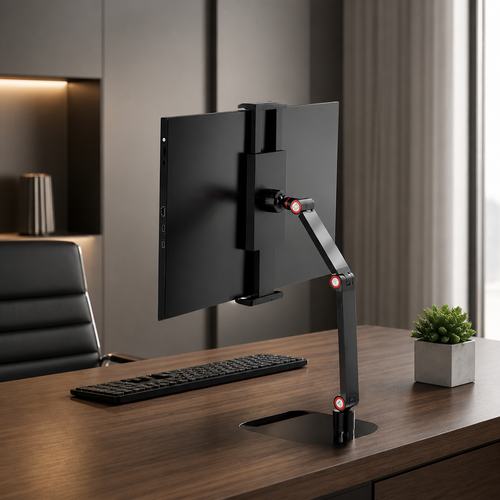
Choosing a Monitor mount is an intentional decision. By suspending your display, you reclaim the real estate occupied by clumsy bases. This isn't about status or office trends; it's about building a space that supports the work you do every day. A monitor arm allows you to position your screen exactly where your eyes need it, ensuring your posture remains natural rather than strained. When your environment follows your body, you can focus on the output rather than the discomfort.
To better understand this concept, watch this helpful video:
When your screen is held at the correct height, your neck and shoulders don't have to compensate for poor design. You stay in the flow longer because your desk isn't fighting you. This cleared space creates a sanctuary for focused tasks. By moving the display off the desk, you make room for the small objects that earn their place. This might be a tactile notebook for sketching ideas or considered lighting that provides the clarity needed for deep work sessions.
Reclaiming Horizontal Real Estate
Vertical storage is the most efficient way to manage a busy desk surface. Most people ignore the air above their desk, yet it is the most valuable real estate you own. Freeing the area directly under your monitor transforms your desktop. It gives you a place to tuck your keyboard when you need to write by hand or a spot for a reference book. Utilizing a monitor arm turns a cramped surface into a room that actually gets used, providing the breathing room necessary for creative and technical work alike.
Selecting a Considered Build: Movement, Weight, and Stability
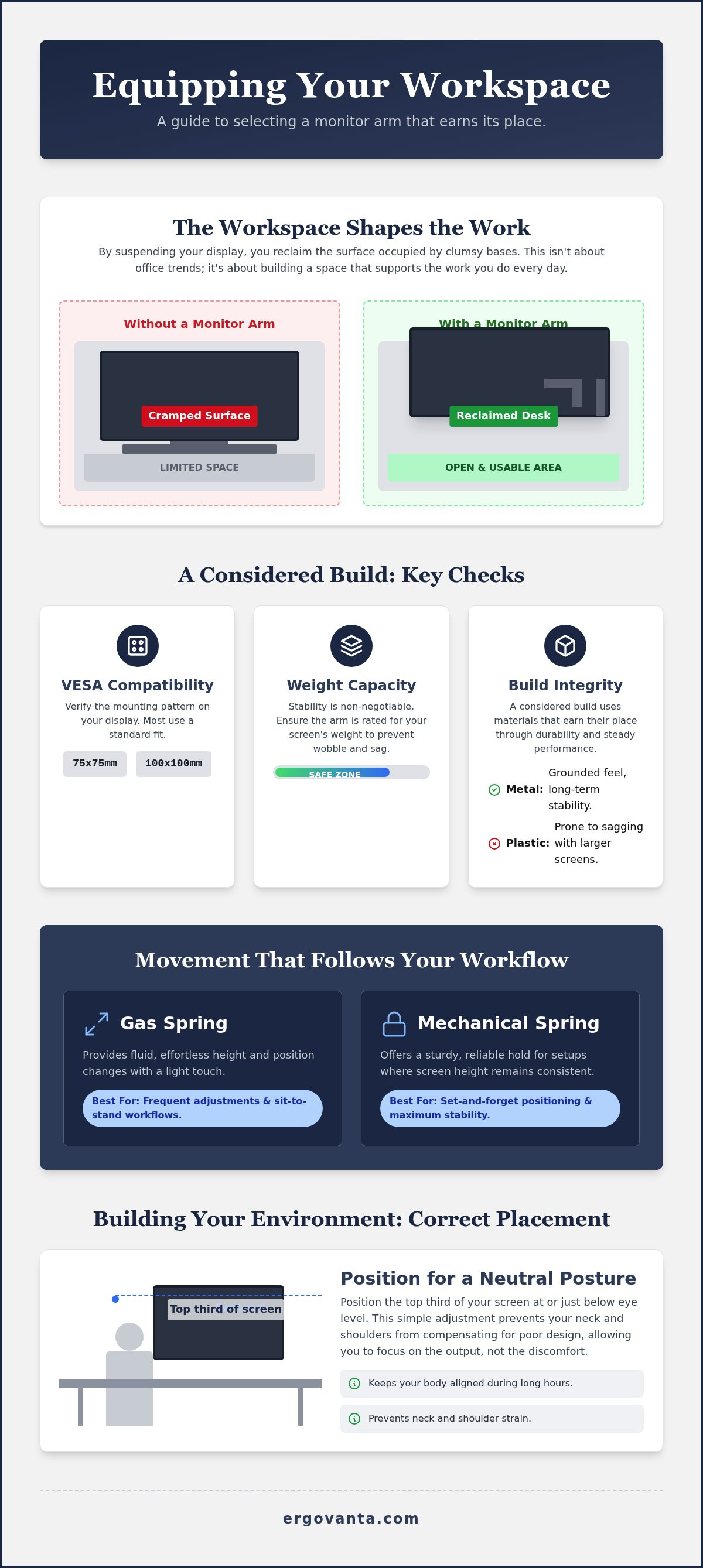
VESA compatibility is the baseline for an intentional setup. Most screens utilize standard 75mm or 100mm mounting patterns. Verify these specifications on the back of your display before you buy to ensure a secure, deliberate fit. A mismatch leads to a setup that feels temporary rather than permanent. You want equipment that fits your screen correctly the first time, preventing unnecessary friction in your workspace build.
Weight Capacity and Build Integrity
Stability is non-negotiable. If your screen wobbles during intense focus sessions, the equipment is failing you. Ensure the monitor arm is rated for the specific weight of your display. Metal builds provide a grounded feel that plastic alternatives cannot replicate. Plastic mounts tend to sag under the weight of larger screens, compromising the order of your space. A considered build uses materials that earn their place through durability and steady performance.
Movement That Follows Your Workflow
Your tools should move with the rhythm of your day. Choose your mechanism based on how often you adjust your view:
- Gas Spring Arms: These provide fluid, effortless height changes for those who frequently transition between sitting and standing.
- Mechanical Spring Arms: These offer a sturdy, reliable solution for setups where the screen height stays consistent.
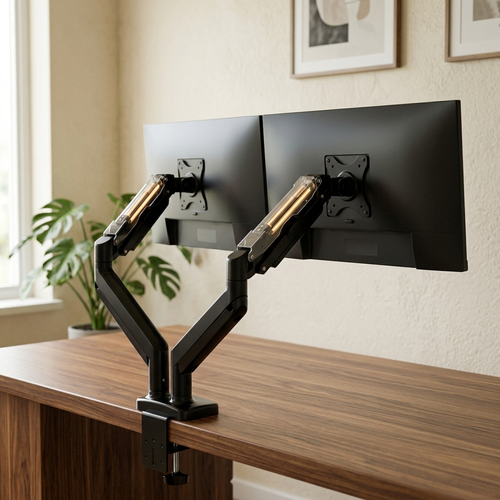
Understanding Office Ergonomics And How It Affects Your Health highlights how small adjustments to tilt and swivel prevent neck strain. If you manage multiple windows or complex projects, a dual monitor mount keeps your streams of information aligned and accessible. This ensures your body stays in a neutral position while your eyes move naturally between tasks.
Clean lines matter. Integrated cable channels are essential to hide the web of wires that usually clutters a desk, maintaining the visual clarity of your room. A workspace made for the work is one where the technology is present but never intrusive. If you need help matching a mount to your specific desk thickness, ask us a question for clear, direct advice.
Building Your Environment: Placement and Integration
Placement is the final step in building a workspace you choose to come back to. Buying a quality monitor arm is only half the battle; you must position it to match your physical ritual. To maintain proper office ergonomics, you should aim to have the top third of your screen at eye level. This ensures a neutral neck position and prevents the late-afternoon fatigue that comes from looking up or down for hours. If you find yourself hunching forward by 3:00 PM, your screen is likely too low.
Focal distance is equally critical for deep work. Your screen should sit roughly an arm length away from your face. If it's too close, you'll feel the strain in your eyes; if it's too far, you'll find yourself leaning forward and breaking your posture. Use the flexibility of your mount to align the display with natural light sources. Positioning the screen at a right angle to windows helps avoid glare without forcing you to sit in a dark room. This considered approach to light and distance makes your workspace feel less like a cubicle and more like a personal studio.
The Room That Gets Used
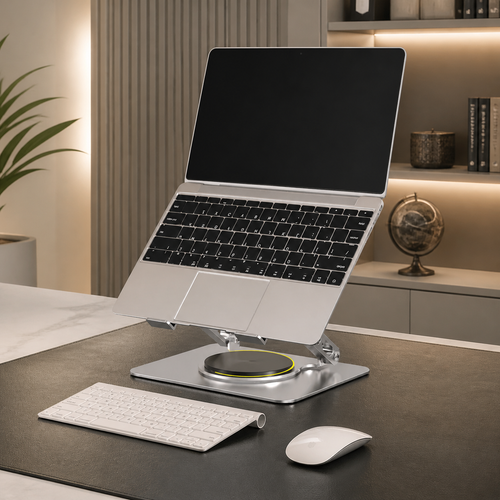
Place the mount where it feels most natural for your specific workflow. Some people prefer their main display centered, while others find an offset position works better for referencing physical documents or secondary screens. Check that the arm's range of motion doesn't obstruct your other tech accessories or your microphone arm. A workspace is an ecosystem where every object must earn its place without crowding out the others. If you use a laptop stand alongside your main screen, ensure the arm allows for a seamless visual transition between the two.
Finally, consider how the display setup interacts with your body. A well-placed screen is a great start, but it works best when you pair it with ergonomic comfort tools like lumbar support or a foot rest. Building your environment is about intentionality. When you equip your space with considered tools, you create a room that is truly made for the work. It's about personal ownership of the space where you spend your most productive hours.
Build the Workspace You Choose to Come Back To
The workspace shapes the work. Equip it deliberately. Choosing a monitor arm is more than a technical upgrade; it's an intentional decision to reclaim the physical room you need to think and create. By focusing on VESA compatibility, weight limits, and metal builds, you ensure your setup is stable and permanent. You've learned how to position your display at eye level and at a proper focal distance to support your body through every deep work session.
These considered designs are made for daily intentional use. They provide the structural stability needed to clear the clutter and make room for the small objects that truly earn their place. We build these tools for the people who do the work, ensuring your environment follows your needs rather than forcing you to adapt to your hardware. It's time to stop tolerating a cramped desk and start building a space that feels like yours.
Equip your space with tools built for the work.
Your environment is a reflection of the work you do. Make it a space you actually want to spend time in.
Frequently Asked Questions
Will a monitor arm damage my desk if I use a clamp mount?
Clamp mounts are safe for most solid wood or metal desks. If your surface is made of thin particle board or glass, the concentrated pressure might cause damage over time. You can use a reinforcement plate to distribute the load and protect your desktop. It's a considered way to keep your equipment stable without ruining the furniture that supports your daily work.
How do I know if my monitor is VESA compatible?
Check the back of your display for four screw holes arranged in a square or rectangle. Most screens follow the 75x75mm or 100x100mm standard. If you see these holes, your screen is ready for a monitor arm. If the back is smooth, you'll likely need a specific adapter. Verifying this compatibility is a small but essential part of building a workspace that actually works for you.
What is the difference between a gas spring and a mechanical spring monitor arm?
Gas spring arms use a pressurized cylinder for fluid, effortless movement. They are great if you often adjust your screen height during the day. Mechanical springs use a coiled metal system for tension. They are typically more durable and offer a stable, set-and-forget feel. Select the build that matches how you use your space, ensuring every tool earns its place on your desk.
Can I mount a heavy ultrawide monitor on a standard arm?
Standard mounts often fail under the weight of a heavy ultrawide screen. These displays have a different center of gravity and usually exceed the weight limits of basic equipment. Using an underrated monitor arm will cause the screen to sag or tilt downward. Always check your screen's weight without the factory stand and choose a heavy-duty mount designed to handle the extra load with stability.
From the catalog