May 27, 2026
The Benefits of a Monitor Light Bar: Building a Workspace for Focus

If you spend serious hours at a desk, the room around it matters more than you think. The workspace shapes the work, so you should equip it deliberately. You've likely felt the sting of dry, itchy eyes after a long session or the frustration of a bulky lamp base hogging your limited desk space. It's a common friction point: you need light to see your notes, but you don't want glare bouncing off your screen. This is where the specific benefits of a monitor light bar become clear. It isn't just another gadget; it's a considered tool that solves the conflict between screen visibility and ambient comfort.
You already know that a cluttered environment leads to a cluttered mind. We'll show you how to build a more intentional workspace by reclaiming your desk real estate and reducing digital eye strain. We're going to explore how this asymmetrical lighting solution helps you stay focused during late nights and why it's one of those small objects that truly earns its place in your space. For the people who do the work, getting the lighting right is the first step toward a better day.
Key Takeaways
- Identify why traditional lighting creates friction. Learn to recognize the physical signs of digital eye strain during long sessions.
- Explore the specific benefits of a monitor light bar: including how asymmetrical beams illuminate your desk without creating distracting screen glare.
- Reclaim your surface by moving your light source to the top of your screen. It's a considered way to build a workspace that feels less cluttered and more intentional.
- Learn how to equip your space by matching light brightness to your monitor. This small adjustment is made for the work and prevents your eyes from overcompensating.
Understanding Eye Strain and the Failure of Traditional Lighting
The workspace shapes the work. Equip it deliberately. Most people don't think about their desk lighting until their eyes start to burn late in the afternoon. That tired, heavy feeling in your eyes after a few hours of focus isn't just part of the job. It's digital eye strain, and it's often caused by the very lights meant to help you see. Standard overhead lighting is frequently too harsh, casting deep shadows exactly where you're trying to read a physical notebook or see your keyboard. It creates a high-contrast environment that forces your eyes to work harder than they should just to maintain clarity.
To better understand this concept, watch this helpful video:
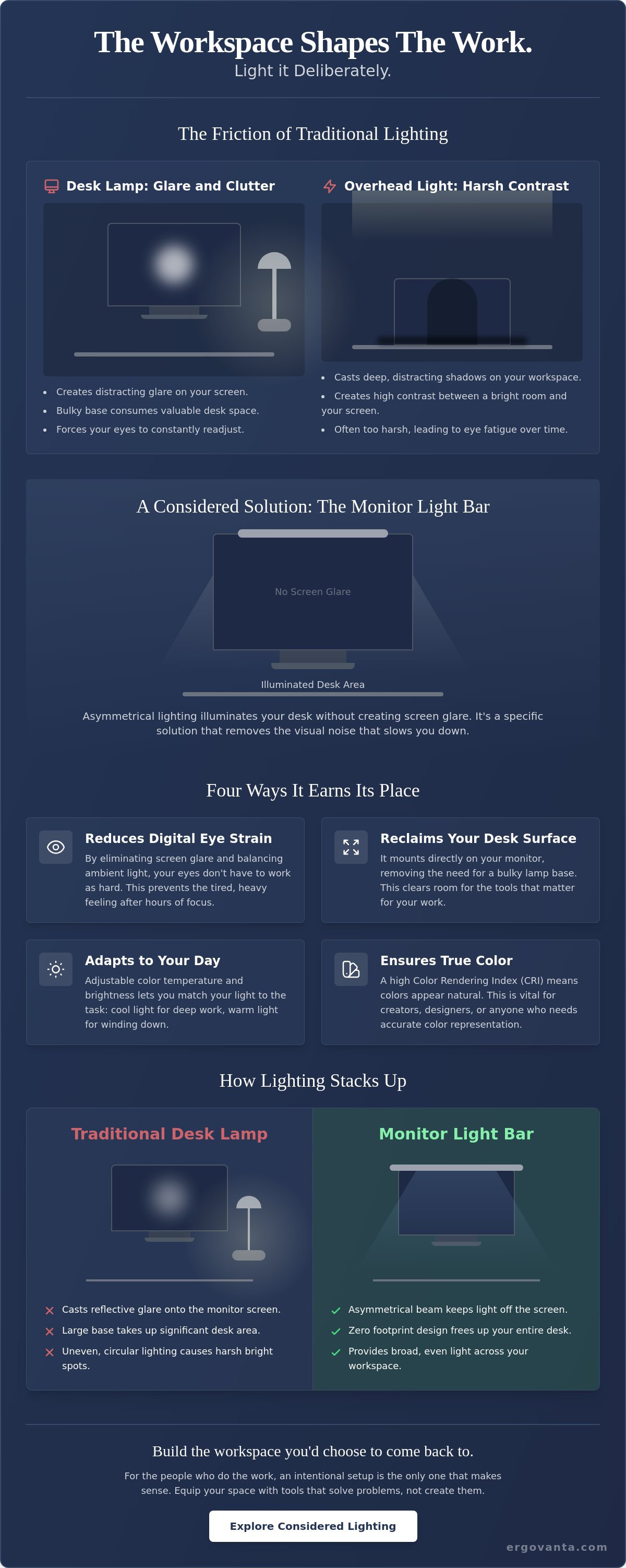
Traditional desk lamps aren't the solution either. Most lamps throw light in a wide circle, which inevitably hits your monitor screen. This creates distracting reflections and "hot spots" on the glass. When light bounces off the screen, your eyes have to struggle to see through the glare to find the text behind it. One of the primary benefits of a monitor light bar is its ability to solve this problem by providing light that is strictly directional, illuminating your desk while leaving the screen clear. It removes the visual noise that slows you down.
The Science of Screen Glare
Light bouncing off a monitor surface is more than just an annoyance; it is a physiological drain. Your pupils are constantly dilating and contracting to manage the difference between the bright glare and the dark text. You can mitigate this by using bias lighting principles to balance the light in your room. When you evaluate the benefits of a monitor light bar, you'll find that it's about more than just aesthetics: it's about physical comfort. By choosing to build a setup with tools designed for the task, you reduce the strain on your vision. Check out our considered lighting collection to see how the right tools can change the way your room feels. For the people who do the work, an intentional setup is the only one that makes sense.
The Core Benefits of a Monitor Light Bar for Your Space
If you spend serious hours at a desk, the room around it matters more than you think. A monitor light bar isn't just a lamp; it's an intentional way to equip your space for the work. Unlike traditional lamps that cast light in every direction, these bars use an asymmetrical optical design. This means the beam is directed specifically at your desk surface and keyboard, missing the screen entirely. It eliminates the glare that often leads to Computer Vision Syndrome, allowing you to focus on the task instead of fighting reflections.
One of the most immediate benefits of a monitor light bar is the physical space you get back. Most desk lamps require a large, heavy base that eats up valuable real estate. By mounting the light directly to the top of your monitor, you clear the clutter. This leaves more room for the small objects that earn their place, like your notebook or a cup of coffee. It's a considered choice for anyone working with a compact setup where every square inch counts.
- Adjustable Color Temperature: Switch between cool white light for morning deep work and warm amber tones for evening sessions. This helps your brain signal when it's time to wind down.
- High Color Rendering Index (CRI): A high CRI ensures you see the actual colors of your tools and sketches as they were intended. This is vital for creators and designers who need color accuracy.
- Minimalist Footprint: The bar stays out of your way, integrating seamlessly with your existing monitor setup without requiring extra desk depth.
Intentional Space Management
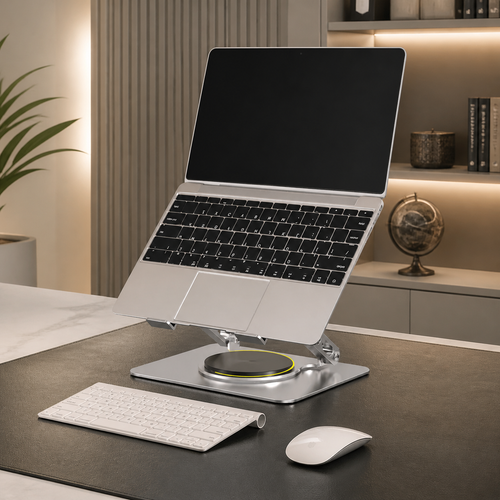
A clear desk promotes a clear head. When you remove the bulky lamp base, you create a more streamlined environment. These light bars are designed to work alongside other workspace essentials, such as monitor stands or laptop risers, without competing for surface area. It's about selecting tools that serve a purpose without adding noise. If you have questions about how to build your ideal setup, feel free to reach out to our team for advice on choosing the right tools for your space.
Optimizing for Focus
A light bar creates a dedicated "pool of light" that defines your focus zone. This concentrated illumination helps draw your attention to the work in front of you, minimizing distractions from the rest of the room. Most quality models also feature flicker-free technology. This is a small but critical detail that helps reduce the headaches and eye fatigue that often follow a long day of screen time. It's about building a space that supports you, not one that drains you. Equip your desk deliberately, and the work will follow.
How to Equip Your Desk to Reduce Eye Strain
The workspace shapes the work. Equip it deliberately. Owning your environment means going beyond just buying a gadget; it requires setting it up to serve you. To fully realize the benefits of a monitor light bar, you must position it with precision. Align the front edge of the light beam so it hits your keyboard and desk surface but stops just before the screen. This ensures your physical tools are visible while keeping the monitor surface free from reflections. It is a small adjustment that makes a significant difference in how your eyes feel after four hours of focus.
Contrast is the enemy of long term comfort. If your monitor is glowing in a pitch-black room, your eyes are forced to constantly adjust to the light difference. Match the brightness of your light bar to the brightness of your screen to eliminate this contrast strain. To build a workspace you would choose to come back to, combine this lighting strategy with other ergonomic tools like lumbar pillows or foot rests. A setup that supports your body allows you to stay in the zone longer without the physical drain.
Practice the 20-20-20 rule to give your vision a necessary break. Every 20 minutes, look at an object 20 feet away for at least 20 seconds. It is a no-nonsense habit that works alongside your gear to keep you sharp. For the people who do the work, these small rituals are just as important as the objects on the desk.
Setting the Right Temperature
Light temperature dictates the rhythm of your day. Use cool white light (5000K or higher) for morning productivity to help you stay alert. When you reach the final two hours of your session, switch to a warm yellow (2700K). This reduces blue light exposure and signals to your brain that it is time to wind down. It is an intentional way to transition from the intensity of work to the ritual of rest.
Installation and Maintenance
Most bars utilize a weighted clip designed for both flat and curved monitors. They stay secure without damaging the panel or blocking your webcam. Maintenance is simple but vital. Keep your monitor dust-free; a clean screen is essential for the light bar to work effectively. Dust particles catch the light and create micro-glare that can distract you. One of the primary benefits of a monitor light bar is the clarity it provides, so keep the glass clear to maintain that advantage.
Equip Your Desk for the Work Ahead
Your workspace should be a place where focus comes naturally. By understanding the specific benefits of a monitor light bar, you can eliminate the glare that causes digital eye strain and reclaim the physical space a traditional lamp would take. It's about more than just lighting; it's about making a considered choice to build a setup that actually supports the hours you spend at your desk. You've learned how to position your light for maximum clarity and how to use color temperature to manage your daily rhythm effectively.
Every object on your desk should earn its place. We build considered tools for intentional spaces because we believe the environment shapes the work. For the people who do the work, getting the details right is the first step toward a more productive day. If you're ready to build a workspace you'd choose to come back to, Build a workspace made for the work: Shop the Ergovanta collection and start equipping your desk deliberately. Check our current shipping policies to see how you can qualify for free delivery on your order. Keep building a space that feels like yours.
Frequently Asked Questions
Will a monitor light bar work on a curved monitor?
Yes, most modern light bars are designed to work on curved monitors. They utilize a weighted clip system that rests securely on the top edge of the display. This design is compatible with both flat and curved panels, provided the curvature isn't extremely aggressive. It's a considered way to equip your space without worrying about the specific geometry of your screen, ensuring the light remains stable during long sessions.
Do monitor light bars cause glare on the screen?
No, they don't cause glare when positioned correctly. One of the primary benefits of a monitor light bar is its asymmetrical optical design. Unlike standard lamps, the light is directed downward at a specific angle. This ensures the beam illuminates your desk and keyboard while missing the glass of your monitor entirely. It's an intentional solution for those who want to reduce eye strain without dealing with distracting reflections.
Is a monitor light bar better than a regular desk lamp?
For screen-based work, the light bar is often the superior choice. It saves significant desk space by mounting to your monitor and eliminates the screen reflections that traditional lamps often cause. However, if your work involves purely tactile tasks like detailed drawing or physical drafting, a traditional desk lamp might still serve you well. For most setups made for the work, the light bar is the more efficient and focused tool.
Can I power a light bar from my computer USB port?
Yes, you can power most light bars directly from a USB-A or USB-C port on your computer or monitor. This keeps your cable management simple and intentional, as you won't need to hunt for an extra wall outlet. It's a functional benefit that helps you build a workspace you'd choose to come back to. This streamlined power source ensures your desk remains organized and ready for the work you need to do.
From the catalog