May 10, 2026
Dual Monitor Mounts: Building the Two-Screen Setup

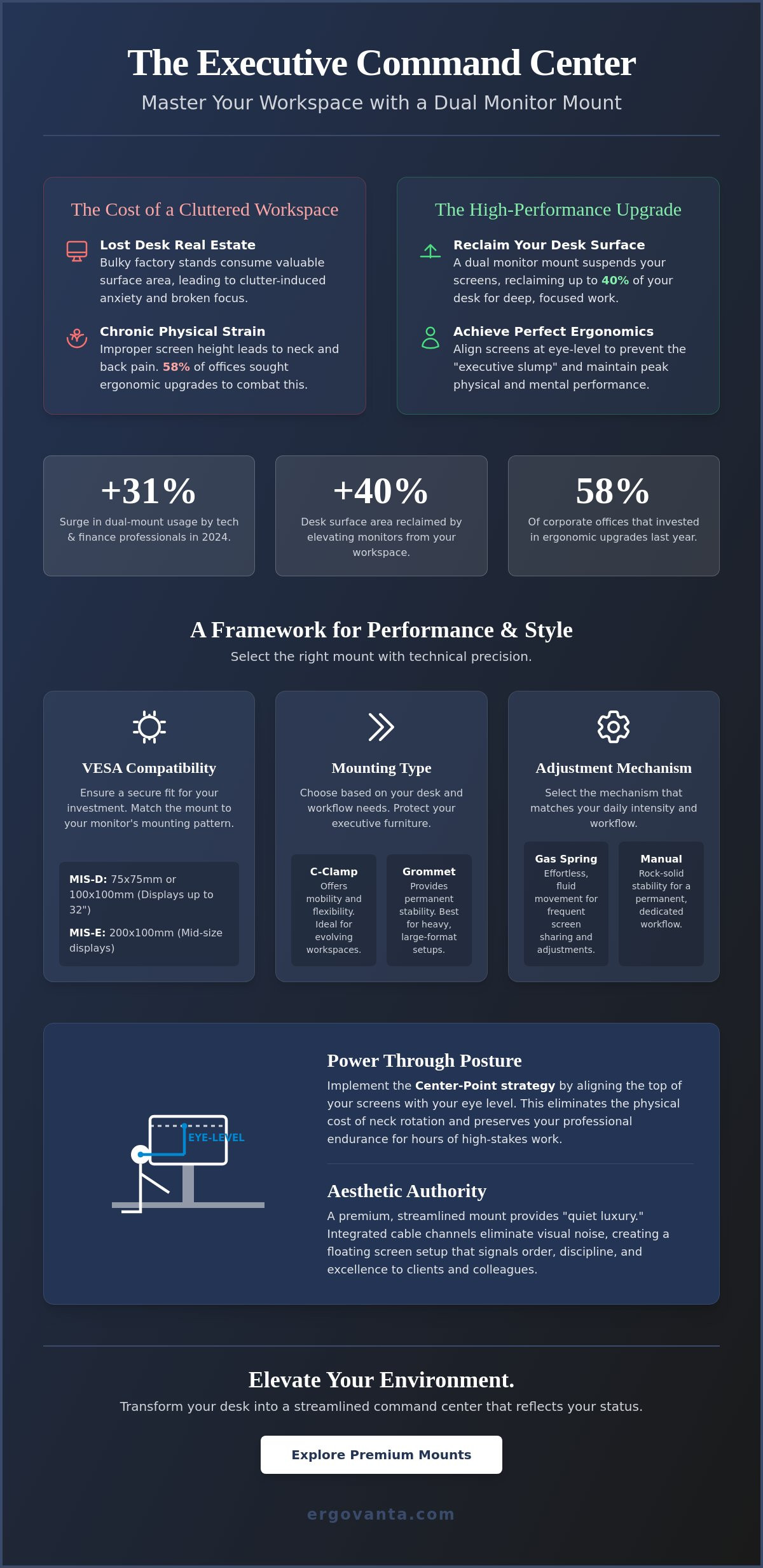
In 2024, dual-monitor desk mount usage surged by 31% among technology and finance professionals who refuse to settle for mediocrity. You've likely felt the frustration of a workspace that lacks order. Bulky factory stands consume your desk real estate while improper screen heights lead to the chronic neck strain that 58% of corporate offices sought to fix via ergonomic upgrades last year. Integrating a high-quality dual monitor mount is the first step toward reclaiming your clarity. Your office is power. It shouldn't be a source of physical discomfort.
This guide shows you how a quality mount transforms your desk into a high-performance executive command center. You'll learn how to achieve perfect ergonomic alignment without risking damage to your high-end furniture. We'll cover everything from VESA compatibility standards to the sophisticated hardware that reflects your professional status and drives your daily success.
Key Takeaways
- Reclaim your desk surface to foster Visual Flow and minimize distractions during deep work sessions.
- Select a quality dual monitor mount by prioritizing heavy-duty weight capacity and universal VESA compatibility for your displays.
- Implement the Center-Point strategy to align your screens perfectly and eliminate the physical cost of neck rotation.
- Audit your workspace with a pre-installation checklist to ensure seamless hardware integration with your existing executive furniture.
- Elevate your environment into a streamlined command center that reflects your professional status and inner drive.
The Executive Command Center: Why a Dual Monitor Mount is Essential for Professional Clarity
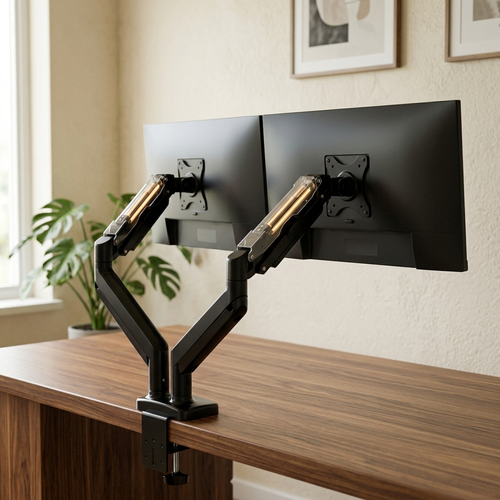
A dual monitor mount is more than a tool; it's a precision-engineered mechanical arm system. It suspends your screens to reclaim up to 40% of your desk surface area. By lifting monitors, you remove the clutter-induced anxiety caused by standard, bulky stands. This setup facilitates "Visual Flow." It allows you to move between deep work and high-level communication without breaking your rhythm. Multi-monitor setups offer the digital canvas required for modern leadership, but the mount provides the physical structure. In 2024, dual-monitor desk mount usage increased by 31% among technology and finance professionals. At Ergovanta, we believe elevation is a metaphorical step toward career growth. Your office is power.
To see how this transformation looks in practice, watch this setup guide:
The Ergonomic Imperative: Power Through Posture
Professional clarity begins with your physical state. Achieving eye-level alignment prevents the "executive slump" that compromises your posture and professional presence. This positioning ensures your screens are exactly where they need to be to maintain energy throughout the day. By respecting the "Neutral Reach Zone," you keep all essentials within a comfortable radius. Ergonomic health is a requirement for long-term professional endurance. It's the foundation of a sharp, focused mind. When you optimize your posture, you're investing in your ability to lead with confidence for hours on end.
Aesthetic Authority: Designing for Status
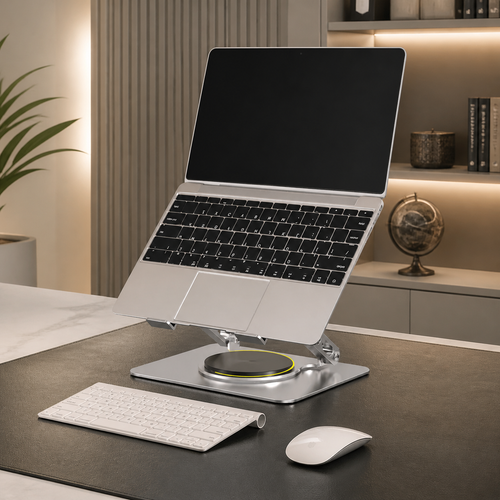
Design your space for status. Industrial, budget mounts often look cluttered and unrefined. Choose quality, streamlined designs that offer "quiet refined" instead. A floating screen setup creates an immediate impact on clients during video calls. It signals that you value order, discipline, and excellence. You can further refine your workspace by pairing these mounts with high-end monitor and laptop stands. Your environment should reflect your success. Don't settle for a workspace that looks like an afterthought. In 2024, 58% of corporate offices upgraded their ergonomic workstation equipment to reflect this shift toward high-performance aesthetics.
Selecting the Right Dual Monitor Mount: A Framework for Performance and Style
Selecting a dual monitor mount requires a focus on structural integrity and technical precision. High-performance executive displays often exceed the weight limits of entry-level hardware. For screens up to 32 inches, verify your mount supports the VESA MIS-D standard, which utilizes 75x75 mm or 100x100 mm patterns. If your setup includes larger, mid-size displays, you'll need hardware compatible with the MIS-E standard (200x100 mm). VESA compatibility is the essential bridge between your monitor and the mount. It ensures your investment is secure and perfectly aligned.
Your desk surface deserves protection. While C-clamps offer mobility for evolving workspaces, grommet mounts provide permanent stability for heavy, large-format setups. Integrity in design means your equipment works with your furniture. Quality mounts include padded contact points or specialized mounting plates to ensure the hardware won't mar expensive walnut or glass surfaces. Don't let a low-quality clamp ruin a high-end executive desk. Precision in the attachment phase is what separates an amateur setup from a true command center.
Mechanical Precision: Gas Spring vs. Manual Adjustment
Gas spring arms offer effortless, fluid movement. This is vital for professionals who frequently share their screen during presentations or adjust the ergonomics of monitor placement throughout the day. In contrast, fixed-height manual mounts provide rock-solid stability for those with a permanent, dedicated workflow. Select the mechanism that matches your daily intensity. The goal is a setup that responds to your needs without resistance.
Cable Management: The Final Step to Executive Order
Executive order requires a cord-free visual field. Integrated cable channels hide the tech-chaos of power and display cords, allowing your mind to focus on high-level strategy. A clean workspace is a source of psychological power. It eliminates visual noise and reinforces your professional status. Explore our collection of ergonomics and comfort essentials for a total desk overhaul. If you have questions about specific desk thicknesses or material compatibility, reach out to our team for personalized support.
Optimizing Your High-Performance Workspace: Installation and Integration
Excellence requires preparation. Before you secure your dual monitor mount, run a pre-installation checklist. Verify your desk clearance and ensure all monitor ports remain accessible once the arms are in place. Use the "Center-Point" Strategy for maximum efficiency. Align your primary screen directly in front of your field of vision. Position the secondary screen to allow for zero neck rotation. This alignment isn't just about comfort; it's about maintaining a command position throughout your workday.
Precision adjustment is the next step. Fine-tune the arm tension to match the exact weight of your specific displays. Your screens should move with a light touch but remain perfectly still once released. Position for power by adjusting the height and tilt. This eliminates glare from quality office lighting and ensures your digital canvas remains crisp. A well-calibrated workspace removes the friction between your intent and your execution.
The Holistic Desk: Beyond the Mount
View your workspace as a complete ecosystem. Integrate your mount with other executive essentials like leather desk mats and minimalist organizers. When you elevate your monitors, your lighting needs change. Adjust your lamps to avoid screen wash-out and maintain a sophisticated atmosphere. A dual mount also reclaims enough surface area to accommodate a refined bar and refreshment setup for your end-of-day rituals.
Ready to Elevate Your Office?
Your workspace is a direct reflection of your professional identity. It's time to transition from a functional desk to a professional sanctuary. Every detail, from the tension of the mechanical arms to the clarity of your visual field, signals your commitment to excellence. Elevate the way you work. If you're ready to design a bespoke setup that matches your ambition, consult with our experts today. Your office is power. Own it.
Command Your Professional Sanctuary
Your workspace is the structural foundation of your daily performance. By selecting a quality dual monitor mount, you've moved beyond simple organization. You've established a command center that prioritizes visual flow and ergonomic precision. This setup eliminates the physical strain that compromises your long-term focus. It ensures your environment works as hard as you do. A streamlined desk isn't just about aesthetics; it's about removing every obstacle between your ambition and your execution.
Ergovanta remains a leader in high-end office decor and lighting designed specifically for the modern, ambitious professional. We provide a curated selection of quality ergonomic tools that bridge the gap between utility and quiet refined. Our consultants understand that your environment is a direct reflection of your drive. Don't settle for a workspace that doesn't reflect your status. Your office is power. It's time to refine your surroundings to match your professional trajectory. Elevate your professional sanctuary; contact our executive consultants today. We're ready to help you build a workspace that inspires excellence every single morning.
Frequently Asked Questions
Can a dual monitor mount work on a glass desk?
Yes, a dual monitor mount can work on tempered glass desks if you use a specialized reinforcement plate. These steel plates distribute weight across a larger surface area to prevent localized stress fractures. Ensure your glass is at least 10 mm thick to handle the pressure safely. Avoid grommet mounts that require drilling, as this compromises the structural integrity of the glass and leads to shattering.
How do I know if my monitors are VESA compatible?
Check the back of your screen for four threaded holes arranged in a square or rectangular pattern to confirm VESA compatibility. The MIS-D standard is the most common, featuring 75x75 mm or 100x100 mm spacing for monitors up to 32 inches. If your display has a smooth back, you'll likely need a specialized VESA adapter bracket. Always consult your manual to confirm the specific pattern before investing in new hardware.
What is the weight limit for most dual monitor arms?
Weight limits vary by model, but a standard dual monitor mount typically supports 17.6 pounds per side, while heavy duty versions handle up to 40 pounds. High performance gas spring systems are designed to hold these weights without sagging or losing their alignment. Always calculate your monitor's weight without its original factory stand to ensure you stay within these mechanical limits. Precision matching ensures your screens remain stable during high intensity work.
Will a monitor mount damage my wooden desk?
A high quality mount won't damage a wooden desk if it includes rubberized padding at the contact points. These protective layers prevent scratches and pressure marks on quality surfaces like solid walnut or mahogany. If you're concerned about softer wood species, a reinforcement plate offers a second layer of defense by spreading the clamping force. Proper installation maintains the integrity of your executive furniture while providing the elevation you need for professional success.
From the catalog