June 3, 2026
The Real Benefits of Using a Monitor Arm: Equip Your Workspace for the Work

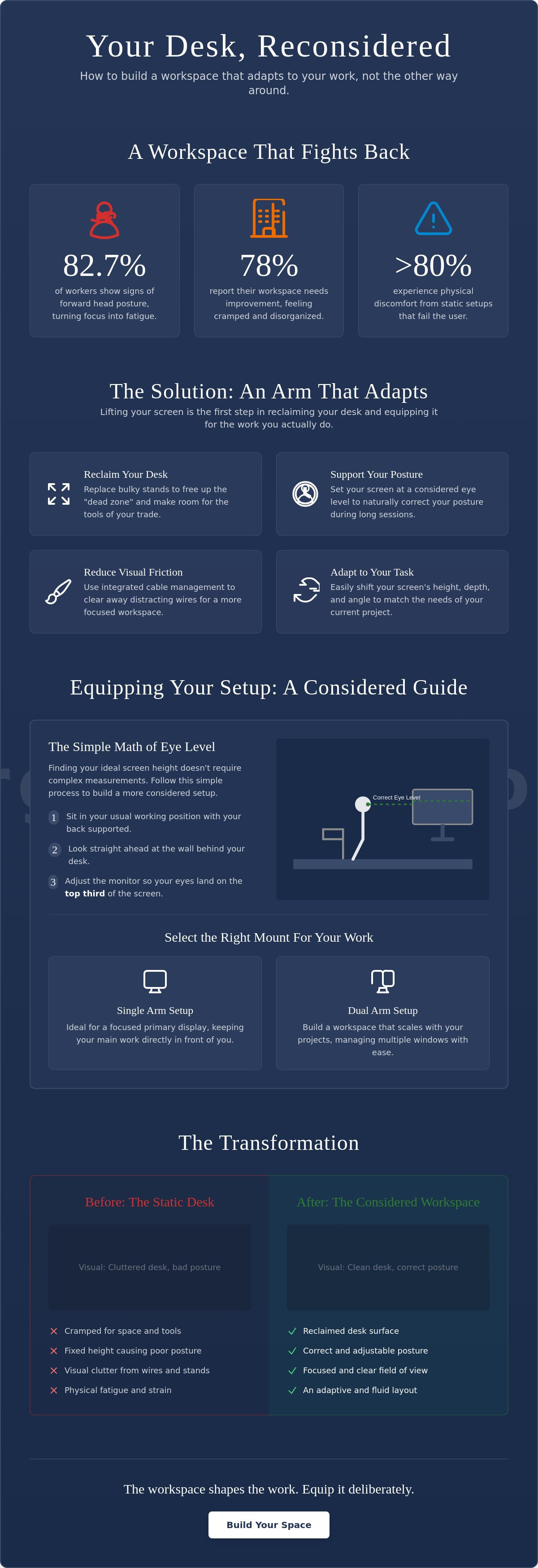
If you feel a persistent tug at the base of your skull by mid-afternoon, you aren't alone. Research from 2025 shows that 82.7% of office workers now exhibit forward head posture, a condition that turns a long session of focus into a week of physical recovery. You likely know the frustration of a desk that has grown too small for your projects, where tangled cables and a fixed screen height dictate how you sit and how you think. It is difficult to stay intentional when you are literally cramped for space.
The real benefits of using a monitor arm start with the realization that your desk is a tool you should own, not just a surface you occupy. By lifting your screen, you don't just fix your posture; you reclaim the physical territory needed to do the work. This guide explores how to equip your workspace to reduce fatigue and clear the mental distractions caused by a cluttered environment. Discover how a considered setup allows your desk to adapt to different tasks, ensuring the space around you finally feels like yours.
Key Takeaways
- Reclaim the "dead zone" on your desk by replacing bulky factory stands with a more intentional mounting solution.
- One of the primary benefits of using a monitor arm is the ability to set your screen at a considered eye level, which naturally corrects your posture during long sessions.
- Learn how to equip your workspace with tools that earn their place by selecting the right mount for your specific monitor weight and size.
- Build a workspace that scales with your projects by choosing between single and dual setups to suit the way you actually work.
Reclaiming Your Workspace: The Functional Advantage of a Monitor Arm
The workspace shapes the work. Equip it deliberately. If your desk is a battlefield of plastic stands and tangled wires, you're losing ground before you even start. Lifting your screen off the surface is the first step in reclaiming that "dead zone" occupied by bulky factory stands. Since 78% of remote employees report their workspace needs improvement (FMC Group, 2026), starting with the surface itself is a logical move. By moving the monitor, you aren't just shifting hardware; you're deciding how your space functions.
Intentionality in layout is about choosing exactly where your focal point sits. When you equip your desk with a monitor arm, you create room for the small objects that actually earn their place: a physical notebook, a tablet, or the dedicated tools of your trade. This shift provides some of the most immediate ergonomic benefits of a monitor arm, turning a cluttered surface into a surface made for the work.
To see how this transformation looks in practice, watch this breakdown of why these tools are often overlooked:
Eliminating Visual and Physical Friction
A floating screen does more than save space; it reduces the mental load of a cluttered desk. Visual friction, like messy cables, distracts from deep focus and makes a space feel temporary. Most arms include integrated cable management, which is essential for building a room that gets used rather than just a place where stuff accumulates. You can explore workspace essentials to see how these small adjustments lead to a more considered environment that supports your daily output.
Adaptability for Deep Work
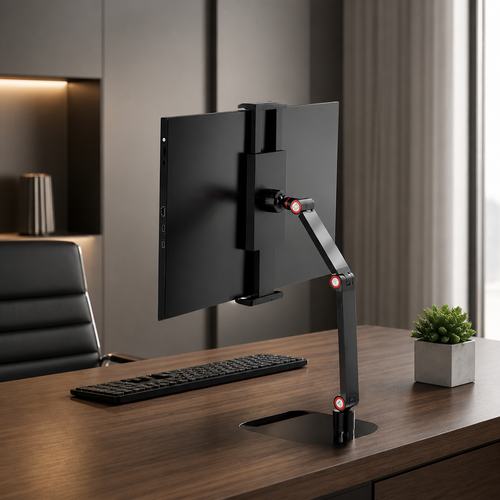
Fixed stands are rigid. They assume you work the same way for eight hours, but the reality of a busy day is different. You might need the screen closer for detail-heavy coding or pushed back to create space for an analog brainstorming session. One of the key benefits of using a monitor arm is this fluidity. Your setup should adapt to your specific tasks, not the other way around. By removing the physical limitations of a static stand, you build a workspace that stays out of your way while you do the work.
Improving Your Physical Connection to the Desk
If you spend serious hours at a desk, the room around it matters more than you think. Most furniture is built for an "average" person who doesn't actually exist, which is why static stands usually fail the user. When you're stuck with a fixed screen height, you inevitably develop the "laptop lean," a slouch that turns into a dull ache by the afternoon. Data from Kachika World indicates that over 80% of remote workers experienced physical discomfort in 2025 or 2026. One of the core benefits of using a monitor arm is that it forces the equipment to adapt to you, not the other way around.
Adjusting for the person rather than the desk is about intentionality. Maintaining good posture isn't about sitting like a statue; it's about having a setup that supports your natural movement. Precise depth and tilt adjustments also reduce eye fatigue by ensuring your focal point is exactly where it needs to be. When your screen is at a considered height, you stop fighting your environment and start focusing on the work.
The Simple Math of Eye Level
Finding your ideal height doesn't require a degree in ergonomics. Follow this simple process to build a more considered setup:
- Sit in your usual working position with your back supported.
- Look straight ahead at the wall behind your desk.
- Adjust the monitor arm so your eyes land on the top third of the screen.
Focal length is just as vital. Being able to pull the screen forward for intense focus or push it back to clear your field of vision is a functional advantage factory stands can't match. You can check out ergonomics and comfort tools to find other ways to equip your space for long-term use.
Versatility Across Shifts
Your posture in the first hour of work is rarely the same as in the eighth. As fatigue sets in, you might shift in your seat or stand up. For those using the 2026 research-backed "30:15 sit-stand ratio" (30 minutes sitting followed by 15 standing), on-the-fly adjustments are a requirement. A monitor arm allows you to tilt or raise the display in seconds, ensuring your physical connection to the desk remains consistent even as your position changes. If you have questions about which setup fits your specific workflow, feel free to reach out to our team for a more personal perspective.
Choosing and Equipping Your Setup for the Long Haul
Equip your desk with tools that earn their place. Selecting the right mount starts with the physical weight of your display; if the arm cannot support the screen, it isn't made for the work. A considered, heavy-duty clamp is essential for focus because it eliminates the subtle wobbles that occur during intense typing or movement. While installation takes a few minutes, it is a one-time investment in your daily environment that pays off every time you sit down to focus.
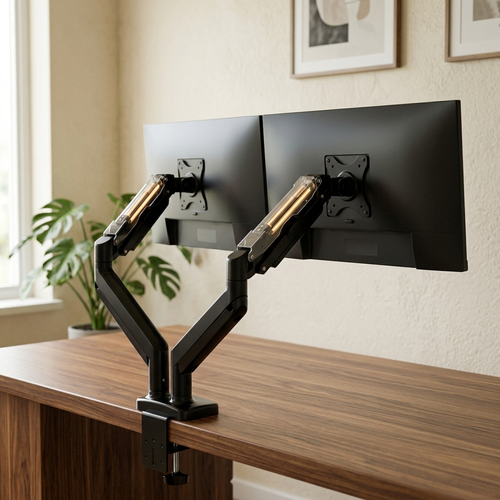
Building a setup that scales with your projects often means deciding between single and dual configurations. One of the core benefits of using a monitor arm is the ability to align two different screens perfectly, which is nearly impossible with standard plastic stands. This alignment follows established ergonomic monitor positioning guidelines, ensuring that your neck doesn't pay the price for a larger digital canvas. Beyond just saving space, the benefits of using a monitor arm include the ability to scale your setup as your hardware needs change.
The Decision Framework: Arm vs. Stand
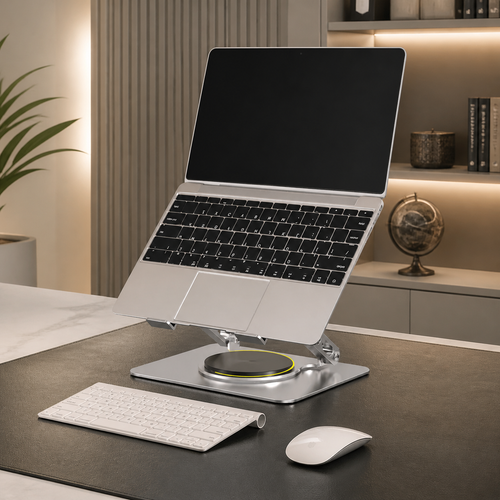
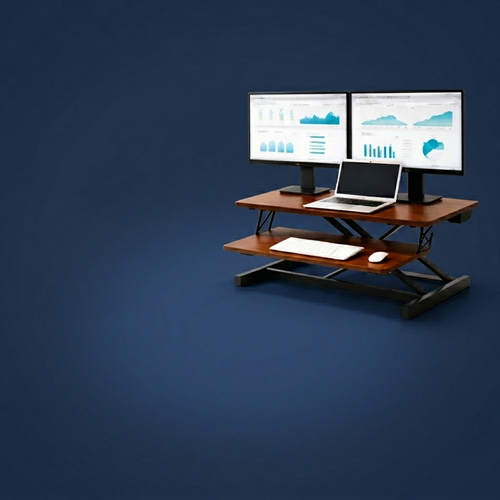
An arm is the right choice when you have limited desk depth or use a standing desk that requires frequent height changes. If you prefer a static, architectural look and have plenty of surface area, a desk shelf might be a better fit for your specific work style. You can browse our monitor and laptop stands to find the solution that fits the physical dimensions of your space.
Building a Workspace You Choose to Come Back To
A monitor arm is just one piece of a larger, considered room. Intentionality means choosing objects that serve the work rather than just filling a gap. The small objects earn their place over time, creating a room that gets used and a desk you choose to come back to. These choices reflect a commitment to your own productivity and physical comfort. If you are ready to build a better space, reach out to us for guidance on equipping your desk for the long haul.
Build a Workspace Made for the Work
The workspace shapes the work. Equip it deliberately. We've explored how a floating screen clears the "dead zone" on your desk and why eye level is the only metric that matters for your physical comfort. These are the core benefits of using a monitor arm: it's about reclaiming ownership of your space so you can focus on what you're actually there to do. By removing physical friction, you create a room that supports your daily output rather than distracting from it.
At Ergovanta, we identify with the idea of "Ergo," purposeful function in action, and "Vanta," the advantage you gain when your environment is considered. A monitor arm isn't just an accessory; it's a foundational tool for anyone who spends serious hours at a desk. Whether you're scaling a dual-screen setup or just trying to end the day without neck stiffness, your equipment should earn its place.
If you're ready to equip your workspace properly: contact us for advice on the right tools for your space. Build the room you'd choose to come back to. For the people who do the work.
Common Questions About Equipping Your Workspace
Is a monitor arm better than a monitor stand?
A monitor arm is generally the better choice for those who want a workspace that adapts to their movement. Unlike a static stand, an arm allows you to adjust height, tilt, and depth instantly. This flexibility is one of the primary benefits of using a monitor arm, as it ensures your screen is always at a considered eye level rather than a fixed, uncomfortable height. It turns a static surface into an intentional tool for focus.
Do monitor arms work on all desks?
Most monitor arms work on standard desks made of solid wood, thick plywood, or metal. They require a sturdy edge for the C-clamp or a hole for a bolt-through mount. You should be cautious with desks made of thin glass or honeycomb-core materials, as these may not handle the concentrated weight of the mount. Checking your surface material is a vital step in equipping your workspace correctly for the long haul.
Can a monitor arm damage my desk?
A monitor arm will not damage a desk if it is installed on a compatible material and tightened correctly. Most surface issues occur when a heavy screen is clamped to a soft or hollow desk without a reinforcement plate. Using a wide plate can distribute the pressure more evenly across the surface. It is about choosing a mount that respects the physical limits of your furniture and ensures the setup remains stable.
Are monitor arms hard to install by yourself?
Most monitor arms are designed for easy, single-person installation and usually take about 15 minutes to set up. You simply attach the clamp to your desk edge and secure the monitor using a standard VESA plate. While it is a one-time effort, the long-term benefits of using a monitor arm make it a worthwhile investment for anyone who spends serious hours at their desk. It is a simple way to build a space that feels like yours.
From the catalog