July 7, 2026
Ways to Reduce Eye Strain From Computer Screen: A Considered Approach

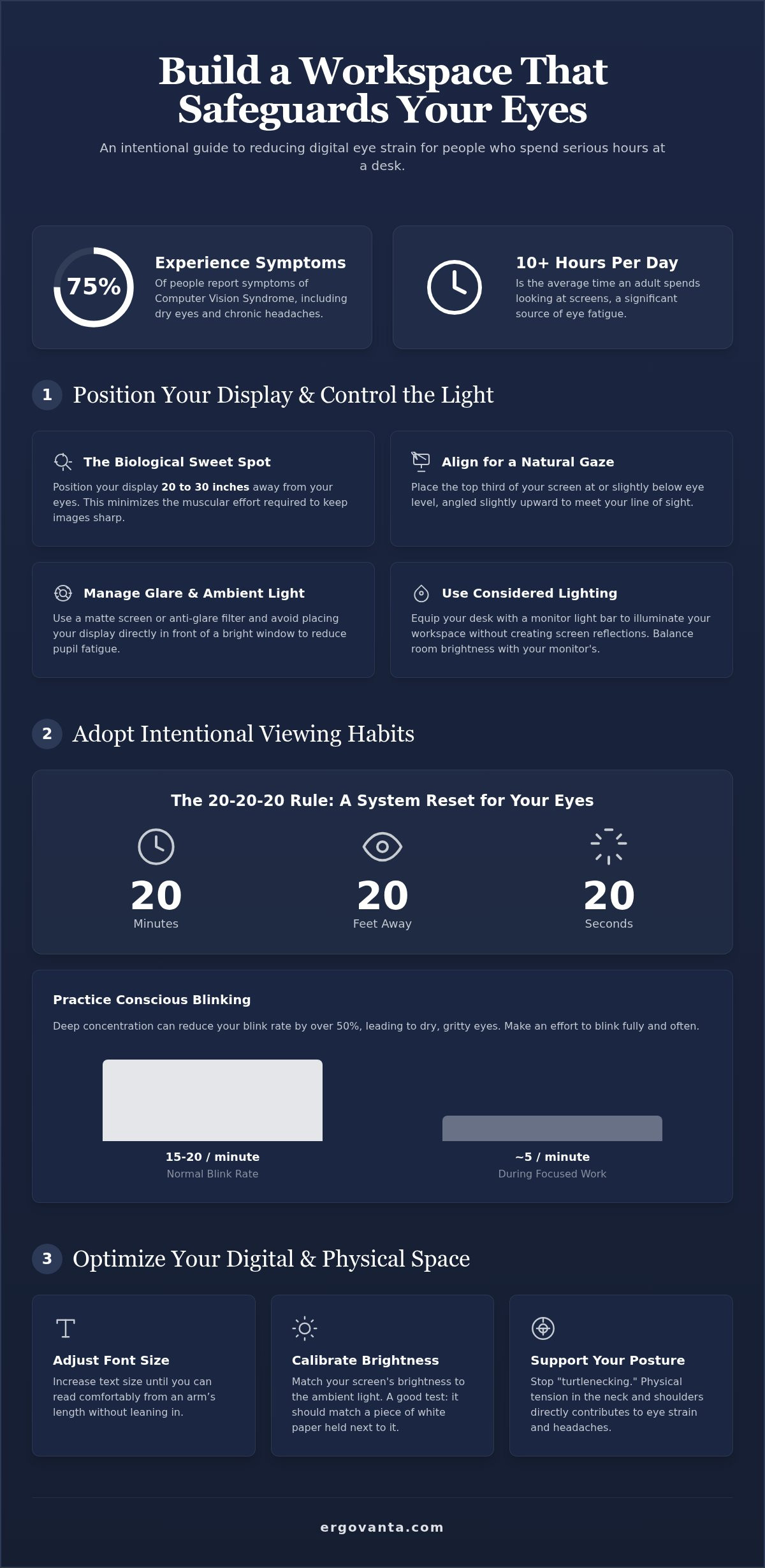
The workspace shapes the work. Equip it deliberately. If you spend serious hours at a desk, you've likely felt the dry eyes and chronic headaches that come with the territory. In 2026, the average adult spends over 10 hours a day looking at screens, and 75 percent of people experience symptoms of computer vision syndrome. Finding sustainable ways to reduce eye strain from computer screen use isn't about working less; it's about building a space that supports the work you do.
We know that difficulty focusing on distant objects or feeling like your eyes are full of sand shouldn't be your default state. You can protect your vision by making intentional choices about your equipment and your habits. This guide will teach you how to build a workspace that safeguards your eyes through better lighting, smarter monitor placement, and the 20-20-20 rule. We'll focus on the considered objects and disciplined routines that help your eyes stay as sharp as your focus.
Key Takeaways
- Position your display within the biological sweet spot (20 to 30 inches away) to minimize the constant effort of refocusing.
- Discover effective ways to reduce eye strain from computer screen use by mastering the 20-20-20 rule and conscious blinking.
- Stop "turtlenecking" by building a workspace that supports your posture; if your body is tense, your eyes will be too.
- Equip your desk with considered tools like monitor arms and light bars to control glare and maintain a healthy viewing angle.
Position Your Display and Control the Light
The workspace shapes the work. If your eyes burn by mid-afternoon, your screen placement is likely the culprit. This discomfort is often categorized as Computer vision syndrome, a group of vision-related problems resulting from prolonged screen use. It isn't a permanent medical condition, but it's a clear sign that your current setup is failing you. Most people ignore these signals until the headaches become chronic.
Biologically, your eyes have a sweet spot for focusing. When you sit 20 to 30 inches away from your display, you minimize the muscular effort required to keep the image sharp. Moving closer forces the eyes to work harder, leading to the fatigue you feel after a long session. One of the most effective ways to reduce eye strain from computer screen use is to respect these physical limits. Controlling glare is equally vital. A matte screen or an anti-glare treatment prevents the constant squinting that triggers tension headaches.
To better understand this concept, watch this helpful video:
Screen Alignment for Natural Focus
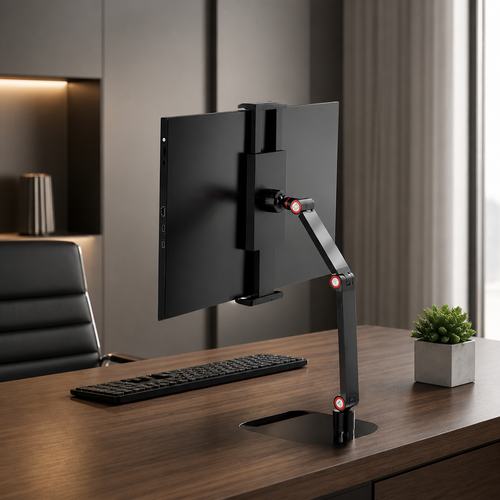
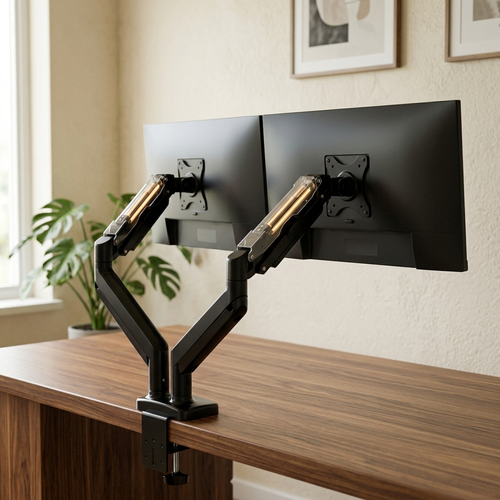
Fixed monitor stands rarely work because they don't account for your specific height or chair. Use a monitor arm to ensure the top third of your screen sits at eye level. This allows your gaze to rest in a natural downward position, which is easier on the eye muscles. Angle the screen slightly upward to match this line of sight. Finally, avoid placing screens directly in front of bright windows. The high contrast between outdoor light and your monitor forces your pupils to fluctuate constantly, which is physically exhausting.
Managing Glare and Ambient Light
Lighting should be intentional, not accidental. Equip your desk with a monitor light bar to illuminate your documents and keyboard without creating reflections on the glass. You want to balance the brightness of your room with the brightness of your monitor to avoid the "flashlight in a dark room" effect. A desk lamp with a warm color temperature reduces pupil fatigue during late-night work by providing soft, indirect light that doesn't compete with the screen's output.
Adopt Intentional Viewing Habits
Habits are the software of your workspace. You can equip your desk with the best tools, but if you stare at the glass for four hours straight, your eyes will pay the price. One of the most effective ways to reduce eye strain from computer screen use is to build "distance breaks" into your workflow. These breaks allow the ciliary muscles in your eyes to relax. When you focus on a near object for too long, these muscles stay clenched, leading to that familiar dull ache behind the brow.
Blinking is another involuntary action that fails during deep work. Research from 2025 indicates that while you normally blink 15 to 20 times per minute, that rate can drop by over 50 percent when you concentrate on a monitor. Sometimes it drops to as few as 5 blinks per minute. This dries out the cornea and causes the gritty, itchy feeling that makes you want to quit for the day. Learning to protect your eyes from screen time requires active participation in your own comfort.
The 20-20-20 Rule and Conscious Blinking
The 20-20-20 rule is simple: every 20 minutes, look at something 20 feet away for 20 seconds. It works because it forces a reset of your focusing system. Set a physical timer or use a simple app to anchor this habit. You can also place a small object on your desk as a visual cue. When your eyes hit that object, let your gaze drift past it to a window or a distant wall. Practice "full blinks" where your eyelids actually touch to spread the tear film properly across the eye.
Optimizing Digital Settings for Clarity
Refining your software is just as important as your hardware when looking for ways to reduce eye strain from computer screen interaction. Increase your font size until you can read comfortably from an arm’s length away without leaning in. Use system settings to shift your color temperature toward warmer tones as the sun goes down. Finally, calibrate your monitor brightness. It should match the white of a physical piece of paper held up to the screen. If the screen looks like a glowing lamp, it's too bright. If you need help choosing the right equipment for your space, get in touch.
Build a Workspace Designed for the Long Haul
The workspace shapes the work. If you spend serious hours at a desk, the room around it matters more than you think. Physical tension in your shoulders or neck doesn't stay there; it travels. When your body is stiff, your eyes often follow suit, making it harder to find effective ways to reduce eye strain from computer screen use. Build your space with the understanding that physical comfort is a functional requirement for clarity. Every item on your desk should earn its place by supporting the work you do.
The Connection Between Posture and Sight
Poor posture often leads to "turtlenecking," which is the habit of slumping forward and moving your eyes closer to the screen. This breaks the 20 to 30 inch distance rule we established earlier and forces your eyes into a high-intensity focus state. Equip your chair with ergonomic accessories like lumbar pillows to maintain an upright spine. Keep your feet flat on the floor or use a footrest to stabilize your posture. A stable seated position prevents the micro-movements that force your eyes to constantly refocus.
When to Consult a Professional
Sometimes, adjustments to your desk aren't enough. If you experience persistent double vision, sudden light sensitivity, or headaches that don't resolve after a break, it's time to see an optometrist. They can provide expert tips to reduce computer eyestrain and may suggest "computer glasses." Unlike standard reading glasses, these lenses have a specialized focal length for mid-range viewing. This matches the exact distance of your monitor and reduces the constant muscular effort required to keep the image sharp. Schedule an annual comprehensive eye exam to ensure your prescription is current. For the people who do the work, vision is the most important tool in the kit.
Build the Workspace You Choose to Come Back To
The rooms that get used are the ones built with intentionality. We've explored several ways to reduce eye strain from computer screen use, from finding the biological sweet spot of monitor placement to the simple discipline of the 20-20-20 rule. These aren't just ergonomic suggestions; they're the fundamental requirements for anyone who spends serious hours at a desk. Your space should support the work you do, not become a source of physical friction.
Protecting your vision is about personal ownership. It's about choosing the small objects that earn their place and equipping your desk with tools made for the work. Whether it's a monitor arm that keeps your spine upright or refined lighting solutions for modern desks that cut through the glare, every adjustment matters. We offer free shipping on orders over $100 to help you build a setup that lasts. Our equipment is designed for the people who do the work, ensuring your environment reflects your dedication.
Equip your space with considered lighting and ergonomic tools at Ergovanta.
Take control of your environment today. Your eyes, and your work, will be better for the effort.
Common Questions About Eye Health
Do blue light glasses actually work for computer eye strain?
Blue light glasses are generally not the primary solution for digital eye strain. The American Academy of Ophthalmology states that blue light from screens is not a cause of permanent eye damage or disease. The fatigue you feel is actually the result of sustained focusing effort and a decreased blink rate. Instead of relying on tinted lenses, focus on intentional habits like the 20-20-20 rule to give your eyes a necessary break.
What is the best brightness setting for a computer screen to save eyes?
The best brightness setting is one that matches the ambient light in your workspace. If your monitor looks like a glowing lamp in a dark room, the contrast is too high and will cause fatigue. A simple test is to hold a white piece of paper up to the screen; the white levels should be roughly the same. Balancing these levels is one of the most effective ways to reduce eye strain from computer screen use.
How far should your eyes be from a 27-inch monitor?
Your eyes should be between 20 and 30 inches from the screen, even with a larger 27-inch display. While the screen provides more real estate, your biological focusing sweet spot remains the same. Staying at the further end of this range allows you to see the entire display without moving your head excessively. Equip your desk with a monitor arm to ensure you can adjust this distance precisely as you shift your seating position.
Can computer eye strain cause permanent damage to your vision?
Digital eye strain does not cause permanent damage to your eyes or your vision. The symptoms, often called computer vision syndrome, are temporary signals that your visual system is overloaded. While dry eyes and blurred focus are frustrating, they are usually resolved by taking breaks and using a more considered approach to your lighting and display setup. If symptoms persist after you've adjusted your workspace, it's time to consult an optometrist for an exam.
From the catalog