June 7, 2026
Build Your Space: An Ergonomic Desk Accessories Checklist for 2026

The workspace shapes the work. Equip it deliberately. If you spend serious hours at a desk, the room around it matters more than you think. You likely know the feeling: the chronic neck tension that sets in by mid-afternoon or the eye strain from lighting that doesn't quite work. Utilizing a functional ergonomic desk accessories checklist is the first step toward reclaiming your focus. Musculoskeletal disorders account for 30% of non-fatal workplace injuries; your physical space is a direct factor in how you feel at the end of the day.
We agree that your desk should be a place where you actually want to spend time. This guide is designed to help you build a space that feels personal and functional. You will learn how to choose considered objects that earn their place on your desk and reduce the physical fatigue of long sessions. We will walk through the intentional tools made for the work, helping you equip a workspace that supports your focus and respects your body.
Key Takeaways
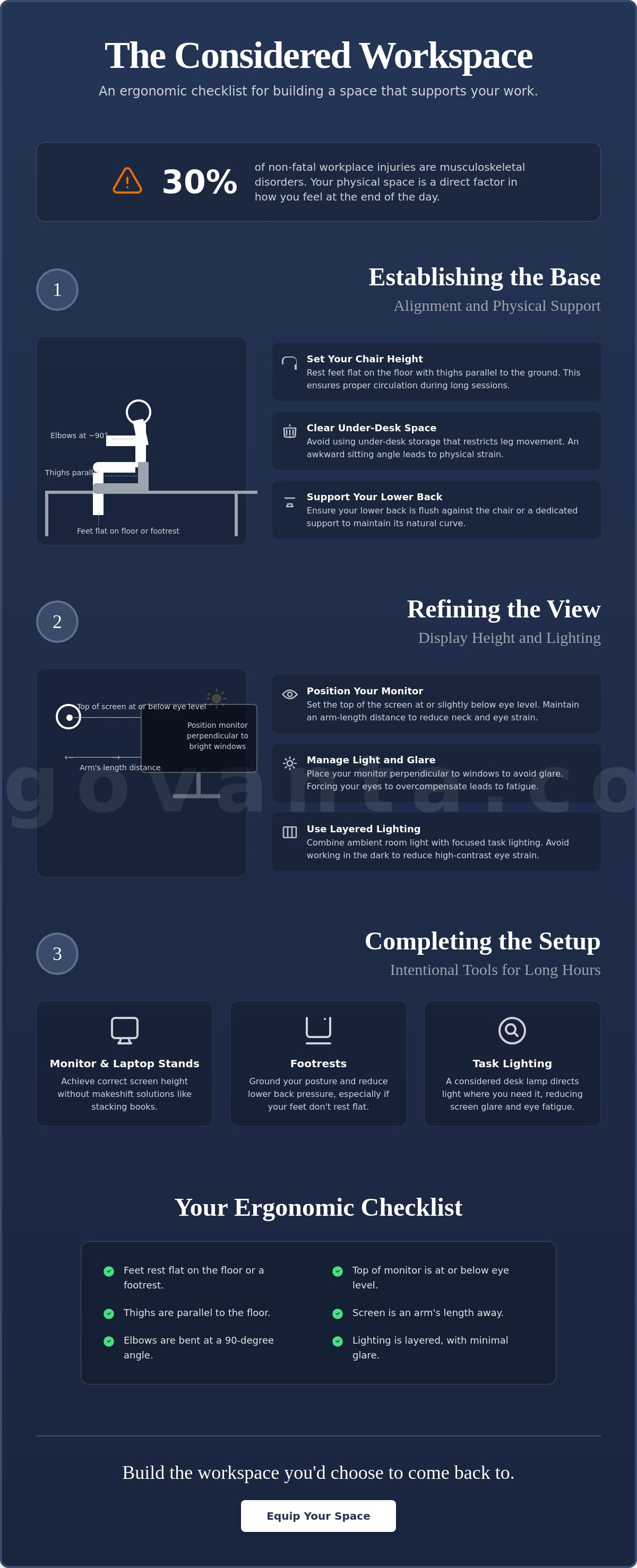
- Set your chair height so your feet rest flat and your thighs stay parallel to the floor to ensure proper circulation throughout the day.
- Position the top of your screen at eye level and maintain an arm-length distance to reduce chronic neck strain and visual fatigue.
- Use this ergonomic desk accessories checklist to identify the small objects that earn their place and support your physical posture.
- Clear the space under your desk and use stands for phones or headphones to keep your environment intentional and ready for work.
- Equip your space with considered tools like footrests to ground your posture and reduce lower back pressure during long sessions.
Establishing the Base: Alignment and Physical Support
The workspace shapes the work. Equip it deliberately. If you spend serious hours at a desk, the room around it matters more than you think. Building an effective ergonomic desk accessories checklist starts with the physical foundation. Ignoring your alignment creates a persistent ergonomic hazard that eventually disrupts your focus. According to OSHA, musculoskeletal disorders account for approximately 30% of all non-fatal workplace injuries. This is why intentionality in your setup is not just a preference; it's a requirement for doing the work.
To better understand how these physical adjustments impact your day, watch this helpful video:
Set your chair height so your feet rest flat on the floor. Your thighs should remain parallel to the ground to ensure proper circulation. If your feet dangle, you're putting unnecessary pressure on your lower back. Clear the space under your desk. Avoid using under-desk storage that restricts your leg movement. If you're forced into an awkward sitting angle because of a filing cabinet, your body will pay for it by noon. Position your keyboard and mouse on the same surface. Your elbows should stay at a comfortable 90-degree angle to prevent shoulder hiking. Support your natural curve by ensuring your lower back is flush against the chair or a dedicated support tool.
The Mechanics of Seating
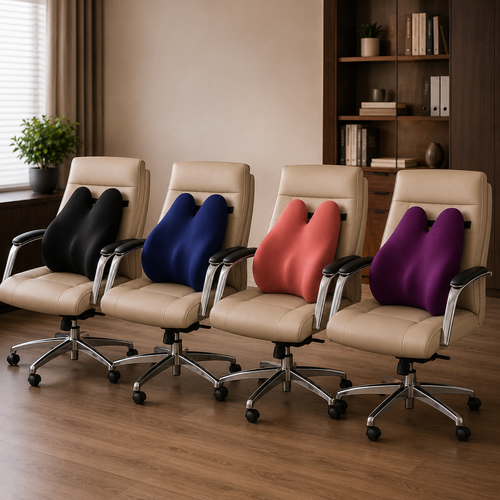
Adjust your armrests so your shoulders stay relaxed. Tight shoulders often lead to tension headaches after long hours of deep work. Verify the seat pan depth; there should be a small gap between the edge of the seat and the back of your knees. This prevents pressure points that restrict blood flow. Consider adding lumbar pillows or seat cushions if your current chair lacks built-in support. These are the small objects that earn their place by making the work sustainable.
Desk Height and Surface Area
Identify your ideal desk height. Your wrists should remain neutral while typing, not angled up or down. Equip your surface only with essentials. Keep the tools you use most within a comfortable reach to minimize repetitive overreaching. An effective ergonomic desk accessories checklist includes knowing what to remove from your space as much as what to add. Build a workspace that feels like yours through intentionality and ownership.
Refining the View: Display Height and Lighting Layers
Once you've anchored your physical base, the next step on your ergonomic desk accessories checklist is refining how you interact with your screen. Visual fatigue isn't just about screen time; it's about how your eyes and neck are forced to work. Position the top of your monitor at or slightly below eye level. This prevents the chronic neck craning and upper back fatigue that often ends a productive session early. Maintain an arm-length distance from your display. This allows your eyes to focus naturally, reducing the strain of long sessions.
Light management is a factor many ignore. Place your monitor perpendicular to windows. Putting a screen directly in front of or behind a window creates high contrast or glare, forcing your eyes to overcompensate. This ergonomic desk accessories checklist remains incomplete without addressing how light affects your focus. Layering your light is essential for a workspace that gets used. Combine ambient room light with focused task lighting to reduce the strain of high-contrast displays.
Monitor and Laptop Positioning
Align your display directly in front of you. Twisting your neck to see secondary screens or side-mounted displays is a recipe for tension. Use monitor arms or laptop stands to get your screen to the correct height without stacking books or boxes. Focal distance is the optimal space between your eyes and the screen, typically 20 to 30 inches, which helps prevent digital eye strain.
Intentional Lighting Layers
Equip your desk with a considered desk lamp to direct light exactly where you need it without washing out the screen. Adjust brightness throughout the day to match the intensity of your monitor. Avoid working in the dark; high contrast between a bright screen and a pitch-black room causes significant eye fatigue over time. If you have questions about specific lighting needs for your setup, reach out to us.
Completing the Setup: Intentional Tools for Long Hours
The workspace shapes the work. Equip it deliberately. Once your alignment is fixed and your lighting is layered, the final phase of your ergonomic desk accessories checklist involves the tools that sustain you through long stretches of deep focus. Support your feet to reduce lower back pressure. A footrest isn't just a corrective tool for short legs; it helps maintain circulation and grounds your posture during long sits. It's about creating a stable base that prevents you from shifting into awkward, strained positions as the day progresses.
Organize the small objects that earn their place. Use stands for your phone or headphones to keep the desk clear for the actual work. Minimizing visual noise allows for deeper focus on the task at hand by removing unnecessary distractions. If an item doesn't contribute to your comfort or your output, it shouldn't be on your desk. Build a space where every object has a purpose and a home.
Support for the Lower Body
Use foot rests or massage boards to keep your legs active and supported while you focus. Check your knee angle regularly. Ensure your knees are slightly lower than or level with your hips to maintain a neutral spine. This positioning prevents the pelvic tilting that leads to lower back pain. It’s a simple adjustment that makes a significant difference during a ten-hour project.
Considered Desk Organization
Equip your space with tech accessories that reduce clutter. Wireless chargers and cable trays keep the focus on the work rather than the tangled wires. Incorporate movement into your routine. Even the best setup requires you to stand or stretch every thirty minutes to stay alert. Following the "30/30 rule" (moving for 30 seconds every 30 minutes) is a recommended practice to combat the negative effects of prolonged sitting. Finally, add personal elements that make the room feel like yours. Intentional decor or faux plants earn their place by making the environment one you actually want to come back to. This is for the people who do the work.
Build a Workspace Worth Coming Back To
The workspace shapes the work. Equip it deliberately. If you spend serious hours at a desk, the room around it matters more than you think. You now have a functional ergonomic desk accessories checklist to help you build a space that feels both personal and functional. By prioritizing physical alignment, layering your lighting, and choosing tools that earn their place, you move beyond simple medical compliance. You create a room that gets used and a setup that supports your focus throughout the day.
Ergo comes from the Ancient Greek for purposeful function in action; Vanta stands for your advantage. We provide considered designs for intentional spaces because we believe your environment is a tool for your success. These are workspaces made for the people who do the work. Don't let a cluttered desk or a strained neck dictate your output. Instead, take ownership of your environment with tools that respect your body and your time.
Build a workspace you want to come back to. Contact us to equip your space.
It is time to build a space that actually supports the hours you put in. Your work is too important to do in a room that works against you.
Frequently Asked Questions
How do I know if my desk height is correct?
Your desk height is correct when your elbows stay at a 90-degree angle while typing and your wrists remain neutral. If your shoulders are hiked toward your ears or your wrists are angled upward to reach the keys, the surface is too high. Adjust your chair first to ensure your feet are flat on the floor, then bring the desk height to meet your resting elbow position.
Is it better to work at a standing desk or a sitting desk for long hours?
Neither position is superior on its own; the real solution is dynamic movement throughout the day. Staying in any static position for too long leads to physical fatigue and reduced focus. Use a standing desk to break up long sessions, but prioritize switching positions every thirty minutes to keep your body active and your mind alert. It's about building a routine that respects your physical limits.
What is the 20-20-20 rule for eye strain and how do I use it?
The 20-20-20 rule is a simple habit where you look at something 20 feet away for 20 seconds every 20 minutes. This practice gives your eye muscles a necessary break from the fixed focal distance of your monitor. It is a small, intentional action that should be part of every ergonomic desk accessories checklist to prevent digital eye strain during intense work sessions.
Do I really need a monitor arm if I primarily use a laptop?
Yes, because laptop screens are positioned too low for proper eye-level alignment when placed directly on a desk. Working this way forces you to crane your neck downward, which leads to chronic upper back tension and fatigue. Equip your space with a laptop stand or monitor arm to bring the display to eye level, then use an external keyboard to maintain neutral wrist posture.
From the catalog