May 28, 2026
Ergonomic Solutions for Lower Back Pain: Equipping a Better Workspace

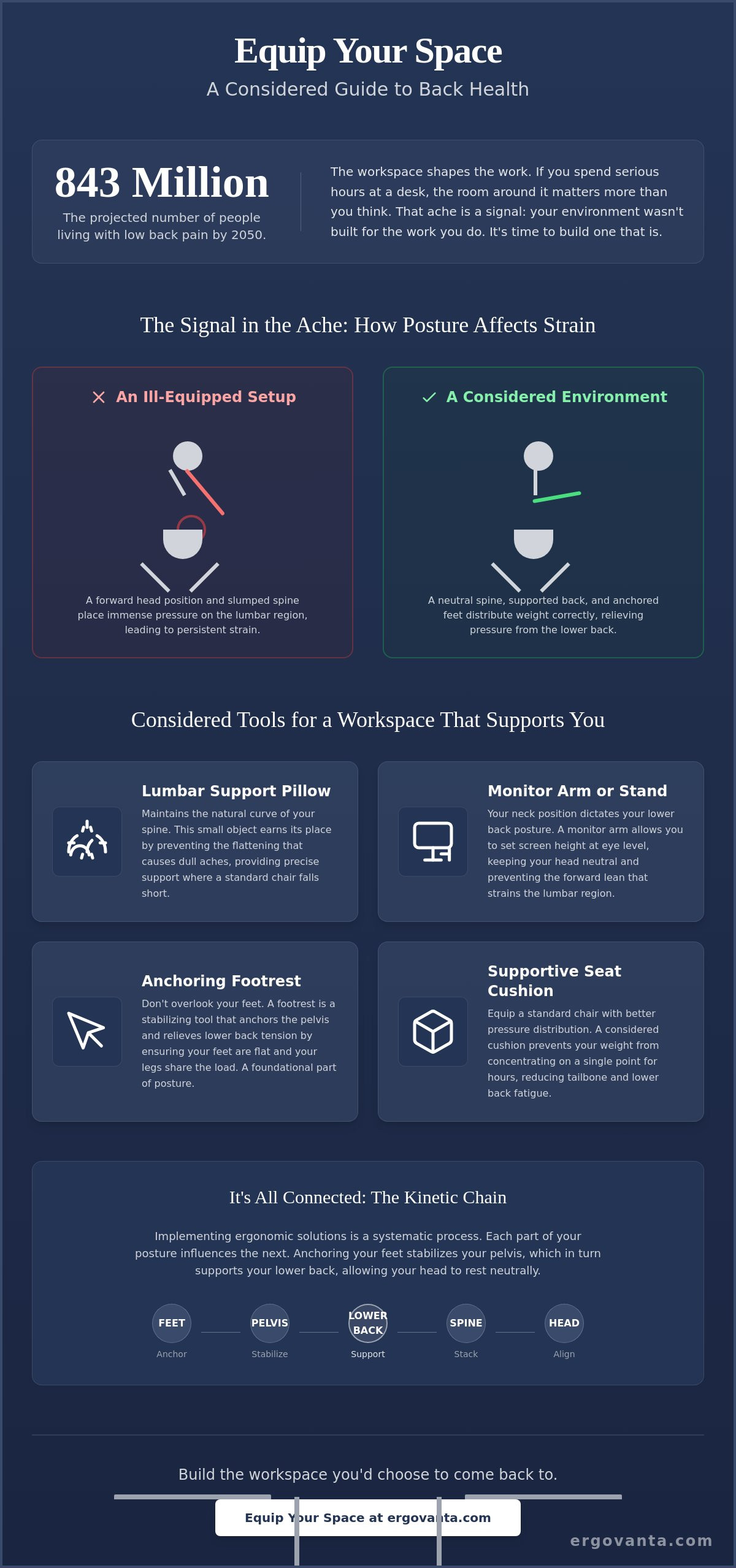
In 2020, 619 million people globally lived with low back pain, a number projected by researchers to reach 843 million by 2050. If you spend serious hours at a desk, the room around it matters more than you think. That persistent ache in your lumbar region is a signal that your environment wasn't built for the work you do. Finding the right ergonomic solutions for lower back pain isn't about chasing trends; it's about being intentional with the objects that earn their place in your space.
You likely know the frustration of a setup that fights against you, making it difficult to focus on the task at hand. We want to help you build a workspace that supports your body and your work through intentional ergonomic choices. This guide previews the specific tools, from lumbar pillows to monitor arms, that help you equip a considered environment made for the work. By the end, you'll have a clear plan to turn a site of physical strain into a workspace you'd actually choose to come back to.
Key Takeaways
- Understand how a workspace built with intentionality prevents physical strain by dictating how your body moves and rests.
- Explore specific ergonomic solutions for lower back pain, focusing on small objects like lumbar pillows that maintain the natural curve of your spine.
- Learn to assess your eye level and use monitor arms to keep your spine stacked and your head neutral.
- Discover why anchoring your feet with a footrest is essential for distributing weight away from your lumbar region.
The Workspace Shapes the Work: Why Intentionality Matters for Your Back
The workspace shapes the work. Equip it deliberately. If you spend serious hours at a desk, the room around it matters more than you think. It dictates how your body moves, breathes, and rests throughout the day. Many people ignore early discomfort until it turns into a chronic distraction that pulls focus away from the task at hand. This low back pain overview highlights how common these issues are globally, but your workspace shouldn't be a source of persistent strain.
We define ergonomic intentionality as the act of choosing tools that support your specific physical needs. It's about building a space that feels like yours. A considered workspace is a primary tool for doing the work, not just a place to park a laptop. When you seek out ergonomic solutions for lower back pain, you're choosing to work better by supporting your body's natural alignment. The rooms that get used are the ones built with purpose.
To better understand how to align your desk for long-term health, watch this helpful video:
The Signal in the Ache
Think of that persistent tightness in your lumbar region as a feedback loop from an ill-equipped environment. Your body is telling you that the current setup isn't earning its place. Instead of pushing through the pain, view your desk as a project you can build and improve over time. Small, deliberate changes to your seating and posture often yield the most significant results for your daily comfort.
Beyond the Standard Chair
Even well-made chairs often fail to provide the precise support your spine requires during long sessions. Standard office seating is designed for an average body that rarely exists in reality. Most people need supplemental support to maintain the natural lumbar curve and prevent slouching. Exploring an ergonomics and comfort collection is a practical starting point for equipping your chair with the support it currently lacks.
Considered Tools: A Roundup of Ergonomic Solutions for Lower Back Pain
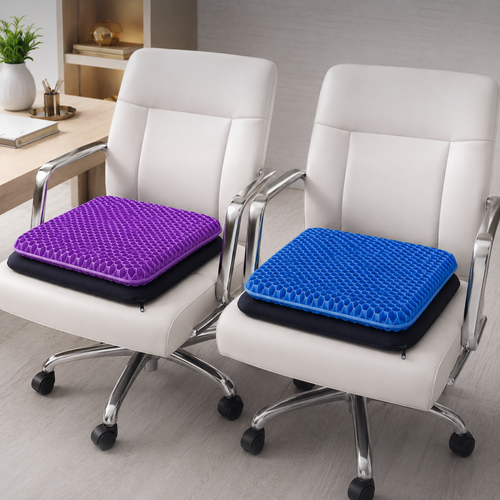
Finding effective ergonomic solutions for lower back pain doesn't require a medical degree. It requires an eye for the small objects that earn their place. Lumbar pillows are essential because they maintain the natural curve of your spine, preventing the flattening that causes dull aches. Similarly, seat cushions help equip a standard chair with better pressure distribution for the tailbone, ensuring your weight isn't concentrated on a single point for eight hours.
When searching for ergonomic solutions for lower back pain, don't overlook your feet. A footrest is a stabilizing tool that anchors the pelvis and relieves lower back tension by allowing your legs to share the load. This connects to the kinetic chain; your neck position dictates your lower back posture. Monitor arms allow you to set a height that keeps your head neutral, preventing the forward lean that strains the lumbar region.
Objects That Earn Their Place
For those who prefer active sitting, foot massage boards encourage subtle movement during long hours. These small additions keep blood flowing and muscles engaged without distracting from the work. If you primarily use a portable computer, these ergonomics for laptop users tips emphasize how monitor and laptop stands prevent the "slump" that leads to chronic lumbar strain. By bringing the screen to you, you stop reaching for the work with your spine.
The Aesthetic of Function
Ergonomics shouldn't look like a clinical trial. Choose materials that feel natural in your space, like wood, felt, or textured fabrics. Your workspace should feel like yours, not a corporate cubicle. When you build an environment with intentionality, the tools disappear into the ritual of the work. If you have questions about which objects best fit your specific setup, feel free to get in touch for guidance on equipping your space.
Equipping Your Space: How to Implement Solutions Deliberately
The workspace shapes the work. Now that you have the right tools, you must place them with purpose. Implementing ergonomic solutions for lower back pain is a systematic process. It's not about a single gadget; it's about how the objects interact with your body. If you spend serious hours at a desk, the setup needs to be intentional to be effective.
Start by assessing your eye level. Use monitor arms to keep your head neutral and your spine stacked. If your screen is too low, you'll naturally hunch forward, which puts immediate pressure on the lumbar region. Next, anchor your feet. Using a footrest is one of the most effective ergonomic solutions for lower back pain because it ensures your weight is distributed through your legs. This prevents you from "perching" on the edge of your seat, which is a common cause of tension.
Support the curve by placing your lumbar pillow exactly where your spine arches inward. This provides the physical reminder your body needs to stay upright during a long session. Finally, audit your lighting. Poor lighting often leads to leaning forward to see the screen or keyboard. This subtle tilt breaks your ergonomic alignment and negates the benefits of your other tools. A well-placed desk lamp keeps you upright and focused.
The Daily Audit
Check your setup every morning. A 5-minute check-in ensures your tools are positioned for the day ahead. Use workspace essentials to keep your desk organized and functional. A cluttered desk often leads to awkward reaching, which can strain your back over time. The objects that earn their place are the ones that help you stay aligned.
This alignment is further supported by having the right tools on hand; find out more about office essentials that help you maintain an organized and efficient environment.
Build for the Long Session
Deep work requires hours at the desk. Your setup must be resilient enough to support you through the final hour of a project. When you build with intentionality, you create a space that works as hard as you do. It's about personal ownership of your environment. Equip your workspace with intentionality and focus on the work that matters.
Build the Workspace You'd Choose to Come Back To
The workspace shapes the work. Equip it deliberately. You now understand that persistent lumbar discomfort isn't a requirement of your career; it's a signal to adjust your environment. By focusing on the kinetic chain, from eye level to foot placement, you can build a setup that actually supports the long sessions you put in. Intentionality transforms a desk from a place of strain into a functional tool made for the work.
Finding effective ergonomic solutions for lower back pain starts with the small objects that earn their place. Whether it's a considered lumbar pillow or a monitor arm that keeps your spine stacked, these choices reflect a commitment to your physical well-being. We offer functional tools and a curated selection designed for people who do the work. These are the rooms that get used because they were built with purpose.
It's time to take ownership of your space. If you're ready to move past the distraction of physical strain, we can help you select the right pieces for your specific needs. Build a workspace that supports your work and take the first step toward a more considered environment. You've earned a space that supports the effort you put in every day.
Frequently Asked Questions
How do I stop my lower back from hurting at my desk?
Stop the pain by auditing your setup and choosing intentional ergonomic solutions for lower back pain. If your monitor is too low, you'll slouch. If your chair lacks support, your spine will flatten. Start by raising your screen with a stand and adding a lumbar cushion to fill the gap between your back and the chair. These considered changes prevent the physical strain that distracts you from the work.
What is the best lumbar support for a standard office chair?
The best support is a dedicated lumbar pillow that earns its place by fitting the natural arch of your spine. Standard office chairs often lack the depth needed to support the lower back during long sessions. Look for firm, textured cushions that stay in place and provide consistent pressure. This small object ensures your spine stays stacked, reducing the dull ache that comes from an ill-equipped seat.
Are footrests actually good for lower back pain?
Footrests are essential because they anchor your feet and ensure your weight is distributed through your legs rather than just your lower back. When your feet dangle or rest unevenly, your pelvis tilts, which creates immediate strain on the lumbar region. Using a footrest or a foot massage board provides a stable base. It's a simple, intentional tool that helps you maintain a healthy posture throughout the day.
How should I sit to avoid lower back strain during long hours?
Avoid strain by sitting with your feet flat on the floor or a footrest and your spine firmly against a lumbar support. Your eyes should be level with the top third of your monitor to keep your neck neutral. This alignment prevents the kinetic chain from breaking. By using ergonomic solutions for lower back pain, you build a resilient setup that allows you to focus on deep work without physical discomfort.
From the catalog