July 22, 2026
How to Make Your Office Chair More Ergonomic: A Guide to Building Your Space

The chair you already own is likely enough. It just isn't finished yet. If you spend serious hours at a desk, you've felt the toll of a workspace that hasn't been properly equipped. Lower back pain and neck strain shouldn't be the standard tax for a day of focused work. You deserve a setup that supports the person doing the work: not one that forces you to fight against your own furniture. The workspace shapes the work, so it is time to equip it deliberately.
We agree that a functional environment is a fundamental requirement for deep focus. This guide shows you how to make office chair more ergonomic by using intentional tools to fill the gaps in your current setup. We will cover how to build your space using considered additions like lumbar pillows, seat cushions, and foot rests. You will learn actionable steps to improve your posture and take ownership of the room where the work happens. From the 30/30 rule of movement to physical equipment that earns its place, here is how to build a space you'd choose to come back to.
Key Takeaways
- Master the geometry of focus by applying the 90-90-90 rule to your joints for better alignment.
- Learn how to make office chair more ergonomic by equipping it with considered tools like lumbar pillows and seat cushions.
- Ground your posture by keeping your feet flat on a solid surface to relieve consistent pressure on your lower back.
- Sync your seating with your screen height to ensure your neck remains in a neutral, supported position.
The Geometry of Focus: Aligning Your Seating Position
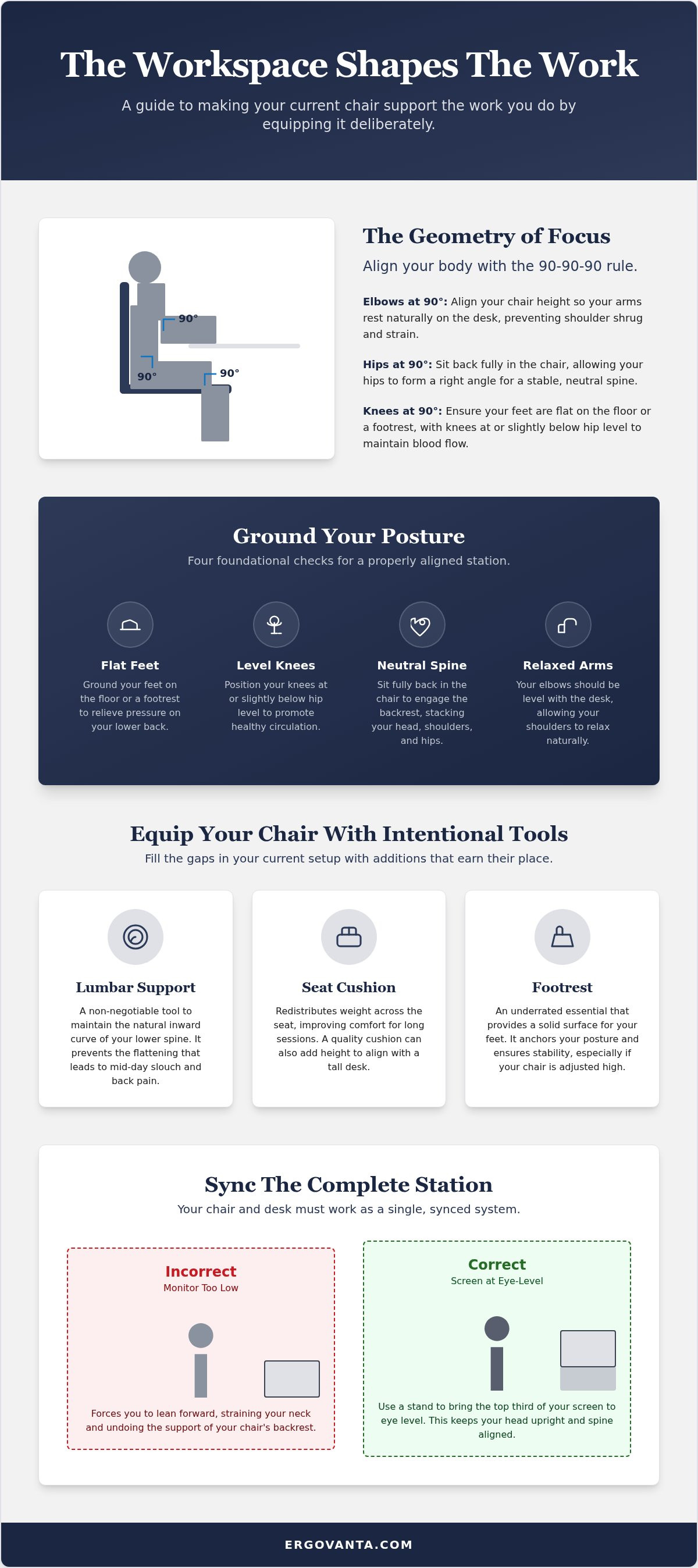
The workspace shapes the work. Equip it deliberately. If you spend serious hours at a desk, your physical alignment determines how long you can maintain focus before fatigue takes over. Understanding The Geometry of Focus starts with the 90-90-90 rule. This means your elbows, hips, and knees should all rest at right angles. When you learn how to make office chair more ergonomic, you aren't just adjusting a piece of furniture; you are building a personal environment designed for the work. Your body isn't a machine, but it does follow mechanical principles. If one joint is out of place, the rest will compensate.
To better understand this concept, watch this helpful video:
The Relationship Between Chair Height and Desk Surface
Standard desks are often too high for the average person. If your desk surface forces your shoulders to shrug, you will naturally hunch. Adjust your chair height so your elbows are level with the desk. This is a critical step in how to make office chair more ergonomic without buying a new seat. If this leaves your feet dangling, use a footrest to provide a solid surface. Your feet must be flat to reduce pressure on your lower back. Check the gap between your thighs and the desk: there should be enough room to move freely without feeling pinned. A neutral seating position is the foundation of a considered workspace.
Finding Your Natural Posture
Sit all the way back. Avoid the "perch" at the edge of the seat; it places unnecessary weight on your spine and forces your core to overwork. The goal is a neutral spine where your head, shoulders, and hips are stacked vertically. Sit deep enough to engage the backrest fully. Your knees should be at or slightly below hip level to maintain blood flow during long sessions. This positioning prevents the static muscle fatigue that often leads to mid-day brain fog. You can find specific tools to help build this alignment in our ergonomics and comfort collection. These are the small objects that earn their place by supporting the person doing the work.
Tools for Intentional Support: Equipping Your Chair
A standard chair is a blank canvas. It provides a foundation, but it often lacks the specific contours required for long hours of focus. To understand how to make office chair more ergonomic, you must look at the gaps in its design. You don't need a total replacement; you need to equip your space with intentional tools that earn their place. Building The Complete Station requires moving beyond the factory settings of your furniture. Equipping your chair is the most direct way to solve the puzzle of how to make office chair more ergonomic without a major investment.
Why Lumbar Support is a Non-Negotiable Tool
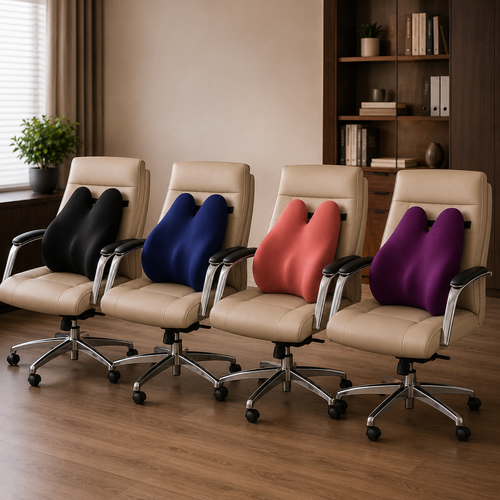
The lower back naturally curves inward. A flat chair back is an enemy to this curve, forcing your spine to flatten and eventually ache. This is where the mid-day slouch begins. Position a support tool in the small of your back, not at the very bottom of the chair, to maintain that natural arc. Explore our ergonomics and comfort collection for considered support options. A rolled-up towel is a fine temporary fix, but your spine deserves better than a piece of bathroom laundry.
Seat Cushions and Footrests: The Underrated Essentials
Seat cushions do more than soften a surface. They redistribute your weight, making even a basic plastic or wood chair usable for hours. If your chair doesn't go high enough to reach your desk, a memory foam cushion provides that necessary height. Combine this with a foot massage board or footrest. These tools act as a tactile anchor, encouraging active movement while keeping your posture stable. These are the rooms that get used. Make sure the furniture supports the work. If you need help choosing, connect with us.
The Complete Station: Syncing Your Chair with Your Desk
Ergonomics does not stop at the chair. Your eyes dictate where your neck goes, and your neck determines the alignment of your entire spine. If your monitor is too low, you will naturally lean forward. This ruins all the progress you made on how to make office chair more ergonomic in the previous steps. You cannot expect a lumbar pillow to do its job if your eyes are pulling your torso away from the backrest. The chair and the desk must work as a single, synced system.
Monitor Height and Neck Strain
A considered workspace allows your eyes to rest while your mind works. Equip your desk with monitor and laptop stands to keep your head upright and your shoulders relaxed. The goal is to bring the top third of your screen to eye level. This prevents the habitual leaning that causes mid-day fatigue. Stacking books under a screen is an unstable fix that lacks the intentionality of a proper stand. Use tools that earn their place. As a general rule, ensure your arm length is the approximate distance between your eyes and your screen.
Lighting and Intentionality
Lighting matters more than you think. Glare on a screen causes you to squint and lean, which shifts your posture out of alignment without you realizing it. Proper desk lamps reduce eye fatigue and prevent these subtle, painful postural shifts. Syncing your lighting with your tasks is a vital part of how to make office chair more ergonomic over the long term. Avoid harsh overhead glare by using task lighting that illuminates the work, not the entire room.
The room around your desk matters. Building a complete station is about taking ownership of your physical environment. When your chair, desk, and tools are in sync, you build a space you would choose to come back to. For the people who do the work, these small, intentional adjustments are what make the long hours possible. Don't just sit; equip your space for the work you intend to do.
Equip Your Space for the Work Ahead
The workspace shapes the work. Equip it deliberately. You've learned that effective posture is a matter of geometry, specifically the 90-90-90 rule for your joints. You now know how to make office chair more ergonomic by equipping it with considered tools like lumbar pillows and footrests that provide the support factory settings often lack. Finally, you understand that a chair only functions as part of a synced system. Your monitor height and desk lighting must align with your seating to prevent the subtle leans that cause fatigue over long sessions.
These are the small objects that earn their place because they support the person doing the work. Don't settle for a setup that forces you to fight against your own furniture. Instead, build a space that feels like yours through intentionality and personal ownership. For the people who do the work, these adjustments aren't just about physical ease; they are about maintaining deep focus. Take the time to build the room you'd choose to come back to.
Equip your workspace with our considered ergonomics collection and find intentional tools for the modern desk. Your space is a direct reflection of the work you do. Make it count.
Frequently Asked Questions
Can I use a regular pillow for lumbar support?
You can use a regular pillow as a temporary fix, but it lacks the density required for long-term support. Bed pillows are designed for softness; they compress under your weight and lose their shape within minutes. When considering how to make office chair more ergonomic, look for tools made for the work. A considered lumbar pillow maintains the natural curve of your spine and prevents the mid-day slouch.
How do I know if my office chair is at the right height?
Your elbows should be level with your desk surface when your shoulders are relaxed. This is the primary indicator of proper height. If your chair is too low, you will reach upward and strain your wrists. If it is too high, you will hunch over the work. Adjust the height until your arms form a right angle, then check your feet. If they don't rest flat, equip your space with a footrest.
Do I really need a footrest if my feet touch the floor?
A footrest is beneficial even if your feet can reach the floor. Its primary purpose is to provide a stable, solid surface that supports the 90-90-90 rule for your joints. Many people find that a footrest prevents them from sliding forward in their chair, which is a common cause of poor lumbar alignment. It acts as a tactile anchor for your workspace, encouraging small, active movements that prevent leg fatigue.
What is the most important ergonomic adjustment for a chair?
Establishing a neutral spine is the most important adjustment. This involves stacking your head, shoulders, and hips vertically to minimize the load on your muscles. Learning how to make office chair more ergonomic starts with this alignment. When your body is in a neutral position, you reduce the risk of static fatigue. This allows you to maintain focus on the work rather than the discomfort in your neck or back.
From the catalog