October 3, 2026
Optimizing Your ADHD Workspace Setup for Peak Focus
A spotless desk isn’t the best workspace setup for ADHD. A useful one makes it easier to begin, stay with a task, and find your way back after an interruption. If visual clutter, nearby noise, or uncomfortable lighting pulls your attention away, the answer isn’t necessarily more discipline. Your space can do some of the reminding and organizing for you.
There’s no single arrangement that works for everyone, and a workspace won’t treat ADHD or make every workday effortless. But a few intentional changes can reduce friction around getting started. This guide covers practical ways to adjust your layout, manage visual distractions, and shape lighting and sensory conditions around what feels right for you. You’ll also find ways to keep useful items within reach and make the space easier to reset. Start with what interrupts your work most, then build a setup you’ll want to return to.
Key Takeaways
- The best workspace setup for ADHD helps you begin, continue, and return to tasks, not meet an ideal of a perfect desk.
- Visible cues, clear work zones, and consistent places for everyday items can make useful reminders part of your setup.
- Choose changes based on the friction you notice and how much effort they take to maintain.
- Test one adjustment at a time and keep what makes your workday easier. No full-desk overhaul required.
- Choose lighting, stands, and comfort accessories for specific needs, then let your workspace evolve with the way you work.
What Does the Best Workspace Setup for ADHD Actually Do?
The best workspace setup for ADHD isn’t a spotless desk or a complicated productivity system. It’s an environment that makes it easier to begin a task, stay with it, and pick it up again after an interruption. The aim is to reduce everyday friction, not to demand perfect focus from yourself.
Attention, sensory preferences, work demands, and available space vary from person to person. A bright room may feel energizing to one person and distracting to another. Learning about Attention deficit hyperactivity disorder (ADHD) can offer useful background, but workspace choices are personal. They may support routines; they don’t diagnose, treat, or cure ADHD.
For another practical perspective on organizing a workspace, watch this video:
Why a single perfect ADHD desk setup does not exist
Your tasks, room constraints, sensory preferences, and attention patterns all shape what works. A shared kitchen table calls for different choices than a dedicated work area, and a setup for reading may not suit a day of video calls. The goal is a workable fit, not a desk that looks untouched. Try one adjustment at a time, then keep it only if it helps during your actual workday.
An ADHD-friendly workspace is a personal arrangement that makes starting, continuing, and resuming work feel more manageable.
Start with the work that feels hardest to begin
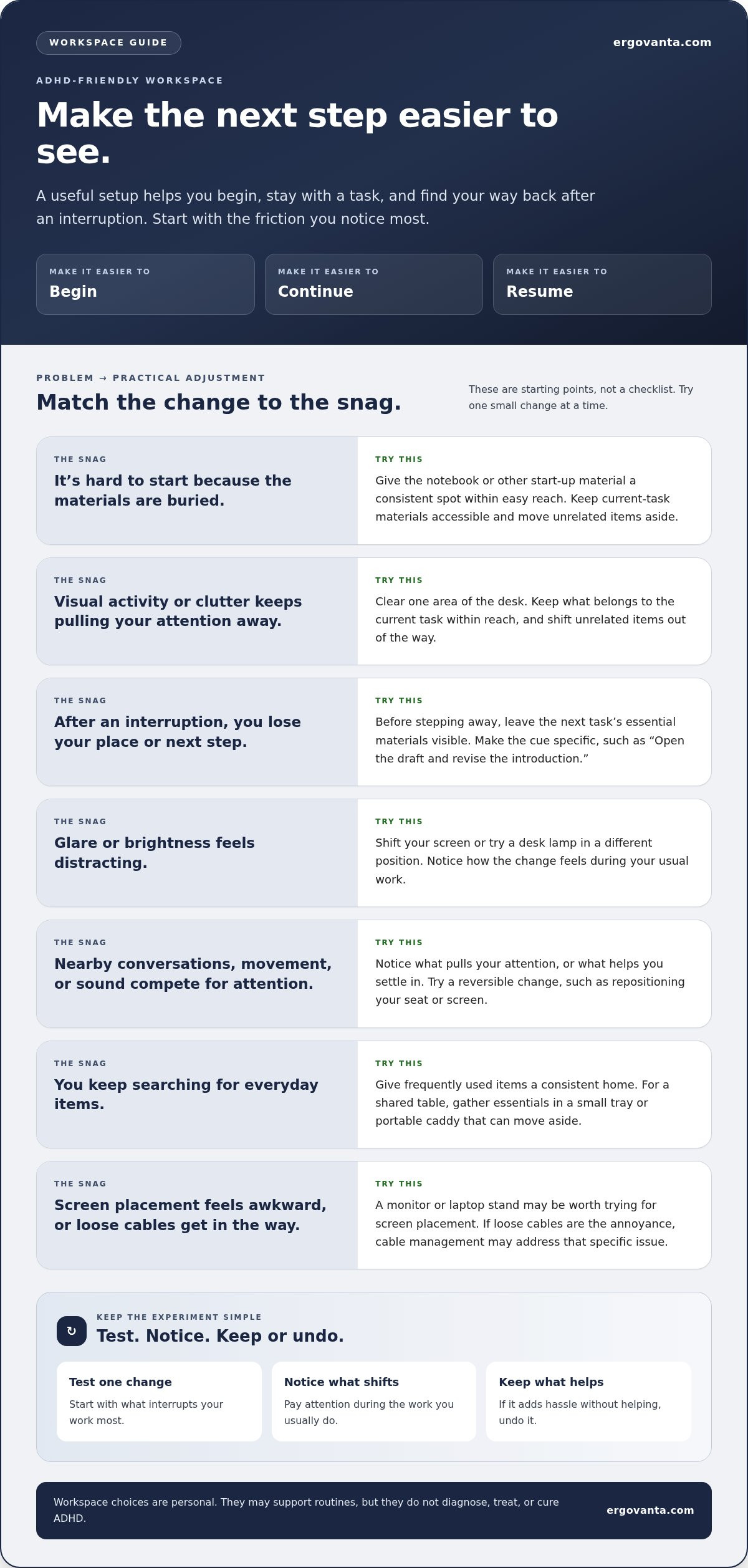
Notice where work gets stuck. Is starting difficult because the materials are buried? Does visual activity pull your attention away? After an interruption, do you lose your place or have to search for what comes next? These are workspace questions, not character judgments. They help you choose a small adjustment instead of trying to fix everything at once.
For example, if you repeatedly pause to find a notebook, give it a consistent spot within easy reach. If screen placement feels awkward, a monitor stand or laptop stand may be worth trying. If loose cables are in your way, cable management may address that specific annoyance. Think of each change as a test, not a promise. Explore workspace essentials for optional tools, and choose only what suits the way you work.
How Workspace Cues and Everyday Friction Shape ADHD Work
A workspace can make the next step easier to see. It can’t guarantee focus, and the same change won’t suit everyone. Treat layout, light, sound, and object placement as practical supports to test, not universal fixes. The best workspace setup for ADHD is built around the points where your own workday tends to snag.
Reducing workspace friction can support a routine; it isn’t a treatment for ADHD. A visible notebook might remind you where to begin. A clear spot for your headphones may save a search before a call. Small cues are useful because they reduce the number of things you have to remember. CHADD's guide to organizing your workspace offers additional practical ideas for arranging a work area.
Make starting and task transitions easier to see
Before you step away, leave the next task’s essential materials visible and within reach. Use one simple cue to separate active work from everything that can wait: a notepad open to the next step, for instance, or a designated spot for the document you need. Make the cue specific enough to be useful. “Continue project” is less actionable than “Open the draft and revise the introduction.” After an interruption, return to the cue rather than rebuilding the whole plan from memory.
Notice sensory input without assuming one ideal environment
Pay attention to what competes for your attention. Does glare make it harder to look at the screen? Do nearby conversations, movement in your line of sight, or visual clutter pull you away? Or does some background activity help you settle in? There’s no universal setting for sound or light. Change one thing in a reversible way, such as repositioning a lamp or clearing one area of the desk, and notice what feels different during the task.
Keep the experiment simple. If a change adds hassle without helping, undo it. A desk lamp gives you another way to adjust workspace lighting, but the useful choice depends on your room and preferences, not a rule about ADHD. If you work near a window or share a room, try changing the position of your screen or seat before buying anything.
Use routines and objects as external reminders
Put frequently used items where a routine naturally begins. If you start work by reviewing notes, keep the notebook near your usual seat. If you often search for your phone charger, give it a consistent home near where you work. For a shared table, a small tray or portable caddy can gather essentials, then move aside when the table returns to other duties. The best system is the one you can reset without turning the reset into another task.
For a shared or temporary setup, Ergovanta workspace options include practical tools for equipping the space you use.
Which ADHD Workspace Choices Matter Most for Your Situation?
Choose a workspace change by the problem it addresses, the effort it takes to maintain, and the space you have. The best workspace setup for ADHD doesn’t need an elaborate desk makeover. Start with what’s already available, test one small adjustment, and keep it only if it earns its place in your workday. The table below is a starting point, not a checklist.
| Common challenge | Low-effort adjustment | What to observe |
|---|---|---|
| Too many items compete for attention | Keep current-task materials accessible; move unrelated items aside | Is it easier to find what you need without the desk feeling bare? |
| Glare or brightness feels distracting | Shift your screen or try a desk lamp in a different position | Does the change feel easier on your eyes during your usual work? |
| Screen placement feels awkward | Try adjusting the display position or using a monitor or laptop stand | Does the new arrangement suit your setup and available desk space? |
| Sitting feels uncomfortable | Test a seat cushion or foot rest if it fits your needs | Does the change feel better during the tasks you do most? |
Desk organization: visible essentials or a clear surface?
Visible reminders can help keep an active task in view, but a crowded surface can feel like competing requests. Keep the materials for your current task within reach, then relocate items you don’t need right now. A useful rule is to keep the active task visible and put other tasks somewhere you can find them without leaving them all in your line of sight. If you share a desk, a small tray can gather your essentials and move when the space needs to serve another purpose. Browse workspace essentials for optional tools to consider, not a checklist to complete.
Lighting and display position: what should you adjust first?
Check for glare on your screen, brightness that feels uncomfortable, or a display position that makes you shift around. Try changing one variable at a time so you can tell what helped. First, reposition the screen or adjust the light already in the room. If you still want more control over task lighting, a desk lamp is one option. A monitor or laptop stand can help you test a different screen position. Neither is a requirement. Your room and the way you use your desk should guide the choice.
Comfort tools: when might a small change help?
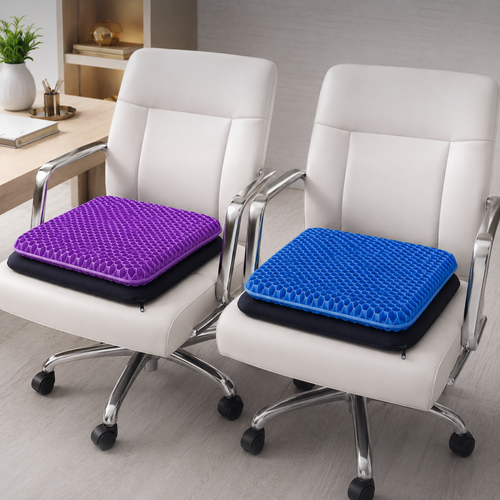
A seat cushion, lumbar pillow, or foot rest may be worth testing if sitting feels uncomfortable in your usual work routine. Comfort is personal, and these accessories are not ADHD interventions. Choose based on what you notice and how you actually work, not on a promise that one item will improve focus, posture, or health for everyone. Consider the space you have and whether the item will fit into your normal routine. The useful setup is the one that suits your needs and available space.
How to Build and Test an ADHD-Friendly Workspace Step by Step
Skip the weekend-long desk overhaul. A useful workspace experiment starts with one recurring snag, tests one change, and keeps only what makes the space easier to use. The best workspace setup for ADHD isn’t found in one dramatic reset. It takes shape through small adjustments that fit your actual work or study routine.
- Notice the friction. Identify one moment that repeatedly interrupts your work.
- Choose one change. Make it specific and easy to undo.
- Try it during ordinary work. Use the setup for the task it’s meant to support.
- Decide what to keep. Notice whether starting, returning, or using the space felt easier.
Identify the moment that repeatedly interrupts your work
Look for a recurring obstacle in a typical session: searching for a notebook, shifting a lamp to avoid glare, or clearing a spot before you can begin. The task itself may be challenging, and the environment may add friction. Neither observation is a verdict on you. Pick one adjustment you can reverse easily if it doesn’t suit you.
Run a small workspace experiment
Change one factor at a time, such as moving a frequently used item, adjusting task lighting, or gathering loose cables. Then use the setup for the work it’s meant to support. A change that looks tidy but gets in your way hasn’t earned its place.
Keep notes in plain language: “I found my materials faster,” “The screen felt less glary,” or “I kept noticing the items behind me.” You’re tracking your experience, not measuring ADHD or proving a clinical result. Let the adjustment stay only if it feels useful in real conditions. If the result is unclear, try it again during the same kind of task before deciding.
One change, tried in ordinary work, tells you more than a perfect setup planned all at once.
Create a reset routine that survives busy days
End a session by setting out what you’ll need for the next task and returning shared items to their usual spot. Keep the reset short: place the notebook, put the charger back, clear only the space you need. A routine that takes little effort has a better chance of surviving a busy day.
If your desk also serves as a dining table, use a tray or caddy to gather work essentials before moving them. For hybrid work, choose a small set of items that can travel together, such as a notebook, charger, and headphones. The aim isn’t to restore a showroom. It’s to make your next return less of a scavenger hunt.
Make the Best Workspace Setup for ADHD Feel Like Yours
The best workspace setup for ADHD is the one you’ll actually use, not the one that looks most complete in a photo. Keep the changes that make your routines feel more manageable. Leave out anything that adds steps, takes up needed space, or becomes one more thing to move.
Choose desk objects that earn their place
Start with a specific need, then consider whether an object addresses it. A desk lamp may be useful if you want more control over task lighting. A monitor or laptop stand may suit your setup if screen placement feels awkward. A seat cushion, lumbar pillow, or foot rest may be worth considering if sitting feels uncomfortable during your usual work. These are optional workspace tools, not ADHD treatments or universal solutions.
Skip objects chosen only to fill the desk or copy someone else’s setup. If comfort is the issue, consider ergonomics and comfort accessories with that need in mind. Choose deliberately, then notice whether the item actually gets used and makes the routine easier.
Build a setup that can change with your work
Your needs may shift with the task, schedule, or place you’re working. A shared table may need a setup that packs away easily. A study session may call for different materials than a day of calls. Check in with your space now and then: what do you reach for, and what has become visual clutter or an obstacle? Move, store, or remove items that no longer serve the work.
There’s no final arrangement everyone needs to reach. Your workspace can stay flexible and still feel considered. Keep what helps you begin and return to tasks, and change what doesn’t. Personal ownership matters more than matching a template.
Take one useful next step
Choose one small adjustment to try next. It might be moving an everyday item, making room for the current task, or considering a lamp, stand, or comfort accessory for a specific need. You don’t need to equip the whole desk at once. Build a space you’re willing to come back to, then let experience guide what earns a place there.
Build a Workspace You’ll Want to Return To
The best workspace setup for ADHD isn’t a perfect desk. It’s a personal arrangement that makes everyday work feel more manageable. Notice where you get stuck, choose one small change, and keep it only if it proves useful in your real routine.
Let your needs guide the details. A clearer work area, different lighting, or a consistent place for essentials may reduce friction. Desk lamps, monitor and laptop stands, and comfort accessories are optional tools for specific tasks or preferences, not requirements or ADHD treatments.
Your setup can change as your work, schedule, or workspace changes. Keep what earns its place. Let the rest go.
Start with one useful adjustment. Build from there, at your pace.
Frequently Asked Questions
Is there one best workspace setup for ADHD?
No, there isn’t one arrangement that suits everyone with ADHD. Your tasks, distractions, sensory preferences, and available space all shape what feels workable. Start by noticing one recurring point of friction, such as searching for materials or being distracted by items in view. Try one small adjustment during your usual work, then keep, revise, or remove it based on your experience. Your desk doesn’t need to pass an inspection.
Can changing my workspace help if I have ADHD?
Workspace changes may make some routines or tasks easier to approach, but they don’t treat or cure ADHD. The best workspace setup for ADHD is personal, not a guaranteed focus fix. Try making materials for your current task easier to find or moving unrelated items out of your immediate work area. Notice whether the adjustment feels useful in everyday conditions, rather than expecting a particular product or layout to work the same way for everyone.
How do I make my desk less distracting with ADHD?
Start by noticing what tends to pull your attention away, such as unrelated objects in view, glare, or nearby sounds. Choose one manageable change, like moving nonessential items away from your immediate work area while keeping current-task materials accessible. Use the adjusted setup during normal work or study tasks. Then decide whether it feels more usable, needs another adjustment, or should be undone. A clear surface is helpful only if it works for you.
What should I keep on an ADHD-friendly desk?
Keep what you need for your current task and any tools that help you follow your routine. The right amount of visibility varies. You might prefer a notebook or reminder in sight, while someone else may find a clearer surface easier to work with. Give frequently used items consistent places, and move aside objects that aren’t serving the task at hand. You don’t need to keep something on your desk just because a setup guide recommends it.
Is a standing desk necessary for an ADHD workspace?
No, a standing desk isn’t necessary for an ADHD-friendly workspace. Start with whether your current setup feels usable and suits the way you prefer to work. If changing position matters to you, a standing desk or desk converter may be an option to consider, but neither is an ADHD treatment or a requirement. Make furniture choices based on your routine, comfort, and available space, rather than assuming one desk type works for everyone.
What happens if I share my workspace with someone else?
You can build a shared setup that resets without changing the whole room. Keep your active-task items together, give shared tools a consistent place, and agree on simple boundaries where possible. A portable organizer can hold essentials while the desk is in use, then move when someone else needs the surface. A brief end-of-session reset can also help: return shared items and leave only what the next task requires.
Disclaimer
Ergovanta publishes these guides to help people set up better workspaces. Product recommendations reflect what we sell. Specifications, prices and availability are accurate at the time of writing and may change. Nothing here is medical, ergonomic or professional advice; if you have a specific health concern about your workstation, speak to a qualified professional.
From the catalog