August 27, 2026
Standing Desk Converter Benefits: Building a Workspace That Moves With You
You don't need to replace your desk to change the way you work. Many of us face the mid-afternoon slump or the persistent lower back stiffness that comes from static sitting; yet, we aren't ready to part with the furniture we've carefully chosen. The standing desk converter benefits go beyond simple ergonomics: they allow you to build on your existing foundation. By adding a tool designed for purposeful function, you turn a static surface into a workspace that moves with you. It's about making the desk you already have earn its place in your daily routine.
The workspace shapes the work. You deserve a setup that feels organized and intentional, not one that dictates your posture for eight hours straight. Discover how a considered desk converter setup allows you to keep the desk you love while building a healthier, more intentional work rhythm. We will look at how to equip your space for better focus, reduced physical strain, and a daily flow that feels entirely your own. Your desk shouldn't be a source of clutter or fatigue. Instead, it should be the place you'd choose to come back to.
Key Takeaways
- Static positions stall focus; learn how to break the cycle of physical inertia to maintain a clear and productive mind throughout the day.
- Explore the core standing desk converter benefits, including how these tools integrate with your current furniture to provide movement without a total office overhaul.
- Understand why keeping a desk you already value is a more intentional and cost-effective choice than replacing it with a generic standing frame.
- Learn to equip your setup for long-term use by mastering cable management and choosing the lift mechanism that fits your specific work rhythm.
- Build a workspace where every object earns its place through purposeful function and a commitment to the work you actually do.
Why the Static Workspace Fails the Work
The workspace shapes the work. Equip it deliberately. If you spend your entire day in a fixed position, you aren't just sitting; you're stalling. Static environments invite inertia, which quickly becomes the enemy of clear thought and creative problem-solving. This physical stagnation leads to a mental fog that persists through the afternoon. One of the key standing desk converter benefits is the ability to break this cycle of stillness without abandoning the desk you've already chosen. Movement is not a distraction from the work. It is the fuel for it. Equip your space to support a body that was meant to move with workspace essentials that prioritize function over tradition.
To better understand how these tools change your daily rhythm, watch this overview of the transition:
The Reality of the 8-Hour Sit
Most people recognize the mid-afternoon slump. It's that moment when your focus drifts and your body feels heavy. This isn't a lack of discipline; it's a physical response to a lack of options. Staying in one position for hours creates a noticeable stiffness in the neck and shoulders that often lingers long after you've closed your laptop. Your environment should provide more than just a place to park your hardware. Understanding the history of What is a Standing Desk? helps frame why movement is a requirement for focus. A fixed desk forces you to adapt to the furniture. An intentional space adapts to you and the work you do.
Intentional Movement vs. Forced Standing
Standing all day is not the solution. Static standing can be just as taxing as static sitting, often leading to fatigue in the legs and a different kind of lower back strain. The real advantage lies in the transition. Build a sit-stand-move cycle that feels natural to your specific tasks. A desk converter allows you to shift heights in seconds, maintaining your flow while giving your body the reset it needs. This isn't about performative busyness. It's about building a sustainable rhythm that respects your physical limits. By integrating these standing desk converter benefits into your daily routine, you ensure that your workspace remains a functional tool. You create a room that gets used properly, rather than a museum of static furniture. Focus on the objects that earn their place.
What is a Standing Desk Converter?
A standing desk converter is a height-adjustable platform designed to sit directly on your current desk. It is an intentional choice for those who want the flexibility of a sit-stand rhythm without parting with a desk they already love. Unlike a full standing desk, the converter uses the surface you've already chosen as its foundation. One of the primary standing desk converter benefits is this adaptability; it turns a static piece of furniture into a functional tool for the work you actually do. You should consider the footprint carefully before you build your setup. Most units require a clear area of 30 to 36 inches in width to ensure stability. A considered design prevents your screens from shaking while you type, ensuring that your focus remains on the task at hand.
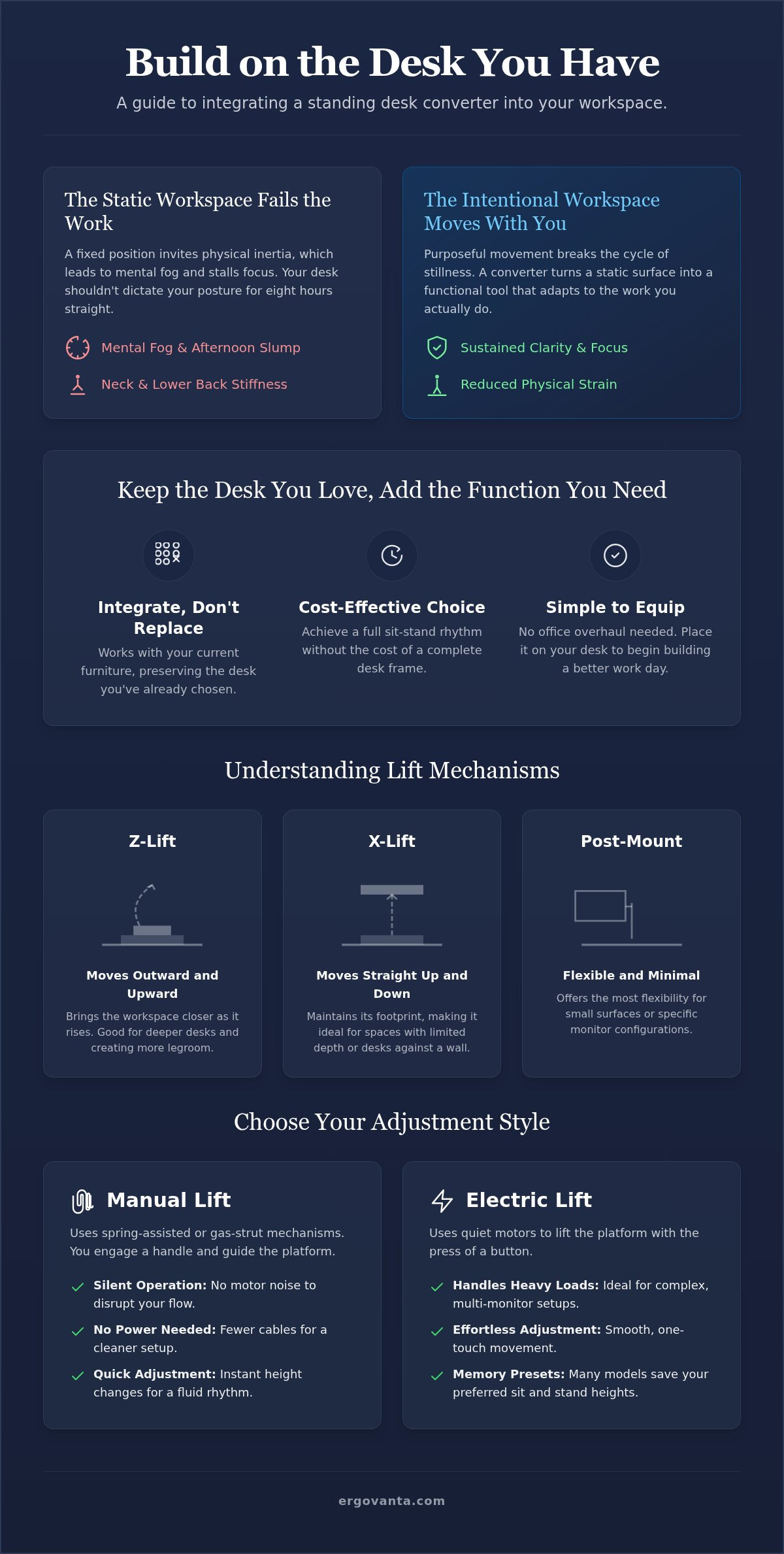
The mechanical design dictates how the unit moves through your space. Z-lifts move outward and upward, bringing the workspace closer to you as it rises. X-lifts move straight up and down, which is ideal if you have limited depth on your desktop. Post-mount styles offer the most flexibility for smaller surfaces or specific monitor configurations. Each mechanism has its place depending on your specific work rhythm. Researching the truth behind standing desks shows that the ability to normalize blood sugar and reduce back pain depends on actually using these movement features throughout the day. For those building a setup from scratch, browsing monitor and laptop stands can help define the requirements of your space.
Manual vs. Electric Adjustments
Manual lifts often use spring-assisted or gas-strut mechanisms. They are silent, quick, and don't require extra power cables to clutter your floor. You simply engage a handle and guide the unit to your preferred height. Electric converters use quiet motors to handle the weight of heavy multi-monitor setups at the press of a button. When you weigh the standing desk converter benefits against a full desk replacement, the ease of these transitions stands out. Choose the mechanism that feels right for your flow. If you find yourself switching positions every 30 minutes, a fast manual lift might be your best tool.
The Two-Tier Design Logic
Most converters utilize a two-tier layout to maximize ergonomic function. The upper deck holds your monitors at eye level, while the lower tray keeps your keyboard and mouse at the correct height for your wrists. This separation is vital. It allows you to achieve the right screen height without needing a separate monitor stand. There is also room for the small objects that earn their place, like a notebook or a phone stand. If you need help deciding which mechanism fits your specific workflow, reach out to our team for a conversation about your space.
The Benefits of Keeping the Desk You Love
A desk is more than a surface; it is a foundation you've already chosen. Often, the rooms that get used the most are the ones where the furniture has a history or a specific character. One of the greatest standing desk converter benefits is the ability to maintain that intentionality. You don't have to swap a high-quality solid wood desk for a generic standing frame made of particle board. Fixed desks are inherently stable. They handle heavy monitor setups and hardware without the wobble often found in entry-level motorized desks. By choosing a converter, you keep the stability of your original workspace while adding the movement your body requires. Equip your space with tools that respect the choices you've already made.
Equipping your space this way is also a zero-waste decision. Discarding perfectly functional furniture has an environmental cost that is rarely discussed. A converter extends the life of your current desk, making it a more considered and sustainable choice for the people who do the work. It is also cost-effective. You get the full ergonomic function of a sit-stand setup without the price tag of a complex motorized frame. When you weigh the standing desk converter benefits against a full desk replacement, you'll find it's better to invest in the mechanism that does the work rather than paying for a whole new piece of furniture you don't actually need.
Preserving Your Aesthetic
Your workspace should feel like yours, not a corporate cubicle. A converter allows you to maintain the visual language of your room while adding purposeful function. Whether your space features natural wood, industrial metal, or clean acrylic, you can select tools that complement your existing style. You can Shop our ergonomic collection for considered tools that earn their place on your desk. The goal is to build a setup that feels cohesive and intentional, rather than a collection of mismatched parts. The workspace shapes the work; build it to reflect the way you actually operate.
Ease of Setup
The best tools are the ones that get used immediately. Most standing desk converters are ready to work right out of the box. You avoid the assembly trap of "I'll do it next weekend" and the frustration of complex instruction manuals. This portability also means your setup isn't permanent. If you decide to work from a different room or move to a larger table, your converter moves with you. It is a flexible addition to a workspace that moves with your life, rather than a heavy fixture that dictates where you must stand. Build your space with tools that are made for the work and ready when you are.
Equipping Your Converter for Long-Term Use
The workspace shapes the work. Equip it deliberately. A converter is only as good as the organization surrounding it. If your cables are a mess, the transition between sitting and standing becomes a chore rather than a rhythm. One of the core standing desk converter benefits is the ability to maintain a clean, intentional environment that moves with you. It's about ensuring every object on your desk earns its place and supports the task at hand. When your setup is organized, you're more likely to use the movement features you've invested in.
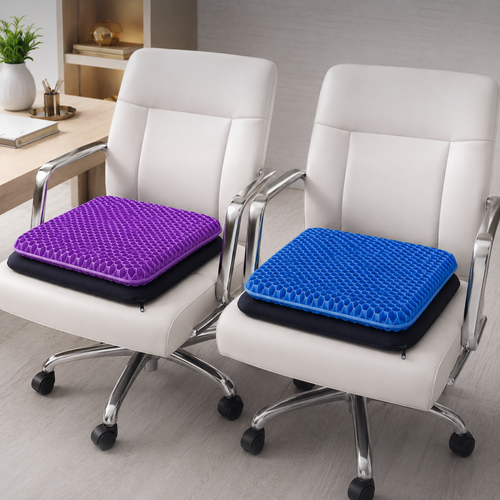
Don't forget the silent partner of the height-adjustable workspace: the floor. Proprioception plays a significant role in how you feel while standing. A foot rest or an anti-fatigue mat provides the feedback your body needs when you aren't sitting. These tools help you find a comfortable stance and reduce the pressure on your feet and lower back. Your setup should be a complete ecosystem of movement that starts at your feet and ends at your monitors. By considering the floor, you build a space that is truly made for the work.
Managing the Tangle
Movement requires slack. When routing monitor and peripheral cables, ensure you have enough length for the full lift range. Use a cable management tray to keep the look clean and prevent snags. Tucking a power strip into a tray attached to the desk or the converter itself means only one main power cord needs to move. This simple step keeps your workspace organized and ensures that your hardware stays secure during every transition. Avoid the common mistake of binding cables too tightly; they need room to breathe and shift as the mechanism expands. A snagged cable is more than an annoyance; it's a risk to your equipment.
Lighting and Focus
Light changes as you move. When you rise, the distance between your screen and your light source changes, which can create new glares or shadows. Position desk lamps with adjustable arms so you can maintain consistent illumination at both heights. Monitor light bars are also a practical choice; they move with the screen and provide even light across your documents without taking up extra space on the converter deck. Consistency in lighting helps maintain focus and reduces eye strain as you shift through your daily work rhythm. Pay attention to how shadows fall across your keyboard tray when you stand; a slight adjustment to the lamp angle can make a significant difference in your visual clarity.
Building a Space That Is Yours
The workspace shapes the work. Equip it deliberately. Workspaces are not all the same; your setup should reflect the work you actually do. Choosing a converter is an intentional act of ownership. It proves that you value the foundation you've already built while acknowledging that your body needs to move. The standing desk converter benefits extend beyond the physical. They signal a commitment to a workspace that is as dynamic as your thought process. It is about building a room that gets used to its full potential rather than one that just holds your hardware.
At Ergovanta, we believe in the philosophy of purposeful function. Every object on your desk must earn its place. This is the "Ergo Advantage." The name itself reminds us of our goals: ERGO for purposeful function and VANTA for the advantage it brings to the people who do the work. Small, considered changes in your environment lead to a better work day. When your tools are made for the work, the friction of the daily routine disappears. Assess your current desk today. If it's a piece of furniture you love, don't replace it. Equip it. Build a workspace that moves with you. This transition allows you to keep the aesthetic you've curated while gaining the freedom of movement.
The Considered Workspace
Move away from the rigid, generic corporate look. Build a space you'd choose to come back to. This involves more than just a height-adjustable surface. It means integrating monitor stands and tech accessories that streamline your specific workflow. Every addition should be intentional. "Made for the work" is the only metric that matters. If a tool doesn't solve a physical problem or improve your mental rhythm, it doesn't belong in your space. Focus on the small objects that provide a clear advantage and clear the mental clutter.
For the People Who Do the Work
Ergovanta creates tools for the people who do the work. We focus on the daily rhythm of creators, freelancers, and professionals who spend serious hours at their desks. Your workspace is more than just a place to sit; it is a sanctuary of productivity. Build it with intentionality. Don't settle for a setup that feels like everyone else's. Your work is unique; your space should be too. The standing desk converter benefits are most apparent when they are part of a larger, considered environment. Explore our new arrivals for your next workspace addition and keep building the space you deserve.
Equip Your Space for the Work Ahead
The workspace shapes the work. Equip it deliberately. You've explored how keeping the desk you love creates a more intentional environment while avoiding the waste of unnecessary furniture replacement. Movement is the fuel for focus; a considered setup ensures you aren't stalling in a static position throughout the day. By understanding the standing desk converter benefits, you've taken the first step toward a healthier, more productive rhythm that respects your body's need for transition and variety.
Ergovanta is built on the principle of purposeful function (ERGO) and the advantage (VANTA) it provides to the people who do the work. We provide considered tools for intentional spaces that support your unique daily flow. Now is the time to assess your current setup and decide which objects truly earn their place on your desktop. Your environment should be a tool that works for you, not against you.
Your workspace should be a sanctuary of clarity and function. Build it intentionally and enjoy a work rhythm that moves with you every step of the way.
Frequently Asked Questions
Is a standing desk converter stable enough for heavy typing?
Yes, a well-built converter is designed to remain stable during heavy typing. Look for models with a heavy steel base or those that use a Z-lift mechanism to distribute weight evenly across your desk. Stability is a key component of purposeful function; it ensures your screens don't wobble while you focus on the work. If you choose a unit that matches your hardware's weight, the typing surface remains firm and responsive throughout your day.
Will a converter damage the surface of my existing desk?
Most converters are equipped with non-slip rubber padding or felt feet to protect your desk surface. These additions ensure that the tool respects the furniture you've already chosen to keep. Since the unit sits on top of your desk without the need for drilling, your original surface remains intact. This is a significant part of the standing desk converter benefits; you gain ergonomic function without risking the finish of a high-quality wood desk.
How do I know if my monitor is too heavy for a converter?
You can determine monitor compatibility by checking the lift capacity of the specific converter, which usually ranges from 15 to 40 pounds. Overloading the unit can strain the gas springs or manual tension, making it harder to adjust. If you use heavy screens, consider an electric model that handles the lift for you. Always weigh your monitor and stand together to ensure the mechanism can support your equipment reliably and maintain its position.
Can I use a dual monitor setup with a desk converter?
Yes, many converters feature a wide top deck specifically designed to accommodate two monitors side by side. You should measure the total width of your screens to ensure they fit within the platform's dimensions, typically 32 to 42 inches. Using monitor arms with your converter can help clear extra space on the upper tier for small objects like notebooks or phone stands. This setup allows for a highly organized and intentional workspace.
Do I still need an ergonomic chair if I use a standing desk converter?
An ergonomic chair remains a vital part of your setup because the goal is a sit-stand-move cycle. You won't be standing all day; you'll be alternating between positions to keep your body moving. When you are in the sitting phase of your rhythm, a supportive chair or lumbar pillow ensures your posture remains neutral. Movement is about having options, and a considered chair provides the necessary support for the times you aren't standing.
What is the ideal height for a standing desk converter?
The ideal height allows your elbows to stay at a 90-degree angle while typing and your eyes to align with the top third of your screen. Most converters offer a lift range of 15 to 20 inches above your desk surface. Adjusting the unit correctly prevents you from hunching over or straining your neck. Finding this personal alignment is one of the primary standing desk converter benefits, as it tailors the space to your specific physical needs.
Are electric standing desk converters better than manual ones?
Neither is objectively better; they simply serve different work rhythms. Manual converters are silent, require no power cables, and use spring-assisted lifts for quick transitions. Electric models are ideal for those with heavy multi-monitor setups who prefer effortless, motorized adjustment at the press of a button. Choose the mechanism that fits your flow. If you value a minimalist setup with fewer cords, a manual lift is a functional and considered choice.
How much space does a converter take up on my desk?
A standard converter typically occupies a footprint of 30 to 36 inches in width and 20 to 24 inches in depth. While it takes up the central portion of your desk, the two-tier design actually adds usable vertical space. You gain a dedicated area for your keyboard and a separate platform for your screens and small objects. This helps clear the clutter from your primary desk surface, making your workspace feel more organized and made for the work.
Disclaimer
Ergovanta publishes these guides to help people set up better workspaces. Product recommendations reflect what we sell. Specifications, prices and availability are accurate at the time of writing and may change. Nothing here is medical, ergonomic or professional advice; if you have a specific health concern about your workstation, speak to a qualified professional.
From the catalog