September 9, 2026
The Ultimate Home Office Setup for Software Engineers
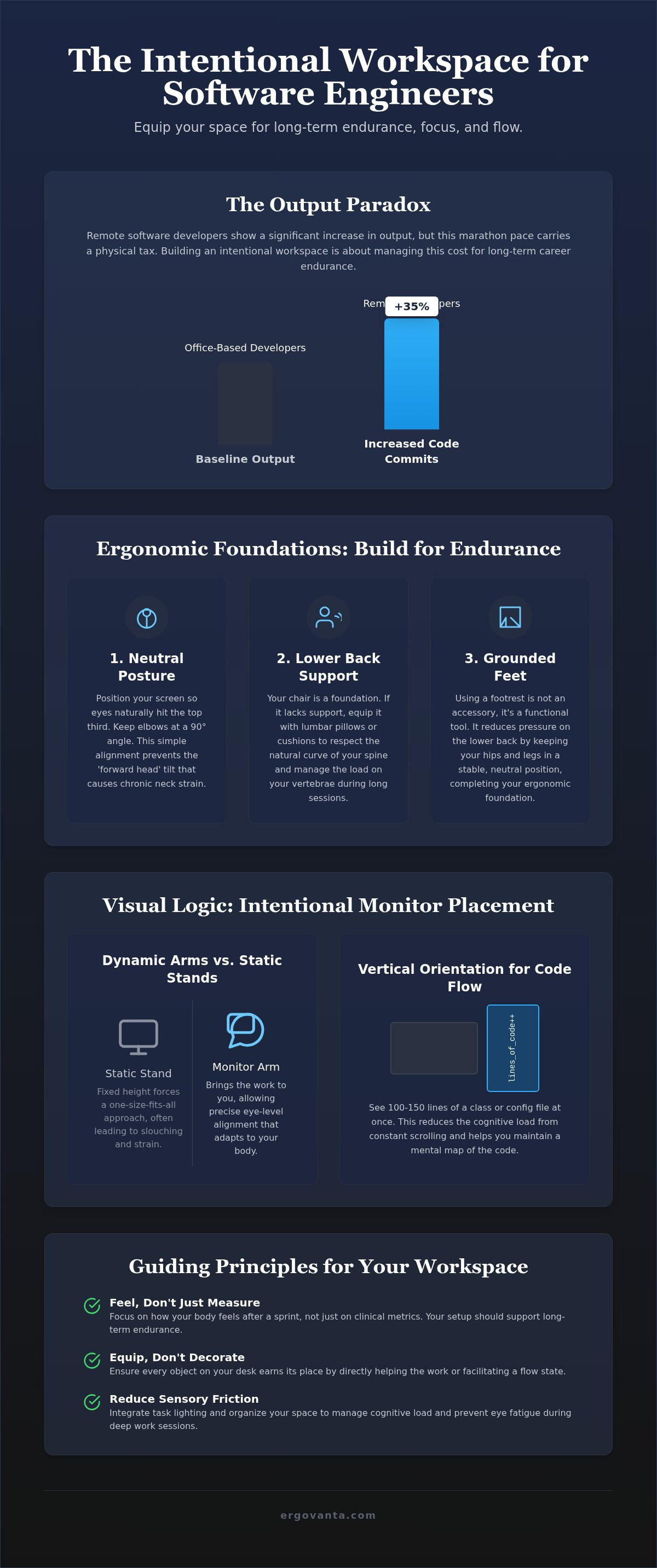
Remote software developers show a 35% increase in daily code commits compared to their office-based counterparts, yet this output often carries a physical tax. You know the cost of a marathon debugging session: the persistent tension in your shoulders, the strain of late-night screen glare, and the mental friction of a disorganized desk. Building a home office setup for software engineers isn't about status or corporate identity. It's about equipping a workspace that earns its place through utility and supports your focus.
We agree that your environment should be a sanctuary for deep work, not a source of chronic discomfort. This guide provides the blueprint to build an intentional workspace designed for long-term coding endurance and mental clarity. You'll learn how to select tools that meet ISO and BIFMA standards, choose displays that reduce cognitive load, and organize your desk to facilitate a consistent flow state. Stop fighting your furniture and start equipping a space made for the work.
Key Takeaways
- Focus on how your body feels after a sprint rather than clinical metrics to build a space made for long-term coding endurance.
- Apply visual logic to your home office setup for software engineers by using monitor arms to support both horizontal debugging and vertical code reading.
- Equip a desk that serves as a personal foundation, focusing on intentional height settings to protect your wrists during heavy input sessions.
- Reduce sensory friction and eye fatigue by integrating task lighting designed to manage cognitive load during deep work.
- Ensure every object on your desk earns its place by removing tools that do not directly help the work or facilitate a flow state.
The Physical Cost of Code: Building for Long-Term Endurance
The workspace shapes the work. Equip it deliberately. For anyone writing code, the office isn't just a room; it's the environment where logic lives. A poorly planned home office setup for software engineers carries a heavy physical tax. We aren't talking about clinical metrics or corporate status symbols that look good in a brochure but fail during a 14-hour debugging session. Real ergonomics are about how you feel at 2:00 AM after a sprint. If you're ignoring the ergonomic hazards inherent in repetitive, stationary work, you're shortening your career endurance. Code is a marathon, and your setup must support that reality. Focus on objects that earn their place through function rather than gear designed for corporate optics.
Neutral Posture as a Baseline for Work
Your body isn't designed to hunch over a glowing rectangle for a decade. Start with the screen. Position your display so your eyes naturally hit the top third of the glass. This simple alignment prevents the "forward head" tilt that wrecks your neck over time. Keep your elbows at a 90-degree angle to stop your shoulders from creeping toward your ears. Instead of stacking books or forcing your spine to fit a fixed desk, use monitor arms to bring the work to you. It's a small change that ensures your home office setup for software engineers adapts to your specific height, not the other way around. Equip your space to work for you.
Support for the Lower Back and Seat
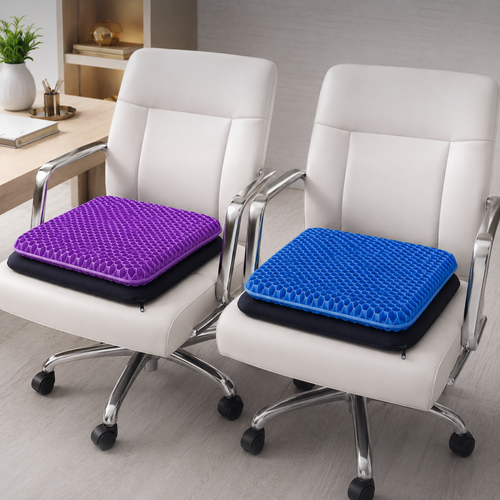
A chair that looks like a racing seat or a minimalist sculpture rarely supports the work. You need a foundation that respects the natural curve of your spine. If your current seat feels like a corporate assignment, equip it with lumbar pillows or seat cushions to add intentional support where it's missing. These aren't just accessories; they're functional tools that manage the physical load on your vertebrae. Don't forget your feet. Using a foot rest reduces pressure on your lower back by keeping your hips in a neutral position during long sessions. Building a workspace you'd choose to come back to starts with a seat that doesn't punish you for staying.
Visual Logic: Intentional Monitor Placement for Focus
The monitor is the primary interface for your logic. Its position dictates your neck health. A considered home office setup for software engineers prioritizes visual logic to remove friction from the debugging process. When your screen is too low or angled incorrectly, your body compensates by tilting the head or rounding the shoulders. This creates a physical distraction that pulls you out of a flow state. By treating your display arrangement as a tool for visual logic, you ensure that the interface between your mind and the code remains seamless. Equip your desk with tools that allow for fluid movement; static positions often lead to stagnant focus.
Monitor Arms vs. Static Stands
Static stands are often fixed at heights that force a slouch. They assume a one size fits all approach that rarely accounts for your specific torso length or seating position. Use monitor stands or mechanical arms to achieve a precise eye level. Following basic OSHA ergonomic principles ensures your display height matches your seated posture, preventing the repetitive strain of looking down. Dual monitor arms allow for a main and side logic, where your primary IDE stays centered while documentation sits to the side. For those who require a cockpit view, triple monitor stands provide maximum real estate, but they require careful alignment to avoid excessive neck rotation. If you are unsure which configuration fits your workflow, reach out to us for personalized advice on your layout.
Vertical Orientation for Code Review
Software engineers often need specialized configurations; vertical monitors are essential for parsing long files without losing context. Dedicate one screen to a vertical orientation to see more lines of code at once. Seeing 100 or 150 lines of a class or a configuration file reduces the cognitive load of constant scrolling. It allows your brain to maintain a mental map of the file structure more effectively. Ensure the vertical monitor is at the same eye level as your primary screen to prevent vertical head tilting. This arrangement facilitates a better review process and helps you spot logic errors that might be hidden when you are forced to jump between fragments of code on a horizontal display. Build your space to support the way you actually read, not just the way monitors are traditionally sold.
The Interactive Layer: Desk Surfaces and Input Support
The workspace shapes the work. Equip it deliberately. The desk is the literal foundation of your environment and the room's center of gravity. It shouldn't feel like a corporate assignment or a generic slab provided by an IT department; it should be a surface that earns its place through utility. For a home office setup for software engineers, the interactive layer is where your physical body meets the digital logic you create. Consider materials that provide tactile feedback. Wood and felt provide a warmth that makes the space feel personal rather than clinical. Equip your interactive layer with workspace essentials that reduce visual friction and keep your focus on the screen.
Standing Desks vs. Desk Converters
Flexibility is the primary requirement for anyone spending serious hours at a desk. Standing desks provide the most fluid way to change positions throughout the day. In 2026, 28% of full-time U.S. employees work entirely from home, while 53% operate in a hybrid model, proving that the home office is no longer a temporary fix. By the end of 2026, it's projected that 80% of software engineers will work either fully or partially from home, according to ScienceSoft data. This shift makes your primary work surface a long-term investment in your physical endurance. Desk converters are an intentional choice for those who prefer to keep their existing furniture while adding the ability to stand. Alternating between sitting and standing prevents static load on the spine and helps maintain mental clarity during deep work.
Wrist Health and Accessory Placement
Your wrists and hands are the high-frequency interfaces of your job. If they fail, the work stops. Keep your keyboard and mouse at a distance that allows your shoulders to remain relaxed and your elbows to stay in a neutral position. If you find yourself resting your palms on hard desk edges, use ergonomic desk accessories like wrist rests to prevent pressure on the carpal tunnel. Adhering to proper office ergonomics involves organizing your most-used tools within a neutral reach zone. This zone is the area you can reach without stretching your arms or leaning your torso. By keeping your mouse, phone, and notepad in this space, you avoid the repetitive micro-strains that lead to long-term injury. Equip your desk with a foot rest to further reduce the load on your lower back while you focus on the interactive layer. Build your space so your tools support your body rather than forcing your body to adapt to the tools.
Environment and Atmosphere: Reducing Sensory Friction
The workspace shapes the work. Equip it deliberately. While physical ergonomics protect your back, your environment protects your focus. Lighting is often the most overlooked component of a home office setup for software engineers. The right light reduces eye fatigue during deep work sessions, especially when you're staring at a high-contrast dark-mode IDE for hours. Build a space that feels like a sanctuary of productivity by managing sensory inputs. If your room feels chaotic, your logic will follow. A considered atmosphere isn't about decoration; it's about reducing the friction between you and the code.
Task Lighting for Late-Night Sprints
Avoid harsh overhead lights that cause glare on your screen and create unnecessary shadows. These shadows force your pupils to constantly adjust, which leads to headaches during long sprints. Equip your desk with desk lamps that provide adjustable color temperatures. Warm light is better for winding down, while cooler, daylight-balanced light supports cognitive load management during intense debugging. Monitor light bars are another intentional choice. They provide even illumination across your workspace without taking up desk real estate. This ensures your eyes don't have to work harder than they should when checking physical notes or your keyboard.
Cable Management as Mental Clarity
Cables are visual noise. They represent unfinished business and physical clutter that creates mental friction every time you look away from the screen. An organized desk reflects an intentional mind, so build a system that stays clean through daily use. This is a fundamental part of a high-functioning home office setup for software engineers. Use trays and sleeves to clear the path for your work. You can also utilize tech device accessories like wireless chargers to minimize the number of cords crossing your surface. When you remove the tangle of power leads and peripherals, you clear the way for flow state. Choose small objects that earn their place and facilitate an environment you choose to come back to. If a cable doesn't need to be visible, hide it.
Sustaining the Flow: Intentional Workspace Maintenance
The workspace shapes the work. Equip it deliberately. Your home office setup for software engineers is not a static museum piece; it's a living system that should evolve as your projects change. A workspace that remains frozen in time eventually becomes a source of friction. Instead of aiming for a "finished" look, focus on a setup that stays relevant to the way you actually code. Choose objects that earn their place through daily utility. If a tool doesn't help the work or facilitate your flow state, remove it. The rooms that get used are the ones built with purpose and maintained with intentionality.
Choosing Objects That Earn Their Place
Prioritize quality over quantity when selecting the items that occupy your visual field. One solid walnut stand provides a tactile warmth and structural stability that three plastic risers cannot match. These considered materials earn their place by providing a sense of permanence and reliability. While function is the priority, personal ownership matters. Including faux plants or small, intentional decor items makes the space feel like yours rather than a generic corporate cubicle. Focus on the small objects that support your ritual. Every item on your desk should either contribute to your physical endurance or your mental clarity.
The Ritual of the Workspace
Maintaining a high-functioning environment requires more than just the right gear; it requires a relationship with the space. Establish a closing ritual to signal the end of your logic sessions. This might involve clearing your physical desktop, aligning your input devices, or dimming your task lights. This ritual helps you transition from the intensity of a debugging sprint to the refined ritual of winding down, especially when your home and office share the same square footage. Maintain your gear with the same discipline you apply to your code. Clean your screens and dust your surfaces regularly to prevent sensory friction from building up. Build the workspace you would choose to come back to by exploring our curated collections.
Build for the Long Sprint
The workspace shapes the work. Equip it deliberately. You've seen how functional ergonomics and visual logic prevent the physical tax of long hours at the keyboard. By reducing sensory friction and maintaining an intentional environment, you protect your focus for the deepest debugging sessions. A high-performing home office setup for software engineers is built through considered choices; it's about the tools that earn their place through daily utility and physical support.
Focus on the objects that provide a purposeful function. Whether it's a monitor arm that aligns with your visual logic or a task lamp that manages your cognitive load, every choice should support your long-term endurance. Your environment is a tool in itself. Build a space that doesn't just house your equipment but actively facilitates your flow state. When you choose designs that earn their place, you create a sanctuary that respects the intensity of the craft.
Equip your space with intentionality. Create an environment you would choose to come back to every day.
Frequently Asked Questions
What is the best monitor setup for software engineers?
The most effective configuration for a home office setup for software engineers typically involves a primary horizontal display paired with a vertical side monitor. This dual-screen logic allows for full-screen IDE work alongside long-form documentation or terminal logs. Using monitor arms provides the flexibility to adjust these displays as your project requirements change. It's about building a layout that matches your specific visual workflow rather than following a generic template.
Is a standing desk actually worth it for coding?
Standing desks are worth the investment because they prevent the static physical load associated with long debugging sessions. Alternating between sitting and standing helps maintain mental clarity and physical endurance throughout the day. If you prefer to keep your current furniture, a desk converter offers an intentional way to add movement to your space. It's about equipping your workspace with the flexibility to move when the work demands a change in posture.
How can I prevent eye strain while coding in dark mode?
Prevent eye strain by using a monitor light bar to provide even illumination across your desk without creating screen glare. When you code in dark mode, the high contrast between a bright screen and a dark room causes fatigue. Equip your space with desk lamps that offer adjustable color temperatures to balance the ambient light. This considered approach to lighting reduces the cognitive load on your eyes during intense late-night sprints.
What ergonomic accessories are essential for a small home office?
In a limited space, every object must earn its place through daily utility. Essential tools include a monitor arm to clear your desk surface and a lumbar pillow to provide support without the bulk of a larger chair. Equip your setup with wireless chargers and cable management sleeves to reduce visual noise. These small, intentional choices help you build a functional home office setup for software engineers even within a compact footprint.
How do I choose the right chair for long hours of programming?
Choose a chair based on how your body feels after a four-hour stretch of work rather than its aesthetic appeal. Look for mesh office chairs that provide breathability and adjustable lumbar support to maintain the natural curve of your spine. The goal is to find a seat that supports the work without becoming a distraction. If your current chair lacks specific support, equip it with seat cushions or lumbar pillows to make it yours.
Does cable management actually improve productivity?
Cable management improves productivity by removing visual noise that causes mental friction. When your desk is clear of tangled cords, you reduce the physical distractions that can break your flow state. An organized desk reflects a considered approach to your environment, allowing you to focus entirely on the logic of your code. Use trays and sleeves to hide the clutter and build a workspace you actually choose to come back to.
How high should my monitor be for proper coding ergonomics?
Your eyes should hit the top third of the screen when you are sitting in a neutral position. This height prevents you from tilting your head forward or rounding your shoulders to see the code. If your display is too low, use monitor stands or desk risers to bring the work to your natural eye level. Equipping your space with adjustable arms ensures the height remains intentional regardless of your seating posture.
What kind of lighting is best for a developer workspace?
The best lighting for a developer workspace is layered and adjustable. Start with a desk lamp for focused task lighting and add a monitor light bar to illuminate your interactive surface without causing glare. Avoid harsh overhead fixtures that create shadows across your keyboard. By controlling the color temperature and brightness of your space, you manage your cognitive energy and build an atmosphere made for deep work.
Disclaimer
Ergovanta publishes these guides to help people set up better workspaces. Product recommendations reflect what we sell. Specifications, prices and availability are accurate at the time of writing and may change. Nothing here is medical, ergonomic or professional advice; if you have a specific health concern about your workstation, speak to a qualified professional.
From the catalog