August 18, 2026
The Workspace Shapes the Work: A Guide to Ergonomic Equipment
The workspace shapes the work. Equip it deliberately. Most people treat their desk as a static backdrop, but a truly considered environment is one you build for yourself. When you select the right ergonomic equipment, you stop fighting against your furniture and start working with it. This isn't about turning your room into a clinic or following corporate mandates; it’s about ensuring the objects you use every day actually earn their place on your floor and your desk.
You probably know the specific fatigue that comes from a day spent hunched over a laptop or sitting in a chair that doesn't quite fit. It is difficult to do your best work when your neck is stiff and your desk feels cluttered. You deserve a space that supports your physical flow rather than hindering it. In this guide, you will learn how to build a workspace with tools that support your health and professional focus. We will explore how to choose intentional pieces, from monitor arms to lighting, that reduce physical strain and help you take full ownership of your environment.
Key Takeaways
- Understand how the workspace shapes the work and learn to select ergonomic equipment that supports your physical flow.
- Set your chair and monitor alignment as the foundation of a space that reduces long-term physical fatigue.
- Equip your desk with tools like monitor arms and foot rests that earn their place by improving how you feel while working.
- Build a considered environment by removing clutter and focusing on objects designed for your specific tasks.
- Use lighting to mark the end of your session and transition the room from a workspace back into your home.
Why ergonomic equipment matters for the work you do
The workspace shapes the work. Equip it deliberately. This is the fundamental premise of a considered workstation. Every object in your room should earn its place through utility and purpose. If a tool doesn't support your flow, it is simply clutter. Choosing the right ergonomic equipment is not a matter of corporate compliance; it is a personal decision to protect your focus and your health.
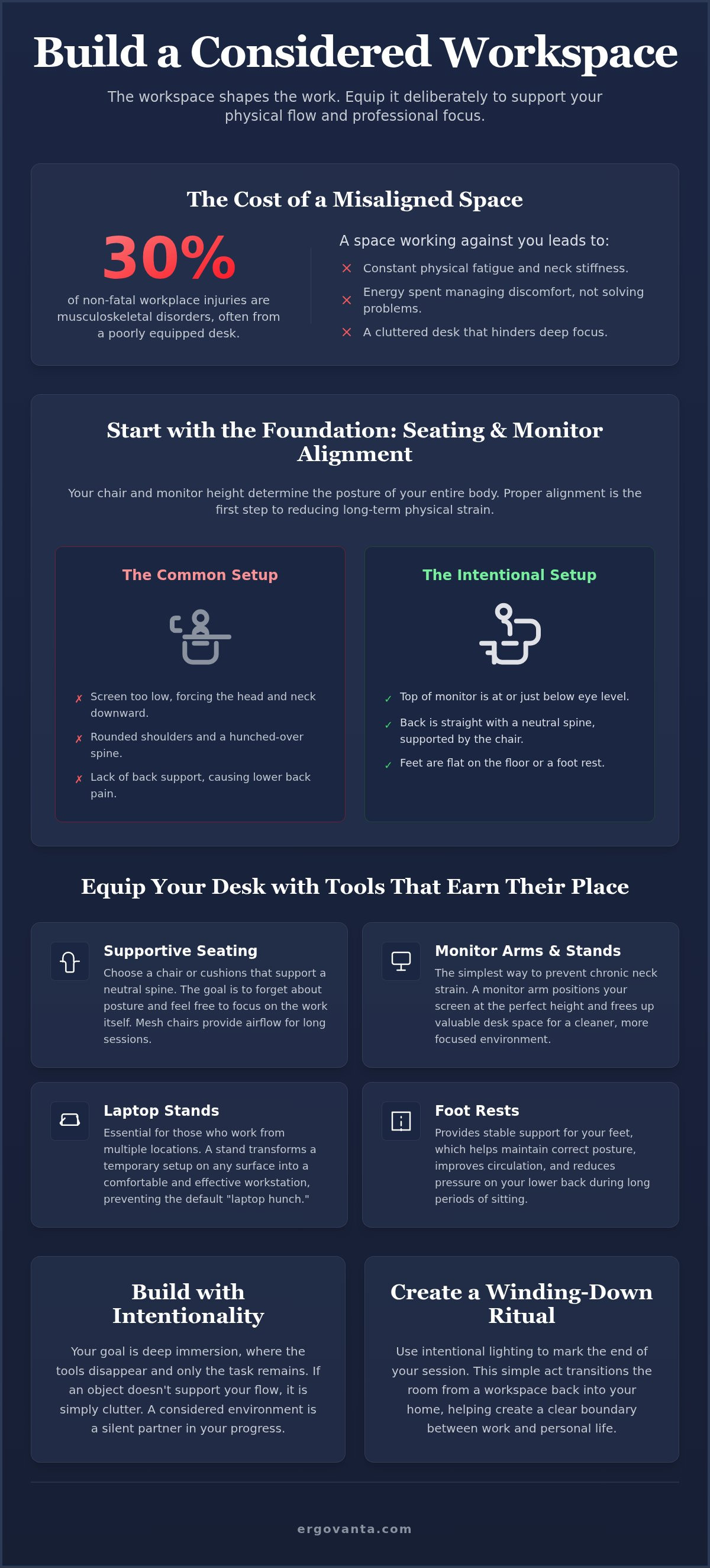
Consider how you feel after four hours at the desk. If you find yourself constantly shifting, rubbing your neck, or squinting at a screen that is too low, your environment is working against you. These small physical stressors accumulate. By the time the afternoon arrives, your energy is spent managing discomfort rather than solving problems. Physical feeling is the most honest metric of a successful setup. According to 2023 data, musculoskeletal disorders account for around 30% of all non-fatal workplace injuries in the U.S. This isn't just a corporate statistic; it's a reflection of how a poorly equipped space can physically stop you from doing the work.
The relationship between space and focus
When your body is supported, your mind is free to engage. A chair that fits and a screen at the right height remove the friction of physical strain. This allows for a sense of deep immersion where the tools disappear and only the task remains. Intentionality starts with the objects you touch daily. If you are fighting your desk, you aren't winning the day. A considered environment acts as a silent partner in your progress, allowing you to stay in the zone for longer stretches without the cost of physical fatigue.
Beyond the clinical definition of ergonomics
The term ergonomics often brings to mind clinical charts and medical-grade plastics. However, the true meaning is found in its etymology. At Ergovanta, we look to the Ancient Greek "ergon" (purposeful function) and "vanta" (advantage). This is about building a space that works for you, not one that looks like a hospital wing or a generic corporate cubicle. You can learn more about our philosophy on our about us page.
Your workstation should feel like yours. It should not be a reflection of a corporate identity or a "hustle" blog's dream. Instead, focus on how each piece of ergonomic equipment makes you feel. Does it provide a physical advantage? Does it help you stay in your flow? When you prioritize personal comfort and intentional utility over clinical metrics, you build a space you'd actually choose to come back to. This sense of ownership is what turns a simple room into a sanctuary for work.
Start with the foundation: seating and monitor alignment
The chair is the anchor of your workstation. It is the piece of ergonomic equipment that has the most direct impact on your physical endurance throughout the day. When you build your space, you aren't just buying furniture; you are establishing the foundation for your focus. Alignment is about reducing the friction between you and the screen. If your monitor is too low, you slouch. If your chair doesn't support your back, you lean. Every misalignment is a small tax on your energy that adds up over a forty-hour week.
Choosing a chair that supports the work
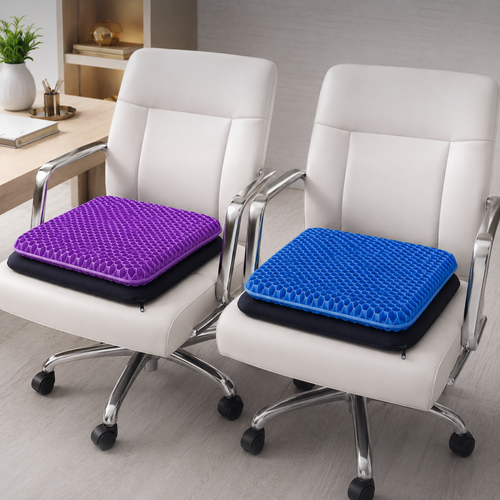
Look for ergonomic accessories like lumbar pillows and seat cushions to refine your seating experience. The goal is a neutral spine without feeling restricted. You shouldn't feel like you are being held in place by a clinical device. Instead, you should feel supported enough to forget about your posture entirely. Mesh office chairs are particularly effective for long sessions because they provide consistent airflow, which helps prevent the discomfort of heat buildup during intense tasks. By focusing on how you feel rather than just the chair's specs, you create a seat that earns its place in your room.
The science of eye level and monitor stands
Monitor height determines the posture of your entire body. If you are looking down at a laptop screen for hours, your shoulders will eventually round and your neck will tighten. Use monitor arms to clear desk space and set eye levels exactly where they need to be. This simple adjustment ensures that your gaze remains horizontal. When your screen is positioned correctly, many common musculoskeletal issues can be prevented. OSHA data indicates that workplace injuries like neck strain are significantly reduced when employees use tools that allow for neutral body positions.
A monitor stand for your desk prevents chronic neck strain by bringing the top third of the screen to eye level. For those who work from multiple locations, laptop stands are essential ergonomic equipment. They transform a kitchen table or a cafe counter into a functional workstation that supports your physical flow. Equip your desk with a riser to keep your shoulders relaxed and your wrists in a natural position. If you need help choosing the right tools for your specific desk depth, feel free to ask us for a recommendation on how to equip your space.
Equip the desk with objects that earn their place
Small objects earn their place through consistent utility. While chairs and monitors provide the foundation, the secondary layer of ergonomic equipment determines the quality of your daily flow. These items often go overlooked in generic office setups, yet they are the tools that solve the specific friction of your unique work day. A considered foot rest or a well-placed light bar can be the difference between a room that feels cluttered and a workspace that feels like a sanctuary.
Support for the hands and feet
Your posture is a chain reaction that starts at the floor. Foot rests help maintain the correct angle for your hips, preventing the lower back strain that often occurs when feet dangle or tuck under a chair. For those who prefer to keep their lower body engaged, foot massage boards provide a subtle way to stay active while seated. This approach to physical health is supported by resources like UW–Madison Ergonomics, which highlights that consistent movement and proper support are vital for long-term comfort. Consider how your wrists rest during heavy typing sessions. Choosing materials that feel good to the touch, such as wood, metal, or felt, adds a sensory layer of intentionality to your space. These objects aren't just functional; they are made for the work you do.
Lighting as an ergonomic tool
Proper lighting reduces eye strain and prevents the headaches that often follow long hours of screen time. It is a fundamental part of your ergonomic equipment suite. Monitor light bars are particularly effective because they provide clarity on your desk surface without creating glare on the screen. This allows you to see your physical notes and keyboard clearly while maintaining a high-contrast digital view. Desk lamps should provide focused light exactly where the work happens. If you find yourself leaning forward to see better, your lighting is failing you. Ambient floor lamps help define the boundaries of your workspace, creating a visual cue that separates your professional tasks from the rest of your home.
Finally, consider cable management trays. By removing the visual noise of tangled wires, you clear the mental space needed for deeper immersion. A considered desk is a quiet desk. Each object you choose should be a deliberate addition that supports your physical flow and professional focus. When your tools earn their place, your environment stops being a distraction and starts being an advantage.
Build your workstation with intentionality
The workspace shapes the work. Equip it deliberately. Building a workstation is not a one-time event; it is a continuous process of refinement. Start by assessing your current setup. Identify exactly where you feel tension after a few hours of focus. Is it in your shoulders? Your lower back? Your eyes? Use these physical cues as a roadmap for your ergonomic equipment choices. If a tool doesn't actively solve a problem, it doesn't belong in your space.
Clear the desk of anything that does not serve a purpose. Visual noise is a silent distraction that pulls at your attention. Position your primary tools, like your keyboard, mouse, and microphone, within easy reach. You should never have to overextend or twist to access the things you use most. Adjust your equipment incrementally. Change one height or angle at a time and live with it for a day. This intentional approach ensures that your setup is tailored to your specific body and workflow.
The step-by-step setup
Begin with your chair. Set your chair height so your feet are flat on the floor and your knees are bent at ninety degrees. This provides a stable base for your spine. Next, place the monitor so the top third of the screen is at eye level. This prevents the "forward head" posture that leads to neck strain. Finally, keep your keyboard and mouse at a height that allows your elbows to remain relaxed at your sides. These small adjustments transform a generic desk into a workstation made for the work.
The importance of desk organization
A clear desk leads to a clear mind. Use workspace essentials to keep the surface clear of unnecessary items. Small objects like headphone stands and phone stands are vital because they keep your tech accessible but out of the way. When your phone has a dedicated place, you are less likely to pick it up out of habit. When your headphones are hung up, your desk feels larger. This isn't about minimalism for the sake of an aesthetic; it's about intentional ownership of your environment. Every piece of ergonomic equipment you add should simplify your life, not complicate it.
Beyond the screen: lighting and the ritual of winding down
The work ends. The room remains. For those who work where they live, the boundary between productivity and rest can become blurred. A considered workspace is one that knows how to turn off. Ergonomics is often discussed in the context of active output, but your ergonomic equipment should also support the ritual of winding down. Recovery is a vital part of the work cycle. If you cannot mentally leave your desk, you will start the next day already behind. True intentionality means preparing the room for the person you are after the work is done.
Creating a transition with light
Changing the light is the most effective way to signal a shift in purpose. Warm lighting tells the brain that the professional day has concluded. While a monitor light bar provides the clarity needed for deep focus, wall lights and ceiling lights can change the mood of the room instantly. Equip your space with lamps that serve dual purposes. During the day, they provide the necessary lumens for clarity; in the evening, they offer a soft, ambient glow that helps you reclaim your home. This transition is a physical cue that the demands of the day are over and the time for rest has begun.
The objects that facilitate rest
The objects that facilitate rest are just as important as the tools that support the work. Reclaiming the room as a living space requires more than just closing a laptop. It involves surrounding yourself with objects that prioritize your personal comfort and taste. Faux plants add a considered touch of greenery without the maintenance, softening the hard edges of tech-heavy environments. Other decor pieces, such as vases or figurines, act as visual markers of your own personality rather than a corporate identity.
These small objects earn their place by shifting the narrative of the room from a site of labor to a sanctuary of relaxation. By building a space you choose to come back to tomorrow, you ensure that the room remains a place of inspiration rather than a source of burnout. Your ergonomic equipment provides the advantage during the work; your considered environment provides the sanctuary after it. Equip your space for the full cycle of your day.
Build the workspace you'd choose to come back to
A considered environment is more than the sum of its parts. It's a sanctuary built for the work you do. By focusing on the foundation of seating and monitor alignment, you remove the physical friction that leads to fatigue. But the process doesn't stop at the desk edge. Integrating the right ergonomic equipment means selecting tools that provide a purposeful function and a distinct advantage for your specific workflow. Whether it's a monitor arm that clears your surface or ambient lighting that signals the end of the day, every object should earn its place.
Ergovanta provides purposeful function for those who do the work. We've curated essentials designed for the modern professional workspace, ensuring each piece supports your physical flow and professional focus. With national shipping on all workspace essentials, building your intentional environment is a straightforward process. Your space is a direct reflection of the care you put into your craft. Equip it with tools that respect your time and your health.
Take ownership of your surroundings and start building a space that works as hard as you do. You deserve an environment that feels like yours.
Frequently Asked Questions
What is the most important piece of ergonomic equipment for a home office?
The chair is the single most critical piece of ergonomic equipment because it determines your base posture for hours at a time. It is the anchor of your workstation. A chair that fits your body reduces the physical friction that leads to long-term fatigue. Look for a mesh office chair that provides consistent airflow or add lumbar pillows for specific support. When your foundation is stable, your mind is free to focus on the work.
Do I really need a monitor arm if I have a laptop?
Working directly on a laptop forces you to look down, which rounds your shoulders and strains your neck. If you use a laptop as your primary screen, a laptop stand or a monitor arm with a laptop tray is essential. These tools bring the top third of the screen to eye level. This simple adjustment ensures you maintain a neutral spine. It clears your desk surface and helps you build a space made for the work.
How does lighting affect office ergonomics and eye strain?
Lighting is a fundamental part of your setup that prevents eye strain and the headaches often caused by screen glare. Improper lighting forces you to lean forward or squint, breaking your neutral posture. Use a monitor light bar to illuminate your desk surface without reflecting off the screen. Ambient floor lamps can help define the room's atmosphere, making the transition from deep focus to relaxation easier. Proper light ensures your eyes don't tire before your mind does.
Can a foot rest actually improve my posture at a desk?
A foot rest is highly effective for maintaining the correct angle for your hips and lower back. If your feet don't sit flat on the floor, your spine loses its natural alignment, which leads to tension. Foot rests and massage boards keep your lower body engaged and supported. This prevents the tendency to tuck your feet under your chair or cross your legs, both of which can cause long-term discomfort in a considered workspace.
How do I know if my desk height is correct for my body?
Your desk height is correct when your elbows are at a ninety-degree angle while your hands rest on the keyboard. Your shoulders should remain relaxed, not shrugged, during typing sessions. If your desk is too high, you will feel tension in your upper back; if it is too low, you will hunch forward. Use a desk riser or an adjustable standing desk to find the exact point where the tools feel like an extension of your body.
What are the benefits of using a monitor light bar instead of a desk lamp?
Monitor light bars offer a distinct advantage over traditional desk lamps by providing asymmetrical lighting that does not hit the screen. This eliminates glare, which is a primary cause of eye fatigue. Because they sit on top of your monitor, they also save valuable desk space. This helps you clear the surface of anything that doesn't serve a purpose, creating a more intentional environment that supports deep immersion and professional focus.
Is it better to use a standing desk or a desk converter?
A full standing desk offers a more seamless and stable experience, allowing you to adjust the entire surface to your height. A desk converter is a practical choice if you want to keep your existing furniture or have a smaller room. Both options achieve the same goal: moving for thirty seconds every thirty minutes to prevent static posture fatigue. Choose the one that earns its place in your specific room and supports your physical flow.
How can I make a small workspace feel more ergonomic?
Making a small space ergonomic requires intentionality and a focus on verticality. Use monitor arms to lift screens off the desk and headphone stands to keep tech accessible but out of the way. Clear the visual noise by using cable management trays. When you remove the clutter, even a small corner can feel like a sanctuary for work. Every piece of ergonomic equipment should be chosen for its ability to maximize your limited surface area.
Disclaimer
Ergovanta publishes these guides to help people set up better workspaces. Product recommendations reflect what we sell. Specifications, prices and availability are accurate at the time of writing and may change. Nothing here is medical, ergonomic or professional advice; if you have a specific health concern about your workstation, speak to a qualified professional.
From the catalog